
Have you ever wondered what exactly powers your WordPress site behind the scenes? Whether you’re a seasoned blogger or new to managing your website, understanding the core components of your WordPress setup is crucial.
One of the most critical elements is your WordPress database. It’s the digital brain of your site, silently working to store everything from your post content to user comments and settings. But what exactly is it, and why should you care?
In this guide, you’ll discover the importance of your WordPress database, how it impacts your site’s performance, and why keeping it in good health is essential for your online success. Get ready to unlock the secrets of your site’s unseen powerhouse, and learn how to optimize it to ensure smooth operation and security.
Credit: kinsta.com
WordPress Database Basics
The WordPress database is like a big storage box. It keeps all your website’s information safe. This includes your posts, pages, and user data. The database uses a special language called SQL to talk to your website. Every time someone visits your site, WordPress asks the database for information. This helps to display the right content to your visitors.
The database has different parts called tables. Each table holds different types of data. For example, one table stores all your posts. Another stores your site’s settings. Understanding this helps you know where your data lives. This can make fixing problems easier.
Core Tables In WordPress
The wp_posts table stores all posts, pages, and custom post types. It holds the content and metadata of your site. Each post has unique data. This includes title, content, and status. Posts can be published or drafts. They are important for your site’s content.
In the wp_users table, user information is stored. This includes usernames and passwords. It also stores email addresses. Each user has a unique ID. This ID links to user actions. Security is crucial for this data. Protect user data carefully.
The wp_comments table keeps user comments. It stores comment text and author data. Comments can be approved or pending. They add interaction to your site. Moderation helps maintain quality. Engage with your audience through comments.
wp_options table holds site-wide settings. It includes options like site title and URL. Plugins store settings here too. It helps configure your site. Each option has a name and value. Changes affect the whole site. Handle options with care.
Role Of Database In WordPress
The database stores all your website information. This includes posts, pages, and comments. Every detail is saved in tables. These tables hold all the data your site needs. Without a database, WordPress cannot work. It is the heart of your site. It keeps everything organized and safe.
A fast database makes a website load quickly. Speed is crucial for good user experience. Slow sites lose visitors. Efficient databases help sites run smoothly. They ensure data is fetched fast. This improves overall site performance. Keeping the database clean is important. Regular maintenance is key.
Databases allow users to customize their sites. Add new features easily. Change themes and plugins. Flexibility is a major benefit. Users can tailor sites to their needs. The database supports changes without hassle. It adapts to new tools and designs. This makes WordPress versatile.
Accessing Your Database
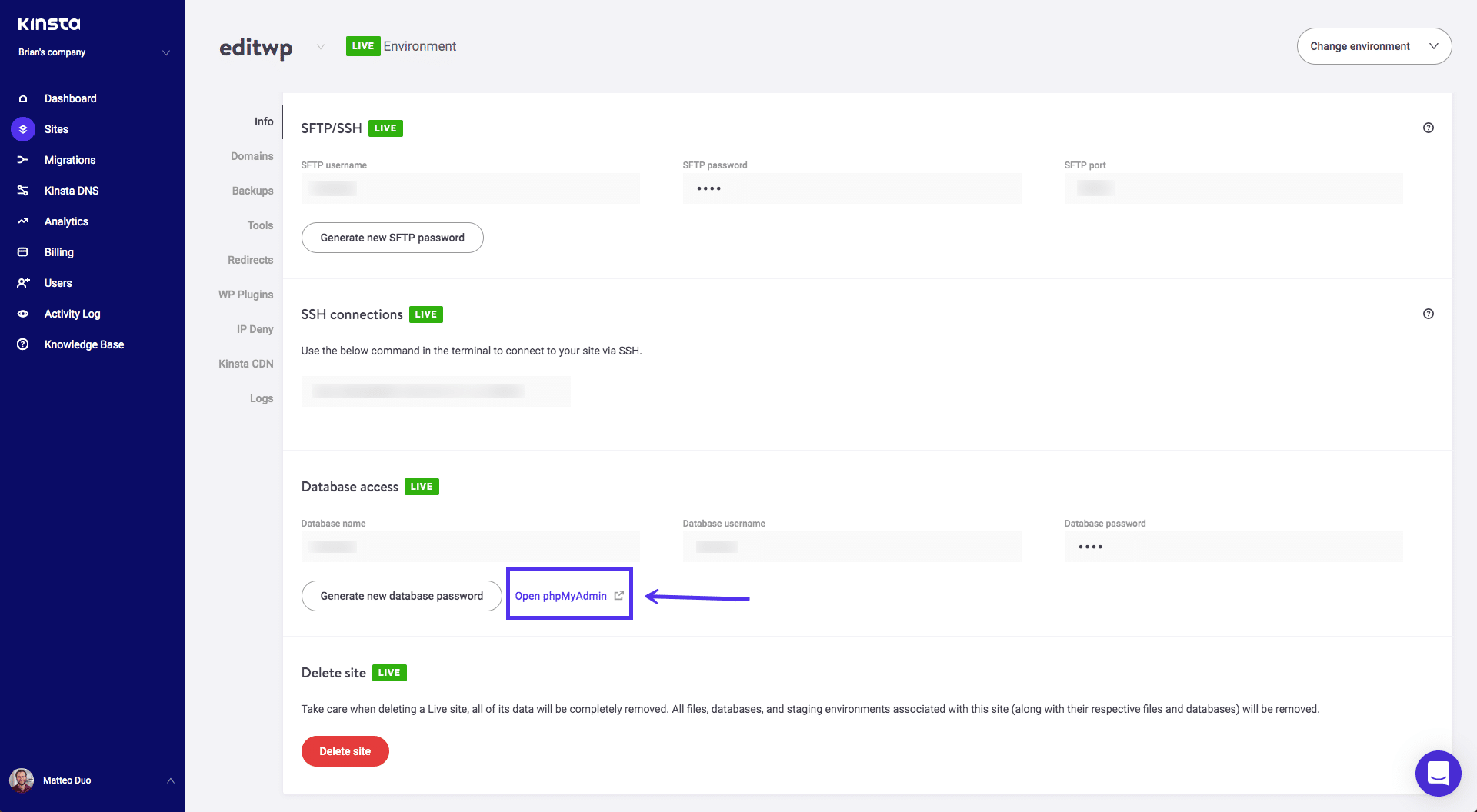
WordPress databases store all your site content, user data, and settings. Understanding it helps manage your site efficiently. Accessing the database can be done through phpMyAdmin, allowing you to view and edit important site information directly.
Using Phpmyadmin
phpMyAdmin is a popular tool for managing databases. It is easy to use. Open your web browser. Type in your website’s URL. Add “/phpmyadmin” at the end. Enter your username and password. These are the same as your website’s login. Once inside, you will see your database. It contains all your website’s data.
Database Management Tools
There are other tools for managing databases. Some are free. Others require payment. Each tool has features to help you. Choose one that fits your needs. Always keep your data safe. Make sure to back up your database regularly. This will protect your data from loss. Stay aware of updates. They often fix security issues.
Securing Your Database
Regular backups are important. They keep your data safe. Mistakes happen. Files can get lost or broken. A backup helps you restore them. Always save backups in a safe place. You can use cloud services for this. They are reliable and easy to access. Set a schedule for automatic backups.
Control who can access your database. Give users only the permissions they need. This will protect important data. Create different roles for different tasks. Some people need more access than others. Review permissions often. Change them if needed. This keeps your database secure.
SQL injections are a threat. They can harm your database. Use prepared statements to prevent them. They help secure your code. Also, validate user inputs. Check them carefully. Never trust data from unknown sources. Security plugins can also help. Install them to add extra protection.

Credit: wordpress.stackexchange.com
Optimizing Database Performance
Old data can slow down your database. Regularly removing unused data is essential. This makes the database run faster. Delete old posts, drafts, and comments. These can clutter the database. Remove unused plugins and themes. They take up space too. Keep the database clean and efficient. This helps in quicker data retrieval. The site will load faster with less data.
Caching plugins store data for quick access. They reduce the need to fetch data repeatedly. This speeds up page loading times. Choose a reliable caching plugin. It should be easy to configure. Caching reduces server load. This improves overall performance. Users experience faster browsing on your website. Ensure the plugin updates are regular.
Database maintenance keeps your site healthy. Regular checks prevent data loss. Back up your database often. This saves data from unexpected crashes. Optimize tables to improve speed. This involves fixing any errors. Maintenance involves routine checks. This ensures everything runs smoothly. Regular updates keep the system secure. Protect the database from threats.
Troubleshooting Common Issues
Connection errors can cause stress. Check your database credentials. These include the database name, username, and password. Make sure they match. If not, change them in your WordPress configuration file. The file is called wp-config.php. Use a simple text editor to open it. Look for lines starting with “define”. Ensure the values are correct. Still not working? Check the database server status. Sometimes, it might be down. Contact your hosting provider for help.
Slow queries can make your site sluggish. Optimize your database tables. Use tools like phpMyAdmin. Select your database. Then, choose “Optimize Table”. This will make it faster. Also, check for unnecessary plugins. These can slow things down. Deactivate and delete them if not needed. Keep your WordPress and plugins updated. Updates often fix slow query issues.
Data corruption can be scary. Back up your data often. Use plugins like UpdraftPlus. They make backups easy. If corruption happens, you can restore from a backup. Also, check for malware. Use security plugins to scan your site. If found, remove it quickly. Sometimes plugins or themes cause corruption. Deactivate them to see if things improve.
Advanced Database Customizations
The WordPress database stores all website data, including posts, pages, and user information. Advanced customizations allow tailoring of database functionalities to meet specific needs. Enhancements improve performance, security, and management of website content, making your WordPress experience more efficient and user-friendly.
Custom Tables
Creating custom tables in WordPress helps organize data. These tables store specific information. Developers use these to enhance website functionality. Custom tables improve performance and efficiency. They reduce the load on default tables. This results in faster database queries. Creating custom tables requires basic coding skills. WordPress provides hooks and functions for this. Always back up your database first. Mistakes can lead to data loss.
Database Prefix Change
Changing the database prefix improves security. WordPress uses “wp_” by default. Hackers target this prefix often. A unique prefix makes your site safer. It is best to change the prefix during installation. Use plugins to change it later. Ensure you back up your database first. Mistakes can break your site. Follow guides or ask experts for help.
Integrating With External Databases
Connecting WordPress to external databases expands its capabilities. This allows data sharing between platforms. Developers use APIs for seamless integration. External databases store large or complex data. They help in creating interactive features. This includes forums or user profiles. Proper setup is crucial for security. Always follow best practices to protect data.

Credit: developer.wordpress.org
Frequently Asked Questions
How Do I Find My WordPress Database Details?
You can find your database details in the wp-config. php file. This file is located in your site’s root directory. It contains your database name, username, and password. Access it via FTP or your hosting panel.
Why Is My WordPress Database Important?
Your WordPress database stores all site content, including posts, pages, and user data. It’s crucial for your site’s functionality and performance. Without the database, your site can’t operate properly.
How Can I Back Up My WordPress Database?
You can back up your database using plugins like UpdraftPlus or manually via phpMyAdmin. Regular backups prevent data loss. They are essential for site security and recovery.
What Happens If My WordPress Database Is Corrupted?
A corrupted database can lead to site errors or downtime. You can repair it using phpMyAdmin or plugins. Regular backups ensure you can restore your site quickly.
Conclusion
Understanding your WordPress database is crucial for managing your site. It stores all your data and settings. Regular backups keep your information safe. Optimize your database for better performance. Use plugins wisely to avoid bloating your database. Secure your database against unauthorized access.
Strong passwords and updates help protect your data. Knowing basic database functions enhances your WordPress experience. Managing it well leads to a smoother site. Take time to explore its features. Your website’s health depends on a well-maintained database. Keep learning, and your site will thrive.


