
Are you ready to launch your very own website but feel overwhelmed by the idea of web hosting? You’re not alone.
The concept of web hosting often leaves many scratching their heads, wondering where to even begin. But don’t worry—you’re about to discover exactly what web hosting is and how it can transform your online presence. Imagine your website as a bustling storefront; web hosting is the land and infrastructure that supports it, making it accessible to people all over the world.
Without it, your amazing website ideas stay hidden, inaccessible to potential visitors. By understanding web hosting, you unlock the door to a powerful online platform where your content can shine. Dive into this article to demystify web hosting and learn how choosing the right hosting service can be the game-changer for your website’s success.
Types Of Web Hosting
Shared hosting is like sharing a house with others. Many websites use the same server. It is usually cheap and good for beginners. Websites share resources, so it can be slow if traffic is high. Perfect for small sites or blogs.
VPS hosting stands for Virtual Private Server. It is like having your own room in a house. You get more control and privacy. It costs more than shared hosting. Good for medium-sized sites. Offers better performance and security.
Dedicated hosting means you get the whole server. No sharing with others. It is expensive but provides high performance. Ideal for large sites with lots of traffic. Offers great security and control.
Cloud hosting uses many servers to host sites. If one server fails, others help. It is flexible and scalable. Costs vary with usage. Good for sites with changing traffic. Offers good reliability and performance.
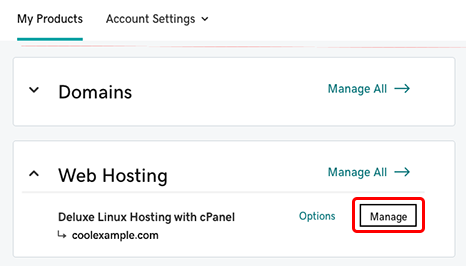
Credit: www.godaddy.com
Choosing The Right Web Hosting
Choosing web hosting starts with understanding your needs. Think about the type of website you want. Is it a blog, an online store, or a portfolio? Different sites have different needs. Traffic volume is another factor. A small blog needs less power than a busy store. Consider the features you need. Do you want email accounts or databases? Ensure your host offers these.
Budget plays a big role in choosing hosting. Prices vary widely. Shared hosting is cheap but less powerful. Dedicated servers cost more but offer better performance. Look for offers or discounts. Some hosts give free trials. This helps you test services without spending much. Don’t forget to check renewal rates. They may be higher than the initial price.
Scalability means growing with your site. Start small, but plan for growth. Your host should allow upgrades. Shared hosting is good for small sites. As your site grows, VPS or dedicated hosting may be better. Check if the host supports scaling. This can save time and money in the long run. Choose a host that can grow with you.
Features To Look For
Enough bandwidth lets your site handle many visitors. Storage saves all your files and data. More visitors need more bandwidth. Big files need more storage. Choose hosting that meets your needs. Make sure your site runs smoothly.
Your site should be up all the time. Uptime means your site is live. Good hosting has high uptime. Reliable hosting keeps your site online. Users get annoyed if sites are down. Look for hosts with 99% uptime or more.
Help is important when problems arise. Customer support should be ready to assist. Support should be fast and helpful. Questions need answers. Issues need solutions. Good support means less stress for you.
Credit: wetopi.com
Setting Up Your Web Hosting
First, you need a domain name. This is your website’s address. Think of something easy to remember. You can register your domain through a domain registrar. Popular ones are GoDaddy and Namecheap. After choosing, pay a small fee to register. This step is important. It makes sure your domain is yours.
CMS stands for Content Management System. It helps you manage your site. WordPress is a popular CMS. Most hosting providers offer a one-click install. This makes it simple for beginners. Follow the instructions on the screen. Soon, your CMS will be ready.
Email setup is crucial. It lets you send and receive messages. Go to your hosting control panel. Look for the email settings section. Create an email like info@yourdomain.com. This looks professional. You can check your email through webmail. Remember to set a strong password.
Common Web Hosting Issues
Many users face issues with web hosting, like slow loading times and downtime. These problems can affect website performance and user experience. Understanding common issues helps in choosing reliable hosting services.
Security Concerns
Web hosting can have security risks. Hackers might try to steal important data. Websites must be protected with strong passwords. Regular updates help keep sites safe. Firewalls can block bad traffic. Backup data often to avoid loss. Choose hosts with secure servers.
Slow Loading Speeds
Slow websites make visitors unhappy. Large images take longer to load. Many plugins can slow down the site. Servers should be fast for quick access. Optimize images for faster loading. Use caching to speed up pages. Fast websites keep users happy.
Downtime Problems
Websites need to be online always. Downtime means sites are unreachable. Visitors can leave if sites don’t load. Choose hosting with 99.9% uptime. Monitor websites for downtime. Alerts help fix issues quickly. Reliable hosts prevent downtime.
Future Trends In Web Hosting
Green hosting is good for our planet. It uses renewable energy. This helps reduce carbon footprints. Many companies now choose green hosting. It is clean and sustainable. Green hosting helps save our environment.
AI makes hosting smarter. It can manage servers. AI integration helps with security. It also boosts efficiency. Tasks become easier with AI. AI can solve problems fast. Many hosts are adding AI now.
Edge computing brings data closer. It reduces delay in data transfer. This is good for fast websites. Edge computing helps with real-time data. It improves user experience. Many web hosts use edge computing today.

Credit: www.godaddy.com
Frequently Asked Questions
How Do I Find Out The Host Of My Website?
Use a WHOIS lookup tool to find your website’s host. Enter your domain name to get host details. Alternatively, check your hosting account or billing information for host details.
How Do I Find Out What Platform A Website Is Hosted On?
Use online tools like BuiltWith or Netcraft to discover a website’s hosting platform. Check the site’s source code for hosting details. Alternatively, inspect the site’s HTTP headers for server information. Tools like WHOIS can also provide hosting insights.
How Do I Find My Hosting Account?
Log in to your web hosting provider’s website. Navigate to the dashboard or account section. Check your email for hosting details. Contact customer support if needed. Use the “Forgot Password” feature if you’ve lost access.
What Are The 3 Types Of Web Hosting?
Web hosting types include shared hosting, VPS hosting, and dedicated hosting. Shared hosting offers cost-effective solutions. VPS hosting provides more resources and control. Dedicated hosting ensures maximum performance and security. Each type suits different needs and budgets. Choose based on your website’s requirements.
Conclusion
Choosing the right web hosting is important. It affects your site’s speed and security. A reliable host ensures your website runs smoothly. It helps keep visitors happy. Consider your needs before picking a host. Do you need lots of storage?
Is fast loading crucial? Think about budget and features. Compare different hosting plans. Read reviews from other users. Making the right choice can boost your online presence. A good host supports your site’s goals. Remember, web hosting is the backbone of your website.
Always aim for quality and reliability in your hosting choice.


