
Have you ever wondered what a domain name and web hosting really mean for your online presence? If you’re setting up a website, these terms are crucial for your success.
Imagine your domain name as your website’s address, guiding visitors to your digital doorstep. Meanwhile, web hosting acts as the home where your website lives. Understanding these concepts isn’t just tech jargon; it’s the foundation of building a strong online identity.
In this blog, you’ll discover why your domain name and web hosting matter, how they work together, and what you need to know to make smart choices. Get ready to unlock the secrets of a powerful online presence that captures attention and stands out.
Domain Name Basics
A domain name is like your home’s address. It tells people where to find you online. Imagine typing numbers to visit a site. Hard, right? A domain name makes it easy. It uses words, not numbers. For example, www.example.com is a domain name.
When you type a domain name, your computer talks to a special server. This server knows where websites live. It points your computer to the right place. This happens fast, in a blink!
There are many types of domain names. Some end with .com. Others end with .org, .net, or .edu. Each type is used for different things. For example, schools use .edu. Websites for fun use .com.
Credit: thedesignspace.co
Choosing A Domain Name
Pick a short and simple name. Easy to remember. Avoid numbers and hyphens. They confuse people. Check for availability. Use keywords related to your business. Make it unique. Research other domains. Avoid similar names. Consider the future. Choose a name that can grow with your business.
Keywords help people find your site. Use relevant words. Words that describe your business. Keywords improve search results. They make your site more visible. Choose words that matter. Think about what people search. What words they use. Research common searches. Use tools to find popular keywords.
Don’t pick a complicated name. Hard to spell. Hard to say. Avoid names that are too long. Keep it short. Don’t use trademarks. You could get into trouble. Avoid names that sound like others. Confusion is bad for business. Don’t forget to renew your domain. It could expire. Plan for the long-term.
Introduction To Web Hosting
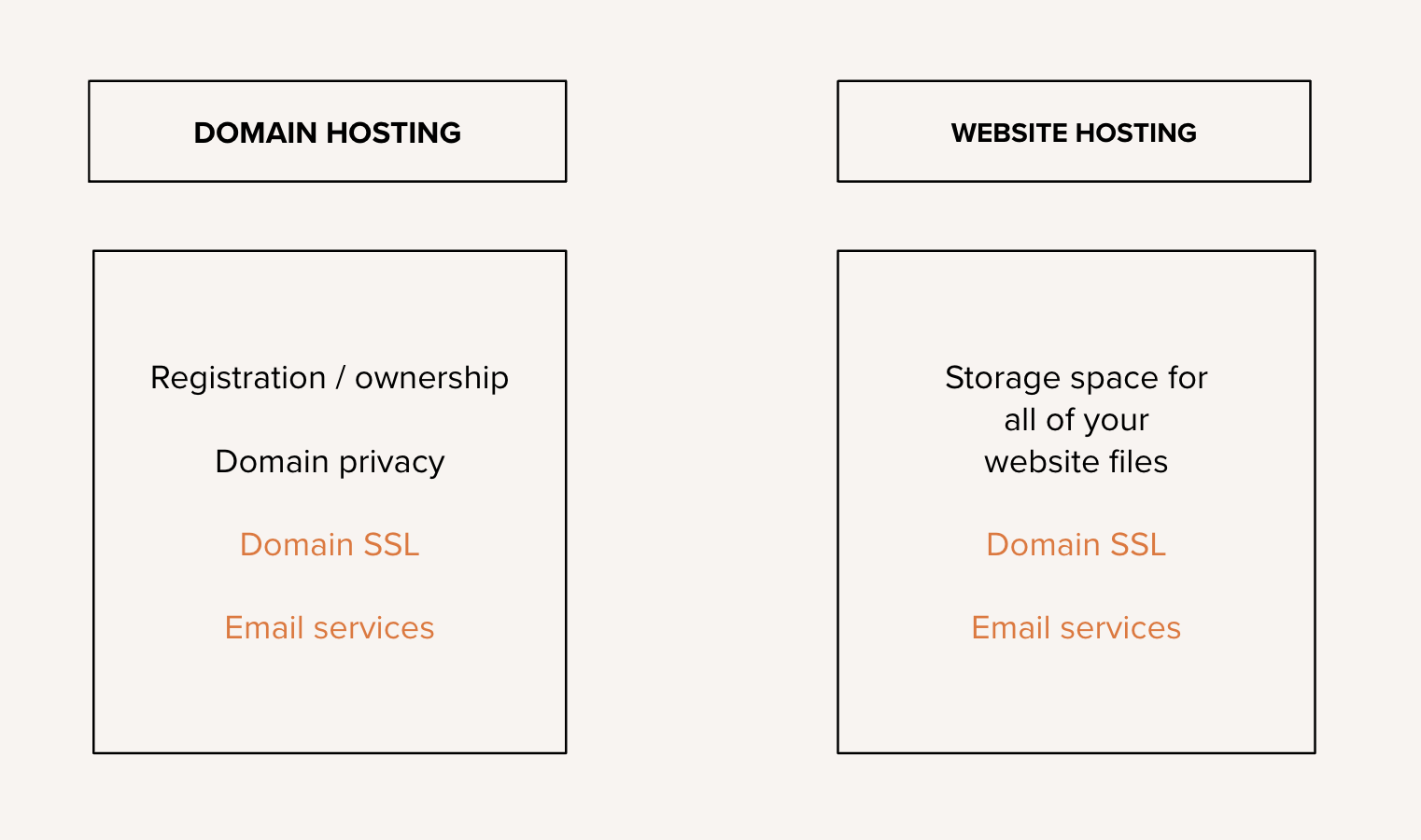
Web hosting helps websites go live on the internet. It provides space on a server. That space stores your website files. Without hosting, sites cannot be seen online. Think of it like renting a room for your website.
There are different types of web hosting. Shared hosting is one type. Many sites share one server. It’s cheap and good for small sites. Another type is dedicated hosting. You get a whole server to yourself. This is for big sites. VPS hosting is between shared and dedicated. It’s like having your own part of a server.
Web hosting works by connecting your site to the internet. The server holds your files. When someone wants to visit, the server sends them your site. It is like a library lending books. Host keeps site live and ready.

Credit: www.webhostinghub.com
Selecting A Web Hosting Provider
Choosing a web host needs care. Reliability is key. Your site should be up all the time. Speed is next. Fast sites keep people happy. Support is important too. You need help when things go wrong. Check if they offer 24/7 support. Look at pricing. Some plans look cheap but have hidden costs. Security is also vital. A safe site protects your data.
Different plans suit different needs. Shared hosting is cheap but can be slow. VPS hosting gives more power. Dedicated hosting is for big sites. Cloud hosting is flexible. Choose based on your site’s size and traffic. Check bandwidth limits. More traffic needs more bandwidth. Look at storage. Big sites need more space.
Control panels help manage your site. cPanel and Plesk are popular. Email accounts are often included. Check if they offer free SSL certificates. This makes your site safe. Some hosts offer free backups. This is useful if you lose data. Look for one-click installers. These make setting up a site easy.
Connecting Domain Name And Web Hosting
The Domain Name System (DNS) is like a phone book for websites. It helps browsers find websites using domain names. You must set up DNS to connect a domain to hosting. This step tells the domain where to find your website files. You do this by updating the DNS records. Records like A record point to your web server’s IP address. Nameservers also play a role. They guide the domain to the correct hosting provider. It’s crucial for website functionality.
Pointing a domain to hosting involves changing settings. You need to change the nameservers of your domain. Your hosting provider gives these nameservers. Enter them in your domain registrar’s settings. This links your domain with your hosting server. Once done, it might take time to update. This process is called propagation. It can take up to 48 hours. Patience is key during this time.
Sometimes, domains and hosting don’t connect easily. Common problems include incorrect DNS records. Double-check the settings to ensure accuracy. Also, nameserver updates might not apply immediately. Wait for propagation before making changes. If issues persist, seek help from your hosting provider. They offer support for DNS issues. SSL certificates might also cause problems. Ensure they are properly installed. It’s important for website security.

Credit: www.youtube.com
Managing Your Domain And Hosting
Keeping your domain active is important. Always renew your domain on time. Check your renewal dates regularly. Use reminders to stay updated. Domains can be transferred. Transfer domains if you need a new host. Ensure your details match when transferring. This helps avoid problems. Read the rules before starting a transfer.
Secure your domain with strong passwords. Change passwords often. Enable two-factor authentication. This adds extra security. Keep your contact details up to date. Check for suspicious activity regularly. Use security tools to help. They can warn you if something is wrong.
Growing your website can be exciting. Choose a hosting plan that fits your needs. Upgrade plans if you need more space. Add new features as your site grows. Monitor your site to ensure it works well. Check load times and fix any issues. This helps keep visitors happy.
Frequently Asked Questions
How Do I Find My Domain Host Name?
Check your domain registrar’s website or use WHOIS tools to find your domain host name. Access your domain management settings for details. Consider contacting your web hosting provider for assistance.
What Is Domain Name In Web Hosting?
A domain name in web hosting is a website’s unique address on the internet, like “example. com”. It helps users find your site easily. Domain names consist of a name and an extension, such as. com,. net, or. org. They are essential for establishing an online presence.
How Do I Know The Domain Name Of A Website?
To find a website’s domain name, check the URL in the browser’s address bar. It typically appears after “www” and before any slashes. You can also view it in the search engine results or the website’s footer. Use online tools for domain lookup if needed.
How Do I Find My Own Domain Name?
Choose a memorable name reflecting your brand. Check availability using domain registrars like GoDaddy or Namecheap. Use keywords for better SEO. Ensure it’s easy to spell and pronounce. Consider different domain extensions like. com or. net. Secure your domain quickly before someone else does.
Conclusion
Choosing the right domain name and web hosting is crucial. It affects your online presence and website performance. A memorable domain name attracts visitors. Reliable hosting ensures smooth website operation. Consider your needs and budget. Research options carefully. Many providers offer packages with various features.
Look for customer support and security. These elements build trust with users. Always remember, your choice impacts your site’s success. Make informed decisions for long-term benefits. Stay updated with trends and technologies. Your website’s foundation depends on it. Happy hosting!


