Are you looking to enhance your WordPress website with eye-catching, interactive elements? Have you ever wondered how to grab your visitors’ attention without overwhelming them?
Enter the world of modals in WordPress. Modals are those sleek, pop-up windows that can display important content or calls to action without taking users away from the current page. They are a powerful tool for improving user experience and increasing conversions.
Imagine being able to showcase offers, collect emails, or highlight key information at the right moment. Intrigued? Dive into this article to uncover the magic of modals and how they can transform your WordPress site into an engaging, dynamic space that keeps your audience coming back for more.
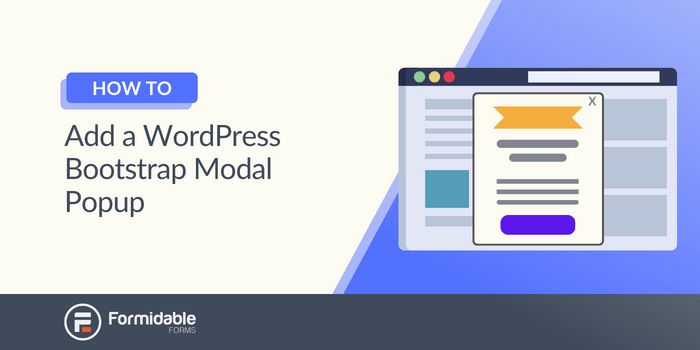
Credit: formidableforms.com
Understanding Modals
A modal is a small pop-up window on a webpage. It appears on top of the main content. Modals are often used to catch the user’s attention. They can show important information or ask for a quick action. For example, a modal might display a login form or a special announcement. Modals are useful because they keep users on the same page. Users don’t have to navigate away. This makes the user experience smooth and easy.
Modals are popular in web design. They help in creating interactive websites. One common use is for image galleries. When an image is clicked, a modal shows the larger version. Another use is for forms. Users can fill forms without leaving the page. Modals are also used for notifications. They alert users about important updates. Modals can also confirm actions, like deleting an item. This makes sure users are sure about their choice.
Modals In WordPress
Modals are small windows. They pop up over a page. WordPress uses them for messages and forms. Many themes support modals. They make websites interactive. Plugins can add more modal features. Easy setup. No coding needed. Users click a button. The modal appears. Simple and effective.
Themes often have built-in modals. They match the website style. Plugins offer extra modal options. Users can pick what they like. Some plugins are free. Others cost money. Modals can show slideshows. Forms too. Great for user interaction. Makes sites more engaging. Easy for users to understand.
Modals help users focus. No distractions. They guide users to actions. Like subscribing or signing up. WordPress modals are easy to use. They improve user experience. Help increase user engagement. Websites look more professional. Users feel more connected. Better interaction means happy users. Simple tools, big impact.
Creating Modals In WordPress
Many plugins help add modals to your WordPress site. They make the process easy and quick. Popular plugins include Popup Maker and Elementor. These tools offer templates and customization. You can change colors and text easily. Plugins save time and effort. They are great for beginners. Most plugins are free to start. Some have extra features for a fee. Always check reviews before installing a plugin. This ensures you pick the best one.
Custom coding gives more control over your modals. It needs basic knowledge of HTML and CSS. You can make a modal from scratch. This method is ideal for unique designs. Start by creating a simple HTML structure. Use CSS to style the modal. Add JavaScript for special effects. Coding offers endless possibilities. It’s perfect for those who like to experiment. Remember, test your code before using it live. This avoids any errors on your site.
Popular WordPress Modal Plugins
The best modal plugins have some key features. Easy setup is a must. You don’t want it to be too complex. Responsive design is important. It should work on phones and computers. Customization options let you change the look. You can match it to your website style. Integration with forms can help gather emails. Performance should be fast. Slow plugins can annoy visitors. A user-friendly interface is helpful. It makes editing simple.
Some plugins are very popular. Elementor is one of them. It offers many design options. Popup Maker is another top choice. It is easy to use. Ninja Popups has good reviews. It works well with other tools. WPForms offers form integration. It is useful for collecting data. OptinMonster is also well-liked. It helps with marketing. Each plugin has its strengths. Choose one that fits your needs.
Customizing Modals
Modals can be styled with many options. Choose colors, fonts, and sizes. Make the modal match your site’s look. Add borders, shadows, or animations. Use CSS to change the design. You can add custom classes for more control. Make your modal unique and attractive.
Responsive modals work well on all devices. Ensure they adjust to different screen sizes. Use flexible layouts for a smooth experience. Mobile-friendly modals improve user interaction. Test your design on phones and tablets. Make sure buttons and text are easy to click and read. A good mobile design keeps users engaged.
Best Practices For Modals
Modal windows in WordPress are pop-up elements that focus user attention on specific content or actions. They should be easy to navigate and close, enhancing user experience without being intrusive. Implementing clear labels and concise messaging ensures users understand the modal’s purpose immediately.
Ensuring Accessibility
Modals should be easy for everyone. Make sure the modal works with keyboards. Users should be able to use the tab key to navigate. Screen readers should understand the modal content. Use clear labels and descriptions. Avoid fancy words. Keep things simple and clear. Include a close button that is easy to find. Test your modal with accessibility tools. This helps ensure everyone can use it easily.
Optimizing User Experience
Modals should not surprise users. Use them only when needed. Keep the content short and clear. Avoid long sentences or paragraphs. Make sure the modal closes easily. Use bold text to highlight key information. Ensure the design fits with your website. Use colors and styles that match your site. Always test the modal before making it live. This ensures a smooth user experience.
Troubleshooting Modal Issues
Modals sometimes don’t open. This can be due to JavaScript errors. Check the console for any red messages. Conflicting plugins can also cause problems. Try deactivating one plugin at a time. Does the modal work now? Slow loading might be another issue. Ensure your website loads quickly.
WordPress forums are a good place to ask questions. Many users share their experiences and solutions. Also, check plugin documentation. It often contains troubleshooting tips. YouTube has many tutorials. These videos can show you how to fix modal issues.

Credit: make.wordpress.org

Credit: thebizpixie.com
Frequently Asked Questions
What Is A Modal In WordPress?
A modal in WordPress is a pop-up window that displays content on top of the webpage. It enhances user interaction by showcasing important information without navigating away. Modals can be used for alerts, forms, or media galleries. They’re customizable and can improve user experience when implemented effectively.
How To Add A Modal In WordPress?
To add a modal in WordPress, you can use plugins like Popup Maker or Elementor. These plugins offer easy-to-use interfaces for creating modals. You can customize the appearance, trigger actions, and content types. Ensure the modal aligns with your website’s design and enhances user engagement.
Can Modals Affect WordPress Site Speed?
Yes, modals can affect site speed if not optimized properly. Large images or complex scripts within modals can slow down loading times. It’s important to optimize media and scripts used in modals. Regularly test your site speed to ensure modals don’t negatively impact performance.
Are Modals Mobile-friendly In WordPress?
Most WordPress modal plugins are mobile-friendly, offering responsive designs that adapt to different devices. Ensure your modal plugin supports mobile responsiveness. Test modals on various screen sizes to confirm usability. A well-designed modal should function seamlessly across desktops, tablets, and smartphones.
Conclusion
Modal plugins in WordPress offer versatile and dynamic options. They enhance user experience with interactive elements. Easy to implement, they simplify complex tasks. You can customize styles to fit your website’s theme. Modals are great for displaying important messages, forms, or galleries.
Understanding them boosts your site’s functionality. Experiment with different plugins to find the best fit. They can make your site more engaging and user-friendly. Remember to prioritize simplicity and clarity for your audience. Keep exploring WordPress features to fully utilize your site’s potential.