
Ever wondered how search engines decide what content from your WordPress site gets indexed or ignored? Meet the secret tool that gives you control: Meta Robots Advanced.
It’s a powerful feature that can make or break your site’s visibility. Imagine having the ability to guide search engines to the most important parts of your site while keeping other sections hidden from their view. This is not just about SEO; it’s about taking charge of how your content is perceived online.
As you explore this article, you’ll uncover the techniques to harness Meta Robots Advanced, ensuring your WordPress site ranks where it truly deserves. Don’t let your content get lost in the digital shuffle—discover the hidden potential within your reach.
Credit: yoast.com
Meta Robots Tag Basics
The meta robots tag tells search engines what to do with a webpage. It helps control how a page is shown in search results. This tag can allow or block search engines from indexing a page. Blocking means the page won’t show up in search results. Allowing means it can be found by users. It’s a simple but important tool for managing your website’s visibility.
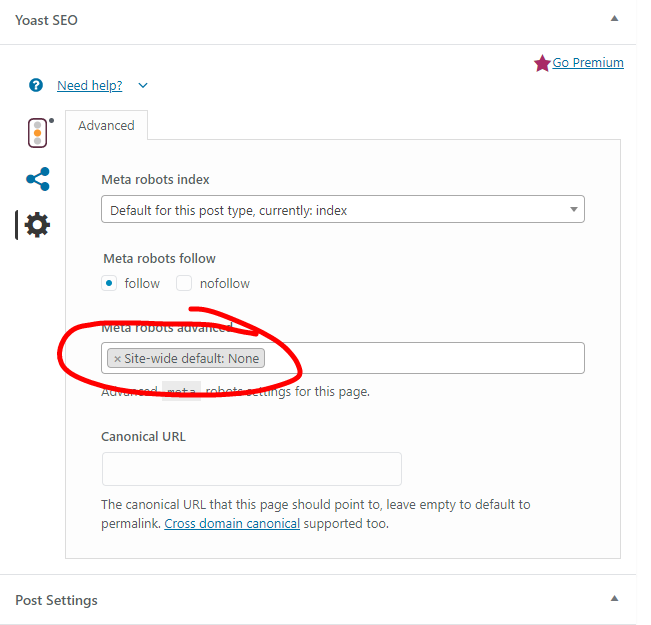
There are some common attributes in the meta robots tag. These include index, noindex, follow, and nofollow. Index allows the page to be listed in search results. Noindex stops the page from showing up. Follow tells search engines to follow links on the page. Nofollow stops them from following links. Each attribute has a clear purpose.
Credit: github.com
WordPress Meta Robots Integration
Plugins make it easy to control meta robots. They add special options to your blog. You can choose which pages search engines should see. This helps with SEO and keeps your site clean. Most plugins have a user-friendly interface. This is good for beginners. No need to write code. Just click and select.
Editing code gives you more control. You can set rules yourself. This requires some skill. Adding meta robots tags is simple. Place them in the HTML head section. Always check your changes. A small mistake can hide your page. Keep a backup of your site. This protects your work.
Advanced Meta Robots Settings
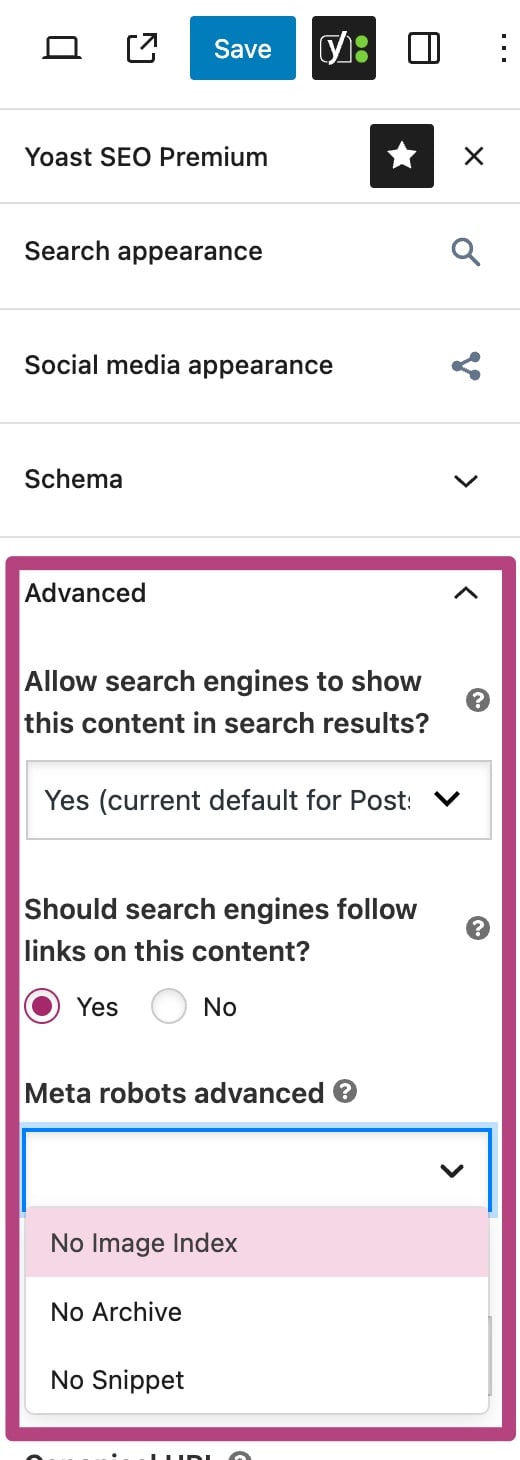
The Noindex tag tells search engines not to show a page in results. This can help with pages you don’t want seen. The Nofollow tag stops search engines from following links on a page. It keeps unwanted links from being tracked. Using both can control what search engines see and follow.
Noarchive stops search engines from saving a copy of your page. This ensures old versions are not shown. Nosnippet stops search engines from showing parts of your page. This keeps your content hidden in search results.
You can mix different tags like Noindex, Nofollow, Noarchive, and Nosnippet. This gives you full control over your page’s visibility. Using these tags smartly helps manage your site’s presence online. Adjust these settings based on what you need.
Impact On Seo
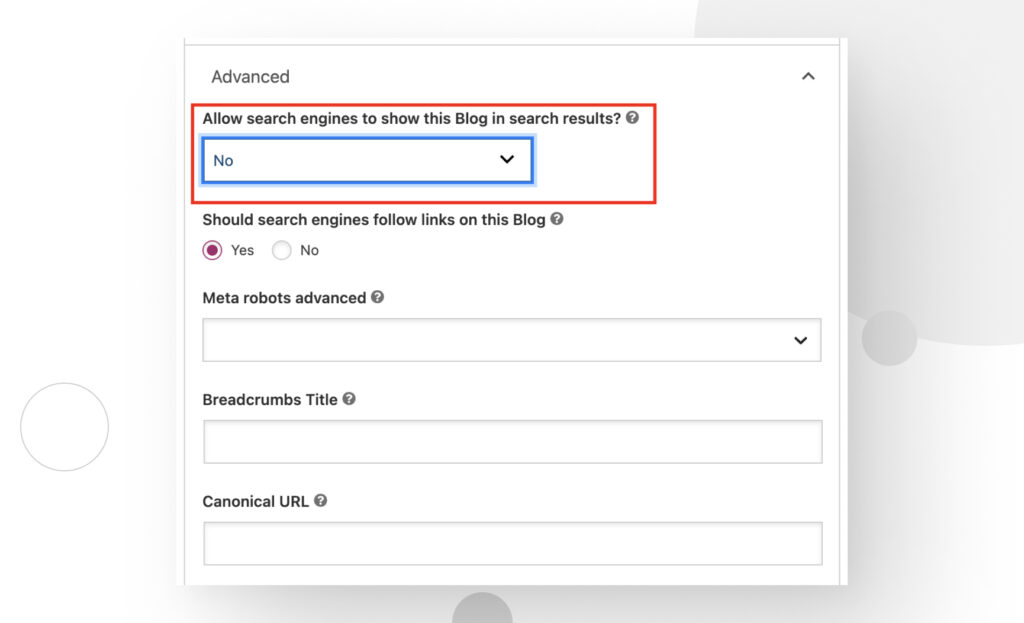
Meta Robots Advanced helps control how search engines crawl your site. This tool can block parts of your site from search engines. You can stop search engines from seeing a page. This helps keep private pages safe. You can also guide search engines to the right pages. This way, they focus on important content. It keeps your site clean and easy to read.
Indexing is how search engines list your site. Meta Robots Advanced makes this process better. It tells engines which pages to index. Engines can skip pages not needed. This saves time and space. Your best content is seen first. Your site gets better rankings. This means more people find your site. Easy and effective.
Best Practices
Meta robots directives guide search engines. They help manage what pages are indexed. Using the right directive is crucial. “index” allows search engines to save the page. “noindex” stops them from saving the page. “follow” directs engines to follow links. “nofollow” tells them to ignore links. This helps control link juice. Always test settings after changes. This ensures desired results.
When To Use Each Directive
Use “index” for important pages. This makes them visible to search engines. Use “noindex” for private pages. This hides them from search engines. Use “follow” for valuable links. This helps spread link juice. Use “nofollow” for unimportant links. This prevents link juice loss. Choosing the right directive boosts SEO.
Avoiding Common Mistakes
Wrong settings can hurt SEO. Setting pages to “noindex” by mistake hides them. This causes traffic loss. Using “nofollow” on valuable links limits link juice. Always double-check settings. Make sure they align with SEO goals. Regular audits help find mistakes. Correct them quickly. This keeps SEO strong.
Troubleshooting And Testing
Meta Robots Advanced helps control how search engines see your site. It’s important to check if it’s working right. Start by looking at your site’s source code. Find the meta robots tag. See if it has the right values. This ensures search engines follow your rules.
Next, use Webmaster Tools. Google Search Console is a good choice. Go to “URL Inspection” in the console. Enter your site’s URL. Look at the results. Make sure Google sees your meta robots tag. If there’s a problem, it will show here.
Sometimes, changes take time. Wait a bit, then check again. Keep an eye on your site’s performance. If it’s not as expected, you might need to adjust settings. Proper implementation helps your site rank well.
Webmaster Tools are handy for testing. Google Search Console helps check your site. Use it to see what Google sees. It gives alerts if something’s wrong. Other tools like Bing Webmaster Tools can help too. They offer insights on your site’s visibility.
These tools show how search engines view your site. They are key in checking your meta robots tags. Regular checks help ensure your site stays optimized. This keeps your site’s ranking healthy.
Credit: wcanvas.com
Frequently Asked Questions
How Does Meta Robots Advanced Work In WordPress?
Meta Robots Advanced in WordPress helps manage search engine indexing. It allows you to control which pages are indexed or not. You can set directives like noindex, nofollow, or noarchive to guide search engines. This improves SEO by optimizing how your site appears in search results.
Can Meta Robots Improve Seo On WordPress Sites?
Yes, Meta Robots can enhance SEO on WordPress sites. It lets you control page visibility in search engines. By using Meta Robots, you can prevent duplicate content from being indexed. This helps focus search engines on valuable pages, improving rankings and user experience.
What Settings Are Available In Meta Robots Advanced?
Meta Robots Advanced offers settings like noindex, nofollow, and noarchive. These directives help manage how search engines interact with your pages. You can choose to hide pages, prevent links from being followed, or avoid caching. Customizing these settings can optimize your site’s search engine visibility.
Is Meta Robots Advanced Plugin Necessary For WordPress?
Using Meta Robots Advanced is beneficial but not always necessary. It provides control over search engine indexing. If you need to manage specific page visibility, it is helpful. However, smaller sites might not require advanced control, relying on basic SEO practices instead.
Conclusion
Understanding Meta Robots Advanced on WordPress boosts your site’s SEO. It helps guide search engines to index your content properly. Using it wisely can improve your website’s visibility. You gain control over what search engines see. This tool is essential for better online presence.
Avoid common mistakes to keep your site healthy. Regularly update your settings for best results. Small tweaks make a big difference. Remember, every detail counts in SEO. Focus on clarity and simplicity. Let your content shine. Keep learning and adapting to stay ahead.


