
Have you ever wondered what makes a WordPress site truly stand out? It’s not just the content or the layout.
It’s the masthead. Understanding the masthead in WordPress can transform the way you present your website to the world. Imagine having a tool that instantly captures your visitors’ attention and conveys your brand’s essence at a glance. Intrigued? You should be.
The masthead is more than just a design element; it’s your site’s first impression, your digital handshake. Curious about how this powerful feature can elevate your website? Let’s dive into what a masthead is in WordPress and why it matters to you.
Masthead Definition
A masthead in WordPress is the top part of a webpage. It often includes the site’s name, logo, and navigation links. This area is important because it helps users know where they are. It also makes it easy for them to find their way around. The masthead is usually the first thing people see. So it needs to be clear and attractive.
Many themes in WordPress have customizable mastheads. Users can change the colors, fonts, and layout. This allows for a unique look that matches the site’s brand. It’s a small part of the page, but it makes a big difference.
Importance Of Masthead
A masthead shows your brand’s identity. It is like a face for your website. The masthead usually has the logo and name of the company. This helps people know who you are. A good masthead makes you stand out. It makes people remember you.
A masthead also improves the user experience. It is often at the top of the page. People see it first. A clear masthead helps users find what they need. It guides them to important pages. This makes using the site easy and fun.
Components Of A Masthead
The logo is a key part of the masthead. It gives your site an identity. Place the logo where it is easy to see. Most sites use the top left corner. This spot makes the logo visible and easy to find.
The navigation menu helps users find pages quickly. It is usually next to the logo. Simple menus work best. List the main pages of your site. Use clear words to describe each page. This helps users understand where they will go.
Contact information should be easy to find. People often look for it at the top right. Include a phone number or email. This makes it easy for people to reach out. Quick contact builds trust with users.
Credit: theme.co
Customizing Masthead In WordPress
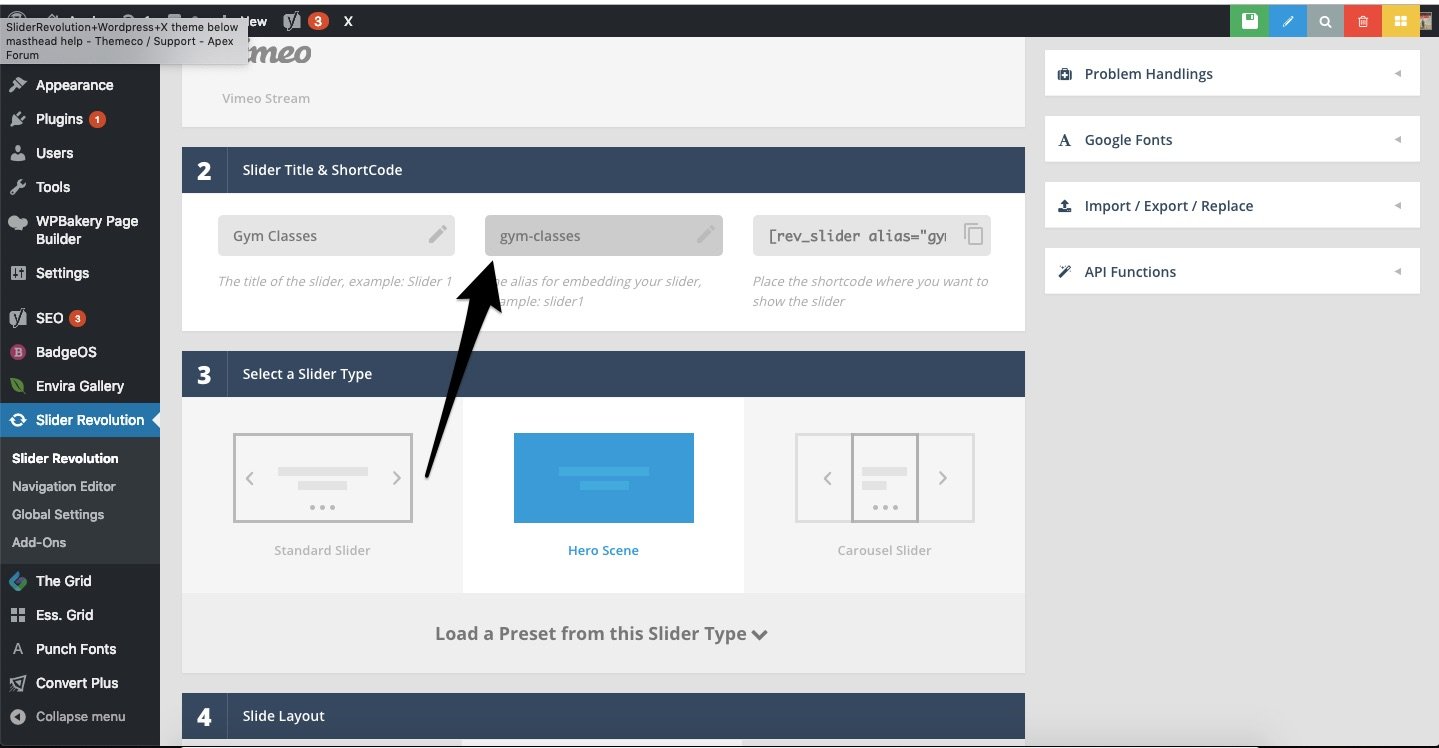
Themes give you many choices for masthead design. Some have pre-made styles. Others let you change colors and fonts. It’s easy to do. Select a theme with masthead options. Follow the theme settings. Make your masthead unique. Themes help with layout too. Choose a theme that matches your brand. This makes your site look good.
Plugins add new features to mastheads. They provide tools to customize your site. Some plugins have drag-and-drop options. This makes changing mastheads simple. Install plugins from the WordPress store. Ensure they’re updated regularly. Check for plugins that suit your needs. They can offer more control. Explore plugins for extra masthead styles.
CSS lets you change masthead design fully. You can adjust sizes and colors. Add borders or shadows. Write custom CSS in the theme editor. It’s powerful but needs care. Mistakes can affect your site. Test changes before applying them live. Use CSS for precise control. It helps when themes or plugins lack features.
Best Practices For Masthead Design
Mastheads must look good on all devices. Responsive design is key. Use flexible layouts and images. This helps the masthead adjust to different screens. The masthead should be clear and readable on phones, tablets, and computers. Keep it simple for easy loading. Test it across devices to ensure a consistent look.
A consistent masthead creates trust. Consistency means using the same colors and fonts. Align it with the rest of your website’s theme. This makes your site feel unified. Consistency aids in brand recognition. Users expect familiar elements across pages. Keep the masthead design steady to enhance user experience.
SEO helps your masthead appear in searches. Use keywords in text and alt tags. This boosts visibility on search engines. Add a clear title and description. These should reflect your site’s purpose. Optimize image sizes to improve loading speed. Fast sites rank better. A well-optimized masthead attracts more visitors.
Examples Of Effective Mastheads
The masthead is the top section of a website. It usually includes the site name and logo. Some mastheads have a short tagline or slogan. This helps visitors know the site’s purpose quickly.
Colors in mastheads matter. Bright colors can grab attention. Soft colors might feel calm. Choose colors that match your brand.
Many mastheads have navigation menus. This helps users find pages easily. Simple menus are best. Too many links can confuse people.
Images in mastheads can be powerful. A beautiful photo can make users stay longer. Choose images that fit your content.
Fonts are important too. Clear fonts are easy to read. Fancy fonts might look nice but can be hard to understand.
Effective mastheads make websites look professional. They help users feel comfortable. Good mastheads improve user experience.
Common Mistakes To Avoid
A masthead should be simple and clear. Adding too many elements confuses visitors. They may miss the important information. Keep logos and menus minimal. A cluttered masthead leads to a poor user experience. It slows page loading. This annoys users. Streamlined designs are best. Less is more.
Many people use phones. They expect a good experience. A masthead that works on desktops may fail on phones. Important links might not be visible. This frustrates users. Responsive design is crucial. Ensure all elements fit on small screens. Test masthead on various devices. Prioritize mobile users. They are a large audience.

Credit: themeshaper.com
Credit: flywheel.co
Frequently Asked Questions
What Is A Masthead In WordPress?
A masthead in WordPress refers to the top section of a website. It typically includes the site logo, title, and navigation menu. It’s crucial for branding and first impressions. Customizing the masthead can enhance user experience and align the site with your brand identity.
How Do I Customize The Masthead?
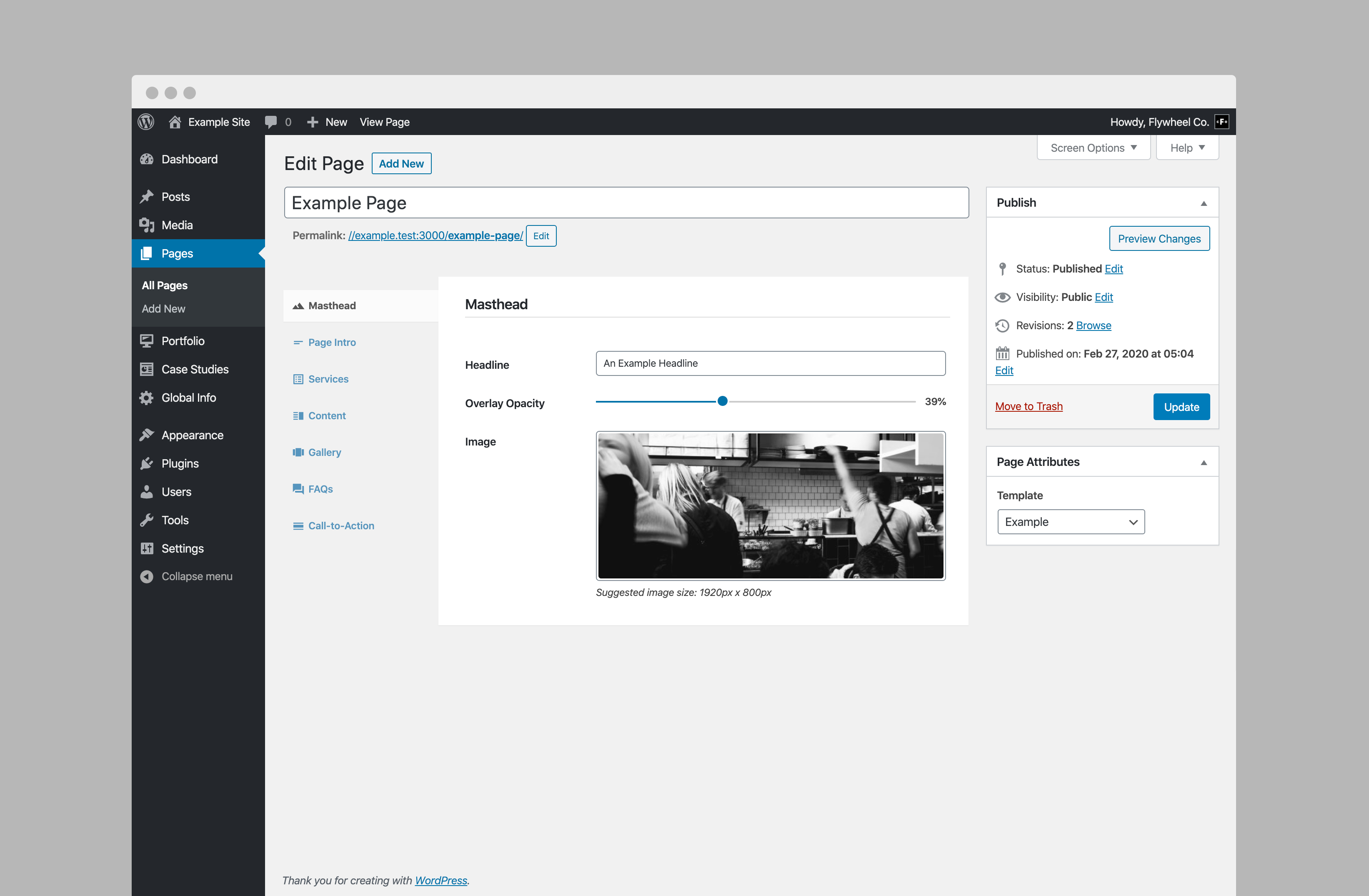
To customize the masthead, access your WordPress theme’s settings. Navigate to the header or masthead section. Here, you can modify elements like the logo, title, and background. Many themes offer customization options via the WordPress Customizer or theme-specific settings.
Why Is A Masthead Important For Branding?
A masthead is often the first thing visitors see. It establishes your brand’s identity and sets the tone for your site. A well-designed masthead can enhance brand recognition, convey professionalism, and improve user experience, making it a vital component of your WordPress site.
Can I Add A Logo To The Masthead?
Yes, you can easily add a logo to the masthead. Access the WordPress Customizer or theme settings. Navigate to the header section and upload your logo. Ensure the logo is clear and appropriately sized to maintain visual appeal and brand consistency.
Conclusion
Masthead plays a vital role in WordPress sites. It shapes the first impression visitors get. A well-designed masthead boosts brand identity. It helps users navigate easily. Customization options in WordPress make it versatile. You can tailor the masthead to fit your needs.
Simplicity in design often works best. Keep it clear and relevant. Always test the masthead for mobile compatibility. A strong masthead can enhance user experience. It invites visitors to explore more. Focus on clarity and functionality. Your site’s masthead deserves thoughtful design.
Small changes can make a big difference.


