
Are you looking to boost your sales game and connect with the right prospects more effectively? LinkedIn Sales Solutions might be exactly what you need.
This powerful platform is designed to help you find, understand, and engage potential clients using LinkedIn’s vast network and smart tools. Imagine having access to real-time insights, personalized recommendations, and advanced search filters—all in one place to streamline your sales process.
If you want to discover how LinkedIn Sales Solutions can transform your approach to selling and build stronger customer relationships, keep reading. This guide breaks down everything you need to know to get started and make the most of this tool.
Credit: skrapp.io
Linkedin Sales Solutions Overview
LinkedIn Sales Solutions offers tools designed to improve sales processes. It helps sales teams connect with potential customers using LinkedIn’s professional network. The platform supports finding leads, building relationships, and managing sales pipelines efficiently.
This overview explains the core components of LinkedIn Sales Solutions. It focuses on Sales Navigator, its key features, and the users who benefit most from the platform.
What Is Sales Navigator
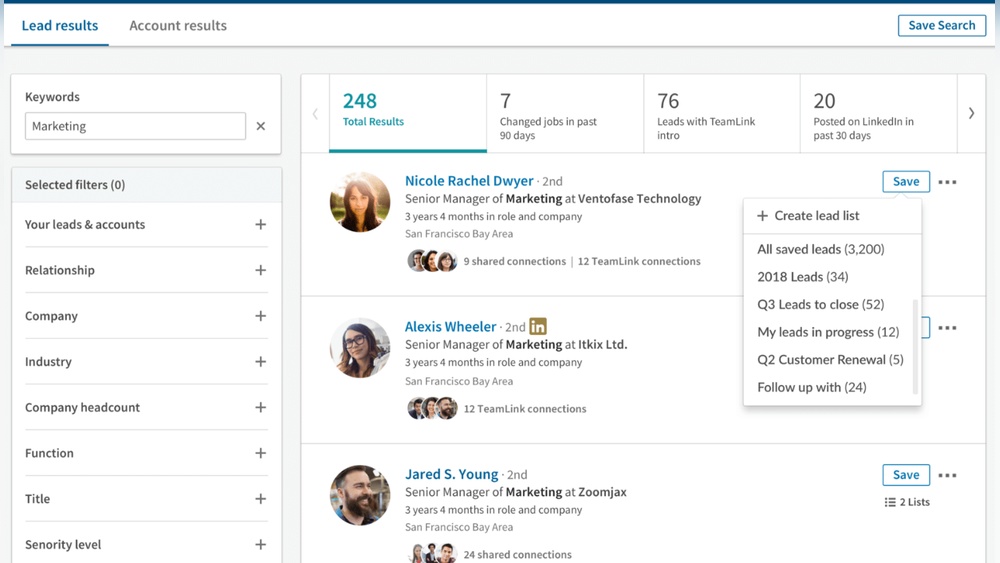
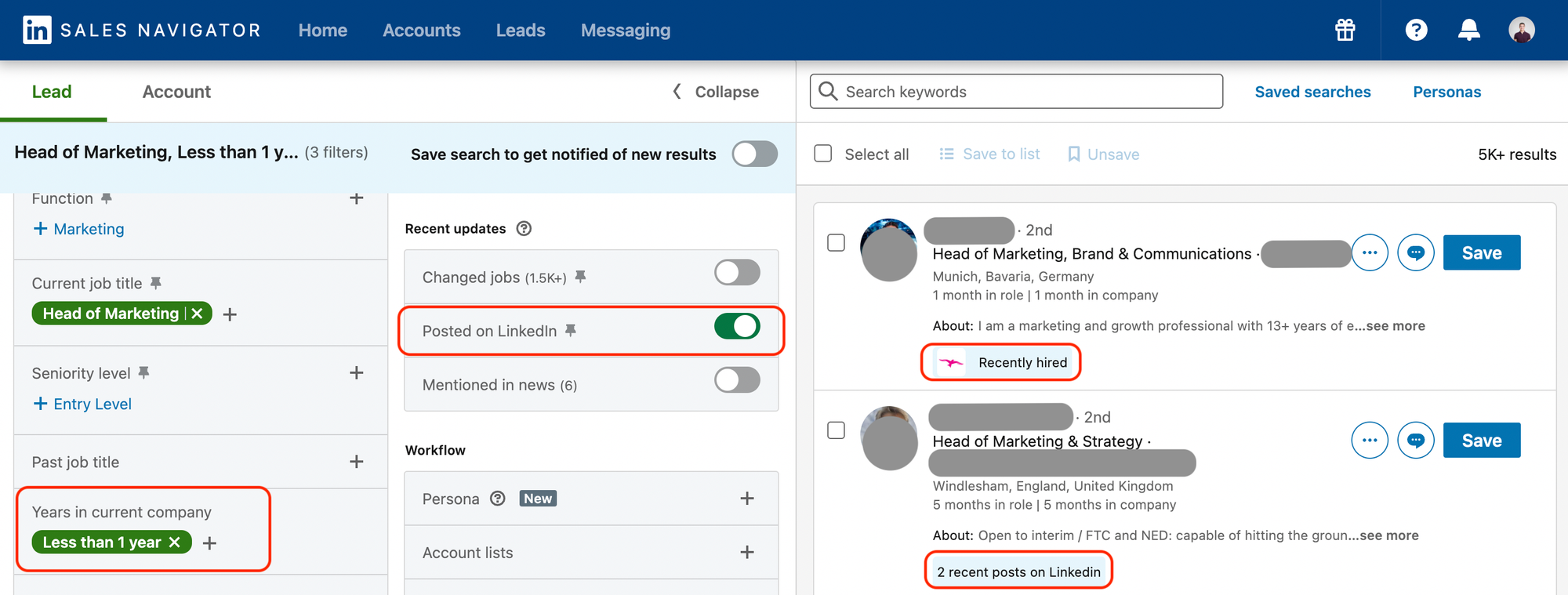
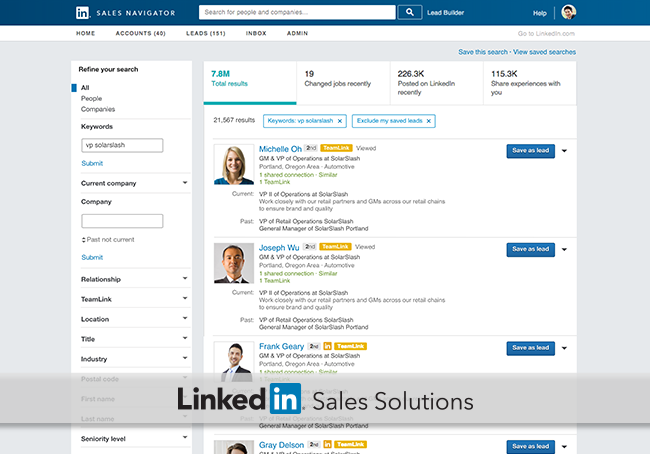
Sales Navigator is a specialized LinkedIn tool for sales professionals. It provides advanced search options to find the right prospects quickly. The tool allows users to track leads and receive updates on their activities. This helps sales teams stay informed and engage at the right time.
Key Features And Tools
Sales Navigator includes smart lead recommendations based on user preferences. It offers real-time insights about leads and accounts. Users can save leads and create custom lists for better organization. The platform integrates with CRM systems to keep data synchronized. InMail messages let users contact prospects directly, even without a connection.
Target Users And Benefits
Sales Navigator suits sales teams, business development reps, and account managers. It helps users find quality leads faster and build stronger client relationships. The tool reduces time spent on manual research. It also improves communication by offering personalized outreach options. Teams can collaborate better with shared notes and lead tracking.
Pricing Plans And Options
The pricing plans for LinkedIn Sales Solutions offer options tailored to different business needs. Each plan provides specific features to help sales teams connect with prospects efficiently. Understanding these plans helps choose the right fit for your sales strategy.
Core Plan Details
The Core plan costs $99.99 per month per user. It includes basic tools for lead recommendations and account insights. Users get access to unlimited profile searches. The plan supports saving leads and accounts for easy tracking. It suits small sales teams or individuals starting with LinkedIn Sales Solutions.
Advanced And Custom Plans
The Advanced plan is priced at $149.99 per month per user. It offers enhanced features such as CRM integration and advanced analytics. Users can send InMail messages with higher limits. Custom plans provide flexible options for larger teams. These plans include tailored features and personalized support. Pricing for custom plans varies based on specific business requirements.
Subscription Comparison
Core and Advanced plans differ mainly in feature depth and messaging limits. The Core plan focuses on essential sales tools. Advanced plans add automation and deeper data insights. Custom plans allow full customization for enterprise needs. Choosing the right subscription depends on team size and sales goals. Understanding each plan’s benefits ensures you invest wisely.
Boosting B2b Growth With Linkedin
LinkedIn stands as a powerful tool for B2B growth. It connects businesses and professionals worldwide. LinkedIn Sales Solutions enhances these connections with targeted tools and insights. Businesses can reach the right clients and grow their networks effectively. This platform supports sales teams in building meaningful relationships and closing deals virtually.
Building Client Relationships
Strong client relationships drive B2B success. LinkedIn Sales Solutions helps nurture these connections by providing access to detailed profiles. Sales teams can understand client needs better and engage with personalized messages. Consistent interaction on LinkedIn fosters trust and long-term partnerships. This approach makes clients feel valued and understood.
Leveraging Linkedin Data
Data is key to smart sales strategies. LinkedIn offers rich data about industries, companies, and decision-makers. Sales teams use this data to target prospects precisely. It helps identify the best times and ways to approach potential clients. Data-driven insights improve the efficiency of sales efforts and increase conversion rates.
Virtual Selling Strategies
Remote interactions shape today’s sales landscape. LinkedIn Sales Solutions supports virtual selling with tools for video calls and messaging. Sales teams can conduct meetings and demos without face-to-face contact. These strategies save time and expand reach beyond local markets. Virtual selling keeps the sales process smooth and professional.
Credit: salespipe.co
Integration And Customization
Integration and customization are key features of LinkedIn Sales Solutions. They help sales teams work smarter and fit tools to their unique needs. These options improve efficiency and make sales processes smoother.
LinkedIn Sales Solutions connects well with other software. Teams can customize how they use it. Managing dependencies is also important to keep systems running well.
Sales Navigator With Crm Systems
Sales Navigator links directly with popular CRM systems like Salesforce and Microsoft Dynamics. This connection allows sales reps to see LinkedIn insights inside their CRM. It saves time and keeps data up-to-date. Sales teams can track leads and contacts without switching apps. The integration helps spot new opportunities faster and manage client information easily.
Customizing Solutions For Teams
Teams can adjust LinkedIn Sales Solutions to match their workflow. Admins choose settings based on team size and goals. Sales Navigator offers filters and alerts tailored to each user. Custom reports help monitor team performance and sales activities. This flexibility supports different sales methods and industries. It ensures every team member gets the most relevant tools.
Managing Dependencies
Managing dependencies means keeping all connected systems working well together. Sales Navigator and CRM updates must sync correctly. IT teams check for conflicts between software versions. Proper training helps users avoid errors caused by integration issues. Regular maintenance ensures smooth data flow across platforms. Good dependency management prevents disruptions and keeps sales moving.
Managing And Cancelling Subscriptions
Managing and cancelling subscriptions in LinkedIn Sales Solutions is straightforward. It lets you control your plan without hassle. Understanding this process saves time and avoids unexpected charges. You can manage your subscription directly from your account settings. This guide explains how to cancel Sales Navigator, use admin controls, and follow best practices.
Steps To Cancel Sales Navigator
Start by logging into your LinkedIn account. Click the “Me” icon at the top right. Choose “Settings & Privacy” from the dropdown menu. Next, select “Account preferences” on the left side. Click “Subscriptions & payments” and then “Manage Premium account.” Find your Sales Navigator subscription and click “Cancel subscription.” Follow the prompts to complete cancellation. For Sales Navigator Advanced, sign in and go to the “Admin Center.” Click “Purchases,” select your subscription, and choose “Cancel subscription.” Confirm to finish.
Admin Controls And Permissions
Admins have special access to manage team subscriptions. They can add or remove users and update billing details. Admins see all active subscriptions in the Admin Center. Permissions ensure only authorized users change subscription settings. This control protects your account and billing. Assign admin roles carefully to avoid mistakes. Regularly review permissions to keep your team updated.
Cancellation Best Practices
Check your billing cycle before cancelling to avoid extra charges. Save any important data or contacts from Sales Navigator. Inform your team members about subscription changes early. Keep a record of cancellation confirmation for future reference. Review alternative plans before cancelling to find the best fit. Contact LinkedIn support if you face issues during cancellation. Proper planning ensures a smooth subscription end.
Alternatives And Complementary Tools
LinkedIn Sales Solutions offers powerful tools for sales professionals. Many businesses also explore alternatives and complementary tools. These tools help with hiring, marketing, and skill development. Using a mix can improve business outcomes. This section highlights other LinkedIn services and useful platforms.
Other Linkedin Business Solutions
LinkedIn provides more than just sales tools. LinkedIn Talent Solutions helps companies find and hire talent. LinkedIn Marketing Solutions focus on brand promotion and targeted ads. These services work well alongside Sales Navigator. Combining them can create a full business growth strategy.
Tools For Hiring And Marketing
Besides LinkedIn, many platforms support hiring and marketing efforts. Job boards like Indeed and Glassdoor help reach diverse candidates. Marketing tools like HubSpot and Mailchimp assist with email campaigns and lead nurturing. These tools often integrate with LinkedIn for better results. They expand reach beyond the LinkedIn network.
Skill-building Platforms
Training and skill development improve sales performance. Platforms like LinkedIn Learning offer courses on sales techniques and communication. Other platforms such as Udemy and Coursera provide varied skill-building options. Investing in learning helps teams stay updated and competitive. These platforms complement LinkedIn Sales Solutions well.

Credit: www.spendflo.com
Frequently Asked Questions
What Is Linkedin Sales Solution?
LinkedIn Sales Solutions, including Sales Navigator, help sales teams find leads and build client relationships using LinkedIn’s data and tools. It boosts virtual selling by offering advanced search, insights, and personalized outreach features to increase sales efficiency and success.
How Much Is Linkedin Sales Solutions?
LinkedIn Sales Solutions pricing starts at $99. 99/month for Core, $149. 99/month for Advanced, and custom pricing for Advanced Plus.
What Are Linkedin Business Solutions?
LinkedIn business solutions help companies with hiring, marketing, sales, and employee skill-building. They target candidates, build brand awareness, and boost sales.
How To Get Rid Of Linkedin Sales Navigator?
To get rid of LinkedIn Sales Navigator, go to Settings & Privacy, then Account preferences. Select Manage Premium account, click Manage Subscription, find Sales Navigator, and cancel it. Follow on-screen steps to complete cancellation. For iOS, cancel via device subscription settings.
Contact your account manager if purchased through sales.
Conclusion
LinkedIn Sales Solutions help sales teams connect with potential clients easily. It uses data and tools to find the right leads. Sales Navigator is a key part, offering smart ways to manage relationships. This platform saves time and improves sales efforts.
Understanding its features can boost your sales strategy. Try exploring its options to see how it fits your needs. It supports better communication and targeted outreach. Overall, LinkedIn Sales Solutions make virtual selling simpler and more effective.


