
Are you curious about what a hosting domain name really means and why it matters for your website? Understanding this simple concept can make a huge difference in how your site performs and how easy it is for people to find you online.
If you’ve ever wondered how websites get their names or how they stay live on the internet, you’re in the right place. Keep reading, and you’ll discover everything you need to know to take control of your online presence with confidence.
Domain Name Basics
Understanding the basics of domain names is important for anyone starting a website. Domain names are the addresses people type to visit sites. They make internet navigation simple and clear. Knowing how domain names work helps you choose the right one for your site.
What Is A Domain Name
A domain name is the web address of a website. It is what users type in the browser to reach a site. For example, “example.com” is a domain name. It points to the exact location of the website on the internet. Domain names replace hard-to-remember IP addresses with easy words.
How Domain Names Work
Domain names work by connecting to IP addresses. When you enter a domain, a system called DNS finds the matching IP. This tells your browser where the website lives. The process happens in seconds. It makes visiting websites fast and simple.
Types Of Domain Extensions
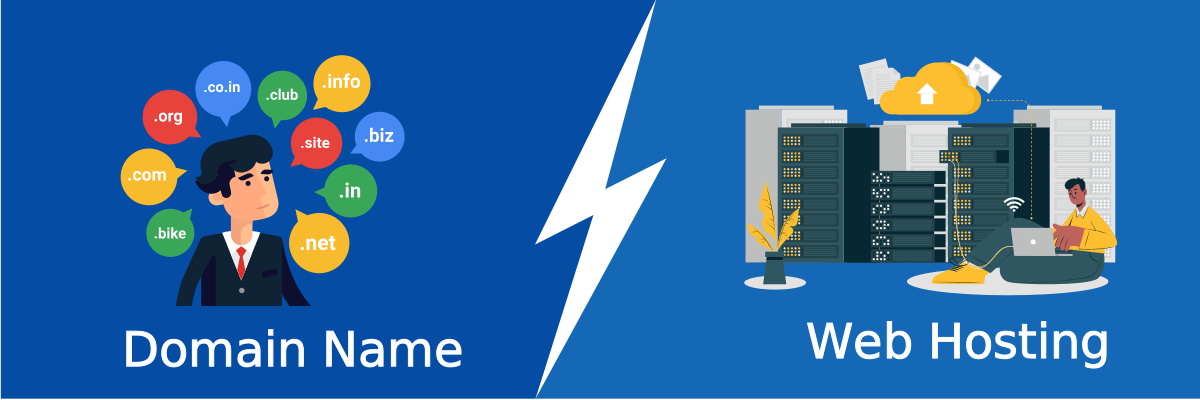
Domain extensions are the endings of domain names, like “.com” or “.org”. They show the type or location of the website. Common extensions include “.com” for commercial sites and “.edu” for schools. Country codes like “.uk” or “.ca” show sites from specific places. Choosing the right extension helps users understand your site’s purpose.
Credit: websitesecuritystore.com
Hosting Essentials
Understanding the basics of hosting is key to building a website. Hosting essentials include how websites stay online and serve visitors. This section breaks down the main points about hosting and domains.
Knowing these basics helps you choose the right service for your site. It also ensures your website runs smoothly and loads fast for users.
What Is Web Hosting
Web hosting is the service that stores your website files. It keeps your site available on the internet. Hosting providers use powerful servers to hold these files. When someone visits your site, the server sends the files to their browser. Without hosting, your website cannot be accessed online.
Different Hosting Types
There are several types of hosting plans. Shared hosting lets many websites share one server. It is cheap but slower for busy sites. VPS hosting splits one server into parts. Each site gets its own space and better speed. Dedicated hosting gives a whole server to one site. This is best for large or high-traffic websites. Cloud hosting uses multiple servers to keep sites running smoothly. It offers flexibility and good uptime.
Choosing The Right Hosting Plan
Pick a hosting plan based on your website needs. Small blogs or personal sites do well with shared hosting. Growing sites need VPS or cloud hosting for better speed. Big businesses or stores benefit from dedicated hosting. Check the storage, bandwidth, and support offered. These factors affect your site’s performance and growth.
Connecting Domain And Hosting
Connecting a domain and hosting is a key step to make your website visible online. The domain name is your website’s address. Hosting is where your website files live. Without linking the two, visitors cannot find your site. This process involves some technical details but is simple with the right guidance.
Domain Name System (dns) Explained
The Domain Name System, or DNS, acts like the internet’s phone book. It converts your domain name into an IP address. Computers use IP addresses to locate websites. DNS helps browsers find your hosting server quickly. This system is essential for directing users to your site.
Linking Your Domain To Hosting
To connect your domain to hosting, update the DNS settings. Usually, you change the nameservers at your domain registrar. Nameservers tell the domain where to look for your website files. Your hosting provider gives these nameservers. After updating, the domain points to your hosting server.
Common Setup Mistakes
Many users forget to update nameservers after buying hosting. This mistake keeps the website offline. Another error is entering wrong DNS records. Typing errors can stop visitors from reaching your site. Always double-check your settings. Patience is key; DNS changes may take hours to work.
Boosting Website Performance
Boosting website performance is essential for a good user experience. Fast-loading sites keep visitors engaged and reduce bounce rates. Hosting and domain settings directly affect how quickly your site loads and operates. Small changes can make a big difference in speed and reliability.
Impact Of Hosting On Speed
The quality of your hosting service affects loading times. Shared hosting can slow down your site during peak hours. Dedicated or VPS hosting offers better speed and stability. Choose a host with servers close to your main audience. This reduces the time data travels, improving site speed.
Optimizing Domain Settings
Proper domain settings help direct visitors efficiently. Use DNS providers with fast and reliable servers. Lower TTL (Time To Live) values can speed up DNS resolution. Keep your domain information updated to avoid delays. Simple settings can improve how quickly browsers find your site.
Using Cdn And Ssl
Content Delivery Networks (CDN) store copies of your site worldwide. They deliver content from servers near visitors. This reduces loading times significantly. Secure your site with SSL to protect data and boost trust. SSL also improves SEO rankings and site credibility.
Domain And Hosting Management
Managing your domain and hosting is important to keep your website online and secure. It involves tasks like renewing your domain, protecting your site from threats, and handling multiple domains easily. Proper management saves time and avoids problems.
Good management helps your website stay active and safe. It also makes running several sites simpler. Let’s explore some key tips for renewal, security, and handling many domains.
Renewal And Expiry Tips
Always track your domain and hosting expiry dates. Set reminders early to avoid losing your site. Renew domains before they expire to keep control. Use auto-renew options if available. Check your email regularly for renewal notices. Renewing on time prevents downtime and extra fees.
Security Best Practices
Use strong passwords for your domain and hosting accounts. Enable two-factor authentication for extra protection. Keep your contact information up to date. Monitor your accounts for suspicious activity. Regularly update your website software to fix vulnerabilities. Secure your site with SSL certificates to protect user data.
Managing Multiple Domains
Use a central dashboard to view all your domains. Organize domains by purpose or project to avoid confusion. Keep renewal dates in one calendar for easy tracking. Use consistent naming to identify domains quickly. Delegate access carefully if others help manage domains. Regularly review your domains to remove unused ones.
Credit: blog.templatetoaster.com
Choosing Providers Wisely
Choosing the right provider for your hosting and domain name is a crucial step. It affects your website’s speed, security, and reliability. Picking wisely saves time and money. It also ensures your site stays online without interruptions.
Focus on providers that offer clear services and fair prices. Check their reputation and user feedback. Make sure they match your needs and budget. This careful choice lays a strong foundation for your website’s success.
Evaluating Hosting Providers
Look for hosting providers with stable servers and good speed. Check what types of hosting plans they offer. Shared, VPS, or dedicated hosting? See if they support the software you need.
Compare prices and what features come with each plan. Watch for hidden fees or extra charges. Read user reviews to learn about real experiences.
Domain Registrar Options
Choose a domain registrar that is easy to use. Check if they offer free domain privacy protection. This keeps your personal details safe from public records.
Look for registrars with clear pricing and renewal fees. Some offer discounts for the first year but raise prices later. Select a provider that makes transferring your domain simple.
Customer Support And Uptime
Good customer support is vital. Look for 24/7 support through chat, phone, or email. Fast responses help solve problems quickly.
Check the provider’s uptime guarantee. Aim for at least 99.9% uptime. Less downtime means your website stays accessible for visitors.

Credit: beautifulthemes.com
Frequently Asked Questions
What Is A Domain Name In Hosting?
A domain name is a website’s address on the internet. It helps users find your site easily. It replaces complex IP addresses with simple, memorable words.
How Does Hosting Relate To A Domain Name?
Hosting stores your website files on a server. The domain name directs visitors to that server. Together, they make your website accessible online.
Can I Use One Domain Name For Multiple Websites?
Yes, you can use subdomains or different folders. Each subdomain or folder can host a separate website. However, each main domain points to one primary website.
Why Is Choosing The Right Domain Name Important?
A good domain name improves branding and SEO. It helps users remember your site easily. It also increases credibility and trustworthiness.
Conclusion
A domain name helps people find your website online. Hosting stores your website’s files so others can see them. Both work together to make your site live and easy to access. Choosing the right domain and hosting is important for your site’s success.
Keep these basics in mind when starting your website journey. Now, you know what hosting and domain names mean and why they matter. Simple steps lead to a strong online presence.


