
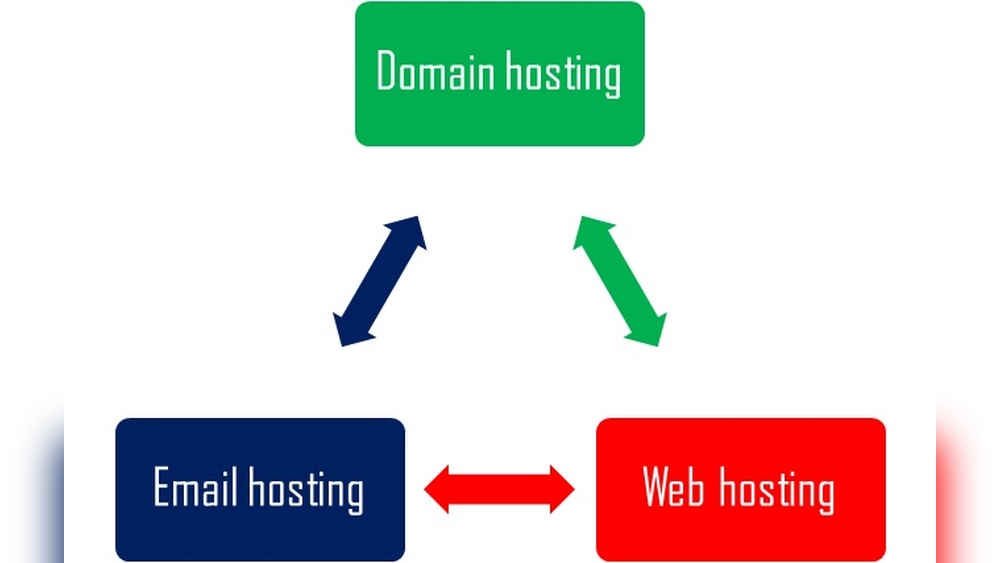
Have you ever wondered what makes your email address look professional and trustworthy? If you want your business or personal brand to stand out, understanding email domain hosting is key.
It’s not just about sending and receiving emails—it’s about owning your identity online and gaining full control over your communications. You’ll discover exactly what email domain hosting is, why it matters to you, and how it can boost your credibility.
Keep reading to unlock the secret behind a powerful, custom email address that sets you apart from the crowd.
Credit: www.hostpapa.com
Email Domain Hosting Basics
Email domain hosting is a service that lets you create custom email addresses using your own website domain. This means you can have emails like yourname@yourdomain.com instead of generic ones like Gmail or Yahoo. Using your own domain email looks professional and builds trust with clients and contacts.
Understanding the basics of email domain hosting helps you decide what fits best for your needs. It involves how email is set up, the type of hosting services available, and the choice between free and paid plans. Each part is important for smooth email communication.
How Email Domain Hosting Works
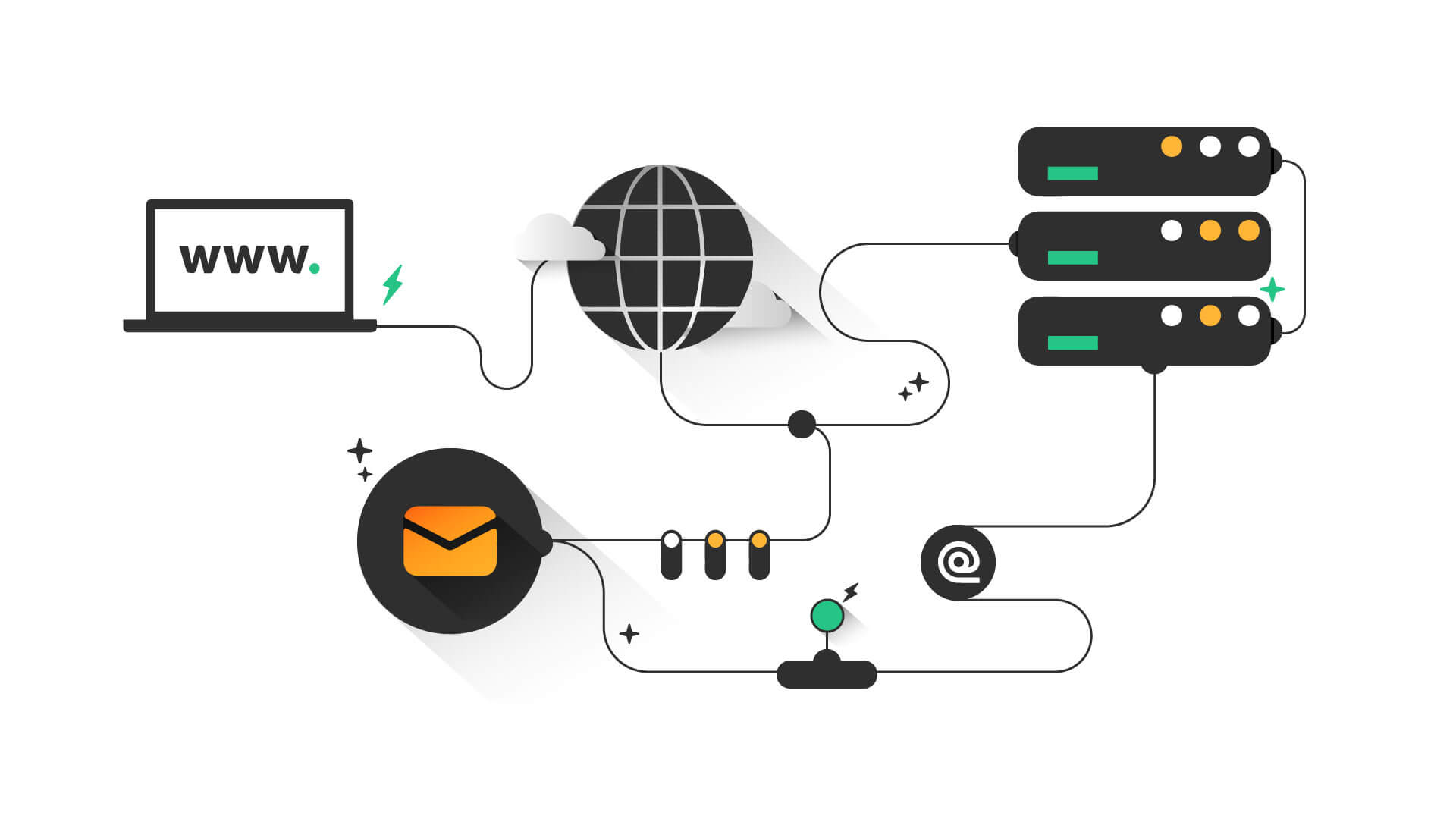
Email domain hosting connects your domain name to an email server. The server stores and manages your emails securely. When someone sends an email to your domain address, the server receives it and delivers it to your inbox. You access emails through webmail, desktop clients, or mobile apps.
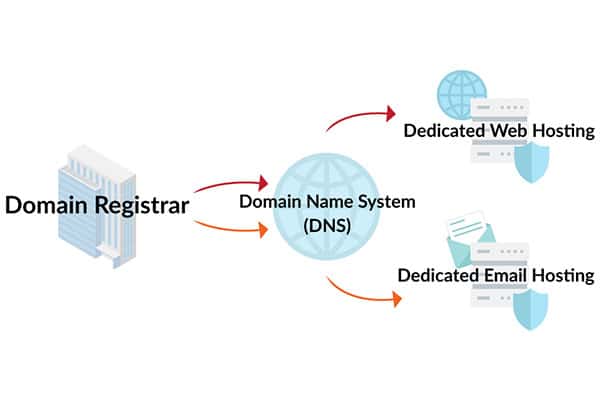
To set it up, you need to configure DNS records like MX records. These direct email traffic to the right server. Good hosting providers offer easy setup guides and tools for this process.
Types Of Email Hosting Services
There are different types of email hosting services. Shared hosting is common and affordable, where many users share the same server. It suits small businesses or personal use.
Dedicated email hosting gives you a private server just for your emails. It offers better security and performance. Large companies or websites with high traffic often choose this option.
Cloud-based email hosting is popular too. It stores emails on the cloud, allowing access from anywhere. Providers like Google Workspace and Microsoft 365 offer this service.
Choosing Between Free And Paid Hosting
Free email hosting is tempting but has limits. It usually comes with ads and less storage space. Support and security might also be weaker. Free services work for casual or personal use.
Paid hosting offers more features, storage, and better security. It removes ads and provides customer support. Businesses benefit from paid plans because they need reliability and professionalism.
Consider your email needs, budget, and desired features before choosing. Paid hosting often brings peace of mind and better control over your email domain.
Benefits For Businesses
Email domain hosting offers many advantages for businesses. It helps create a strong online identity. It also improves communication and security. Companies gain more control over their email systems.
Using a custom email domain builds trust and professionalism. Businesses can manage accounts easily. These benefits support growth and customer relations.
Professional Branding With Custom Domains
Custom email domains show a professional image. Emails from your domain look more trustworthy. Customers recognize your brand in every message. It separates your business from generic email services. This branding helps build a reliable reputation.
Improved Email Security
Email domain hosting often includes strong security features. It protects your messages from hackers and spam. You can use encryption and filters to keep data safe. Secure emails reduce the risk of breaches. This keeps your business information private and protected.
Enhanced Control And Management
Domain hosting gives you full control over email accounts. You can create, delete, or modify addresses anytime. It allows better management of employee emails. Admins can set rules and monitor activity easily. This control improves efficiency and reduces problems.
Boosting Customer Trust
Emails from your own domain appear more credible. Customers feel safer sharing information. They trust messages that come from your official domain. This trust increases engagement and loyalty. A strong email presence supports long-term customer relationships.
Key Features To Look For
Choosing the right email domain hosting service depends on several important features. These features affect how well your email works and how secure it is. Understanding what to check can save time and avoid future problems. The following sections highlight key features to consider for effective email hosting.
Storage And Bandwidth Limits
Storage space controls how many emails you can keep. Bigger storage means you can save more messages and attachments. Bandwidth limits affect how much data you can send and receive. Higher bandwidth allows smoother email flow, especially for businesses with many emails daily.
Spam And Virus Protection
Strong spam filters stop unwanted emails from reaching your inbox. Virus protection scans all incoming and outgoing emails for harmful files. These security features keep your email safe and your data protected. Without them, your email can become a target for attacks.
Integration With Other Tools
Good email hosting works well with popular tools like calendars and file sharing apps. This helps you manage tasks and share information easily. Integration boosts productivity by connecting your email with other software you use daily.
Mobile Access And Syncing
Access your email on phones and tablets anytime. Syncing keeps your emails, contacts, and calendars updated across all devices. Mobile access ensures you stay connected even when away from your computer.
Setting Up Your Email Domain
Setting up your email domain is the first step to having a professional online presence. It allows you to send and receive emails using your own domain name. This process involves a few important steps that ensure your email works smoothly and looks trustworthy.
Registering A Domain Name
Start by choosing a domain name that matches your brand or business. Use a domain registrar to buy your domain. Pick a name that is short, easy to remember, and relevant. Once purchased, the domain is yours to use for your website and email.
Choosing A Hosting Provider
Select a hosting provider that offers email services with your domain. Look for providers with good uptime and support. Many web hosts include email hosting in their packages. Choose one that fits your budget and needs.
Configuring Dns Settings
DNS settings tell the internet where to deliver your emails. Set up MX records in your domain’s DNS to point to your email host. This step is crucial for sending and receiving mail. Your hosting provider will give you the exact settings to use.
Creating Email Accounts
After DNS setup, create email accounts for yourself and your team. Use your hosting control panel to add new email addresses. Keep the usernames simple and professional. This gives you full control over your email communications.
Common Challenges And Solutions
Email domain hosting often comes with common challenges that affect communication. These problems can slow down your work and cause frustration. Understanding these challenges helps solve them faster. This section covers common issues and practical solutions to keep your email running smoothly.
Handling Deliverability Issues
Emails sometimes do not reach the receiver. This happens because of wrong settings or poor reputation. Check your SPF, DKIM, and DMARC records. These records tell servers your emails are safe. Keep your email list clean by removing invalid addresses. Avoid sending too many emails at once. These steps improve your email delivery rate.
Managing Spam Filters
Spam filters block unwanted emails but can also block good ones. Use clear and simple subject lines. Avoid using too many links or big attachments. Personalize emails by including the recipient’s name. Ask your contacts to add your email to their safe list. These actions reduce the chance of emails going to spam.
Troubleshooting Setup Errors
Setup errors stop your email from working properly. Double-check your domain and DNS settings. Follow your hosting provider’s instructions carefully. Use online tools to test your email configuration. If you face errors, contact support with clear details. Quick fixes save time and keep your email active.
Credit: momentum3growth.com
Advanced Tips To Maximize Impact
Advanced tips can help you get the most from email domain hosting. These methods improve your email’s security, organization, and efficiency. Small changes can lead to big benefits for your business communication.
Try using these strategies to make your email domain hosting stronger and more useful.
Using Email Aliases And Forwarding
Email aliases let you create extra addresses without new accounts. Use aliases for different departments or projects. This keeps your inbox tidy and organized.
Forwarding sends emails from one address to another automatically. It helps you receive all messages in one place. Manage emails quickly without missing important notes.
Implementing Dkim And Spf Records
DKIM and SPF are security tools for your email domain. They help stop spammers from sending fake emails using your domain.
Set up DKIM to add a digital signature to your emails. SPF tells servers which IP addresses can send emails for your domain. Both improve your email’s trust and reduce spam risks.
Automating Responses And Workflows
Automation saves time by replying to common questions automatically. Use autoresponders to send quick replies when you are busy or away.
Workflows can sort and tag incoming emails. This helps your team respond faster and stay organized. Automation makes email handling smoother and more consistent.
Cost Considerations
Choosing email domain hosting involves more than just picking a provider. Cost plays a major role in the decision. Understanding the pricing structure helps avoid surprises. Budgeting carefully ensures you get what you need without overspending.
Pricing Models Explained
Email domain hosting providers use different pricing models. Some charge a flat monthly or yearly fee. Others charge per email account or mailbox. Pay-as-you-go options let you pay based on usage. Choose a plan that fits your email volume and needs.
Balancing Features And Budget
Cheaper plans may limit storage, security, or support. Higher-priced plans often include extra features like spam protection. Think about which features are essential for your business. Avoid paying for extras you won’t use. Find a balance between cost and necessary features.
Hidden Costs To Watch For
Some providers add fees for domain registration or renewal. Extra charges may apply for backups or advanced security. Check if there are limits on email sending or storage. Exceeding limits can cause additional fees. Read terms carefully to avoid unexpected costs.

Credit: www.icontact.com
Popular Email Hosting Providers
Email domain hosting helps your business send and receive emails using your own domain name. Choosing the right provider is important for reliability and security. Many companies offer email hosting with different features and prices. Here are some popular options to consider.
Top Choices For Small Businesses
Google Workspace is a popular choice for small businesses. It offers easy email setup with your domain name. The interface is simple, and it includes tools like Google Drive and Docs.
Microsoft 365 is another option. It provides Outlook email with strong security. You also get access to Word, Excel, and other Office apps.
Zoho Mail is good for those on a budget. It offers ad-free email with useful collaboration tools. The free plan supports up to five users.
Enterprise-level Solutions
Microsoft Exchange is a top pick for large companies. It supports many users and offers advanced email features. Exchange includes calendar sharing and mobile access.
Google Workspace also fits enterprise needs. It scales easily and provides strong admin controls. Businesses can customize security and compliance settings.
Rackspace Email Hosting is known for reliable support. It offers hosted Exchange and other email solutions. This provider focuses on uptime and customer service.
Comparing Features And Pricing
Google Workspace pricing starts at a low monthly fee per user. Plans include email, storage, and collaboration tools. Microsoft 365 has similar pricing but adds Office apps.
Zoho Mail offers a free tier for small teams. Paid plans add more storage and support. Rackspace plans tend to be higher but include expert support.
Security features vary by provider. Look for spam filtering, encryption, and backup options. Choose a plan that fits your business size and needs.
Frequently Asked Questions
What Is Email Domain Hosting?
Email domain hosting is a service that manages your email accounts under a custom domain name. It allows businesses to create professional email addresses like you@yourdomain. com, enhancing brand identity and trust.
How Does Email Domain Hosting Work?
Email domain hosting connects your domain with mail servers. It routes incoming and outgoing emails using your domain, ensuring secure and reliable communication under your personalized email address.
Why Choose Email Domain Hosting For Business?
Email domain hosting boosts professionalism and brand recognition. It offers better control, security, and customizability compared to free email services, improving communication credibility with clients and partners.
Can I Use Existing Domain For Email Hosting?
Yes, you can use your existing domain for email hosting. Simply configure DNS records like MX and SPF to link your domain with the email hosting provider.
Conclusion
Email domain hosting lets you create email addresses with your own website name. It builds trust and shows professionalism in emails. You control your email setup and storage. Choosing a good host keeps your emails safe and reliable. Small businesses and individuals both benefit from it.
Understanding this helps you manage communication better. It’s a simple step toward a stronger online presence. Consider email domain hosting to improve how you connect with others.


