
When you dive into the world of WordPress, understanding CSS classes can unlock a whole new level of customization for your website. Imagine having the power to transform your site’s appearance with just a few tweaks.
CSS classes are your gateway to refining and enhancing the design and functionality of your WordPress site. But what exactly are CSS classes, and how do they work within the WordPress framework? This is where you come in. By grasping the concept of CSS classes, you can take control of your site’s aesthetics and user experience.
Whether you’re a seasoned developer or a WordPress newbie, mastering CSS classes can elevate your site to new heights. Stick around, and you’ll discover how these seemingly simple snippets of code can make a significant impact. You’ll be equipped with the knowledge to make your website not just functional, but truly exceptional.
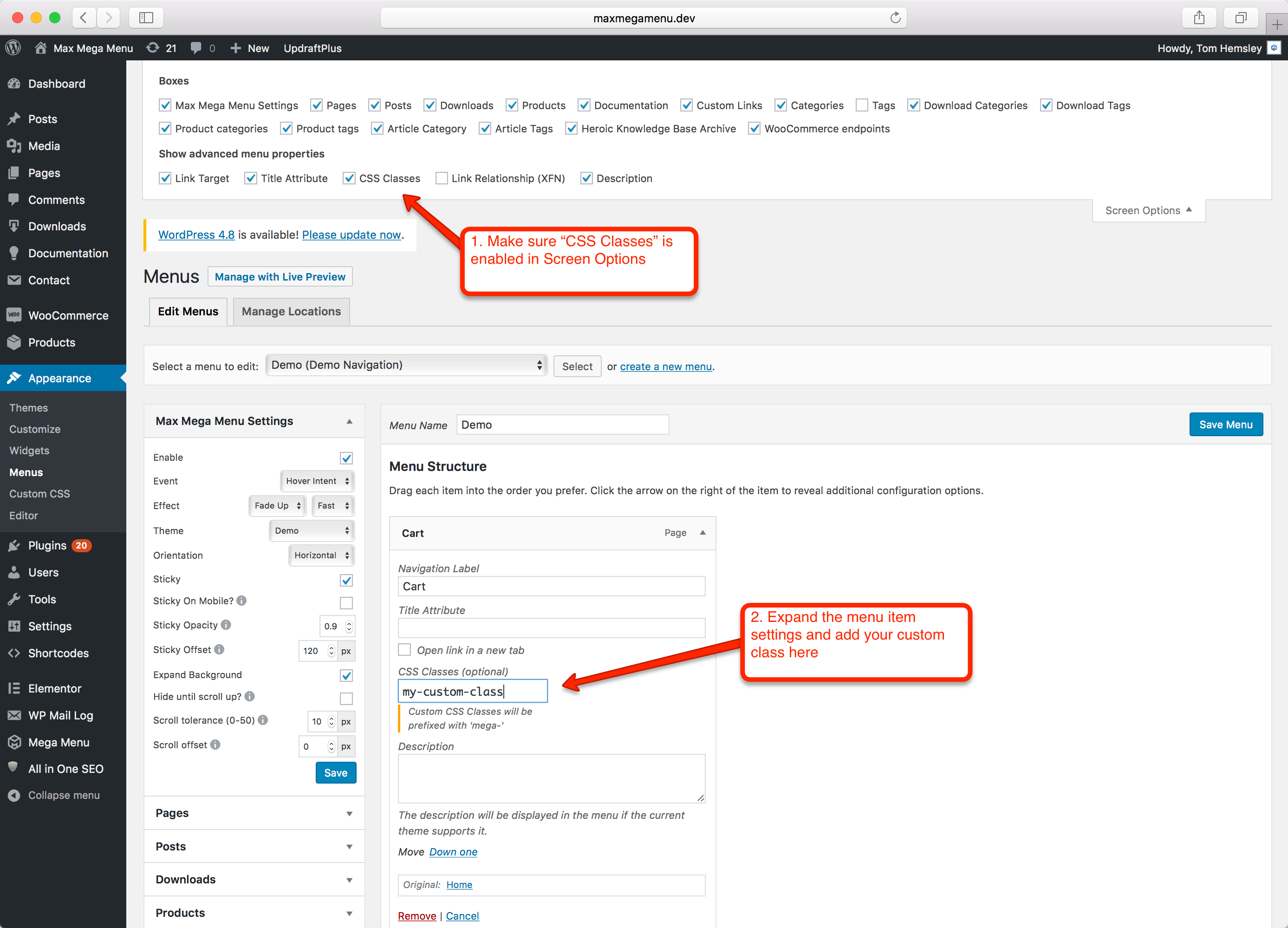
Credit: www.megamenu.com
Basics Of Css Classes
CSS classes are labels you give to elements on a webpage. They help in applying styles. These styles make your webpage look nice. Each class has a name. You can use this name to group elements together. This makes the work easy. You can style many elements in one go. Classes make web design flexible. They give you control. You decide how each part should look.
CSS class names are simple. They start with a dot. Example: .myClass. You write them in your HTML. You add them to the element you want to style. The syntax is easy. In CSS, you write the class name with a dot. Then, add curly braces. Inside the braces, you write the styles.
Example: .myClass { color: red; }. This changes text color to red. You can add many styles. Each style goes inside the curly braces. This way, the webpage looks just right.
Role Of Css Classes In WordPress
CSS classes give websites a unique look. They help in styling elements like text, buttons, and images. You can change colors, sizes, and shapes with ease. This makes a site look more attractive. Designers love using CSS for its flexibility. It allows them to be creative. They can make every page look different. All this helps in making a site stand out. With CSS, a website can be both pretty and functional.
CSS classes make websites easy to use. They help in creating clear navigation menus. Users find what they need quickly. A well-designed site keeps visitors happy. They stay longer and come back often. CSS also makes sites load faster. This is important for keeping visitors interested. Nobody likes waiting for slow pages. Faster sites mean more visitors and happy users. CSS helps in achieving this goal.
Common WordPress Css Classes
WordPress themes come with unique CSS classes. These classes help style the website. Every theme has its own set of classes. They define different parts of a web page. For example, headers, footers, and sidebars have special classes. This makes each theme look different. Theme developers choose these classes carefully. They focus on the design. These classes are essential for customizing a website’s appearance.
Plugins add new features to WordPress sites. They often include custom CSS classes. These classes style the plugin’s elements. For instance, contact forms use special classes. Galleries and sliders also have their own classes. This ensures they work well with any theme. Developers create these classes to improve functionality. They ensure compatibility across different sites. This helps plugins look good on any WordPress theme.
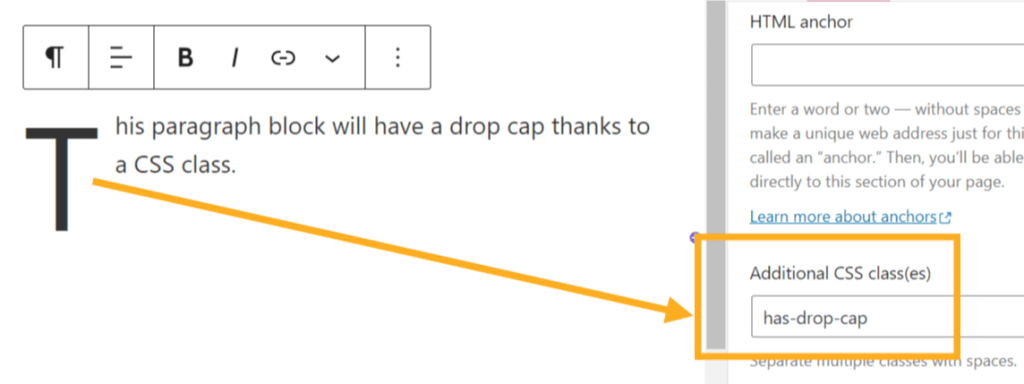
Credit: wordpress.com
Custom Css Classes In WordPress
Custom CSS classes help you change the look of your site. First, you need to create a class in your style.css file. A class starts with a dot. For example, .my-custom-class. After you create it, add styles inside the curly braces. Use properties like color or font-size. This makes your text look different. You can also change backgrounds and borders. Be careful with names. Keep them simple and easy to remember.
Apply your custom class to HTML elements in WordPress. Open a post or page where you want changes. Select the text or block. Find the option to add a class. Type your class name in the box. Now, your styles will show on the page. This makes your site look unique. It’s important for branding. You can change buttons, text, and more. Just use your custom class.
Managing Css Classes
WordPress makes changing CSS classes easy. Use the Theme Customizer to edit styles. Navigate to the Appearance tab. Click on Customize. Find the Additional CSS option. Type your CSS code there. Save changes to see the effect.
Style sheets control how your site looks. Access them through the theme editor. Go to the Appearance tab. Choose Theme Editor. Locate the style.css file. Make edits directly in the file. Remember to save after editing.
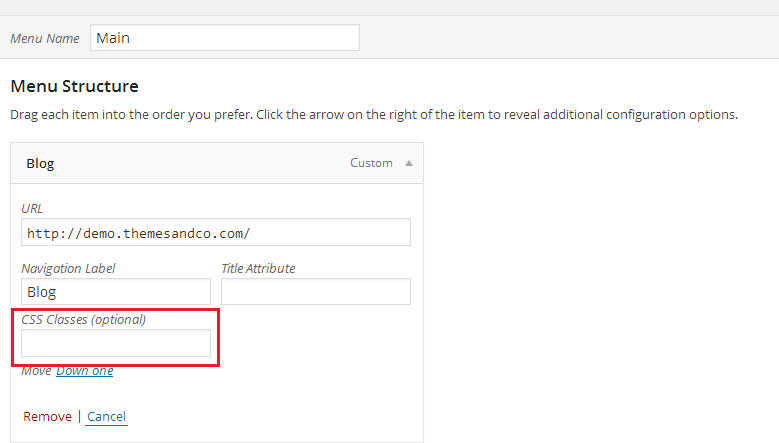
Credit: presscustomizr.com
Troubleshooting Css Issues
Many face issues with CSS not working. Sometimes styles don’t show up. Other times, they look different than expected. These problems often come from conflicting styles or missing files. It could also be due to caching problems. Often, browsers store old versions of a website. This means changes don’t show right away.
Always check the browser’s developer tools. This helps find where the problem is. Clear the browser’s cache often. This ensures you see the latest changes. Another tip is to use incognito mode. This mode does not use old cache. Double-check your CSS files are linked correctly. Sometimes paths are wrong, causing issues.
Frequently Asked Questions
What Are Css Classes In WordPress?
CSS classes in WordPress are used to style elements. They allow you to apply specific styles to HTML tags. By adding classes to elements, you can customize their appearance. This is done by writing CSS code within style sheets. CSS classes help enhance the visual appeal of your WordPress site.
How Do I Add Css Classes To WordPress?
To add CSS classes, you can use the WordPress Customizer. Navigate to ‘Appearance’ and select ‘Customize’. Use the ‘Additional CSS’ section to add your styles. You can also edit theme files via FTP. Ensure you back up before making changes to theme files.
Can Css Classes Affect WordPress Performance?
CSS classes can impact WordPress performance if not optimized. Excessive or poorly written CSS can slow your site. Minimize file sizes and remove unused code. Use tools like CSS Minifier to optimize. Well-optimized CSS improves loading speed and enhances user experience.
Why Customize Css In WordPress Themes?
Customizing CSS in WordPress themes allows unique styling. It helps create a distinct look for your site. You can adjust fonts, colors, and layouts. Custom CSS helps match branding and improve user engagement. It’s essential for personalizing your WordPress website’s appearance.
Conclusion
Understanding CSS classes in WordPress enhances your website’s design flexibility. They help customize appearance with ease. Use them to modify layout, colors, and fonts. This boosts your site’s visual appeal. Remember, CSS classes are easy to learn. Even for beginners.
Start small and experiment. Practice makes perfect. With time, you’ll master creating beautiful WordPress sites. Enhance user experience with thoughtful design. Your site visitors will appreciate it. Keep exploring and learning. CSS classes are key tools for web design. Make your WordPress site stand out.
Enjoy the creative process.


