
Have you ever wished to transform your WordPress site into a thriving online community? Imagine an interactive platform where your audience can connect, share, and engage seamlessly.
That’s precisely what BuddyPress can do for your WordPress site. But what exactly is BuddyPress, and why should you consider using it? This powerful plugin opens up a world of possibilities for creating social networks and enhancing user interaction on your website.
By the end of this article, you’ll understand how BuddyPress can revolutionize your site and why it’s a game-changer for fostering community engagement. Ready to explore how you can elevate your WordPress site to new heights? Let’s dive in!
Buddypress Overview
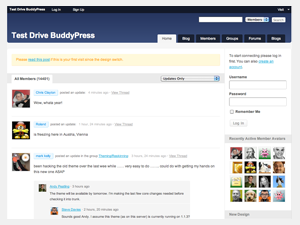
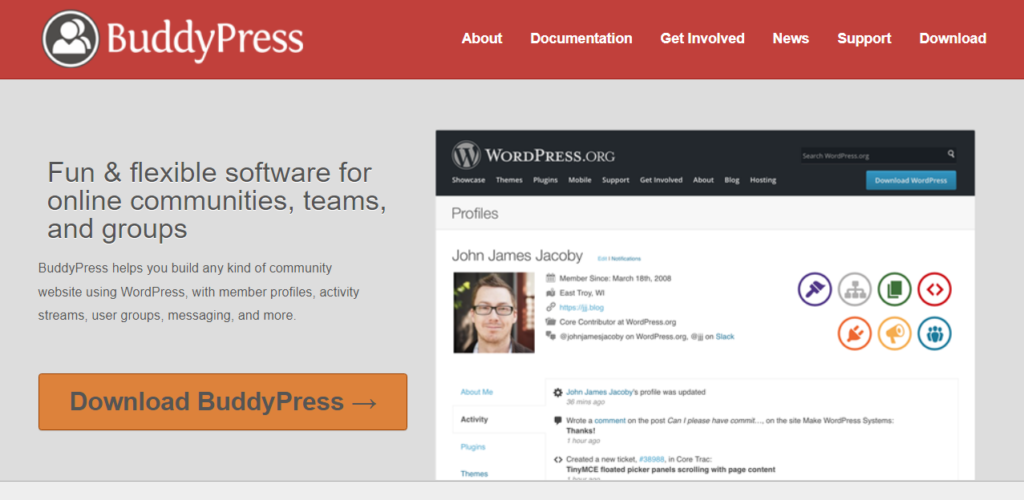
Buddypress helps create a social network on your website. It makes websites fun and interactive. Users can create profiles and send messages. They can join groups and share updates. Easy to use and set up. Many people love using Buddypress.
- User profiles: Create personal pages.
- Private messaging: Chat with friends.
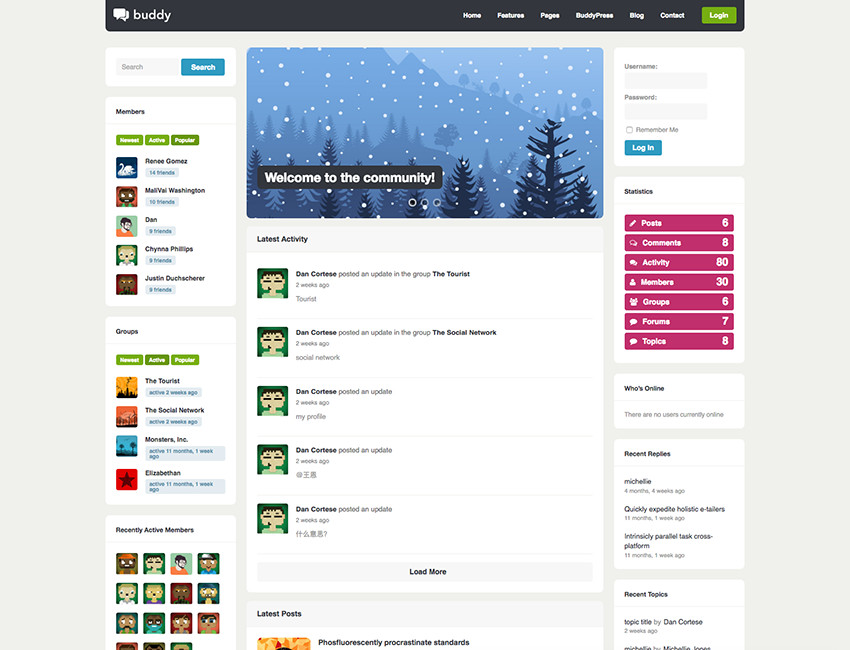
- Activity streams: See updates and posts.
- Groups: Join clubs and communities.
Connects people easily. Makes websites lively. Engages users effectively. Offers many features. Supports growth of online communities. Buddypress is a great tool for WordPress.
Key Features
Buddypress transforms WordPress into a social network platform, connecting users with profiles and groups. It fosters engagement through private messaging and activity streams, creating a vibrant online community.
User Profiles
Buddypress lets users create their own profiles. Users can add pictures, bios, and more. Profiles are easy to set up. It’s simple for everyone. Each user can manage their own information. Privacy settings help keep things safe. Users can choose what to share. Profiles make communities feel personal and connected.
Activity Streams
Activity streams show what users are doing. Updates, comments, and likes are visible. Everyone sees real-time activities. It’s engaging for users. This feature keeps the community lively. Users stay informed about new posts. Streams make interaction easy and fun.
Groups And Forums
Groups allow users to connect over shared interests. Forums provide spaces for discussions. Users can join or create groups. It’s a great way to meet new friends. Topics in forums can be anything. Discussions are open and welcoming. Groups keep communities organized and active.
Private Messaging
Private messaging lets users chat one-on-one. Messages are secure and private. It’s easy to send and receive messages. This feature encourages personal connections. Users can talk without others seeing. Messaging is fast and simple. It’s a key part of Buddypress.
Installation Process
Buddypress, a powerful WordPress plugin, transforms websites into social networks. Installation involves downloading the plugin and activating it through the WordPress dashboard. Customize settings to enhance user interaction, creating a vibrant online community effortlessly.
System Requirements
Ensure your WordPress version is 4.8 or higher. Your PHP version should be 5.6 or newer. A MySQL database is needed, version 5.0 or above. These are the basic needs for BuddyPress. Check your hosting to ensure these are met.
Step-by-step Guide
Go to the WordPress dashboard. Click on “Plugins” then “Add New”. Search for “BuddyPress”. Click “Install Now”. After that, click “Activate”. BuddyPress is now ready on your site. Go through the setup wizard. Choose features you want. Save your settings. Your site is now social!
Customization Options
Buddypress in WordPress offers diverse customization options to enhance user experience. Tailor user profiles, activity streams, and groups to fit your website’s needs. Create a unique community feel with adjustable features and functionalities.
Themes And Templates
BuddyPress works with many themes and templates. You can change the look of your site easily. Some themes are free. Others are paid. Choose what fits your style. Templates decide how your content appears. They help make your site unique. Many options are available. It’s fun to explore and choose.
Extensions And Plugins
BuddyPress uses extensions and plugins to add features. They make your site more interactive. You can add chat, forums, and groups. Some plugins are popular and easy to use. Others need more setup. Pick plugins that suit your needs. They enhance user experience. Your site can become a community hub.
Benefits Of Using Buddypress
Buddypress helps you build a strong community. People can join groups and make friends. They can share messages and photos. Your website becomes more lively. Users feel part of a big family. This makes them visit more often. They engage and share ideas. Everyone feels valued and heard.
Engagement increases with Buddypress. Users can comment and like posts. They can chat with other members. They feel connected and involved. It keeps them interested. Your site becomes fun and interactive. People spend more time on your pages. They explore and learn new things.
Buddypress grows with your site. It handles more users easily. Add new features without trouble. Your community can expand anytime. The system stays fast and smooth. It manages large groups well. Everything runs efficiently. Users enjoy a seamless experience.
Credit: en.wikipedia.org
Common Use Cases
Buddypress in WordPress helps create social networking sites. It’s perfect for building online communities. Businesses use it for team collaboration and social interaction.
Social Networks
Buddypress helps create social networks. Users can make profiles. They can send messages and add friends. It’s like a mini Facebook. People share thoughts and photos. Buddypress makes connecting easy. Users feel part of a community. Groups can be made for hobbies. Everyone can join and discuss.
Educational Platforms
Teachers love Buddypress for schools. Students can have discussions. They share ideas and learn together. Buddypress helps study groups. It’s great for online classes. Students feel involved. They can ask questions and get answers. Education becomes interactive and fun. Learning is no longer boring.
Membership Sites
Membership sites use Buddypress. People join and pay for content. Members get special access. Buddypress makes it simple. Users get their own space. Content is shared with only members. They feel valued and exclusive. Sites can have forums for members. It builds a strong community feel.
Tips For Optimization
Buddypress, a powerful WordPress plugin, transforms websites into vibrant social communities. Optimizing Buddypress involves enhancing user experience and improving site performance. Focus on customizing profiles, streamlining navigation, and utilizing caching plugins for faster loading speeds.
Performance Tweaks
To boost Buddypress performance, consider these simple tricks. Reduce image sizes to speed up your site. Use caching plugins to store data temporarily. This reduces server load. Disable unused features to free up resources. Choose a lightweight theme for faster loading times. Regularly update Buddypress and WordPress. Updates fix bugs and improve performance. Minimize the number of plugins used. Each plugin can slow down your site. Keep your database clean and optimized. This helps in quick data retrieval. Limit the number of widgets and scripts on pages. Too many scripts slow down your site.
Security Measures
Security is crucial for Buddypress. Use strong passwords for all accounts. Update plugins and themes regularly. Updates fix security holes. Install a security plugin to monitor threats. These plugins alert you of suspicious activity. Limit login attempts to prevent hacking. Regularly backup your site data. Backups ensure recovery after attacks. Use SSL certificates for secure connections. SSL protects user data during transmission. Monitor user activity for unusual behavior. This helps detect potential threats early. Enable two-factor authentication for extra security. Two-factor ensures only authorized access.
Credit: www.cloudways.com
Troubleshooting Common Issues
Buddypress integrates social networking features into WordPress sites, allowing users to create profiles and communities. Troubleshooting common Buddypress issues involves checking plugin compatibility and updating themes to ensure seamless functionality. Regular maintenance and monitoring help keep your site running smoothly.
Error Messages
Users may see error messages while using Buddypress. These messages can be frustrating. They often appear due to plugin conflicts or server issues. Checking the error log helps understand the problem. Clear cache and update plugins regularly. This might solve some issues. Always ensure your theme is compatible with Buddypress. A simple theme test can help. If errors continue, seek support from Buddypress forums.
Compatibility Problems
Buddypress needs a compatible theme and plugins. Some themes may cause layout issues. Check theme requirements on the official site. Plugins also need updates to work well. Outdated plugins cause problems. Always update WordPress, Buddypress, and all plugins. This ensures everything works together smoothly. Regular updates prevent many compatibility issues.
Credit: www.wpexplorer.com
Frequently Asked Questions
What Is Buddypress Used For?
BuddyPress is a WordPress plugin that transforms websites into social networks. It allows users to create profiles, connect with friends, and join groups. BuddyPress is ideal for building community platforms, enhancing user interaction, and fostering engagement. Its flexibility and customizability make it popular for various online community needs.
Is Buddypress Free To Use?
Yes, BuddyPress is completely free to use. It is an open-source WordPress plugin available in the WordPress plugin repository. Users can download, install, and customize it without any cost. BuddyPress also offers free extensions and themes, making it a budget-friendly solution for creating online communities.
Can Buddypress Integrate With Other Plugins?
Yes, BuddyPress can integrate seamlessly with many WordPress plugins. It is designed to be flexible and compatible with various plugins, enhancing its functionality. Popular integrations include bbPress for forums and WooCommerce for e-commerce. This allows users to create a comprehensive community experience tailored to their specific needs.
How Do I Install Buddypress On WordPress?
Installing BuddyPress on WordPress is simple. Go to the WordPress dashboard, click “Plugins,” then “Add New. ” Search for “BuddyPress,” click “Install Now,” and activate the plugin. After activation, configure its settings to suit your community needs. This quick setup allows you to start building your social network immediately.
Conclusion
BuddyPress enhances your WordPress site with social networking features. It’s easy to use and customize. You can create user profiles and activity streams. Users can send messages and join groups. It builds community interaction on your website. Ideal for niche communities and interest groups.
Installing BuddyPress is simple. Just a few clicks and you’re set. It integrates smoothly with WordPress themes. Perfect for building a vibrant online community. Start today and connect your audience. Engage your visitors with BuddyPress. Explore its features and grow your site.
Transform your WordPress into a social hub effortlessly.


