
Imagine navigating through a website with ease, always knowing exactly where you are and how you got there. Sounds helpful, right?
That’s precisely what breadcrumbs on WordPress do for you and your visitors. These simple navigational aids can transform the way people interact with your site, making it more user-friendly and enhancing the overall experience. As you explore this article, you’ll discover why integrating breadcrumbs is not just a technical detail, but a strategic move for your WordPress site.
Whether you’re a seasoned developer or just starting out, understanding breadcrumbs can be your secret weapon to keeping users engaged and coming back for more. Dive in to learn how this small feature can make a big impact on your website’s navigation and user satisfaction.
Breadcrumbs Definition
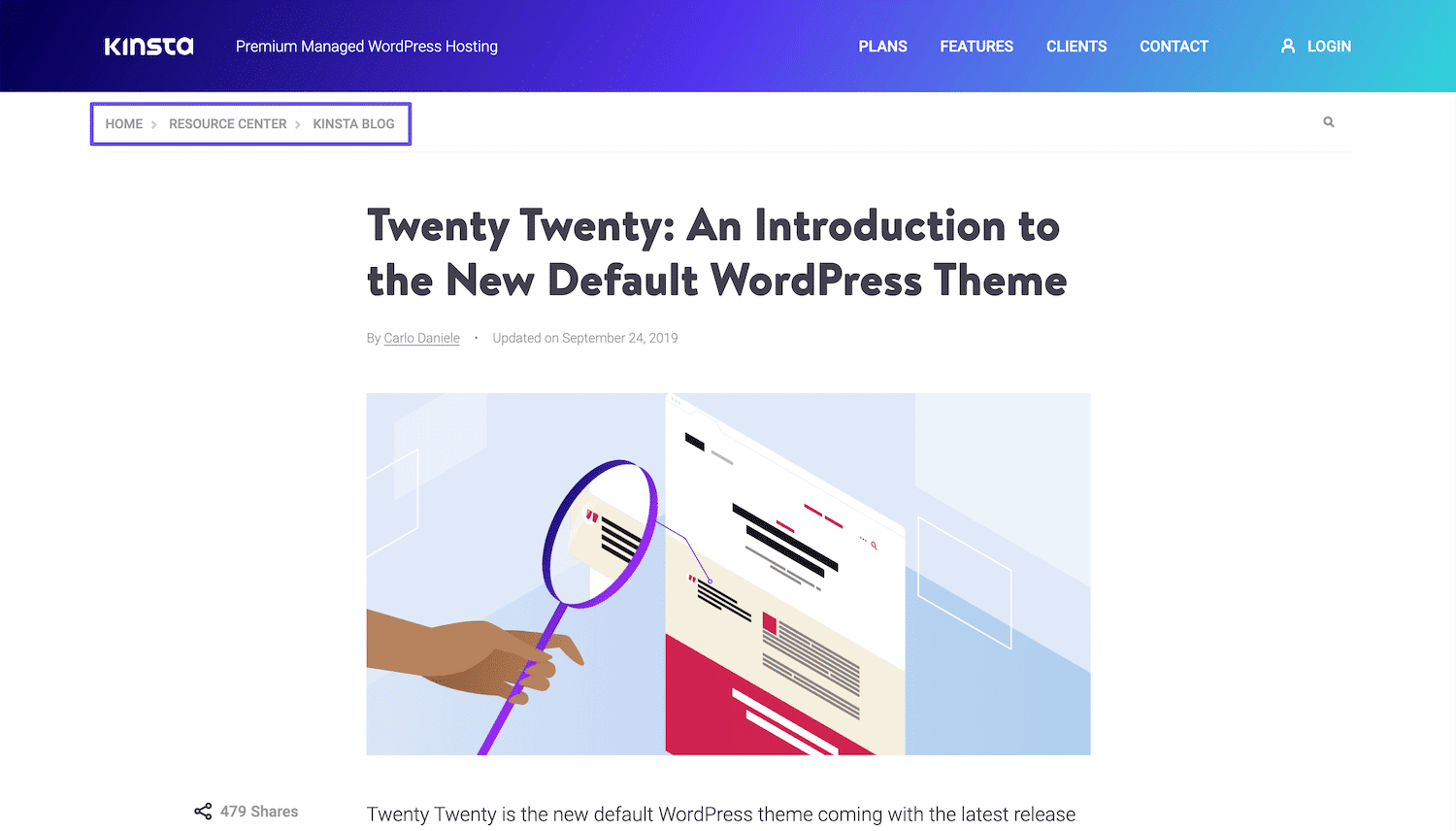
Breadcrumbs are small text paths. They show where you are on a website. They help users navigate easily. You can see them at the top of a page. They look like links. Clicking on a breadcrumb will take you to a different page. This helps users find their way back. Breadcrumbs are simple. They are usually short. They make web pages easier to use. Websites use breadcrumbs to improve user experience. They are good for big websites. Smaller websites can use them too. Breadcrumbs are not only for users. Search engines use them as well. They help in SEO by showing page structure. Breadcrumbs are important for WordPress sites. Many themes support them. Plugins can add breadcrumbs to your site. They are easy to set up. No coding is needed. Breadcrumbs are a helpful tool.
Credit: kinsta.com
Importance For Seo
Breadcrumbs help users see where they are on a website. They are like a map for visitors. This makes websites easier to use. Search engines love breadcrumbs too. They help search engines understand a site’s structure. This can improve a website’s SEO ranking.
Visitors stay longer on sites with breadcrumbs. This can lower the bounce rate. A lower bounce rate is good for SEO. Breadcrumbs make navigation simple. Users can go back to pages they like. This improves user experience.
Websites with breadcrumbs look neat and organized. It helps in attracting more visitors. More visitors mean more engagement. More engagement can lead to better SEO results.
Types Of Breadcrumbs
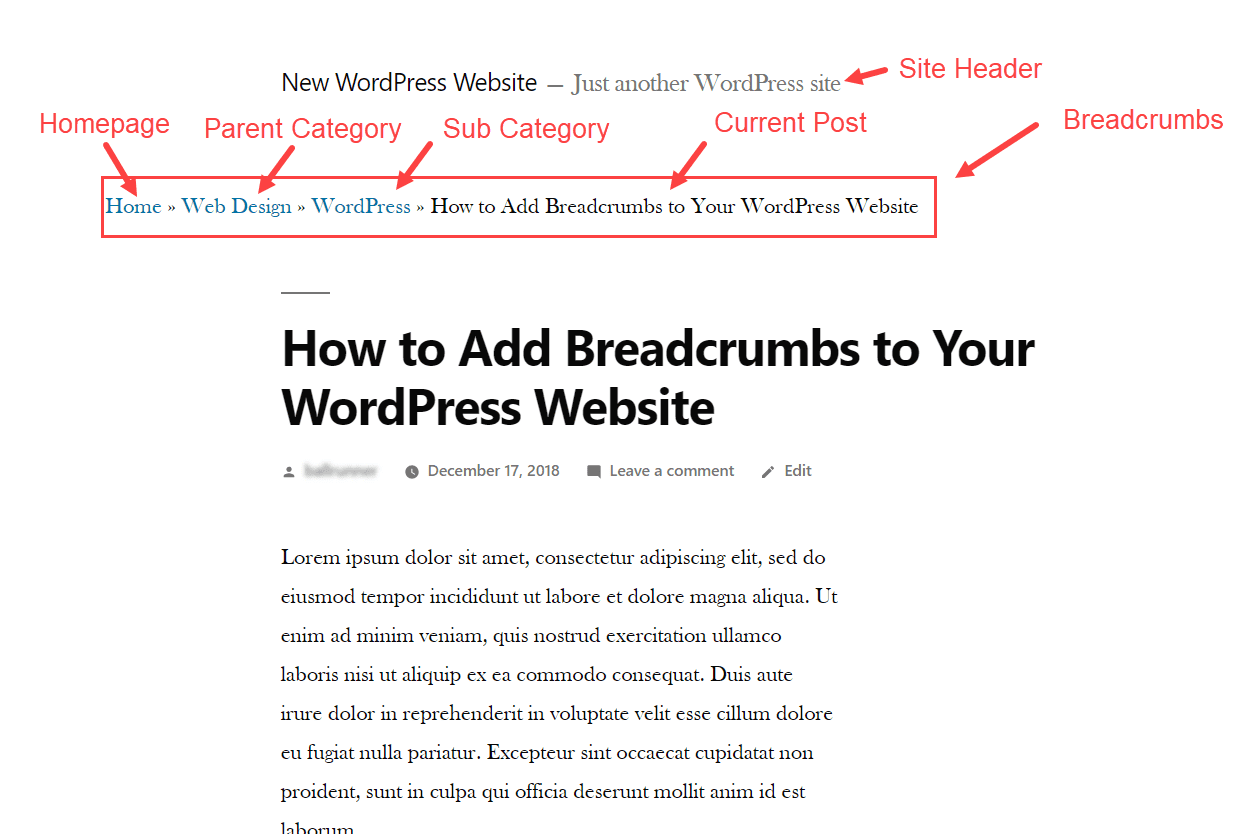
Hierarchy-Based breadcrumbs show the website’s structure. They help users know their place. Users can see the path from the home page. This type is very common. It is easy to understand.
Attribute-Based breadcrumbs are for products. They show features like color or size. Users find them helpful when shopping. They make choices easier. This type is great for online stores.
History-Based breadcrumbs track user clicks. They show the path the user took. This helps in retracing steps. It’s like a back button. Users appreciate this when exploring.
Credit: www.elegantthemes.com
Setting Up Breadcrumbs In WordPress
Plugins make it easy to add breadcrumbs. Many plugins are free. You just need to install and activate them. Some popular ones are Yoast SEO and Breadcrumb NavXT. After activation, visit the plugin settings. Choose how you want your breadcrumbs to look. Save your settings. Now, your breadcrumbs are ready. They will appear on your website.
Adding breadcrumbs manually requires some coding. First, edit your theme files. Go to the header.php or single.php file. Insert the breadcrumb code where you want them. This step needs some PHP knowledge. It’s a bit tricky but gives more control. Always back up your files before making changes. After adding the code, check your website. Make sure breadcrumbs appear correctly.
Popular Breadcrumb Plugins
Breadcrumbs on WordPress help users navigate websites by showing their location within the site structure. Popular breadcrumb plugins simplify this process, enhancing user experience and improving site navigation. These plugins also contribute to SEO by providing search engines with a clear path of links.
Yoast Seo
Yoast SEO is a popular plugin for WordPress. It helps with SEO optimization. It also offers breadcrumb support. You can easily turn on breadcrumbs. You can change the breadcrumb title. This helps users find their way. It makes your site easier to navigate.
Breadcrumb Navxt
Breadcrumb NavXT creates breadcrumb trails. These trails improve site navigation. Users see their path on the site. It’s easy to install and use. You can customize breadcrumb links. It works well with many themes.
Rank Math
Rank Math is another SEO plugin. It offers breadcrumb settings. You can turn breadcrumbs on or off. It provides options to customize the breadcrumb path. It helps users know where they are on the site.
Customizing Breadcrumb Appearance
Breadcrumbs on WordPress help users navigate a website by showing their location within the site’s hierarchy. Customizing breadcrumb appearance can enhance user experience and improve website design. Tailoring these elements makes navigation intuitive and visually appealing.
Styling With Css
CSS changes the look of breadcrumbs. Use CSS to change colors and fonts. Add padding or margins for space. CSS makes breadcrumbs fit your site’s style. Simple changes can make a big difference. Always check changes look good on all devices.
Adjusting Via Theme Options
Some themes have breadcrumb settings. These options let you change the breadcrumb style easily. You might find settings for color, size, or position. Use these to match your site’s design. It’s fast and does not need coding skills. Always preview changes to ensure they look right.
Common Issues And Fixes
Breadcrumbs in WordPress help users navigate websites easily. They show a path of links, like a trail. Sometimes, breadcrumbs break due to plugin conflicts. Fixing them involves checking settings and updates.
Breadcrumbs Not Displaying
Sometimes, breadcrumbs do not show up on a WordPress site. Missing plugins can be a reason. Make sure the breadcrumb plugin is installed and activated. Theme incompatibility could also be an issue. Check if your theme supports breadcrumbs. Wrong settings might hide breadcrumbs. Go to the plugin settings and verify them. Caching issues can delay updates. Clear your cache to fix this. Always update your plugins for the best performance.
Incorrect Breadcrumb Path
Breadcrumbs may show the wrong path sometimes. Wrong page hierarchy is a common cause. Arrange pages correctly in your WordPress admin panel. Custom post types might cause issues. Make sure they are included in your breadcrumb settings. Taxonomy conflicts can confuse breadcrumbs. Adjust taxonomy settings if needed. URL changes can break paths. Update any changed URLs in your breadcrumb settings. Regular checks keep your breadcrumbs accurate.

Credit: blog.hubspot.com
Best Practices For Breadcrumbs
Breadcrumbs on WordPress guide users through a website, showing their location. They improve navigation and enhance user experience. Implement them effectively for better site organization and to boost SEO by helping search engines understand your site’s structure.
Consistent Structure
Breadcrumbs should have a consistent structure across all pages. This helps users know where they are on your site. Always start with the home page. Then follow the path to the current page. This makes the path easy to understand. Keep it simple and clear. Use a separator like a slash (/) or a greater-than sign (>). This helps to separate each part. Make sure the order is always the same. This keeps things predictable for users.
User-friendly Navigation
Breadcrumbs create user-friendly navigation on your site. They help users find their way back. This is like a map of your website. It shows where the user is and where they have been. Users can click on any breadcrumb link. This takes them to that page directly. This saves time and effort. It makes your site easier to use. Users like sites that are easy to use.
Impact On User Experience
Breadcrumbs help users find their way on a website. They show where a page is in the site structure. This helps users know where they are. It makes it easy to go back to earlier pages. Breadcrumbs make websites simple to use. Users can click and jump between sections. They save time for visitors. Less time searching means users are happier.
Websites with breadcrumbs feel more organized. Users are less likely to get lost. This improves their experience. Breadcrumbs are especially useful on large sites. They guide users through many pages. Keeping users happy can help them stay longer. This means they might explore more content. Websites can benefit from happier users.
Frequently Asked Questions
What Are Breadcrumbs In WordPress?
Breadcrumbs in WordPress are navigational aids that display a trail to the current page. They help users understand their location within your site. Breadcrumbs improve user experience by offering quick navigation back to previous pages. They can enhance SEO by creating a clear site structure for search engines.
How Do Breadcrumbs Improve Seo?
Breadcrumbs enhance SEO by improving site navigation and user experience. They provide a clear path for search engines to understand page hierarchy. This can lead to better indexing and ranking. Breadcrumbs also encourage users to spend more time on your site, reducing bounce rates.
Are Breadcrumbs Necessary For WordPress Websites?
Breadcrumbs aren’t mandatory but are highly beneficial for WordPress websites. They improve site navigation and user experience. By providing a clear path, they help visitors easily navigate your site. Additionally, breadcrumbs can enhance your site’s SEO, making it easier for search engines to index and rank your pages.
How To Add Breadcrumbs In WordPress?
Adding breadcrumbs in WordPress can be done using plugins like Yoast SEO or Breadcrumb NavXT. These plugins are user-friendly and offer customizable options. Alternatively, you can manually add breadcrumbs using custom code. Choose the method that best suits your technical skills and website needs.
Conclusion
Breadcrumbs on WordPress enhance navigation for users and search engines. They provide a clear path, showing where users are on a site. This helps in reducing bounce rates and improving user experience. Easy to set up with plugins, breadcrumbs are a must-have tool.
They also boost SEO by making site structure clearer. Remember, a well-structured site keeps visitors engaged longer. So, incorporate breadcrumbs to make your WordPress site user-friendly. Simple steps, big impact. Your website deserves it.


