
Are you ready to elevate your WordPress website to new heights? Imagine blending the power of WordPress with the sleek, responsive design of Bootstrap.
Sounds exciting, right? If you’re wondering what a Bootstrap WordPress theme is and how it can transform your website, you’re in the right place. This article will unravel the mysteries behind this dynamic duo, showing you how to create stunning, mobile-friendly sites with ease.
You’ll discover how Bootstrap’s grid system, components, and flexibility can work seamlessly with WordPress, giving you the tools to captivate your audience and enhance user experience. Ready to dive in and give your website the competitive edge it deserves? Keep reading!
Bootstrap WordPress Theme Basics
Bootstrap is a toolkit for building websites. It helps make sites look good on all devices. Bootstrap provides pre-made styles and layouts. These help designers work faster.
In WordPress, Bootstrap themes are special. They use Bootstrap’s styles and features. This makes the theme responsive. Responsive means it looks good on phones and computers. Using Bootstrap saves time for developers. They do not have to create styles from scratch.
Bootstrap themes are easy to customize. Users can change colors or fonts quickly. This makes Bootstrap a popular choice for WordPress themes. Many people find it simple and handy.

Credit: www.youtube.com
Benefits Of Using Bootstrap In WordPress
Bootstrap makes websites look good on all devices. It uses a grid system. This system helps content fit any screen size. Mobile, tablet, or desktop, the site always looks neat. This makes users happy and keeps them on your site longer.
Bootstrap has many ready-made codes. These codes help developers work faster. No need to start from scratch. You can add buttons, menus, and more. This saves a lot of time and effort.
With Bootstrap, all parts of your site match. This gives your site a uniform look. Users see the same styles and colors everywhere. A consistent look builds trust and makes the site feel reliable.
Setting Up A Bootstrap WordPress Theme
Picking a Bootstrap WordPress theme is important. Ensure the theme is compatible with your WordPress version. Look for themes that are responsive and mobile-friendly. Check user reviews to know the theme’s performance. Consider themes with easy-to-use customization options. Select themes that match your site’s purpose and style.
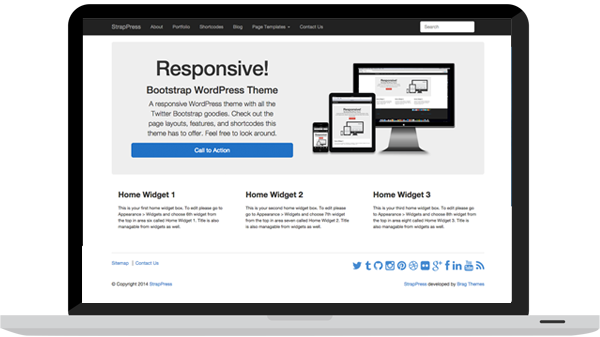
Installing a Bootstrap theme is simple. Download the theme file to your computer. Go to your WordPress dashboard. Click on Appearance then Themes. Click Add New and select Upload Theme. Choose the file you downloaded. Click Install Now. Once installed, activate the theme. Customize it to suit your needs. Enjoy your new look!
Credit: bootstrapwp.com
Customization Options
Bootstrap WordPress themes offer a variety of customization options for easy website design. Users can adjust colors, fonts, and layouts to match their brand. These themes provide flexibility and user-friendly settings, making website customization accessible for everyone.
Modifying Css And Javascript
Bootstrap WordPress themes allow easy changes to CSS and JavaScript. You can change colors, fonts, and layouts. Use the WordPress Customizer for basic edits. For deeper changes, edit the style.css file. Be careful while editing this file. Mistakes can break your site. Backup your files before making changes. JavaScript adds dynamic features. You can enhance user interactions. Use jQuery for easy scripting. Ensure your scripts load correctly. Test changes on different devices. This ensures a good user experience.
Using Child Themes
Child themes are safe for customization. They keep your changes when the main theme updates. Create a folder for your child theme. Add a style.css file inside. Import the parent theme’s styles. Add your custom styles below. This method is clean and organized. You can also add custom functions. Use the functions.php file for these. Child themes keep your site unique. They protect your changes over time.
Popular Bootstrap WordPress Themes
Bootstrap WordPress themes blend responsive design features with WordPress functionality. These themes offer flexible and easy-to-customize layouts, ensuring your website looks great on any device. Ideal for beginners, they simplify web design while maintaining professional aesthetics.
Top Free Themes
Bootstrap WordPress themes are popular. Many are free. They offer clean designs and easy-to-use features. Some favorites include “Bootstrap Blog” and “Simple Bootstrap”. These themes load fast and look good on phones. They are great for beginners. Free themes often have limited customization options. But they are still useful. Free themes help people start websites quickly. They provide a basic look that can be upgraded later.
Best Premium Options
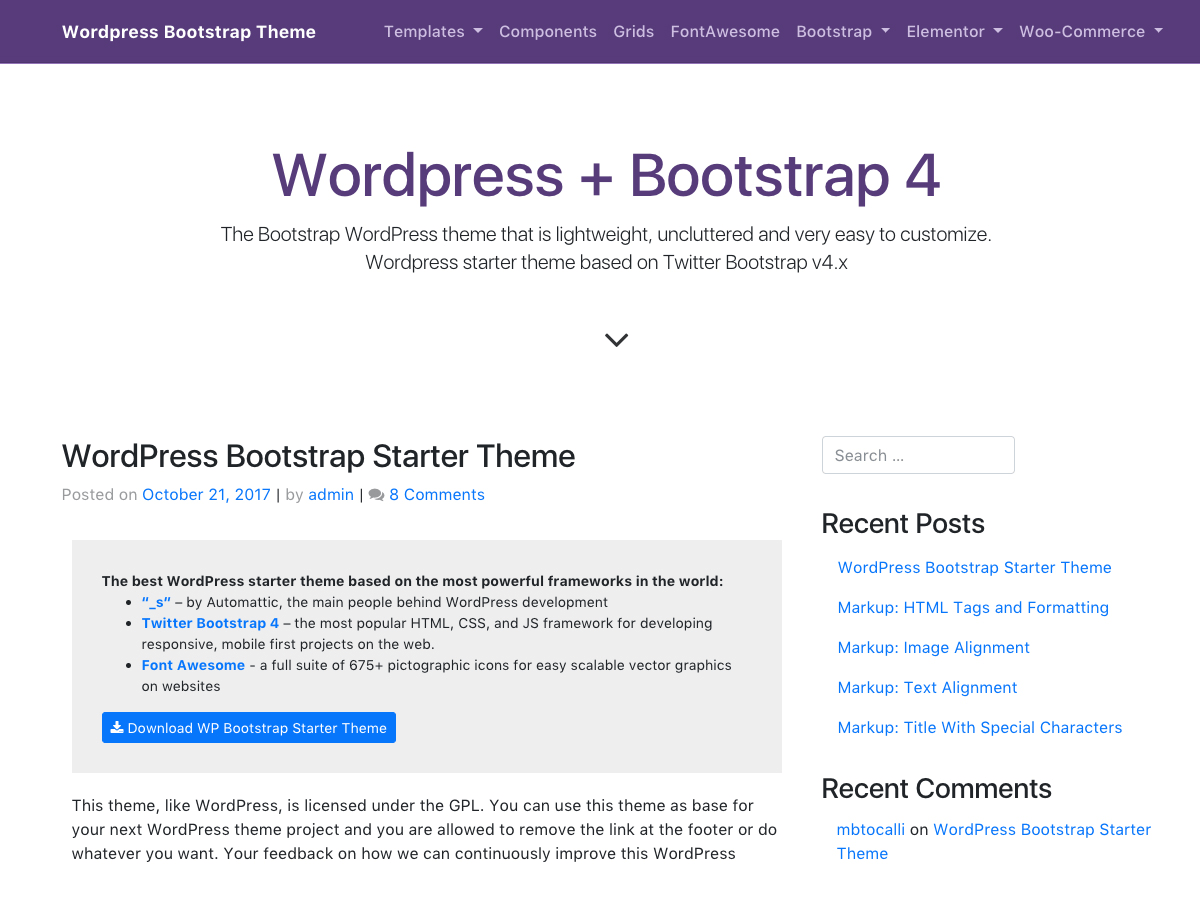
Premium themes offer more features. “Bootstrap Pro” is a favorite. It provides advanced options. Users can change colors and fonts. “Elegant Bootstrap” is another premium choice. It has beautiful designs and strong support. Premium themes have better layouts. They often come with extra plugins. These themes are great for businesses. They provide professional looks that attract customers. Premium options are worth the investment. They help websites stand out.
Credit: childtheme-generator.com
Common Challenges And Solutions
Bootstrap WordPress themes offer flexibility and user-friendly design, yet integrating them can be challenging. Solutions include using tutorials for setup guidance and selecting compatible plugins for seamless functionality.
Troubleshooting Common Issues
Many face issues with Bootstrap WordPress themes. Sometimes, themes do not load properly. This can be due to a conflict with other plugins. Disabling the plugins one by one helps find the problem. Another issue is missing styles. Ensure the correct CSS file is linked. Updating all the plugins can fix many problems. It is also wise to check for any theme updates. Always keep a backup of your site.
Enhancing Performance
A website should be fast and responsive. Use a caching plugin to speed up your site. Optimize images to load faster. Reduce the number of HTTP requests. This can be done by combining CSS and JavaScript files. Choose a reliable hosting provider. Regularly check your site’s speed with online tools. Aim for a loading time of under three seconds.
Future Of Bootstrap In WordPress
Bootstrap is becoming a popular tool for WordPress themes. It helps in creating responsive designs. More and more developers use Bootstrap. It makes websites look good on phones and computers. This trend is growing fast. People want websites that work well everywhere. Bootstrap helps with that. Using Bootstrap saves time. Developers can use pre-made codes. It makes their work easier. The trend is to make websites fast and simple. Bootstrap supports this trend.
Developers are finding new ways to use Bootstrap. They might add more features. Bootstrap could work better with WordPress. Maybe it will become more flexible. It might offer new design options. This could help with custom themes. Bootstrap might become easier to use. It could have more tools for beginners. Everyone could make nice websites. Future improvements could make it even better. More people might start using it.
Frequently Asked Questions
What Is A Bootstrap WordPress Theme?
A Bootstrap WordPress theme is a theme built using the Bootstrap framework. It combines Bootstrap’s responsive design capabilities with WordPress’s flexibility. This combination ensures a mobile-friendly and customizable website experience. It simplifies web development with pre-designed components and a grid system, making it ideal for both beginners and advanced developers.
Why Use Bootstrap For WordPress Themes?
Using Bootstrap for WordPress themes enhances responsiveness and design consistency. It offers a wide range of pre-styled components, reducing development time. Its grid system makes creating mobile-friendly layouts easier. Additionally, Bootstrap’s extensive documentation and community support simplify troubleshooting and customization, making it a popular choice for developers.
How To Install A Bootstrap WordPress Theme?
To install a Bootstrap WordPress theme, download the theme file from a reputable source. Go to your WordPress dashboard, navigate to “Appearance,” then “Themes,” and click “Add New. ” Upload the theme file, click “Install,” and then “Activate” it. Ensure the theme is updated regularly for security and performance.
Can Beginners Use Bootstrap WordPress Themes?
Yes, beginners can use Bootstrap WordPress themes. These themes offer user-friendly interfaces and extensive documentation. Pre-built components simplify design processes, making it accessible for novices. Additionally, WordPress’s intuitive dashboard and Bootstrap’s responsive design capabilities make creating a professional-looking website manageable, even for those with limited technical skills.
Conclusion
Bootstrap WordPress themes simplify website creation. They offer flexibility and ease of use. Perfect for beginners and experts alike. Users can customize without much coding knowledge. Responsive design ensures great display on any device. Fast loading times enhance user experience.
Many themes are available for various needs. Choosing the right theme improves your site’s look and performance. Always consider your site’s goals and audience. Experiment with different themes. Find what works best. Bootstrap themes can help create professional websites easily.
Make your website stand out. Start exploring today.


