
Are you a WordPress enthusiast eager to optimize your blog? If so, understanding the concept of “Blogroll” can be a game-changer for you.
Imagine having a tool that not only enhances the functionality of your site but also fosters a community feel, engages your audience, and boosts your site’s SEO. Sounds exciting, right? A Blogroll isn’t just a fancy term; it’s a strategic element that can elevate your blogging experience.
By the end of this article, you’ll be equipped with the knowledge to effectively utilize Blogrolls in WordPress, transforming your blog into a hub of valuable connections. Discover how this simple tool can enhance your blogging journey and keep your readers coming back for more. Ready to unlock the full potential of your WordPress site? Let’s dive in!
Blogroll Definition
A blogroll is a list of links. These links lead to other blogs or websites. It often appears on the sidebar of a blog. WordPress uses blogrolls to connect with others. This helps readers discover new sites. Blogrolls can be customized. They can show links to similar topics. Bloggers use it to share favorite sites. It builds a network of blogs. Blogrolls are easy to update. Adding or removing links is simple. A blogroll enhances the site’s value. It engages the audience. Readers find new content easily. Blogrolls create a sense of community. They are a valuable tool for bloggers. They help in building relationships.
Purpose Of Blogrolls
A blogroll is a list of links. These links lead to other blogs. Many bloggers use it. It helps them share favorite blogs. This can help readers find new content. Bloggers build a community with it. It shows support for other bloggers. It can also improve a blog’s ranking. Search engines like links to other sites. So, blogrolls can be a good tool. They help both readers and bloggers. They make the blog more useful.
Not all blogs have a blogroll. It’s a choice. Some blogs may have a short list. Others may have a long one. The links can be updated. This keeps the blogroll fresh. Readers might return to see new links. A well-maintained blogroll is valuable. It connects bloggers. It enriches the blogging world.
Creating A Blogroll
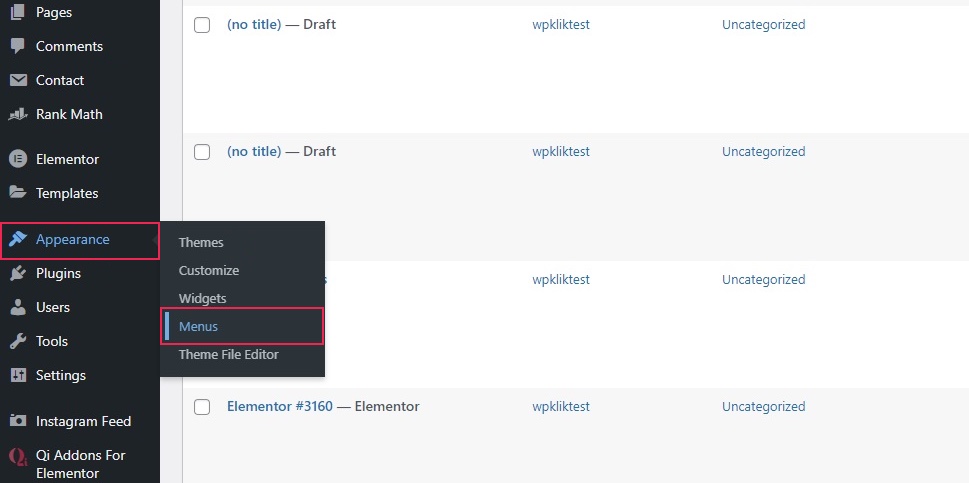
First, open the WordPress Dashboard. You will need to log in. Use your username and password. Once logged in, look for the “Links” section. This is on the left side. Click on it. Now, you can create a blogroll.
Click on the “Add New” button. You will see a form. Enter the link name. This is how it will show on your blog. Next, add the URL. Make sure it is correct. You can also add a description. This helps readers know what the link is about. After filling out the form, click “Add Link”. Your link is now part of the blogroll.
Credit: qodeinteractive.com
Managing Blogroll Links
Find the link you want to change. Click on it to open settings. Change the link name or URL. Click save to keep changes. Check the link on your site. Make sure it works fine. Edit again if needed. Keep your blogroll tidy.
Locate the link you do not need. Click to see options. Select delete to remove it. Confirm the deletion. The link is now gone from your blogroll. Clean blogroll looks better. It helps users find good links. Repeat for other unwanted links.
Customizing Blogroll Appearance
Blogroll in WordPress showcases a list of links to websites, often favorite blogs. Customizing its appearance improves the site’s visual appeal and user experience. Adjust settings for layout, colors, and fonts to make it match your site’s style.
Using Widgets
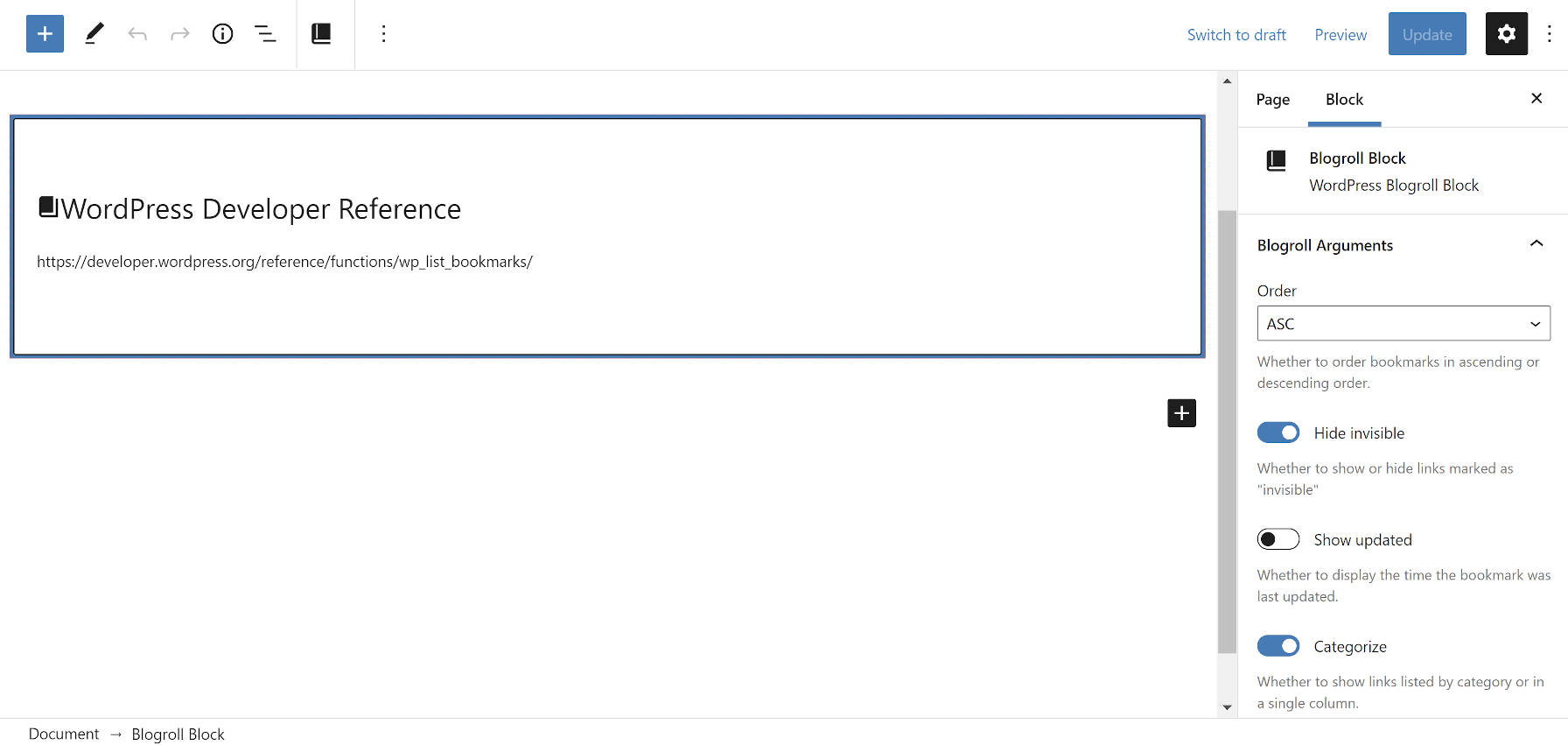
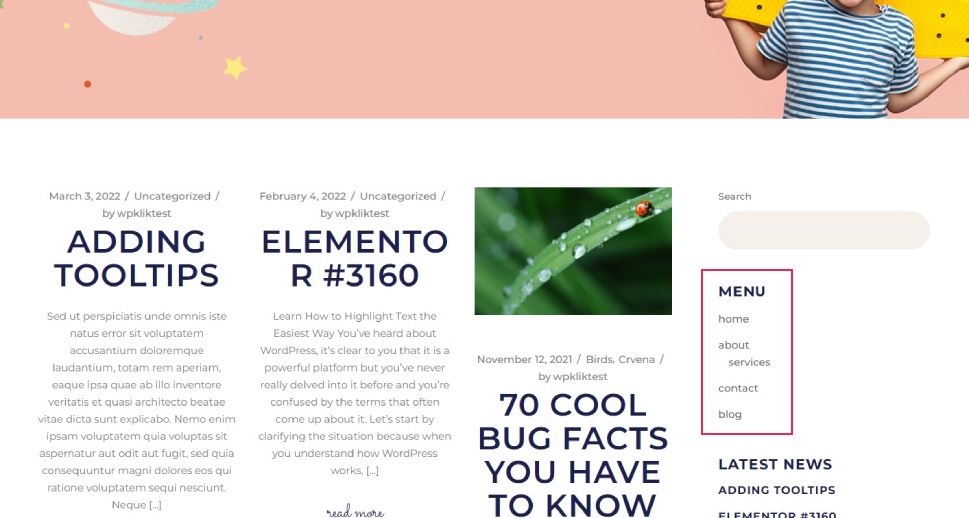
Widgets help you display the blogroll on your site. You can add a widget to your sidebar or footer. This makes the blogroll easy to find. Drag and drop the widget to where you want it. Choose the links you want to show. Arrange them in a list or grid. You can also decide how many links to show. Customize the title of the blogroll. Make sure it fits your site’s style. Use colors that match your theme. This helps make the blogroll look nice.
Css Customization
CSS changes the design of your blogroll. Use it to make your blogroll unique. Change the font size and style. Adjust the colors to match your website. Add some space between links. Make the blogroll look clean. Align the text to fit your layout. Use borders for style. CSS lets you change almost everything. This gives you control over the blogroll’s look. You can try different designs. Find one that suits your site best.
Credit: wptavern.com
Benefits Of Using A Blogroll
A blogroll helps users find interesting blogs easily. It shows them related content they might like. This makes exploring a site more fun. Users spend more time on the site. They discover new topics and ideas. A well-organized blogroll is simple to use. It guides users smoothly. They feel happy and keep coming back.
Blogrolls can help with SEO. They link to other blogs. Search engines see these links as valuable. Sites with good links often rank higher. More links mean more chances to be seen. Blogrolls also bring in new visitors. They share the links, bringing more traffic. This helps a website grow. The more links, the better for SEO.
Blogroll Alternatives
Social media links are a great blogroll alternative. They connect readers to your social profiles. You can add links to Facebook, Instagram, and Twitter. These links help share updates about your blog. They also let followers interact with your content. Readers love to follow creators on social media. It makes content feel fresh and engaging. Easy to update and manage too. Just add or remove links as needed.
Resource pages offer a collection of useful links. They direct readers to helpful tools or websites. These pages are like a treasure map for your readers. They guide them to great information. You can organize them by topic or category. This makes finding resources simple and fast. Readers appreciate having everything in one place. It saves them time and effort. A valuable addition to any blog.
Common Blogroll Mistakes
Many bloggers add too many links in their blogroll. This can make your blog look crowded. A crowded blogroll can confuse readers. Keep your blogroll simple. Choose links that really matter. Fewer links are better. Quality over quantity.
Some blogs have links that do not match their content. This is bad for your readers. Readers might get lost. They might leave your blog. Make sure links match your blog topic. Relevant links help readers. They keep readers on your site longer.
Future Of Blogrolls
Blogging trends are always changing. People like to read short and easy texts. Blogrolls can help in this way. They list other blogs you may like. They make it easy to find new content. As more people read blogs, these lists become more helpful.
New tools make blogrolls easier to use. You can add or remove blogs quickly. This keeps the list fresh. Bloggers love this feature. It saves them time. They can focus on writing good posts. Blogrolls also help build a community. They link bloggers together. This makes the blog world feel smaller.
Trends In Blogging
People read blogs on phones. Shorter content is now popular. Readers want quick information. Blogrolls can help with this. They guide readers to more blog posts. This keeps readers happy and engaged. Bloggers use trends to stay relevant. They update their blogrolls often. This brings more readers to their site.
Evolving User Preferences
Readers like simple and clean websites. Blogrolls need to look nice. They should not be messy. A good list is easy to read. It helps readers find what they like. Bloggers know this. They work hard to make blogrolls better. This makes readers come back for more.
Credit: qodeinteractive.com
Frequently Asked Questions
What Is A Blogroll In WordPress?
A blogroll in WordPress is a list of links. It showcases recommended blogs or websites on your site. This feature helps visitors discover related content. It enhances user experience and boosts networking with other bloggers. Blogrolls are typically found in a sidebar widget.
How To Add A Blogroll In WordPress?
To add a blogroll, use the “Links” feature in WordPress. Navigate to “Links” in the dashboard and click “Add New. ” Enter the link details and categorize it. Use the “Links” widget to display your blogroll on your site. Customize its appearance through your theme settings.
Why Use A Blogroll On Your WordPress Site?
Using a blogroll enhances user experience by providing additional resources. It helps in building relationships with other bloggers. A blogroll can improve site navigation and increase visitor engagement. It also contributes to better SEO by linking to authoritative sites.
Can A Blogroll Improve Seo For My Site?
Yes, a blogroll can improve SEO. It provides outbound links to authoritative sites. This practice signals search engines about the quality of your content. It also encourages reciprocal linking, which can enhance your site’s authority and visibility. Ensure the links are relevant to maintain SEO effectiveness.
Conclusion
Understanding blogrolls in WordPress enriches your blogging experience. They organize links effectively. You can share favorite blogs easily. This tool connects readers with valuable content. It also helps improve site navigation. Blogrolls enhance the user experience. They make your site more engaging.
Simple to set up and manage. A helpful resource for bloggers. Consider adding a blogroll today. It might boost your site’s appeal. A great way to showcase your interests. Keep your audience connected and informed.


