
Are you curious about how websites work seamlessly with other services to deliver a rich user experience? If you’re diving into the world of WordPress, you might have stumbled upon the term “API” and wondered what it really means.
Understanding APIs in WordPress can transform how you interact with your website, opening up possibilities you might not have considered before. Imagine being able to integrate powerful functionalities with just a few clicks or lines of code. You’ll discover the magic behind APIs in WordPress, unraveling how they can enhance your site’s performance and efficiency.
Stick around, and you’ll unlock new potential for your online presence, empowering you to do more with less effort. Let’s dive in and explore the world of APIs in WordPress, where simplicity meets innovation.
Understanding Apis
API stands for Application Programming Interface. It is a set of rules. These rules let programs talk to each other. They help in sharing data and services. APIs make work easier for developers. They save time and effort.
APIs work like a bridge. They connect different software programs. This connection helps in data exchange. Each program follows set rules. These rules ensure smooth communication. Imagine APIs as a waiter in a restaurant. The waiter takes your order to the kitchen. Then, he brings food to your table. APIs do a similar job in the digital world.
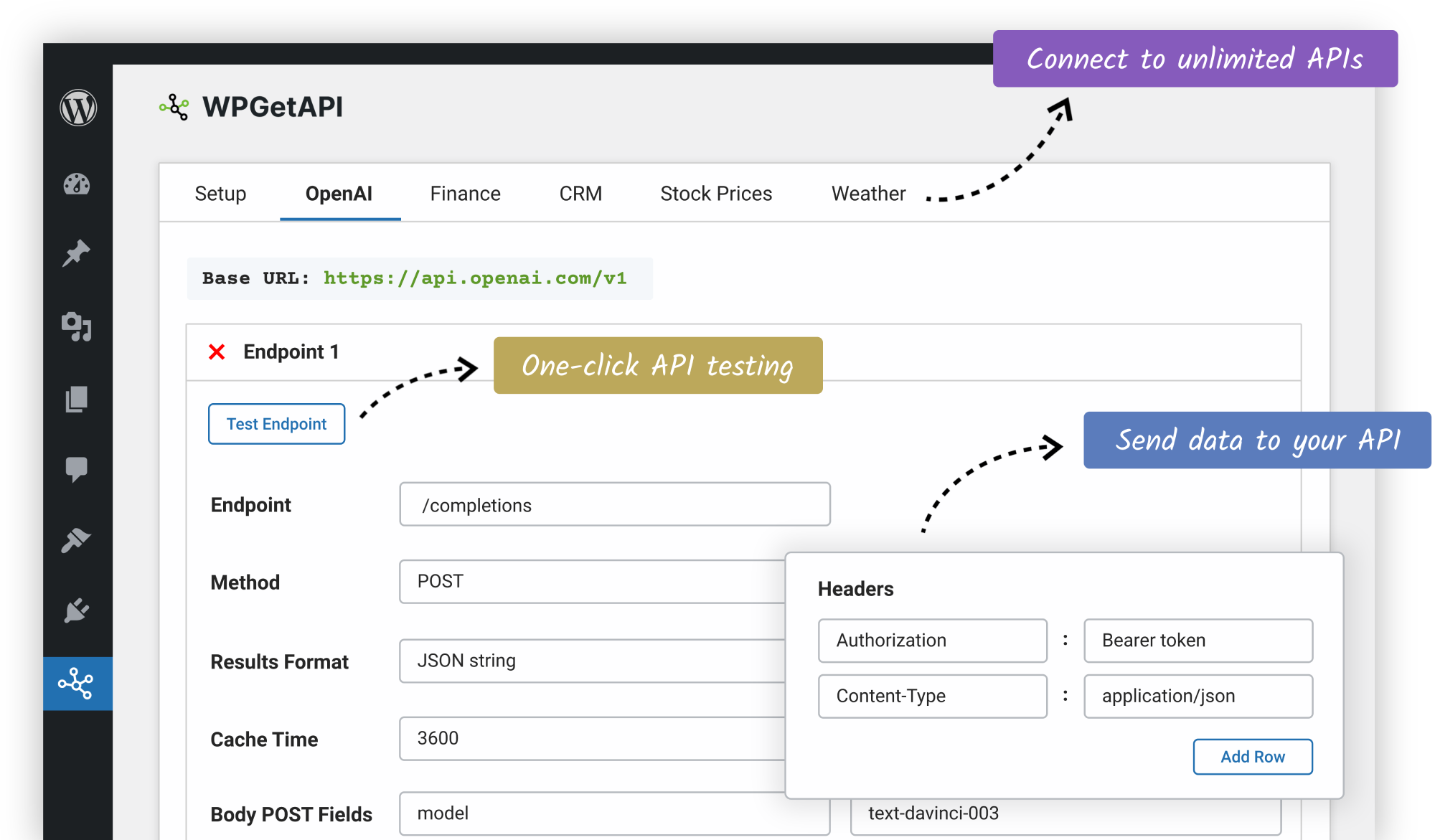
Credit: wpgetapi.com
Types Of Apis In WordPress
The REST API helps WordPress connect with other systems. This makes data sharing easy. Developers can fetch and send data using HTTP requests. JSON format is used for data exchange. With REST API, websites become more interactive. It is useful for mobile apps and other web applications. REST API is flexible. Many plugins use it. This API lets you update or delete data easily.
XML-RPC API allows remote communication with WordPress. It uses XML format for data exchange. This API helps in publishing posts remotely. You can manage content from afar. Apps use XML-RPC for tasks like uploading media. It’s older than REST API. This API helps in editing and deleting posts. Useful for managing blogs from different places.
GraphQL API offers a new way to get data. It is very flexible. This API lets you request what you need. No extra data is sent. Queries are easy to make. Useful for custom data fetching. Developers like its efficiency. With GraphQL, queries are more precise. Websites can load faster. Helps reduce data overload.
Benefits Of Using Apis In WordPress
APIs give your WordPress site more power. They allow new features without complex coding. Users can add maps, chat boxes, and more easily. Developers love how APIs make tasks simpler. Websites become more dynamic and interactive. The possibilities are endless with APIs.
Visitors enjoy a better experience with APIs. They can see real-time updates. Websites load faster and run smoother. Users find what they need quickly and easily. This keeps them coming back for more. Happier users mean more success for your site.
APIs help connect your site with other services. You can link to social media, email tools, and payment systems. Integration makes managing your site much easier. Businesses can handle tasks in one place. This saves time and effort for everyone involved.
Setting Up WordPress Api
WordPress API allows developers to connect applications to WordPress sites. It enables data retrieval and manipulation through endpoints. This integration enhances functionality and customization for better user experiences.
Api Key Generation
Generating an API key is simple. First, log in to your WordPress dashboard. Then, go to the API settings section. Find the option to create a new key. Click on it and follow the instructions. Once done, you will have a new API key. Keep it safe. Do not share it with others.
Authentication Methods
There are many ways to authenticate. The most common method is basic authentication. It uses your username and password. Another method is OAuth. It is more secure. Tokens are used instead of passwords. A third method is JWT. It stands for JSON Web Token. It is fast and secure. Choose the method that fits your needs best. Always protect your credentials.
Common Use Cases
APIs in WordPress simplify website integration with third-party services, like payment gateways and social media platforms. They enable seamless data sharing between WordPress and external applications, enhancing functionality and user experience. Custom plugin development often relies on APIs to extend site capabilities efficiently.
Customizing Themes And Plugins
APIs help make themes and plugins better. They let developers change them easily. Add new features without breaking anything. This makes websites unique. Everyone wants their site to stand out. They can change colors, fonts, or layouts. All with a few API tweaks.
Mobile App Development
WordPress APIs connect websites to mobile apps. Users see the same content everywhere. This ensures a smooth experience. No matter if they use a phone or computer. Developers love APIs for this reason. They make building apps faster. They share data between platforms.
Data Synchronization
APIs keep data the same on all devices. Update once and see it everywhere. This saves time and avoids errors. Businesses rely on this to stay accurate. No need to check each device separately. APIs do the hard work. They ensure everyone sees the same information.

Credit: kinsta.com
Best Practices For Using Apis
WordPress APIs allow developers to enhance and customize websites efficiently. They provide tools to integrate plugins and themes seamlessly. By following best practices, users can ensure smooth functionality and improved site performance.
Security Considerations
APIs must be secure to keep data safe. Use strong authentication methods. Limit access to only what is needed. Always encrypt sensitive information. Regularly check for vulnerabilities. Update your systems frequently. This helps protect against threats.
Performance Optimization
Fast APIs make users happy. Reduce the data sent. Use caching to store frequent requests. Minimize the number of requests. This speeds up response time. Choose efficient data formats like JSON. Monitor performance regularly. Fix slow parts quickly.
Versioning And Documentation
APIs change over time. Use versioning to manage updates. This keeps older versions working. Always provide clear documentation. Explain how to use the API. Include examples and common problems. This helps users understand better. Keep the documentation up-to-date.
Challenges And Limitations
WordPress APIs can be complex, presenting challenges like integration difficulties and limited customization options. Developers often face compatibility issues and security concerns while working with APIs.
Security Risks
APIs can expose sensitive data to hackers. They might find loopholes and gain access. Strong security measures are a must. Regular updates help protect APIs. Always monitor for unusual activities.
Complexity In Implementation
Some APIs are hard to set up. Beginners may feel confused. Clear documentation helps understand them. Support from the community is beneficial. Practice makes API use easier.
Compatibility Issues
Not all APIs work with every WordPress version. Some plugins may cause conflicts. Testing is crucial before going live. Updates can sometimes solve these problems. Always check compatibility before use.
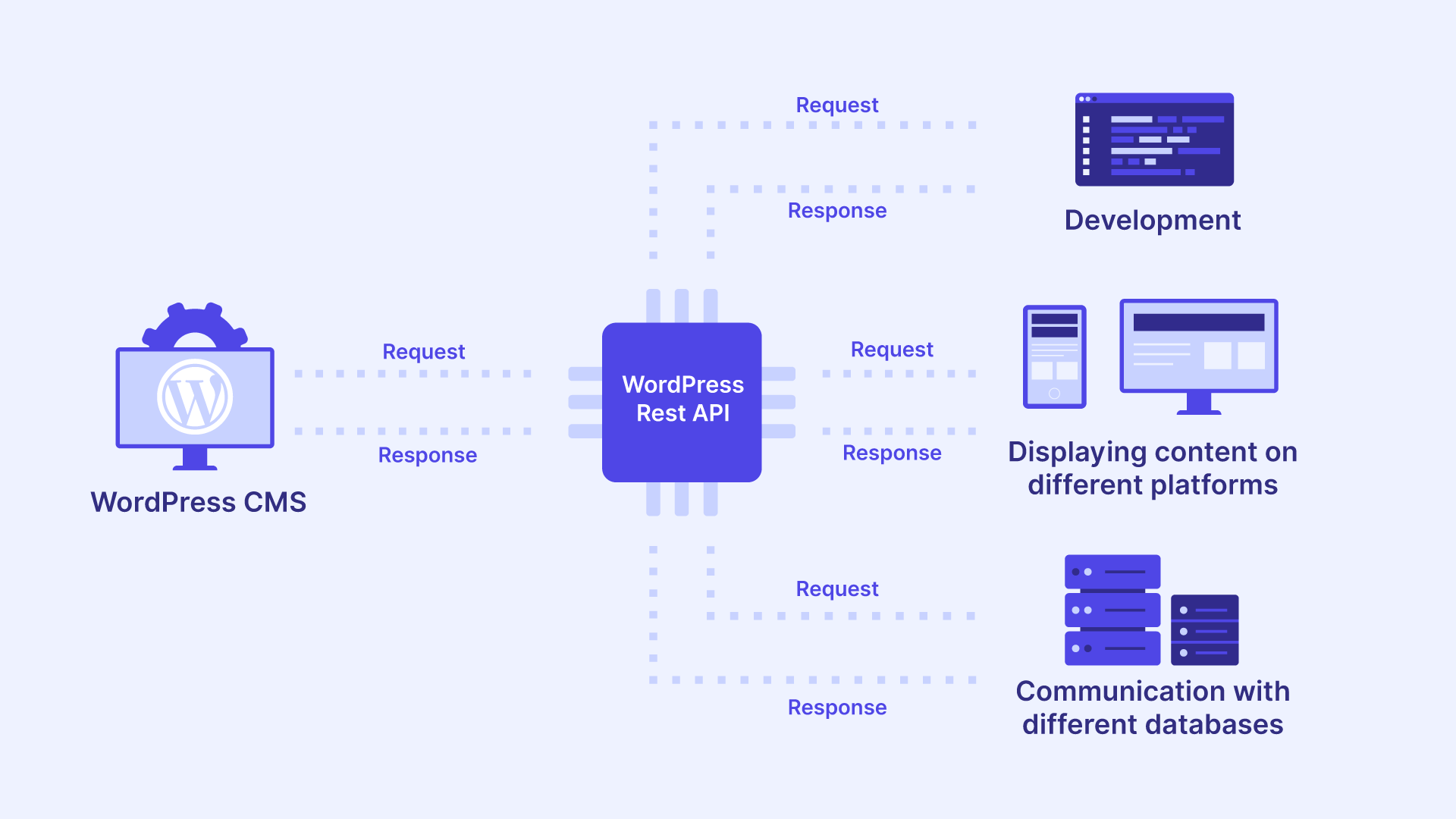
Credit: wp-umbrella.com
Future Of Apis In WordPress
WordPress APIs are getting smarter. They help websites talk to each other. Security is a big focus. Developers want safe sharing of data.
Cloud services are popular now. APIs are making them better. Many people use them to store and manage data. Speed is also important. Fast APIs make happy users.
More tools will come. They will help build websites easier. Customization will be the key. Users can make their sites unique.
Smart assistants might use APIs. Imagine a voice assistant updating your site. Automation could save time and effort for everyone.
Frequently Asked Questions
What Is An Api In WordPress?
An API in WordPress allows different applications to communicate and share data. It enables developers to extend WordPress functionality. APIs provide a set of rules and protocols for building software applications. They streamline complex processes, making WordPress development more efficient and versatile.
How Does WordPress Rest Api Work?
The WordPress REST API provides a way for websites to communicate with each other. It uses HTTP requests to access WordPress data. Developers can retrieve or send data to WordPress sites using JSON format. This makes it easier to create interactive and dynamic web applications.
Why Use Apis With WordPress?
APIs extend WordPress functionality by integrating third-party services. They enhance user experience by providing dynamic content. APIs also allow developers to create custom solutions tailored to specific needs. Using APIs can improve efficiency, scalability, and flexibility of a WordPress website.
Can I Create Custom Apis In WordPress?
Yes, you can create custom APIs in WordPress. Custom APIs allow developers to define specific endpoints and functionalities. They offer a tailored solution for unique business requirements. Custom APIs enhance WordPress performance and interoperability with other systems.
Conclusion
Understanding APIs in WordPress opens up many possibilities. They enhance your site’s functionality. Easy integration with other platforms is a key benefit. APIs streamline data sharing and communication. Developers find them essential for creating custom features. You don’t need to be a tech expert to use them.
Simple tutorials and guides can help. Explore more about WordPress APIs to make your site better. They offer a practical way to improve user experience. You’ll find them useful for future projects. Embrace the power of APIs in your WordPress journey.


