
Have you ever wondered how your website’s domain name connects to a specific server? The answer lies in something called an “A Record.”
Understanding A Records is crucial if you want to manage your web hosting effectively. These tiny bits of information are the unsung heroes that ensure your site is accessible to everyone on the internet. Imagine clicking on your website and it just.
. . Doesn’t load. Frustrating, right? That’s where A Records come in to save the day. They act like digital GPS coordinates, directing users to the correct server where your website lives. By grasping what an A Record is and how it works, you can enhance your site’s reliability and performance. Dive into this article and empower yourself with the knowledge to improve your online presence!
A Record Basics
An A Record links a domain name to an IP address. It tells computers where to find a website. This record is part of the Domain Name System (DNS). DNS is like a phone book for the internet.
A Records are vital for web hosting. They help users reach websites. Without them, domains would not connect to servers. Websites need A Records to function. These records ensure that visitors find the correct site.
Credit: sendlayer.com
Purpose Of A Record
A Record is like a map. It connects a domain name to an IP address. This helps computers find where a website lives on the internet. A Records are important for web hosting. They ensure that when someone types a website’s name, they reach the right place.
A Record makes websites easy to reach. Without it, people can’t find the website. This improves the user experience. It helps in fast loading of web pages. Users enjoy faster connections. Businesses can rely on A Records. They keep websites running smoothly.
How A Records Work
DNS helps find websites on the internet. A Records are part of this process. When you type a web address, your computer asks DNS servers for the IP address. A Records contain this IP address. They guide your computer to the right server. This happens quickly. Without A Records, finding websites would be hard.
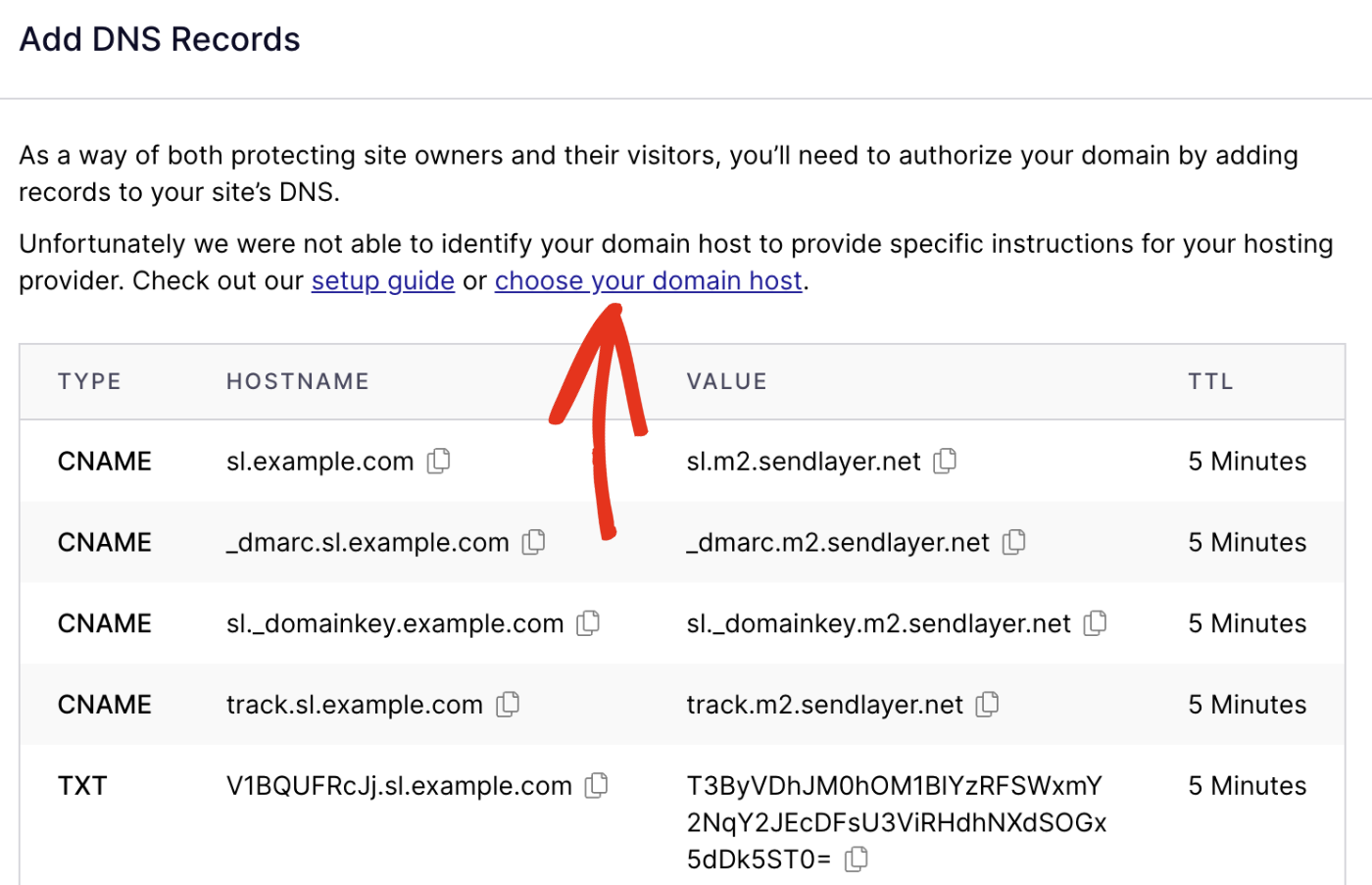
A Records work with other DNS records. MX Records handle email delivery. CNAME Records are used for domain aliases. TXT Records store text information. Each record has a role. Together, they manage how domains and services work online. A Records are important for directing traffic. They make sure users reach the correct website. Understanding A Records helps manage websites better.
Credit: www.hostinger.com
Setting Up A Record
An A Record in web hosting links your domain name to an IP address. This connection allows users to access your website by typing your domain in a browser. Setting it up correctly ensures your site is reachable online.
Steps For Configuration
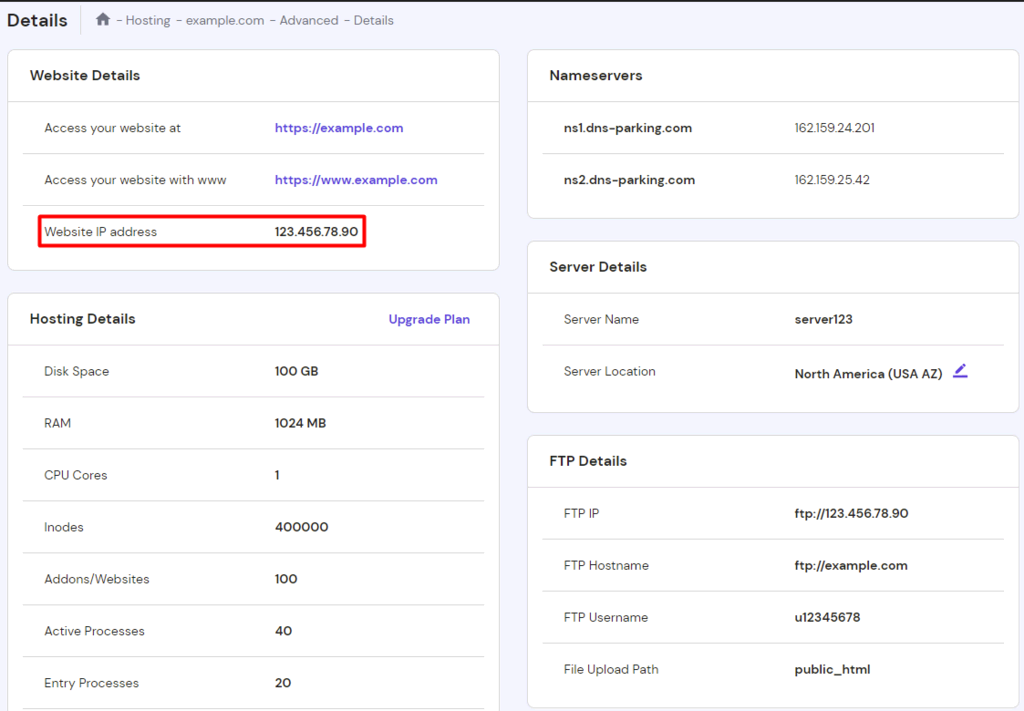
First, log into your web hosting account. Find the DNS settings section. This is where you’ll make changes. Select the option to add a new A Record. Enter the domain name you wish to point. Type the IP address for the server. Save your changes. The update might take some time. Patience is key.
Common Tools And Platforms
Many platforms help manage A Records. cPanel is popular. It is user-friendly. Others prefer Plesk. It has a clean interface. Cloudflare offers extra features. It can improve your website’s speed. Each tool has guides online. Find the one that suits you.
Troubleshooting A Record Issues
A Record in web hosting links a domain to an IP address. Fixing issues involves checking for typos, ensuring proper server configuration, and verifying DNS settings. This record helps direct internet traffic to the right server.
Common Problems
A Record issues can cause big problems. Websites may not load. Emails might stop. Wrong IP addresses are a frequent mistake. They cause website downtime. Duplicate records can confuse servers. This results in errors. Typos in DNS settings lead to failures. Slow DNS propagation is another issue. It delays updates. Incorrect TTL settings can also cause problems. It affects record updates. Always check your DNS settings. Make sure they are correct. Use reliable DNS providers. They offer better stability. Regularly monitor DNS records. This helps catch errors early. Use tools for DNS health checks. They find problems fast. Back up your DNS settings. This ensures data safety.
Solutions And Best Practices
Fixing A Record issues is simple. Check the IP addresses. They must be correct. Remove duplicate entries promptly. This avoids confusion. Correct typos in DNS settings. Always double-check them. Set TTL values carefully. Choose optimal times. Use reliable DNS services. They ensure fewer problems. Monitor DNS settings regularly. This helps prevent issues. Update records as needed. Keep them current. Use DNS health tools. They aid in diagnosing issues. Back up DNS settings often. This protects from data loss.

Credit: community.cloudflare.com
Impact On Website Performance
Speed and reliability are crucial for websites. An A Record helps in this. It connects a domain to an IP address. This makes the website load faster. Visitors get a smooth experience. No one likes a slow website. Faster loading means happier users.
Security is also important. A Records can impact this too. They direct traffic to the right place. This keeps unwanted visitors away. A secure website protects user data. This builds trust with visitors. Always keep A Records updated. This ensures both speed and safety.
Future Of A Records
Internet Protocols are always changing. The current IPv4 might be replaced by IPv6. IPv6 uses different types of records. This means A Records may change too. It’s important to stay updated. Websites need to adapt to new protocols. This ensures they work well. IPv6 offers more IP addresses. This helps with the growing number of devices. But, it also means new challenges. Understanding these changes is key. A Records might evolve or get new features. This keeps the internet running smoothly. Keeping track of these changes is crucial for web hosting.
A Records are not the only option. There are other types of records. CNAME records can be used instead. They point to another domain name. This can be useful in some cases. Another option is AAAA records. These are for IPv6 addresses. They work like A Records but for newer systems. Choosing the right record is important. It affects how your website works. Knowing these alternatives helps you decide. It’s good to know your options. This helps in making the best choice for your needs.
Frequently Asked Questions
What Is A Record In Web Hosting?
An A Record links your domain to an IP address in web hosting. It directs web traffic to your server. A Records are crucial for DNS settings, ensuring users reach the correct website. They are essential for domain management and maintaining reliable website access.
What Is Dns Record Type A?
A DNS record type A maps a domain to its corresponding IPv4 address. It helps direct web traffic to the correct server. A records are essential for connecting domain names to IP addresses, ensuring efficient web navigation.
Does My Domain Need An A Record?
Yes, your domain needs an A Record to connect a domain name to an IP address. It’s essential for website accessibility. Ensure your DNS settings include an A Record for proper functionality.
What Is The Difference Between A Cname And An A Record?
A CNAME record points a domain to another domain, allowing redirection. An A Record links a domain to an IP address, enabling direct access. Both are DNS records, serving different purposes in domain management.
Conclusion
A Records are vital for directing website traffic. They link domain names to IP addresses. This ensures users reach your site easily. Understanding A Records helps manage your website better. It empowers you to make informed hosting decisions. Even if you’re not tech-savvy, grasping the basics benefits your site.
Hosting providers often offer support. So, don’t hesitate to ask for help. Keep your website running smoothly by regularly checking your DNS settings. Remember, a well-maintained website attracts more visitors. Stay informed and keep your online presence strong.


