
Imagine you’ve just crafted a beautiful website, brimming with engaging content and eye-catching graphics. You’re ready to share it with the world, but there’s one important step left: finding a place for your website to live.
This is where a web hosting account comes into play. If you’re wondering what a web hosting account is and why it matters to you, you’re in the right place. You’ll uncover the essentials of web hosting accounts and how they can be the key to unlocking your online presence.
We’ll break down the jargon, making it easy for you to understand what a web hosting account does, why you need one, and how it can impact your website’s performance. So, if you’re ready to demystify the world of web hosting and take control of your digital destiny, keep reading. You’re about to embark on a journey that will make your website dreams a reality.
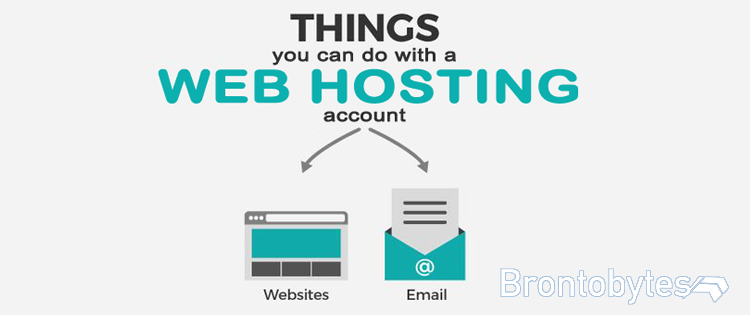
Credit: www.brontobytes.com
Web Hosting Basics
A web hosting account is like a home for your website. It stores all the files and data needed to run your site. When someone visits your website, their computer connects to this account. It then shows your site to them. This process is called web hosting.
There are different types of web hosting. Each has its own features.
| Type | Description |
|---|---|
| Shared Hosting | Many sites use one server. It is cheap. |
| VPS Hosting | More control than shared. Costs more. |
| Dedicated Hosting | One server for one site. Best for big sites. |

Credit: www.hostinger.com
Features Of A Web Hosting Account
Storage keeps your website files safe. Bandwidth allows data transfer. More storage means you can store more files. More bandwidth lets more people visit your site. Choose wisely. You need enough storage for all your files. You also need bandwidth to handle visitors. Both are vital for a smooth website. Balance them for the best performance.
Security protects your site from hackers. Firewalls block unwanted access. SSL certificates encrypt data. Regular backups save your data safely. Strong passwords keep accounts secure. Security is key to trust. Without it, your site risks attacks. Keep your site secure with strong security options.
Domain management helps control your site’s name. Domain transfer moves your domain to a new host. Subdomains organize your site. Easy domain management makes life simpler. Choose a good domain name. Manage it well. Your domain is your site’s identity. Handle it with care.
Choosing The Right Hosting Provider
Picking a hosting provider can be tricky. First, think about cost. Some hosting plans are cheap. Others cost more. Check what each plan offers. Next, look at storage. You need enough space for your website. Also, think about bandwidth. This is how much data your site can handle. If you get many visitors, you need more bandwidth. Lastly, check customer support. You want help when things go wrong. A good provider offers 24/7 support.
| Provider | Cost | Storage | Bandwidth | Support |
|---|---|---|---|---|
| Provider A | Low | 50 GB | Unlimited | 24/7 |
| Provider B | Medium | 100 GB | Unlimited | 24/7 |
| Provider C | High | 200 GB | Unlimited | 24/7 |
Setting Up Your Web Hosting Account
First, choose a hosting provider that suits your needs. Visit their website and click on sign up or get started. Fill in your personal information. This includes name and email. Choose a plan that fits your budget. Enter your payment details. Double-check all information for accuracy. Click submit to complete registration. You will receive a confirmation email. Check your inbox or spam folder. Follow the link to activate your account.
Log in to your hosting account. Look for the control panel option. This is where you can manage everything. Find the section called server settings. Click on it to begin configuration. Set your domain name here. Choose the right server location. This affects website speed. Adjust security settings for safety. Save all changes when done. Check if everything works well.
Managing Your Web Hosting Account
Control panels make web hosting easy. Simple tools help manage your website. You can upload files and create email accounts. Many panels offer easy navigation. This helps users find features fast. Some panels have one-click installs for apps. These make adding new features simple. Security settings are also managed here. This keeps your site safe from bad users.
Web performance is very important. Fast sites make users happy. Check your site speed often. Loading times should be short. Too slow and users leave. Traffic data shows how many visit your site. This helps you know your audience better. Error logs find problems quickly. Fixing these keeps your site running well. Use tools to monitor these aspects regularly.
Troubleshooting Common Hosting Issues
Downtime means your website is not working. This can be bad for your business. To fix this, check your internet connection first. Sometimes, it’s not the website but your own internet. Next, restart your router or modem. This can help solve the issue. If the problem is still there, contact your web hosting provider. They may be doing maintenance. Or there may be a server issue. Keep your website updated. This can prevent downtime. Remember, regular backups are important. They help in case of data loss.
Security is very important for your website. A strong password is a good start. Change it often to keep hackers away. Use a secure connection like HTTPS. This keeps data safe between your site and users. Install a firewall to block bad traffic. Scan your website for viruses regularly. This helps find and fix any issues. Contact your hosting provider if you need help. They can offer extra security options. Stay safe and protect your site.
Future Of Web Hosting
Web hosting is changing fast. Emerging technologies play a big role. Cloud hosting is popular. It is easy and flexible. People also like VPS hosting. It gives more control. Artificial Intelligence helps in managing servers. It makes hosting smarter.
Trends in hosting services are interesting. Green hosting is growing. It uses less energy. This is good for the Earth. Security is also important. Hosting companies focus on keeping data safe. Speed matters too. Faster websites make users happy. More people choose managed hosting. It is simple and stress-free.

Credit: www.pcmag.com
Frequently Asked Questions
What Is A Website Hosting Account?
A website hosting account stores your website’s files on a server, making them accessible online. It provides the necessary resources and technologies for your site to be viewed on the internet. Hosting accounts come with varying features and pricing to suit different website needs.
What Is The Purpose Of Web Hosting?
Web hosting stores and delivers website files on the internet. It ensures sites are accessible online 24/7. Hosting provides bandwidth, storage, and security for smooth functionality. It plays a crucial role in maintaining website performance and accessibility for users worldwide.
What Is Web Hosting And An Example?
Web hosting is a service that stores website files on servers, making them accessible online. An example is Bluehost.
Do I Have To Pay For Web Hosting?
Yes, you typically need to pay for web hosting. Costs vary based on the hosting provider and plan. Some providers offer free hosting, but they often come with limitations. Paid hosting usually offers better features, support, and reliability. Always compare different plans to find the best fit for your needs.
Conclusion
A web hosting account is crucial for any online presence. It stores your website’s files and makes it accessible. Choosing the right host is essential. Look for reliability and good customer support. Consider your website’s needs and budget. Shared hosting is cost-effective for beginners.
For larger sites, VPS or dedicated hosting works better. Research and compare options carefully. A good host ensures your site runs smoothly. Protects your data too. Always read reviews and user experiences. Make informed decisions. Your website’s success depends on it.
Choose wisely and watch your online presence grow.


