
Have you ever wondered why some websites look so stylish and unique? The secret often lies in the fonts they use.
But not just any fonts—web hosted fonts. These fonts can transform the look of your website and make it stand out. They’re easy to implement, and they don’t require any fancy technical skills. Imagine giving your site a professional touch without breaking the bank.
You’re about to discover how web hosted fonts can elevate your online presence, making your content not only readable but visually appealing. Curious to learn more? Keep reading to unlock the power of web hosted fonts and see how they can revolutionize your website’s design.
Definition Of Web Hosted Fonts
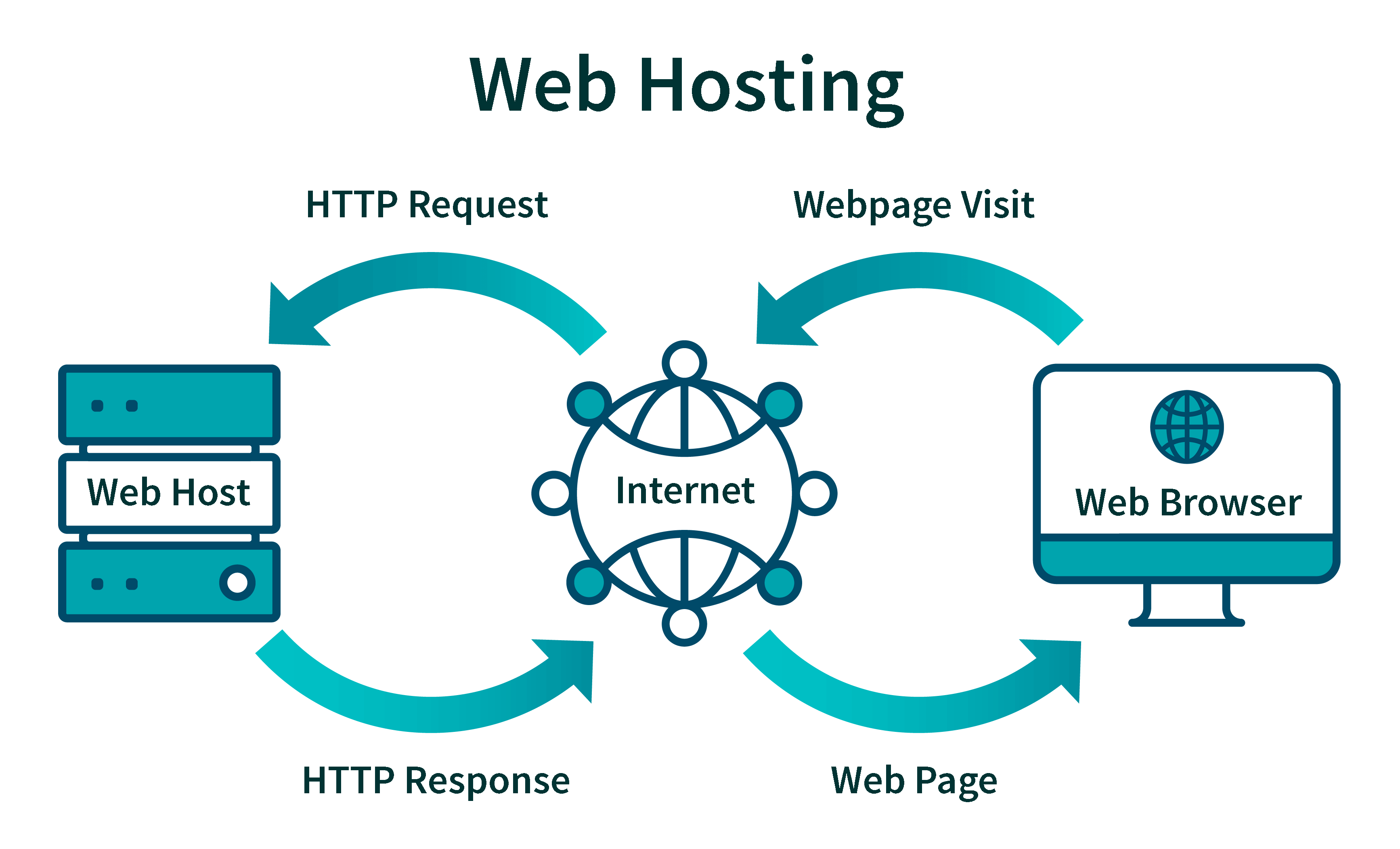
Web hosted fonts are fonts that live on the internet. These fonts are not stored on your computer. They are fetched from online servers. This means the fonts load when you visit a website. Many websites use them to have unique text styles.
Using web hosted fonts can make websites look better. It also ensures that everyone sees the same text style. This is true no matter what device they use. Some common services that provide these fonts are Google Fonts and Adobe Fonts. They offer many choices for different styles.
Selecting the right font is important. It affects how a website feels. A good font can make reading easy. It can also set the right mood for the content.
Credit: wp-rocket.me
Benefits Of Using Web Fonts
Web fonts make text look better. They offer many styles and sizes. This helps create a unique look for each site. Typography can change how a page feels. Good fonts make reading easier and more fun. They catch the eye. They help tell the story.
Web fonts work on all browsers. No need to worry about missing fonts. Users see the same text everywhere. It keeps the design consistent. Different browsers show text differently. Web fonts fix this issue. They ensure everyone sees the same thing. This helps build trust in your site.
Fonts make sites more enjoyable. They can guide users’ eyes. They help users find what they need. Good fonts improve navigation. They make text easy to read. This keeps people on your site longer. They create a smooth experience. Happy users return. They share your site with friends.
How Web Fonts Work
Web fonts come in different formats. Each format has its own use. TrueType is one popular format. It works on most browsers. OpenType is another format. It offers more features. WOFF is the Web Open Font Format. It’s made for the web. It compresses fonts to make them load faster. WOFF2 is a newer version. It compresses even better. These formats help fonts look good online.
CSS helps use web fonts on websites. Use the @font-face rule in your CSS. It tells the browser where the font file is. You can set different font styles. This includes bold and italic. Make sure the font file is accessible. Without it, the font won’t show. CSS lets you style text easily.
Credit: techterms.com
Popular Web Font Providers
Google Fonts offers a vast collection of free fonts. Designers love its easy use. You can find all styles, from classic to modern. There’s no cost to download or use. It’s a favorite for many websites.
Adobe Fonts provides a premium font library. It’s part of the Adobe Creative Cloud. Designers can find unique and stylish fonts here. It requires a subscription. Many professionals trust Adobe for quality fonts.
Font Squirrel is another great source for fonts. They offer free fonts for personal and commercial use. The site is easy to navigate. Users can find many high-quality fonts. It’s ideal for those on a budget.
Choosing The Right Web Font
Web fonts affect how a website looks and feels. They should match the site’s style. Pick fonts that are easy to read. Font size and color matter too. Large fonts are easier on the eyes. Make sure the font fits the brand. A playful site needs fun fonts. A serious site needs clean fonts.
Fonts can slow down websites. Choose fonts that load fast. File size of fonts is important. Big files take longer to load. Optimize fonts for speed. Fast sites keep visitors happy. Use only needed fonts. Too many fonts can slow down a site. Test font loading time often. Fast fonts improve user experience.
Challenges With Web Fonts
Web fonts can be slow to load. Slow loading affects the user experience. Users may leave a page if it loads slowly. Fonts need to be optimized. This can help with faster loading. Using smaller font files can help. Reducing the number of fonts can also help. Aim for quick loading times.
Not all browsers support every web font. Some fonts may not display correctly. Older browsers can struggle with certain fonts. It’s important to test fonts on different browsers. This helps ensure compatibility. Using fallback fonts is a good idea. This ensures text displays correctly if the main font fails.
Future Of Web Fonts
Variable fonts are changing the way we see text online. They are flexible and can have many styles in one file. This makes websites load faster. Faster websites are better for everyone. Designers love variable fonts. They can create unique looks with ease. This makes websites more interesting and fun to visit. With variable fonts, text can change its style without needing new files. This saves space and time. It’s good for users and creators alike.
Web fonts help make websites easier for everyone to read. They can be bigger, smaller, or different shapes. This helps people who have trouble reading text. Bold text can make important words stand out. People who can’t see well can use these fonts too. They help them understand better. Websites with good fonts make everyone feel included. They are easier to use and enjoy. Everyone should be able to read and enjoy the web.

Credit: www.amazee.io
Frequently Asked Questions
What Is A Web-based Font?
A web-based font is a digital typeface hosted online. Websites use it to display text consistently across different devices and browsers. These fonts are loaded through CSS, ensuring uniform appearance without needing local installation on users’ devices. Popular formats include WOFF, TTF, and EOT.
How To Host A Web Font?
To host a web font, download the font files and upload them to your server. Use @font-face in CSS to link them. Ensure you specify font formats for cross-browser compatibility. Update your website’s stylesheet with the new font-family rules. This method enhances website design and user experience.
What Is The Difference Between A Web Font And A Desktop Font?
Web fonts are hosted online and displayed via browsers, enhancing website design. Desktop fonts are installed locally, used in applications like word processors for offline work. Web fonts improve site accessibility, while desktop fonts offer personal design flexibility. Both serve different purposes in digital and offline environments.
How Do You Identify A Web Font?
To identify a web font, inspect the webpage’s CSS using browser tools. Look for font-family properties in the code. Use online font identifier tools by uploading screenshots or URLs. Check Google Fonts or Adobe Fonts for matches. These methods help pinpoint the font used on websites.
Conclusion
Web hosted fonts offer versatility and visual appeal for websites. They enhance design without slowing down page load times. Easy integration makes them accessible for everyone. No special skills needed. They improve user experience by ensuring consistent typography across devices.
Web hosted fonts also support brand identity. Choosing the right font aligns with your site’s message. It’s all about making your website look its best. So, explore various font options available. Enhance your site’s aesthetics and usability effortlessly. Embrace the possibilities that web hosted fonts bring to your design strategy.


