
Imagine having a safe space where you can experiment, tweak, and test your WordPress site without any risk. Sounds perfect, right?
That’s exactly what a staging site offers you. If you’re a WordPress user eager to enhance your website’s performance or design, understanding staging sites is crucial. They allow you to make changes confidently, knowing your live site remains untouched. Curious about how this can transform your web management strategy?
Let’s dive into the world of staging sites and uncover why they are essential for every WordPress user like you. Stick around, because mastering this could be your game-changer.
Credit: blogvault.net
Staging Site Basics
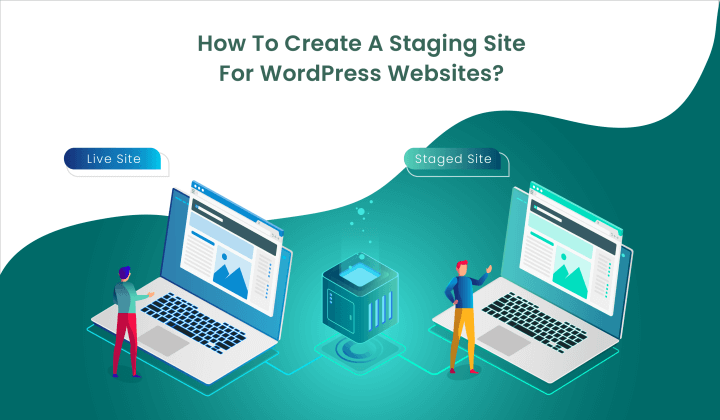
A staging site is a test area for your website. It is not live on the internet. It looks like your real site. You can make changes here first. Check if they work well. It helps avoid mistakes on the live site. Think of it like a practice zone.
The main purpose is to test changes safely. You can try new plugins or themes. Fix bugs without risk. It is great for big updates. Keep your live site safe from errors. It is also useful for team work. Everyone can test their ideas here. A staging site saves time and stress.
Benefits Of Using A Staging Site
Safe Testing Environment offers a place to try new ideas. It allows experimenting with plugins and themes. Mistakes won’t affect the real website. This creates a stress-free zone for creativity. Developers can test changes without fear. It ensures everything works perfectly before going live.
Preventing Live Site Errors is crucial. A staging site helps catch mistakes early. It avoids broken pages and features. Users won’t see errors or glitches. This maintains a professional image. It safeguards the website’s reputation and reliability.
Collaborative Workflows become easier. Teams can work together on staging sites. Everyone can view and edit safely. It enhances coordination and communication. Feedback can be shared without impacting the live site. This fosters teamwork and efficiency.
Setting Up A WordPress Staging Site
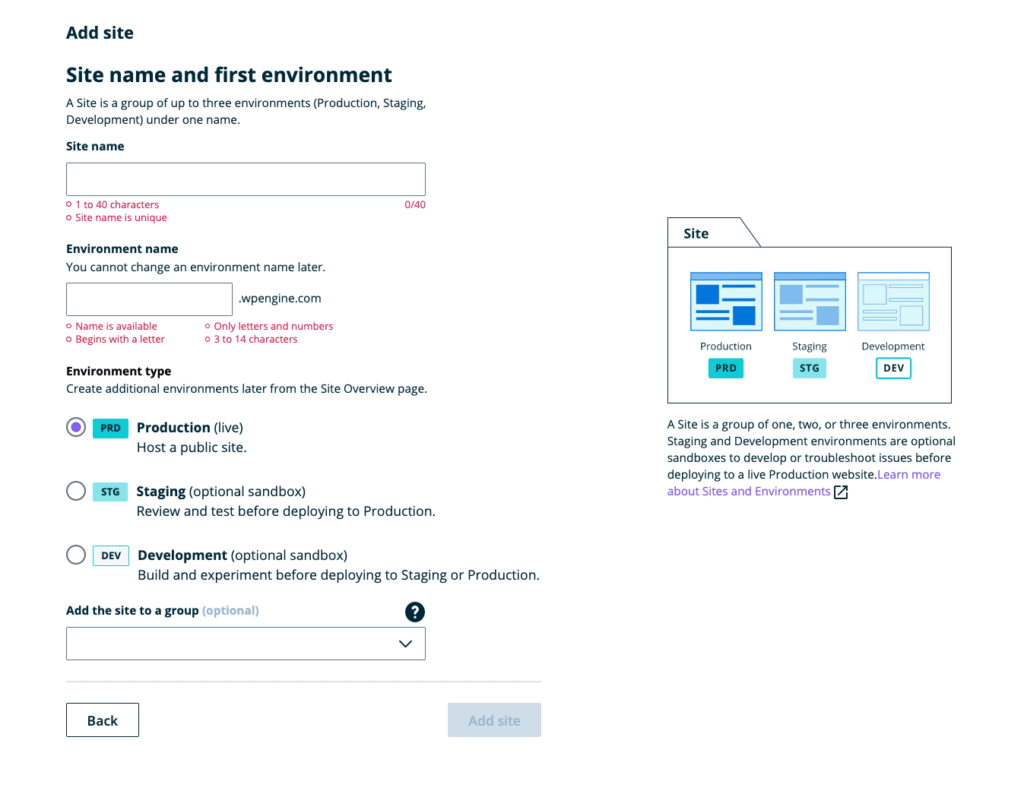
Plugins make setting up a staging site easy. Popular plugins include WP Staging and Duplicator. They help copy your site to a new location. This copy is your staging site. With these plugins, testing changes is safe. You can avoid breaking your live site. Choose a plugin based on your needs. Some plugins are free. Others have extra features for a fee. Always read reviews before choosing.
Manual setup requires more steps. First, create a subdomain or subdirectory. Next, copy your WordPress files to this location. Then, export your database. Import it to a new database for staging. Update the wp-config.php file to connect to this new database. Manual setup gives you full control. But it takes time and effort. Always backup your site before starting.
Some hosting providers offer staging tools. These tools simplify the process. SiteGround and Bluehost are examples. They provide one-click staging setups. This is fast and easy. Just follow their instructions. Hosting tools often include auto backups. This ensures your data is safe. Using these tools saves time. It’s a good option for beginners.
Credit: wpengine.com
Best Practices For Staging Sites
Always keep your staging site updated. This means updating plugins, themes, and WordPress core. Testing changes here can prevent issues on the live site. If something breaks, it won’t affect the real website. Testing helps find bugs early. Stay ahead and keep your site safe.
Limit who can access the staging site. Only give access to trusted people. This reduces the risk of unwanted changes. Protecting your site is important. User access control keeps things secure. Ensure only those who need access can reach it.
Backing up your staging site is crucial. If something goes wrong, you can restore it. Security measures like passwords and firewalls protect your data. Never ignore these important steps. Regular backups and security checks keep everything safe.
Common Challenges And Solutions
Staging sites sometimes face synchronization issues. Changes on the main site may not appear on the staging site. To fix this, copy the database and files from the live site. Use plugins designed for site synchronization. Keep both sites updated regularly. This reduces the chance of missing updates.
Staging sites need extra resources. Server space and memory are essential. Without them, the site may run slowly. Consider using a hosting plan that offers more resources. This ensures smooth operation. Regularly check for unused plugins and themes. Removing them can free up space.
Errors can be frustrating. Staging sites often encounter troubleshooting errors. These errors can vary. Common ones include plugin conflicts or theme issues. Begin by deactivating recent plugins. Check if the error disappears. If not, switch to a default theme. This helps identify the problem. Always keep backups before making changes.
Migrating Changes To Live Site
A staging site in WordPress acts like a testing ground. It mirrors your live site to safely test changes. This helps prevent errors before updates go public.
Reviewing Changes
Check changes carefully before migrating. Look for broken links or errors. Test all new features. Make sure everything works as expected. Fix any problems early. This saves time later. Keep a checklist handy. It helps track what needs checking. Ask for feedback from others. Different eyes catch different issues.
Deployment Strategies
Choose the right strategy for moving changes. Some use automatic tools. Others prefer manual methods. Both have pros and cons. Automatic tools can be fast. But, they might miss small things. Manual methods take longer. But, they offer more control. Backup the site before deployment. This protects against mistakes. Plan each step carefully. Avoid rushing the process.
Monitoring After Migration
Watch the site closely after changes. Look for problems or errors. Check site speed and function. Make sure everything runs smoothly. Set up alerts for issues. They notify if something goes wrong. Regular checks prevent big problems. Keep a record of changes. This helps find where issues start. Adjust settings as needed. Ensure the site stays stable.
Credit: www.elegantthemes.com
Frequently Asked Questions
What Is A Staging Site In WordPress?
A staging site is a clone of your live website. It allows you to test changes in a secure environment. You can experiment with updates, plugins, and themes without affecting the live site. This ensures any issues can be resolved before going public.
Why Use A WordPress Staging Site?
Using a staging site prevents potential errors on your live website. It helps you test new features safely. This ensures a smooth user experience for your visitors. You can make necessary adjustments without risking downtime or errors on your main site.
How Do I Create A Staging Site In WordPress?
Creating a staging site is simple with plugins like WP Staging or Duplicator. These plugins provide step-by-step instructions. Many web hosts also offer one-click staging environments. This feature simplifies the process, making it accessible for users of all skill levels.
Is A Staging Site Necessary For WordPress?
Yes, a staging site is crucial for maintaining website integrity. It allows for safe testing before going live. This is particularly important for sites with high traffic or e-commerce functionalities. It minimizes the risk of disruptions or errors affecting your users.
Conclusion
A staging site in WordPress is a powerful tool. It allows testing changes safely. No risk to your live website. It helps catch errors early. You can experiment freely. This boosts confidence in updates. Users get a better experience. Your site remains professional and reliable.
A staging site saves time and stress. It’s a smart choice for WordPress users. Consider setting up one today. It ensures smoother site management. Your website stays secure and effective. A simple way to enhance WordPress performance. Keep your site in top shape.
Avoid potential headaches.


