
Are you looking to add a dynamic touch to your WordPress site? Imagine capturing your visitors’ attention right away with a captivating visual display.
That’s where a slider page comes into play. Whether you’re showcasing beautiful images, highlighting your latest products, or sharing compelling stories, sliders offer a seamless way to engage your audience. But what exactly is a slider page in WordPress, and how can it transform your website into a more interactive experience?
By the end of this article, you’ll have a clear understanding of slider pages and how you can leverage them to enhance your site’s appeal. Let’s dive in and discover how you can make your WordPress site stand out!

Credit: soliloquywp.com
Slider Page Basics
A slider page lets you show many images or texts. It displays them in a sliding format. People use it to make sites look nice. Each image slides in and out smoothly. You can add links to each slide. This helps users explore more. Easy navigation keeps viewers happy. You can set the speed of slides. Slow or fast, your choice. Many themes offer slider pages. They enhance visual appeal. Customization is simple. Use settings to change designs. Add captions for more info. Everyone loves a good slider page. It makes sites lively and modern. They are great for showcasing portfolios. Perfect for showing product images too. Many plugins help create slider pages. WordPress makes it easy.
Benefits Of Using Slider Pages
Slider pages make websites look beautiful and modern. They help show many images or messages. This keeps visitors interested and engaged. Visitors see important information without scrolling. Pictures change automatically. This is fun to watch.
Slider pages save space on the website. They show many things in one place. This makes the site clean and tidy. Businesses can show new products or sales easily. People like looking at slider pages. They make visitors stay longer on the site. This helps websites get more views.
Popular Slider Plugins
Slider plugins help make websites look better. They show images or text in a neat way. Some plugins are popular because they are easy to use. Soliloquy lets users build sliders fast. It is lightweight and does not slow down the site. MetaSlider has many themes and is customizable. Users can change the look to fit their style.
Smart Slider 3 offers many features. It has a drag-and-drop editor for building sliders. Revolution Slider is powerful and offers advanced options. It is great for complex designs. LayerSlider is another top choice. It creates responsive sliders that look good on phones and computers.
These plugins help websites stand out. They make web pages more interactive and fun. Choose one based on your needs. Each offers unique features and benefits.
Creating A Slider Page
First, find a plugin for your slider. There are many options online. Check for good reviews and high ratings. Popular choices are Slider Revolution and MetaSlider. You want a plugin that is easy to use. Make sure it works well with your theme. Download it from the WordPress Plugin Directory.
Go to your WordPress dashboard. Click on Plugins. Then click Add New. Upload the plugin file you downloaded. Click Install Now. After installation, click Activate. Your plugin is ready to use. You will see a new menu item. This is where you create sliders.
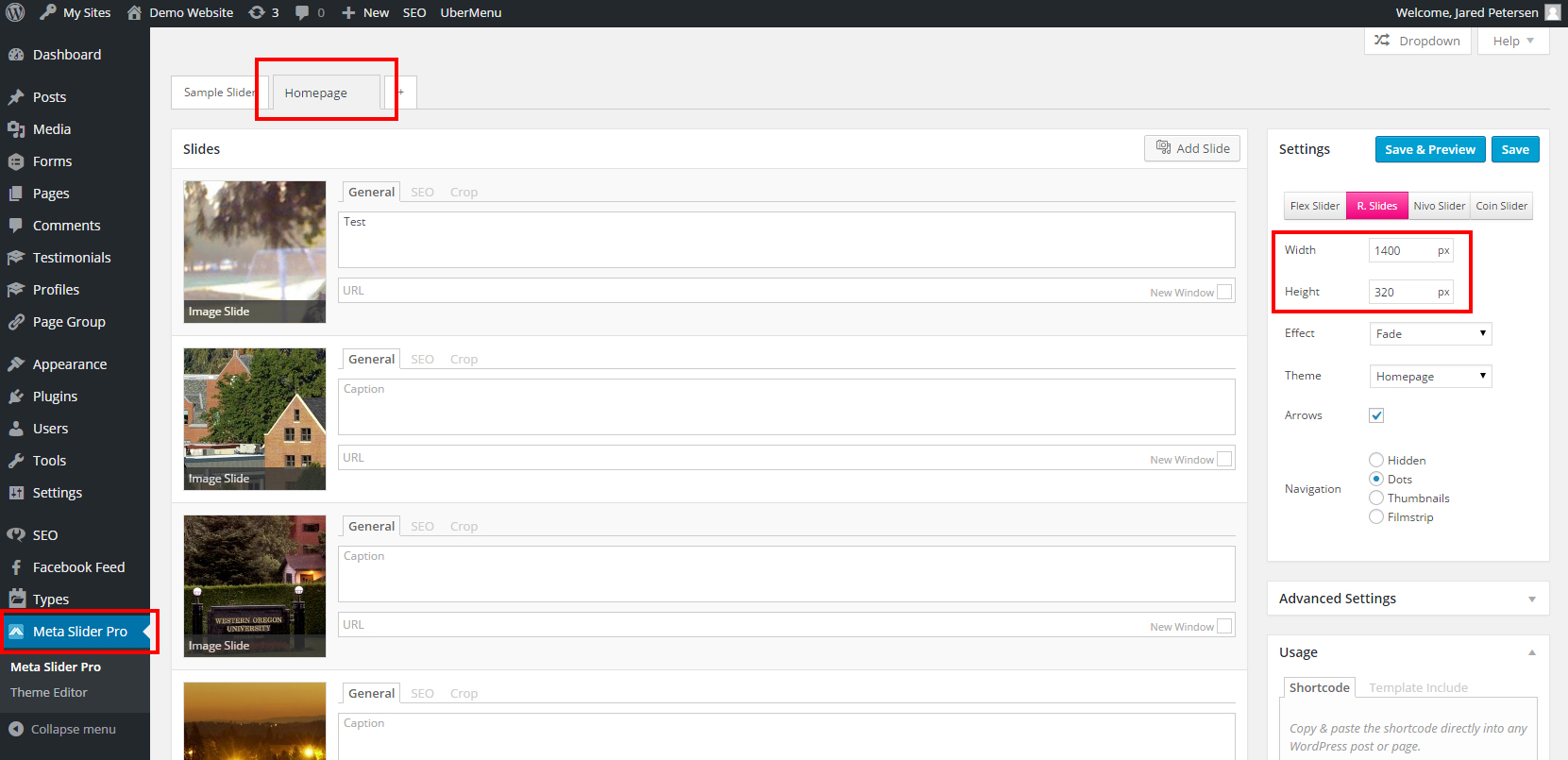
Open the plugin’s menu. Look for Settings. Set the slider size and speed. Add images or text you want. Choose animations and effects. Save the settings. Preview the slider on your site. Make changes if needed. Your slider page is now ready.
Design Tips For Slider Pages
Slider pages in WordPress showcase images or content through a dynamic, interactive slideshow. Design tips include ensuring clear navigation buttons, optimizing images for fast loading, and maintaining a consistent visual theme. A well-designed slider enhances user engagement and conveys information effectively.
Selecting Images
Images should be clear and bright. Choose images that tell a story. Pick photos that match your page theme. Use high-quality pictures. Avoid blurry images. People like colorful and fun photos. Make sure images fit your slider size.
Crafting Compelling Messages
Messages must be short and sweet. Use simple words that everyone understands. Write texts that catch attention. Make sure messages match the images. Use bold text for key points. Try to make messages fun and engaging. Ask questions to get people thinking.
Ensuring Mobile Responsiveness
Slider pages need to work on phones. Check if sliders look good on small screens. Make sure buttons are easy to tap. Texts should be clear and readable on phones. Images should not be too big. Test your slider on different devices. People like pages that load fast.
Common Mistakes To Avoid
Too many images can slow down your site. This makes visitors impatient. Keep your slider light. Use only the best images. Quality over quantity.
Many people use phones to browse. Ensure your slider is mobile-friendly. If not, you lose visitors. Responsive design is key.
Simple transitions work best. Flashy effects can be distracting. Keep it smooth and subtle. Focus on user experience.
Sliders may look different in each browser. Test across all major browsers. Ensure a consistent appearance everywhere. This keeps your site professional.
Enhancing Seo With Slider Pages
Slider pages can make your website more engaging. They show important information with moving images. This can grab a visitor’s attention fast. Search engines like Google appreciate this. They want websites to be user-friendly. A well-designed slider can help with this.
Sliders can also show multiple messages in a small space. This keeps your page neat and organized. Be careful not to add too many slides. This can slow down your site. Search engines don’t like slow websites.
Use clear text on your slides. This helps both users and search engines understand your content. Make sure your images are not too big. Compress them to keep your site fast. A fast site is good for SEO.

Credit: wordpress.org
Case Studies
A slider page in WordPress displays images or content in a rotating manner. It enhances user engagement by showcasing multiple visuals or messages in a single space. This feature is ideal for highlighting key information efficiently.
Successful Slider Implementations
Many websites use sliders for great user experiences. One example is a travel website. This site uses a slider to show beautiful places. Users can click through stunning images easily. The slider helps keep users engaged longer. Another example is an online store. It uses a slider to highlight special offers. Customers see new deals quickly. This can lead to more sales.
Lessons Learned
Design matters a lot for sliders. Sliders should be simple and clear. Too many images can confuse users. Only the most important images should be shown. Loading time is another factor. Slow sliders can frustrate users. Fast loading sliders keep users happy. Always test sliders on different devices. They must work well on phones and computers. This ensures everyone can enjoy the content.
Future Trends
Sliders are becoming smarter. New technologies are changing them. Advanced animations and dynamic content are being added. These help in making sliders more interactive. They can now adapt to user preferences. This means they show what users like most.
Sliders are not just for images anymore. Video sliders are popular now. They keep the website lively. This is good for keeping visitors on the site. 3D effects are also being used more. They make sliders look cool. These changes help sliders stay interesting.
User experience is very important. Sliders are now more user-friendly. They are designed to be easy to use. Touch-friendly designs are common. This makes them work well on phones. Accessibility features are also added. This helps everyone use sliders easily.
Faster loading times are a key focus. No one likes slow websites. Sliders are optimized to load quickly. This keeps users happy. Good sliders make the website look better. They also help in telling a story. This keeps users engaged.
Credit: wou.edu
Frequently Asked Questions
What Is A Slider Page In WordPress?
A slider page in WordPress showcases images or content in a dynamic slideshow. It enhances visual appeal and engages visitors. These sliders can be customized with animations, transitions, and design styles. They are perfect for highlighting featured content, promotions, or portfolios on your website.
How To Create A Slider Page In WordPress?
To create a slider page, install a slider plugin like Smart Slider 3 or MetaSlider. Add images or content you want to display. Customize settings like transitions, speed, and design. Finally, insert the slider shortcode into your page or post to display it.
What Are Benefits Of Using Slider Pages?
Slider pages offer several benefits including enhanced visual engagement, improved user experience, and efficient space utilization. They can showcase multiple products or services without cluttering the page. Sliders also attract attention and can highlight promotions or important announcements effectively.
Can Sliders Affect Website Performance?
Yes, sliders can impact website performance if not optimized. Large images and complex animations may slow loading times. Use optimized images and efficient slider plugins. Regularly test your site’s speed and adjust slider settings to ensure a smooth browsing experience for visitors.
Conclusion
A slider page in WordPress enhances user engagement. It showcases images or content in a dynamic way. This feature is ideal for displaying portfolios, products, or testimonials. Easy to customize, sliders fit various website themes. They help capture visitor attention immediately.
Choosing the right slider plugin is crucial. It ensures smooth performance and compatibility. Beginners can easily set up sliders with tutorials. Sliders can effectively improve your site’s visual appeal. Remember to optimize images for faster loading times. This keeps your website running efficiently.
Try integrating a slider to elevate your WordPress site today.


