
Imagine landing on a website and instantly recognizing its brand just by glancing at its logo. That’s the power of a site logo in WordPress.
But what exactly is a site logo in WordPress, and why should you care? If you’re looking to boost your website’s identity and make it memorable, understanding the role of a site logo is crucial. You’ll learn how it serves as a beacon for your brand, ensuring that your visitors have a seamless and consistent experience across all pages.
Dive in to discover how incorporating a site logo can transform your website into a recognizable brand powerhouse, enhancing user engagement and trust. Ready to elevate your WordPress site’s branding game? Let’s get started!

Credit: wordpress.org
Site Logo Basics
A site logo is an image or symbol. It represents your website. It is part of your site’s identity. People see it at the top of your page. It tells visitors who you are. It helps people remember your site. Logos are simple yet powerful. They create a visual link to your brand. A logo gives your site a professional look. It sets you apart from others. It is more than just a picture. It carries the essence of your brand.
A logo is crucial for branding. It builds trust with visitors. It makes your website easy to recognize. Good logos are memorable. They stick in people’s minds. Branding helps your site grow. It attracts more visitors. A strong logo boosts your site’s image. It shows your site’s values and mission. Logos create a connection with your audience. They make your site stand out. Having a logo is key to success. It is an important part of your site’s identity.
Credit: www.inmotionhosting.com
WordPress And Site Logos
WordPress makes logo setup easy. It offers inbuilt features for site logos. You can upload your logo in the customize section. Choose the site identity option. There you will find a place to add your logo. It’s simple. It’s fast. It’s effective. Your site logo will appear on every page. This helps your site look professional.
Themes affect how logos display. Some themes have special logo spots. Others may need adjustments. Check your theme’s guide. It tells you how to add logos. Some themes need specific logo sizes. Make sure your logo fits well. This ensures the best look for your site. Good logo placement is key. It makes your site look neat and tidy.
Creating A Site Logo
Simple designs work best for site logos. They are easy to remember. Bright colors can make your logo stand out. Use clear fonts for easy reading. Symbols can tell a story about your site. Test different ideas. See what fits best for your site.
Your site logo should be neither too big nor too small. It must fit well on your webpage. Logos should be clear even in a small size. Check how it looks on different devices. Size can change how people see your logo. Always choose a size that works well for your design.
Uploading A Logo In WordPress
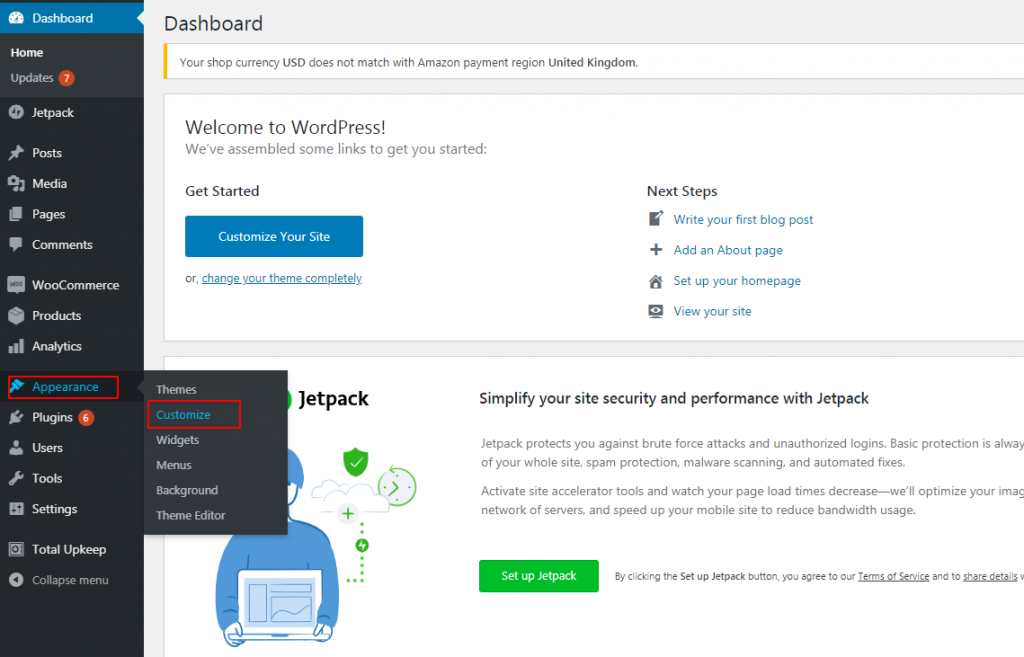
Choose your logo file. It should be clear and simple. Go to your WordPress dashboard. Click “Appearance” then “Customize”. Find “Site Identity”. Click it. Look for “Logo”. Click “Select Logo”. Choose your logo file from your computer. Click “Open”. You will see your logo. Adjust the size if needed. Click “Publish”. Your logo is live on your site.
Sometimes logos don’t show. Check file type. It must be PNG or JPEG. Logo might be too big. Resize it. Try again. Logo might be in wrong place. Check theme settings. Some themes need special settings. Look for “Header” or “Logo” options. Still not working? Clear browser cache. Try another browser. Your logo should appear.
Customizing Logos
Site logos make your website unique. They show your brand’s identity. Customizing logos is fun and easy. You can change colors and sizes. Adjust fonts to match your style. Add shapes to make logos special. Personalize your logo with text. Make it memorable.
Using Plugins For Customization
Plugins help customize logos fast. They offer tools to tweak designs. You can upload images with plugins. They allow you to change logo styles. Plugins are user-friendly and simple. They add features without coding skills. Use them for quick logo edits. Make logos stand out.
Css Tricks For Advanced Design
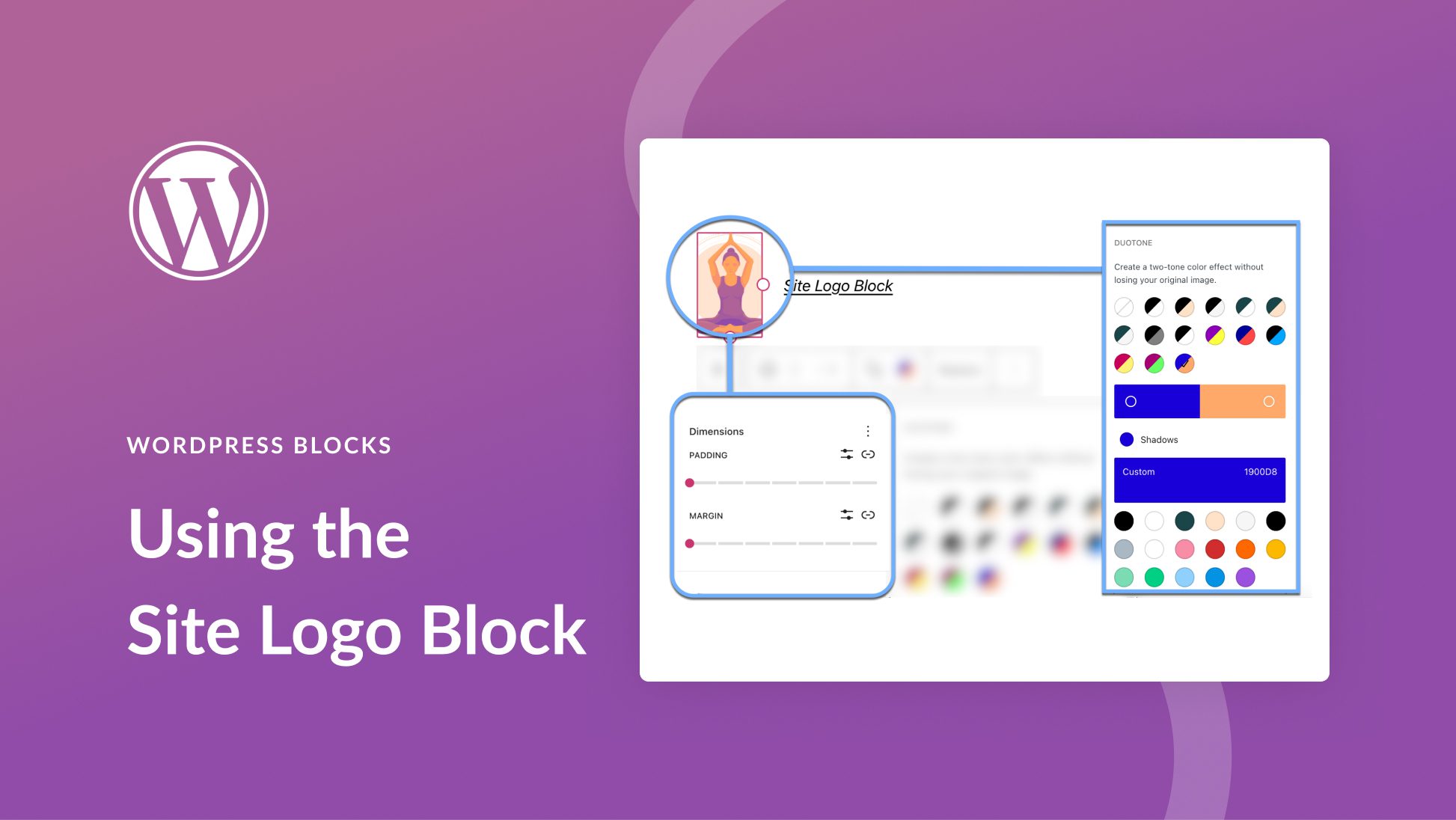
CSS tricks make logos fancy. Use CSS to style logos in detail. Change borders and shadows. Adjust spacing for better look. CSS offers endless design options. Make logos responsive with CSS. They look good on all devices. Experiment with CSS styles for unique logos. Try new ideas.
Credit: www.elegantthemes.com
Best Practices For Site Logos
Site logos must fit on all screens. They should look good on phones and computers. A responsive logo adjusts its size. It keeps its quality. This means no blurry edges. Use a vector format for your logo. It helps in resizing without loss. Test your logo on different devices. Ensure it appears clear and sharp.
Your logo should be the same everywhere. This builds brand identity. Use the same colors and style. Keep the logo size consistent. This helps people recognize your brand easily. Always use the same file when sharing your logo. This avoids different looks on different platforms.
Frequently Asked Questions
How Do I Add A Logo In WordPress?
To add a logo in WordPress, navigate to your theme’s customization settings. Look for the “Site Identity” or “Header” section. Click on “Select Logo,” upload your image, and adjust its size. Save changes to make your logo visible on your website.
Why Is A Site Logo Important?
A site logo is crucial for brand recognition. It provides a visual identity and makes your website memorable. Logos help visitors associate your site with your business. A well-designed logo can enhance credibility and professionalism, making your site stand out in a crowded digital space.
Can I Change My WordPress Logo Anytime?
Yes, you can change your WordPress logo anytime using the customization settings. Simply upload a new image in the “Site Identity” section. Ensure the new logo matches your brand identity. Regular updates can keep your site fresh and aligned with evolving branding strategies.
What Size Should A WordPress Logo Be?
WordPress logo sizes vary by theme, but typically, a logo should be around 250 x 100 pixels. This ensures it fits well without overpowering other elements. Always check your theme’s requirements for optimal display. Adjust dimensions as needed for responsiveness across devices.
Conclusion
A site logo on WordPress makes your website memorable. It helps users identify your brand quickly. A strong logo builds trust and credibility. Designing a simple, clear logo can enhance your site’s appearance. Don’t forget to choose the right size and format.
A good logo works on both desktop and mobile. Consistency in branding is key. Keep your logo visible on every page. This creates a cohesive look for your site. With a great logo, your WordPress site stands out. It leaves a lasting impression on visitors.


