
Have you ever found yourself wondering what a port number for WordPress actually means? You’re not alone.
Understanding port numbers can feel like deciphering a secret code. Yet, they play a crucial role in how your WordPress site communicates over the internet. Imagine unlocking a hidden door that leads to smoother website operations and enhanced security. Intrigued?
That’s exactly what grasping the concept of port numbers can do for you. You’ll discover what port numbers are, why they’re important for WordPress, and how they can impact your site’s performance. Let’s dive in and unravel this mystery together.
Basics Of Port Numbers
Port numbers help computers identify different services and applications. WordPress usually uses port 80 for HTTP connections. For secure connections, it uses port 443. These numbers ensure data reaches the right program on a server. Understanding port numbers can help manage WordPress hosting effectively.
Definition Of Port Numbers
A port number is like a door for a computer. It helps computers talk to each other. Each door has a special number. These numbers range from 0 to 65535. Computers use these numbers to find out where to send information. They keep data safe and sound. Knowing the right port number is important.
Role In Network Communication
Port numbers help computers in a network communicate. They make sure data goes to the right place. Imagine a busy post office. Port numbers are like addresses. They tell where each letter should go. This makes sure nothing gets lost. Without them, computers would be confused. They help keep everything organized and neat.
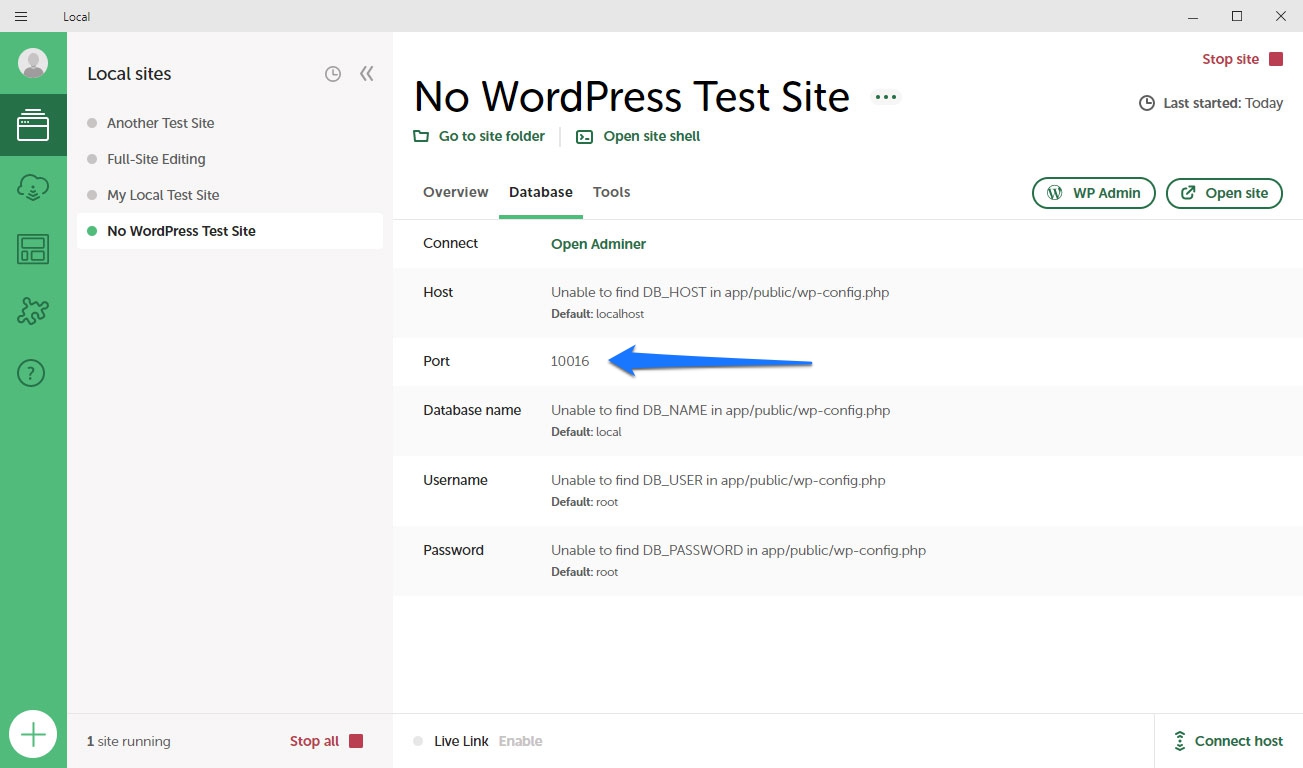
Credit: torquemag.io
Common Port Numbers For WordPress
WordPress uses port 80 for HTTP. Port 443 is for HTTPS. These ports let websites show content. They also keep data safe. HTTPS is more secure than HTTP. It uses encryption. This means hackers can’t see your data. Many sites prefer HTTPS for this reason.
FTP uses port 21. It’s for transferring files. SFTP uses port 22. It’s like FTP but safer. It encrypts data. This makes file transfers secure. SFTP is better for safety. Many choose SFTP for this reason.
MySQL often uses port 3306. This port links WordPress to databases. PostgreSQL uses port 5432. These ports help WordPress find data. Without them, WordPress can’t work. Databases store all site info. Keep these ports open for smooth operations.
Configuring WordPress Port Settings
WordPress uses port 80 for HTTP traffic. This is the standard port for web pages. For secure connections, WordPress uses port 443. These ports are known as default ports. Websites use them to communicate over the internet. Routers and firewalls often have these ports open. This allows users to access websites easily.
Changing port numbers is possible. But it’s not always needed. To change a port, access your server settings. Find the section that lists port numbers. Choose a new port number. Save your changes. Remember, using non-standard ports might require changes to firewall settings. This is because firewalls often block unusual ports. Always check with your hosting provider before making changes.
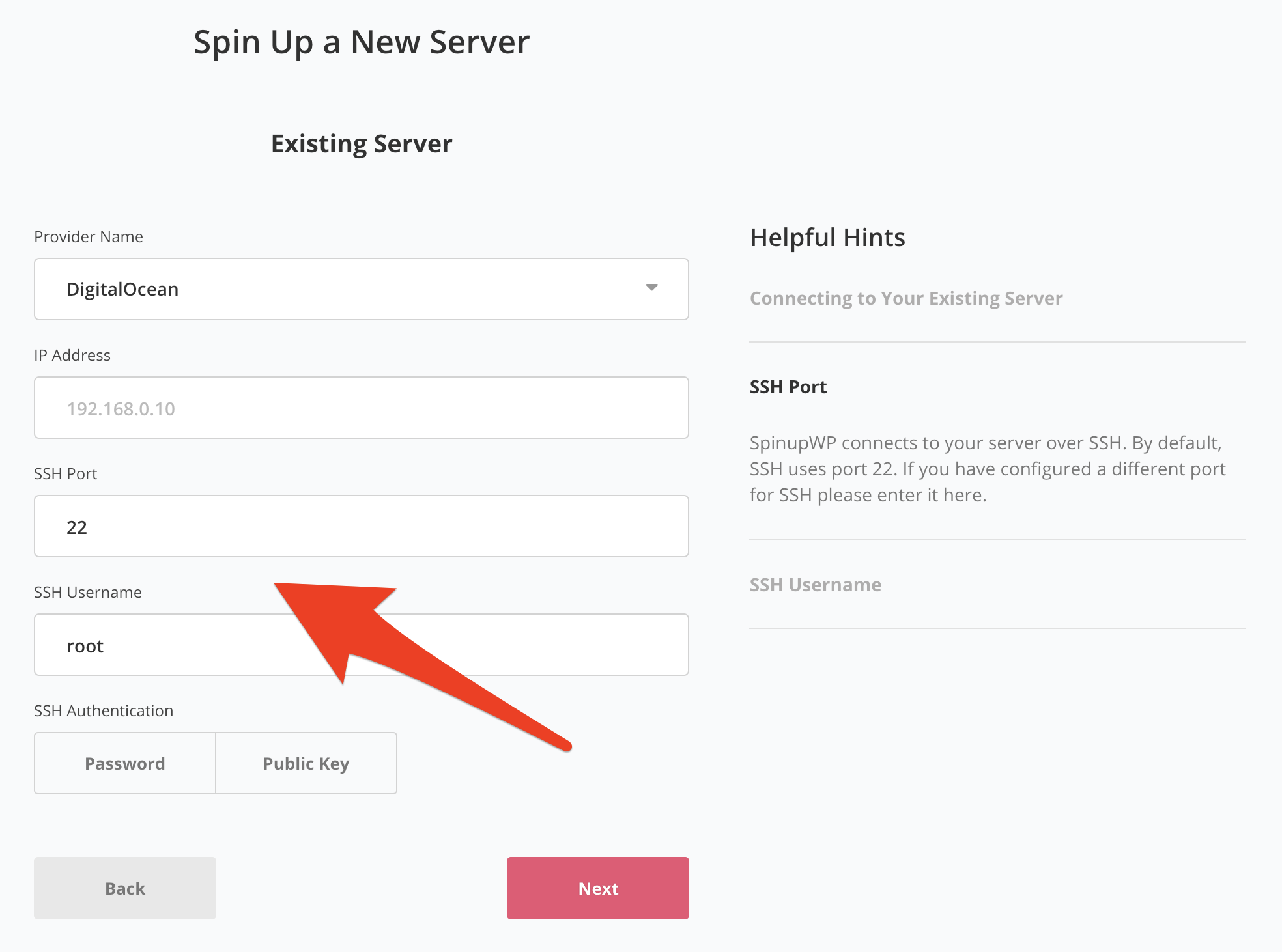
Credit: spinupwp.com
Security Implications
Open ports can be risky. Hackers can find them easily. They may use them to enter your site. This can lead to data theft. Open ports can allow malware in. They may harm your site. Keeping ports open is not safe. Monitor them regularly. Close unused ports. This helps keep your site safe.
Secure your WordPress ports. Use firewalls to protect them. Limit access to important ports. Only allow trusted users. Update your security settings often. This makes your site safer. Regular checks are important. Make sure your ports are secure. This helps prevent attacks.
Troubleshooting Port Issues
Understanding port numbers is essential for troubleshooting WordPress connectivity issues. WordPress typically uses port 80 for HTTP and port 443 for HTTPS. Ensuring these ports are open helps maintain seamless website functionality and access.
Identifying Port Conflicts
Port conflicts happen when two apps use the same port. WordPress can have port conflicts too. Check your server settings first. Ensure WordPress uses its own port. Common ports are 80 and 443. Use a port scanner to find conflicts. These tools help spot conflicts fast. Look for error messages in your logs. They tell you which port has a problem. Fixing these can solve many issues. Always back up settings before changes. This keeps your data safe.
Solutions For Common Problems
Change ports if conflicts occur. Use server control panel for this. Restart the server after changes. This makes new settings active. Check firewall rules too. Firewalls can block needed ports. Allow access to WordPress ports. This ensures smooth operation. Disable unused plugins. They may cause conflicts too. Always test changes. Make sure WordPress works well after edits. Keep your software updated. New updates fix many bugs.
Credit: github.com
Advanced Port Usage
Custom port assignments can improve how WordPress works. Each server has ports. These ports help manage traffic. Ports can be changed to fit needs. Changing ports can add security. It can also control access. For WordPress, using custom ports is a smart choice.
Impact On Performance
Changing ports can affect site speed. Using the right port helps data move quickly. Some ports might slow things down. Picking the right port is important. It can make WordPress faster. Site visitors like fast websites. Fast sites keep users happy. Happy users visit more often.
Frequently Asked Questions
What Is A Port Number In WordPress?
A port number in WordPress is a technical address used by network protocols. It helps servers and clients communicate effectively. The default port for HTTP is 80, and for HTTPS, it’s 443. Knowing the correct port ensures WordPress functions smoothly, especially when configuring server settings or troubleshooting connectivity issues.
Why Is Port 80 Used For WordPress?
Port 80 is the default port for HTTP traffic. It allows web browsers to communicate with web servers. For WordPress sites, using port 80 ensures that users can access your site via standard web browsers without specifying a port number.
It’s essential for seamless, user-friendly website access.
How Do I Change The WordPress Port Number?
To change the WordPress port number, access your server’s configuration files. Locate the section specifying the port number and modify it as needed. After changing, restart your server to apply the changes. Ensure your hosting provider supports the new port to avoid connectivity issues with your WordPress site.
Can WordPress Run On A Non-default Port?
Yes, WordPress can run on a non-default port. To achieve this, configure your web server settings and update WordPress’s site URL settings. Ensure your firewall allows traffic through the new port. While it’s possible, using non-default ports may affect accessibility and require users to specify the port number in their browser.
Conclusion
Understanding port numbers in WordPress is crucial for smooth operations. They connect your site to the server efficiently. Choosing the right port number impacts site performance. A correct configuration ensures your site runs securely and fast. Always verify your port settings in WordPress.
This keeps your website safe from unwanted access. Simple tweaks can make a huge difference. Regular checks prevent potential issues. Optimized port numbers lead to better visitor experience. Stay informed and keep your WordPress site running smoothly. Your site’s health depends on these small but vital details.


