
Imagine you’re running your own shop, café, or online store. How do you keep track of what your customers buy, accept payments quickly, and manage your inventory without missing a beat?
This is where a Point of Sale (POS) solution comes into play. But what exactly is a POS solution, and how can it make your daily business operations smoother and more efficient? You’ll discover how a modern POS system works, why it’s much more than just a cash register, and how it can help you save time, reduce errors, and boost your sales.
Keep reading to unlock the secrets of smart selling and take control of your business like never before.
Pos Basics
Understanding POS basics is essential for any business that sells products or services. A Point of Sale (POS) solution helps businesses complete sales smoothly. It combines hardware and software to make transactions easy and fast. POS systems are not just cash registers anymore. They offer many features that improve customer experience and store management.
Businesses use POS solutions in stores, restaurants, and even online. These systems record sales, manage inventory, and handle payments. Learning how POS systems work gives clarity on their value and function. Below, we explore the key parts and how they operate.
Definition And Key Components
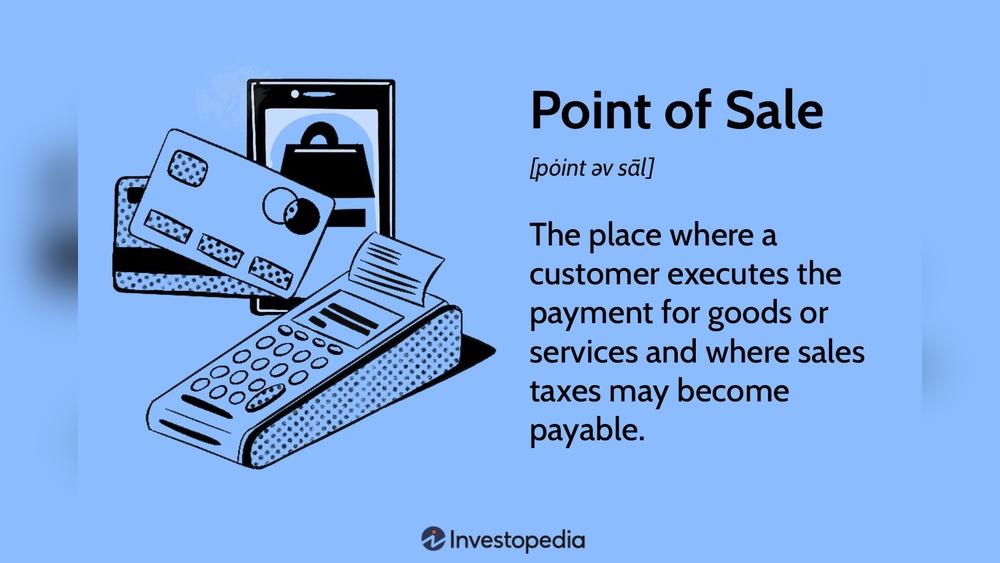
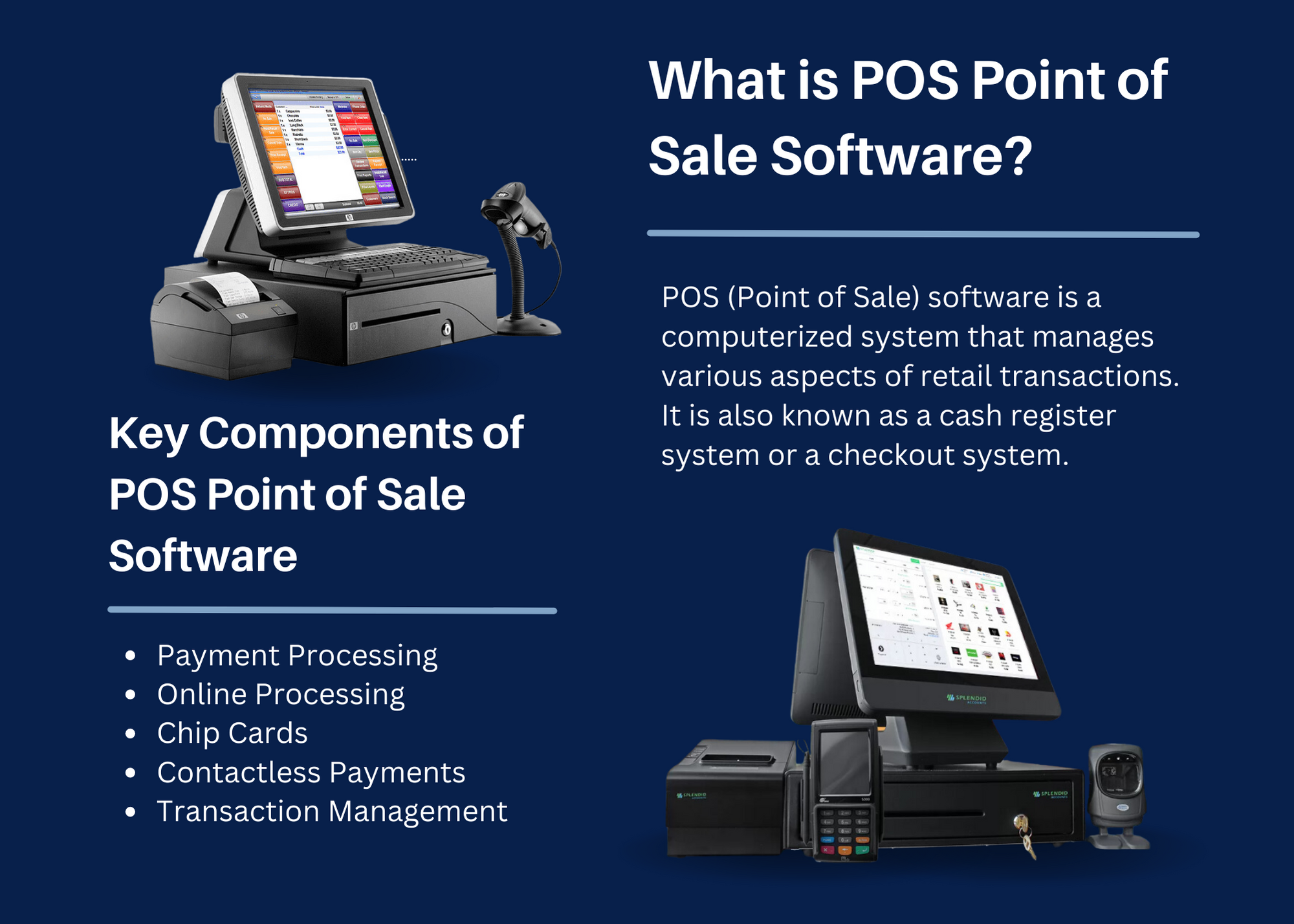
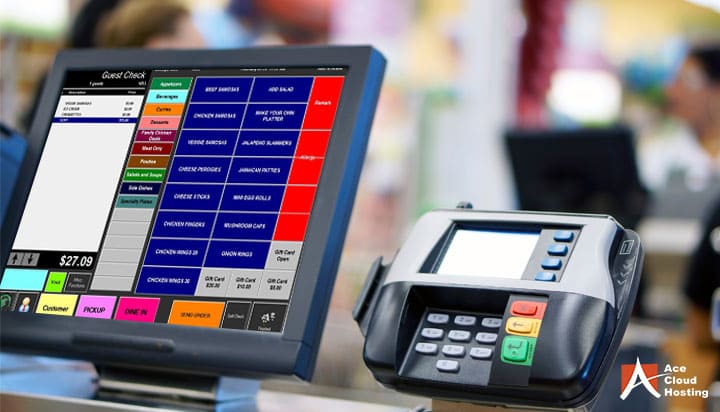
A POS system is where a customer pays for goods or services. It includes both hardware and software. Hardware can be a cash register, barcode scanner, or card reader. Software runs the sales process and tracks data.
Key components include:
- POS terminal: The main device for transactions
- Barcode scanner: Reads product codes quickly
- Card reader: Accepts credit and debit cards
- Receipt printer: Prints sales receipts
- POS software: Manages sales, inventory, and reports
Each part works together to complete sales and update records automatically.
How Pos Systems Work
POS systems start when a customer selects items to buy. The cashier scans the item’s barcode or enters it manually. The system adds up the total price and shows it on the screen.
Next, the customer chooses a payment method. They can pay by cash, card, or mobile wallet. The POS system processes the payment securely. After payment, it prints a receipt or sends a digital copy.
The system also updates the inventory to reflect the sale. This helps businesses keep track of stock levels in real time. Some POS systems connect to the kitchen or stock room to send orders instantly.
Online stores use POS software to handle checkout pages. Customers enter payment details, and the system confirms the purchase. Self-service kiosks let customers scan and pay without help.

Credit: arirms.com
Types Of Pos Solutions
Point of Sale (POS) solutions come in various types to fit different business needs. Each type serves a unique purpose and offers specific features. Choosing the right POS system depends on your business style and customer interaction.
Traditional Retail Pos
Traditional retail POS systems are the classic checkout counters. They include hardware like cash registers, barcode scanners, and receipt printers. These systems are fixed in one place, often behind a counter. They handle sales, inventory, and customer data efficiently. Many retail stores still rely on these systems for their reliability and ease of use.
Mobile Pos Systems
Mobile POS systems use tablets or smartphones to process sales anywhere in the store. They allow sales staff to assist customers on the floor. This system is flexible and great for small businesses or pop-up shops. Mobile POS apps often connect to cloud services for inventory and sales tracking.
Self-service Kiosks
Self-service kiosks let customers place orders and pay without staff help. They are common in fast food restaurants, airports, and supermarkets. These kiosks speed up service and reduce lines. They also offer interactive menus and multiple payment options.
Online And E-commerce Pos
Online and e-commerce POS systems manage sales over the internet. They handle payments, inventory, and customer orders on websites. This type of POS integrates with online stores and marketplaces. It helps businesses sell products 24/7 without physical locations.
Hardware Essentials
Hardware essentials form the backbone of any effective Point of Sale (POS) solution. These physical devices handle crucial tasks like scanning products, processing payments, and printing receipts. Choosing the right hardware ensures fast, accurate transactions and smooth customer experiences. Each component plays a unique role in the sales process. Understanding these parts helps businesses operate efficiently and serve customers better.
Scanners And Card Readers
Scanners quickly capture product information by reading barcodes. They speed up checkout and reduce errors. Card readers allow customers to pay using credit or debit cards. Many readers now accept contactless payments and mobile wallets. Together, scanners and card readers make the payment process simple and secure.
Receipt Printers
Receipt printers provide customers with proof of purchase. They print transaction details like items, prices, and payment method. Thermal printers are common due to their speed and quiet operation. Some printers also support printing coupons or return policies. Clear receipts build trust and help with record-keeping.
Tablets And Mobile Devices
Tablets and mobile devices offer flexibility in sales environments. Portable devices help staff take orders or complete sales anywhere in the store. They often run POS software that syncs with inventory and payment systems. Mobile devices improve customer service by reducing wait times and lines.
Credit: splendidaccounts.pk
Software Features
A Point of Sale (POS) solution includes various software features that help businesses operate smoothly. These features simplify daily tasks and improve customer service. Each feature plays a key role in managing sales and store operations efficiently.
Inventory Management
Inventory management tracks stock levels in real-time. It alerts you when products run low. This feature helps avoid overstocking or running out of items. Some systems also manage suppliers and reorder products automatically.
Sales Reporting And Analytics
Sales reporting shows daily, weekly, or monthly sales data clearly. Analytics help identify best-selling products and peak sales times. This information supports smart business decisions. Reports can be customized and exported for easy use.
Customer Relationship Tools
These tools store customer details and purchase history. They help create personalized offers and loyalty programs. Some POS systems send automatic emails or messages to customers. This builds strong relationships and encourages repeat visits.
Payment Processing Options
Payment options include credit cards, debit cards, and mobile wallets. POS software supports secure transactions and quick checkouts. It may also accept cash and gift cards. Multiple payment methods improve customer satisfaction and sales.
Industry Applications
Point of Sale (POS) solutions serve many industries by simplifying sales and managing transactions. Different businesses benefit from POS systems in unique ways. These solutions help track inventory, process payments, and improve customer service. Understanding industry applications shows how versatile POS systems are across various sectors.
Retail Stores
Retail stores use POS systems to scan items and process payments quickly. These systems update inventory in real-time to avoid stock issues. Cashiers use barcode scanners and card readers to speed up checkout. POS solutions also help with sales reports and customer loyalty programs. This makes managing a retail store easier and more efficient.
Restaurants And Cafes
Restaurants and cafes rely on POS systems to take orders accurately. Staff enter orders on tablets or terminals, which send them directly to the kitchen. Payments through cards or mobile wallets are processed smoothly. POS software helps track sales, manage tables, and handle tips. This improves service speed and reduces mistakes in busy environments.
Service-based Businesses
Service businesses like salons or repair shops use POS systems to schedule appointments and accept payments. These systems keep customer data organized for easy access. POS solutions also manage billing and provide sales analytics. This helps service providers focus on client care while handling transactions efficiently.
E-commerce Platforms
E-commerce platforms integrate POS solutions for online checkout processes. Customers add items to carts and pay securely through the system. POS software updates stock levels automatically after each sale. It also sends email confirmations and tracks orders. This ensures smooth online shopping and accurate inventory management.
Benefits For Businesses
Point of Sale (POS) solutions offer many benefits for businesses of all sizes. They simplify daily operations and improve overall efficiency. Using a POS system helps save time and reduces errors. It also supports better decision-making by providing accurate data.
Businesses can manage sales, inventory, and customers more effectively. These systems are essential tools for modern retail and service industries. The right POS solution can lead to smoother workflows and higher profits.
Streamlining Transactions
A POS system speeds up the checkout process. It scans items quickly and calculates totals automatically. This reduces waiting times for customers. Payments are processed securely and efficiently. Employees can focus more on customer service than manual tasks. Faster transactions keep lines moving and increase customer satisfaction.
Improving Inventory Accuracy
POS systems track inventory in real time. Every sale updates stock levels automatically. This helps avoid overstocking or running out of items. Businesses can reorder products at the right time. Accurate inventory records reduce losses and waste. Managers get clear insights into which products sell best.
Enhancing Customer Experience
POS solutions store customer information securely. This allows personalized service and targeted promotions. Customers enjoy faster checkouts and easy returns. Loyalty programs and discounts can be applied smoothly. A better shopping experience encourages repeat visits. Happy customers often become loyal brand advocates.
Boosting Sales And Revenue
POS data helps identify sales trends and opportunities. Businesses can optimize pricing and promotions based on real data. Cross-selling and upselling are easier with product suggestions. Sales reports reveal top-selling items and peak hours. This information supports smarter marketing strategies. Overall, POS systems help increase profits and grow businesses.
Choosing The Right Pos
Choosing the right Point of Sale (POS) solution is critical for smooth business operations. A suitable POS system helps manage sales, inventory, and customer data efficiently. Selecting the wrong one can slow down work and hurt customer experience. Focus on your business needs, budget, and future plans to find the best fit.
Assessing Business Needs
Start by understanding what your business requires from a POS system. Consider the type of products or services you offer. Think about the number of transactions you expect daily. Identify features like inventory tracking, sales reports, or customer management. Different businesses need different tools. Choose a POS that matches your daily tasks and challenges.
Budget Considerations
Set a clear budget before exploring POS options. Factor in the cost of hardware, software, and any monthly fees. Some systems charge per user or transaction. Avoid overspending on features you don’t need. Look for a balance between price and functionality. A cost-effective POS helps maintain healthy business finances.
Scalability And Integration
Think about your business growth and how your POS can support it. Choose a system that can handle more products, users, or locations in the future. Check if the POS integrates with other tools like accounting software or e-commerce platforms. Seamless integration saves time and reduces errors. Scalability ensures your investment lasts as your business expands.
User-friendliness And Support
Pick a POS system that is easy to use for you and your staff. A simple interface speeds up training and daily operations. Reliable customer support is essential. Make sure help is available when you face technical issues. Good support reduces downtime and keeps your business running smoothly. A user-friendly POS makes work less stressful and more efficient.
Credit: www.acecloudhosting.com
Future Trends
The future of Point of Sale (POS) solutions is changing fast. New technology is making buying and selling easier and quicker. These trends help businesses stay competitive and serve customers better.
Understanding these changes prepares businesses for what comes next in retail and service environments.
Cloud-based Pos Systems
Cloud-based POS systems store data online instead of local servers. This allows easy access from anywhere with internet. Updates happen automatically, reducing downtime. Businesses can manage multiple locations smoothly. Cloud POS also offers better data security and backup options.
Ai And Automation
Artificial Intelligence (AI) helps POS systems learn customer habits. It can suggest products based on past purchases. Automation speeds up tasks like inventory checks and sales reporting. This reduces errors and saves time. Staff can focus more on customer service.
Mobile Payment Innovations
Mobile payments are growing quickly with smartphones and wearable devices. Customers can pay with apps, QR codes, or contactless cards. This makes checkout faster and safer. Businesses can accept payments anywhere, even outside stores.
Omnichannel Integration
Omnichannel POS links sales from online, in-store, and mobile platforms. It creates a smooth experience for customers across channels. Inventory and customer data stay synced in real time. This helps businesses track sales and improve service everywhere.
Frequently Asked Questions
What Are Pos Solutions?
POS solutions are digital systems that process sales transactions, manage inventory, and accept payments in stores or online. They include hardware and software like scanners, card readers, and apps, enabling quick, accurate checkout and real-time business management across various industries.
What Is An Example Of A Point Of Sale?
An example of a point of sale is a retail store checkout where a cashier scans items, processes payments, and updates inventory.
What Is Pos With An Example?
A POS (Point of Sale) is where a customer completes a purchase. Example: A cashier scans items, processes payment, and prints a receipt at a retail checkout.
How Does Point Of Sale Work?
A point of sale (POS) system scans items, processes payments, updates inventory, and issues receipts instantly. It works via devices like terminals, tablets, or online platforms to complete sales efficiently.
Conclusion
A point of sale solution helps businesses handle sales smoothly. It combines sales, payments, and inventory in one system. This makes checkout faster and reduces errors. Many types of businesses use POS solutions, from stores to online shops. Choosing the right POS system improves customer service and business tracking.
Understanding how it works can help you run your business better. A simple tool with big benefits for daily operations.


