
Imagine your website as a book. What grabs your attention first?
The cover, right? In the world of WordPress themes, the header is your website’s cover. It’s the first thing your visitors see, and it’s crucial for making a lasting impression. But what exactly is a header in a WordPress theme?
Think of it as the top section of your website that showcases your brand, menu, and sometimes even a call to action. If you’re wondering how to make the most of your header, you’re in the right place. This article will guide you through understanding the role of headers in WordPress themes and how they can enhance your site’s user experience and aesthetics. By the end, you’ll know how to craft a header that not only looks great but also boosts your website’s performance. Ready to transform your site’s first impression? Let’s dive in!
Basics Of A WordPress Header
The header is the top part of a website. It is seen first. The header usually has a logo. It can also have a menu. This helps people find pages. A search bar might be there too. Some headers have social media links. This helps users connect more. The header sets the tone for the site. It can show a brand’s style. Often, it stays the same on all pages. This makes it easier to use.
Components Of A Header
The logo placement is key in a header. It helps people know your brand. The logo is usually on the top left. This makes it easy to see. A well-placed logo builds trust.
The navigation menu helps users find pages. It is often at the top of the header. Menus must be clear and easy to use. They guide visitors through the website.
Call to action buttons are very important. They tell users what to do next. These buttons are often bold. They catch the eye and encourage clicks.
Headers have social media icons. These icons link to social pages. Users can click to visit your social media. This helps connect websites with social presence.
Importance Of A Well-designed Header
First impressions are very important. A header is the first thing users see. It sets the tone for your website. A clear and neat header attracts users. They will likely stay longer on your site.
A good header improves user experience. It helps users find what they need. Navigation becomes easy. Users can find menus, search bars, and contact links quickly. This makes visiting your site pleasant.
Keeping your branding consistent is key. A header shows your logo and site name. It reflects your brand colors and style. This helps users remember your site. Consistency builds trust with your visitors.

Credit: gutenbergtimes.com
Customization Options
Color and typography settings help make your header unique. Choose from a range of colors for your header. Pick fonts that suit your style. Some themes offer hundreds of font choices. Adjust font size for better readability. Bold important text to catch attention. Changing colors can match your brand. Simple settings can create a big impact.
Responsive design ensures your header looks good on all devices. Headers should adjust to different screen sizes. Mobile users need a clear view. Tablets should display headers neatly. Themes often include responsive settings. Test your header on phones and tablets. Responsive headers improve user experience. Visitors stay longer with easy navigation.
Custom code integrations allow special features in your header. Add custom CSS for unique styles. JavaScript can enhance header functions. Some themes support HTML changes. Use code for advanced designs. Beginners may need help with coding. Many tutorials can guide you. Coding offers endless possibilities.
Tools For Header Design
The WordPress Customizer is a great tool. It helps to change your header easily. You can add a logo, change colors, and more. It’s user-friendly. No coding needed. Just click and see changes live. It’s like magic! You can try different styles. Make your header unique.
Many header plugins are available for WordPress. They add special features to your header. Some plugins help with sticky headers. Others offer animation effects. Plugins make your site look cool. They are easy to install. Just a few clicks and you’re done. They save time and effort. Explore and find the best plugin for you.
Page builders like Elementor or Beaver Builder are powerful. They help design headers without any coding. Drag and drop elements to create unique headers. They offer many templates. You can customize colors, fonts, and layouts. It’s fun to use. Build a header that stands out.
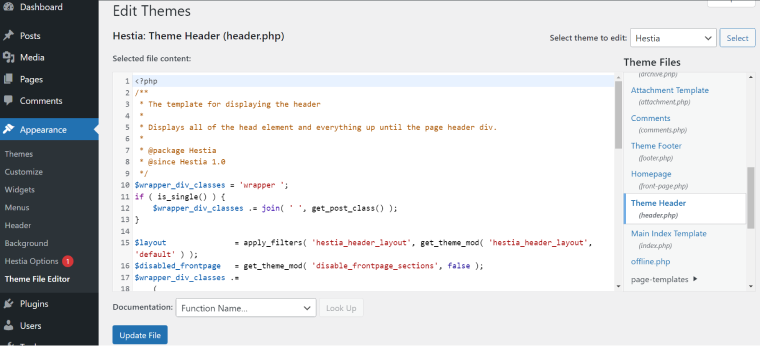
Credit: crocoblock.com
Common Mistakes To Avoid
Mistakes in setting up a WordPress header can affect site navigation. Ensure clear structure and avoid cluttering. Consistency in design improves user experience.
Overcrowding
Too many elements can make a header messy. It gets hard to read. A clean header looks better. It helps users find what they need. Keep it simple and tidy. This makes your site look good. People like easy-to-read headers. They stay longer on your site.
Poor Navigation
Good navigation is very important. Users must find things fast. Confusing menus make users leave. Use clear links and buttons. Label them well. Visitors like easy paths. They feel happy when they can find things. Happy visitors come back again.
Inconsistent Styling
Headers must look the same everywhere. Different styles confuse users. Use the same fonts and colors. This makes your site look neat. Consistency builds trust. Visitors think your site is reliable. They enjoy a smooth experience. A happy user tells others about your site.
Trends In Header Design
Less is more in modern design. Simple headers are popular. Clean lines and few colors make sites look neat. This style helps users focus. It also makes sites load faster. Many people like this look.
Headers with interactive features are fun. They engage users. Buttons that change color or size grab attention. Dropdown menus make exploring easy. These elements keep users interested. They make the site feel alive.
Sticky headers stay at the top. Even when you scroll down. They make navigation simple. Users can find links fast. This feature saves time. It makes browsing more enjoyable. Sticky headers are useful and popular.
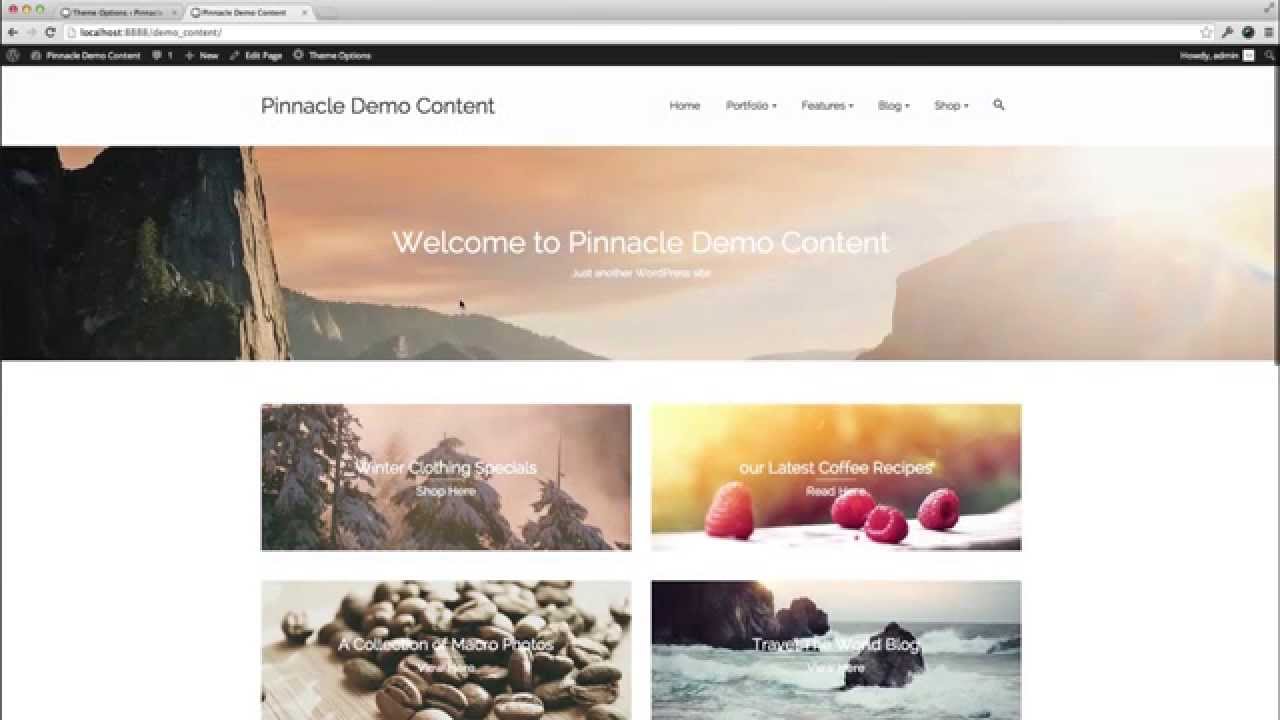
Credit: www.youtube.com
Frequently Asked Questions
What Is A Header In WordPress?
A header in WordPress is the top section of a theme. It typically contains your site’s logo, navigation menu, and other important elements. Headers play a crucial role in branding and user experience. They often include visual elements that reflect the overall design of the website.
How Can I Customize My WordPress Header?
To customize your WordPress header, use the theme customizer. This tool lets you change elements like logo, background color, and layout. Many themes offer advanced options through the WordPress dashboard. Plugins can also provide more customization choices for headers, enhancing their functionality.
Why Is A Header Important In WordPress?
A header is important for branding and navigation. It helps visitors identify your site and access key sections easily. A well-designed header improves user experience and site aesthetics. Headers often include elements like logos, search bars, and contact information, contributing to overall website functionality.
Can I Change The Header Image In WordPress?
Yes, you can change the header image in WordPress. Use the theme customizer to upload a new image. Many themes offer options for header image size and placement. Ensure your image is optimized for fast loading. Changing the header image can refresh your site’s appearance.
Conclusion
Headers play a key role in WordPress themes. They help organize content and improve user experience. A well-designed header attracts visitors and guides them. It often contains logos, navigation menus, and contact information. Customizing your header is simple with WordPress tools.
This enhances your site’s appearance and functionality. Remember, a clear and attractive header makes your site inviting. It encourages visitors to explore more. Take time to design it well. Your audience will appreciate the effort. A good header is essential for a successful WordPress site.


