
Are you looking to make your WordPress blog stand out? Imagine having one of your posts catch the eye of every visitor as soon as they land on your page.
That’s exactly what a “Featured Post” in WordPress can do for you. It’s like giving your most important content a spotlight, ensuring it gets the attention it deserves. But what exactly is a featured post, and how can you use it to your advantage?
By understanding this powerful tool, you can boost your blog’s visibility and engage your readers more effectively. Dive into this article to discover the secrets of featured posts and learn how they can transform your WordPress site into a dynamic and engaging platform.
Credit: glorify.com
Featured Post Basics
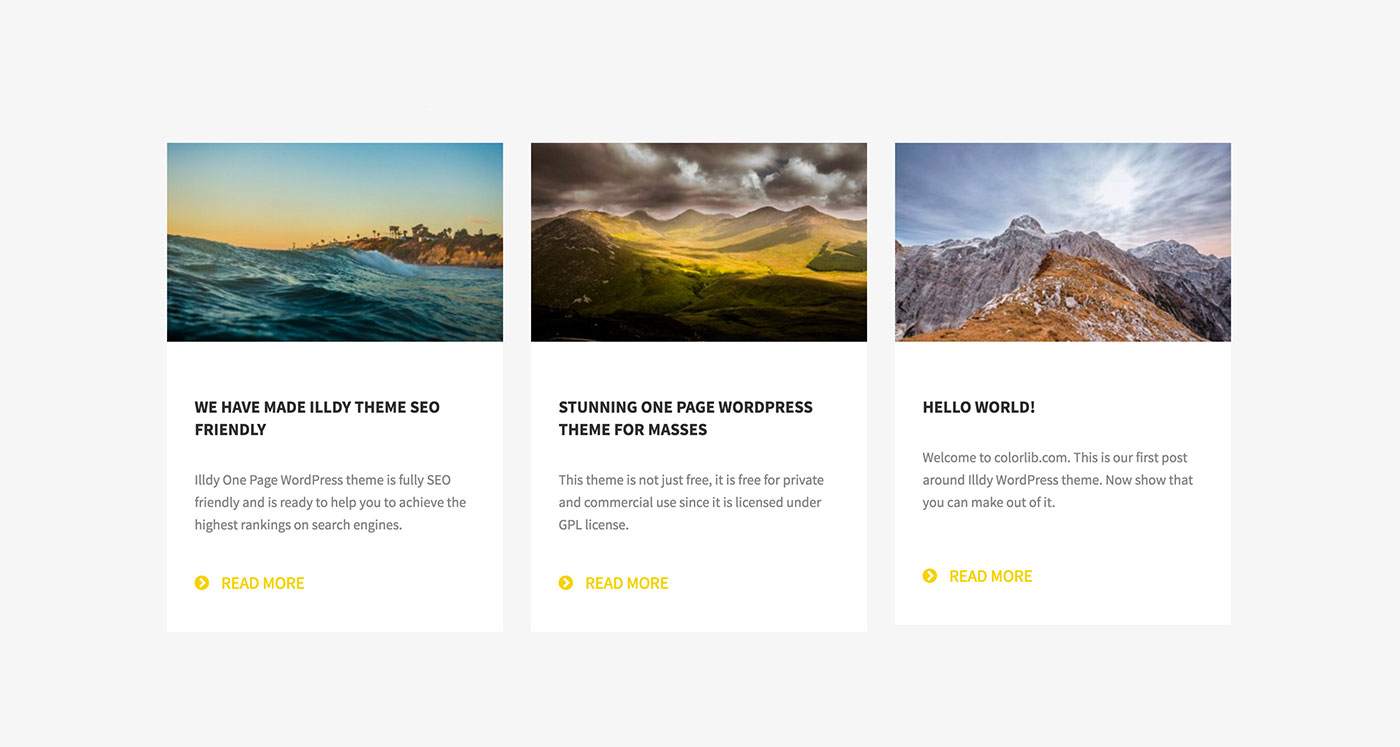
A featured post is a special blog post. It appears at the top. This post is important. It gets more attention. Bloggers use featured posts to show key content. Readers can see it first. It helps in drawing eyes to the post. This post is like a spotlight. It guides users to important stories.
Featured posts can boost your blog. They make your blog look neat. They help in organizing content. Readers find important information quickly. Featured posts can also highlight your best work. They keep readers engaged. More readers means more success. Blogs with featured posts look professional.
Selecting The Right Post
Choosing the right post is very important. The post should be interesting. It must grab the reader’s attention. Posts with clear messages work best. Readers like posts that are easy to understand. Simple words and short sentences help a lot.
Posts should match what your audience likes. Think about their interests. Create posts that they would love to read. If they like animals, choose a post about animals. If they like sports, choose a post about sports. Always keep their preferences in mind.
Setting Up A Featured Post
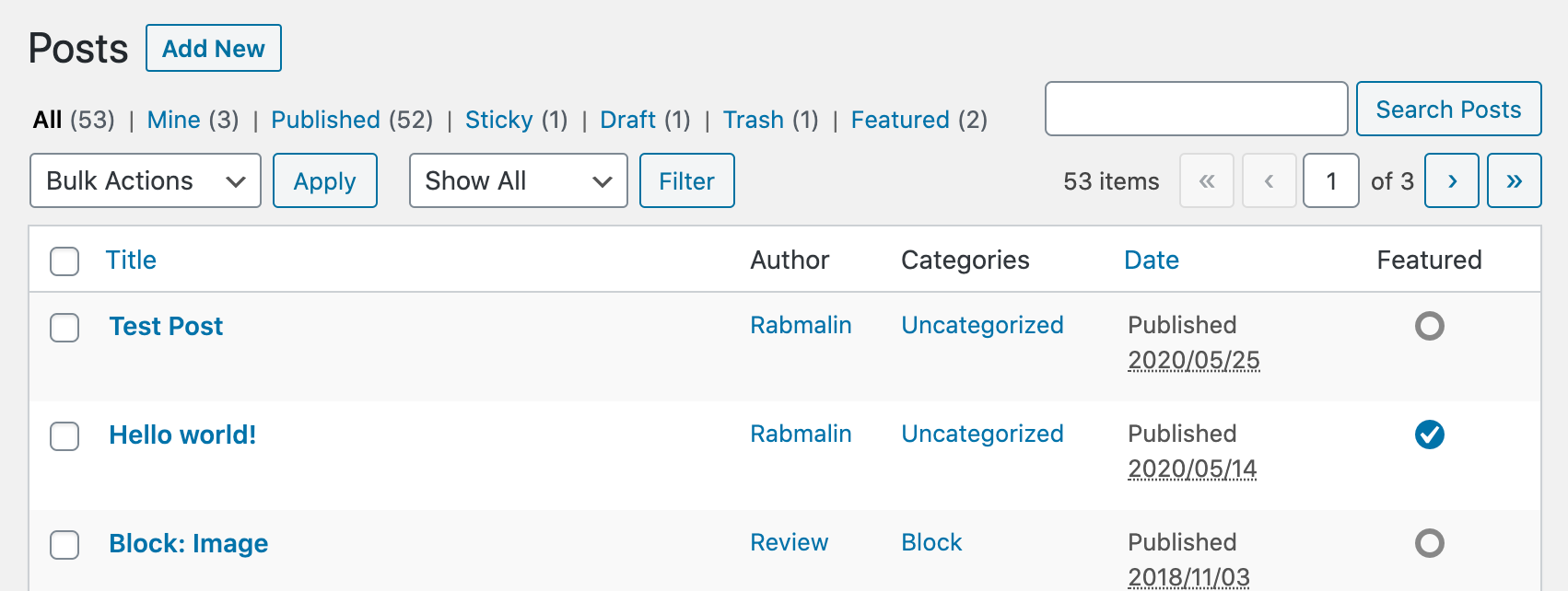
WordPress makes it easy to showcase a featured post. Use the sticky post option. This keeps a post at the top. Go to your post editor. Find the Publish box. Click on Edit next to Visibility. Check the Stick to the front page box. Save your changes. Now your post stays on top. Simple and effective.
Plugins can enhance your WordPress site. They offer more features for featured posts. Search for featured post plugins in the plugin directory. Install a plugin that suits your needs. Some plugins offer custom settings. You can choose post layouts or styles. Plugins are a great way to add extra functionality without coding.
Credit: wordpress.org
Design And Layout Tips
Featured Post in WordPress highlights important content on your site. It grabs attention on the homepage. Use it to showcase your best articles, improve visibility, and engage readers effectively.
Creating Eye-catching Designs
A good featured post must look special. Use bright colors and big fonts. These help the post stand out. Images are also very important. High-quality pictures catch the eye. You can use borders and boxes. They make sections clear and neat. Keep the design simple. Too many elements can confuse readers.
Optimal Placement On The Page
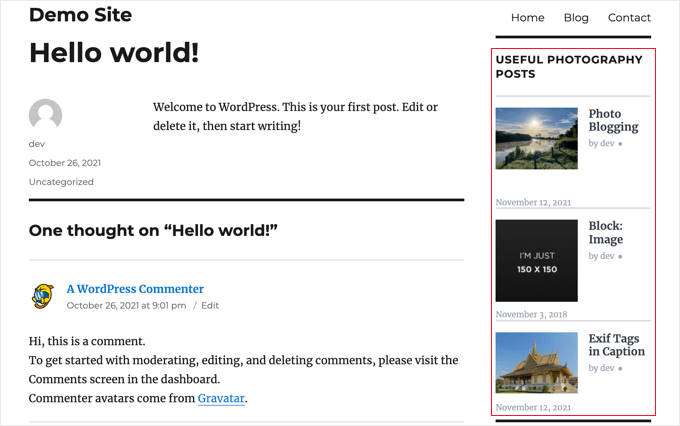
Place your featured post at the top of the page. This is where most people look first. The sidebar is another good spot. People often check the sidebar for extra info. Make sure the post is easy to find. Use clear labels and direct links. These help readers click the post quickly.
Maximizing Engagement
Call-to-Actions are like signs. They tell readers what to do next. Use simple words. Ask readers to click, read more, or subscribe. These actions keep readers on your page. Make the buttons big and bright. They should stand out on the page. This makes it easy for readers to find them. Use words that create excitement. “Join us” or “Discover more” are good options. This makes readers feel part of the action.
People trust what others say. This is called social proof. Show reader comments or reviews. It shows your content is liked. Add testimonials from happy readers. Use numbers too. “Over 1,000 readers love this post” sounds impressive. Share social media likes or shares. This shows your post is popular. All these things build trust. They make readers want to stay and read more.
Common Mistakes To Avoid
Many writers add too much information. This can confuse readers. Keep it simple. Highlight key points. Use short sentences. Avoid long paragraphs. Make it easy to understand.
Websites must work on phones. Many readers use phones to read. Ensure your post looks good on small screens. Test it on different devices. Make sure buttons and links are easy to tap.
Measuring Success
Engagement metrics show how people interact with posts. Comments and likes are key metrics. They tell if readers enjoy the content. Shares mean the post is valuable. More shares mean more reach. Views show how many people saw the post. High views mean good visibility. Bounce rate tells if people stay or leave quickly. Low bounce rate is good. It means readers find the post interesting.
Data helps improve content strategies. If views are low, try changing post titles. More engaging titles attract readers. If the bounce rate is high, improve content quality. Make posts more engaging and relevant. Use comments for feedback. They guide improvement. Shares can show which topics are popular. Focus on popular topics for future posts. Adjust strategies based on what works. This leads to better engagement and success.
Credit: www.wpbeginner.com
Frequently Asked Questions
What Is A Featured Post In WordPress?
A featured post in WordPress highlights specific content on your site. It draws attention to important articles, often appearing on the homepage or in dedicated sections. This feature helps increase visibility and engagement for selected posts, enhancing user experience and site navigation.
How To Set A Featured Post In WordPress?
To set a featured post in WordPress, use the post editor. You can mark the post as sticky or use specific themes that support featured content. Plugins can also help in customizing the appearance and functionality of featured posts.
Why Use Featured Posts On Your Blog?
Featured posts improve content visibility and drive engagement. They showcase your best or latest articles, helping readers find valuable information quickly. This strategy enhances user experience and can lead to increased traffic and interaction on your site.
Can Featured Posts Boost Seo?
Yes, featured posts can boost SEO by improving site structure and navigation. They help highlight important content, increasing user engagement and dwell time. This can positively impact your site’s search rankings and visibility on search engines.
Conclusion
Featured posts in WordPress highlight important content. They grab attention quickly. Readers find them engaging and easy to explore. This tool boosts visibility for special articles. Bloggers use it to showcase their best work. Featured posts attract more visitors to your site.
Simple to set up. Effective in reaching your audience. They improve site navigation and enhance user experience. A great way to spotlight valuable content. So, consider using featured posts. They help your blog stand out and keep readers interested. Your blog will benefit from this strategy.
Try it out for better engagement.


