
Picture this: You’ve finally decided to launch your own website. Maybe it’s for your new business, a personal blog, or an online portfolio.
But as you dive into the world of web hosting, you encounter a term that keeps popping up – the “Control Panel. ” What exactly is it, and why is it crucial for your website’s success? Imagine being able to manage every aspect of your website with ease, from setting up email accounts to installing software, all from a single, user-friendly interface.
A control panel is your website’s command center, a tool that can make or break your online experience. It’s the secret weapon that empowers you to take control of your web presence without needing a degree in computer science. You’ll discover the ins and outs of control panels in web hosting, demystifying the jargon and helping you understand how they can simplify your online journey. Are you ready to unlock the potential of your website and make your online presence as seamless and efficient as possible? Keep reading, because this could be the game-changer you’ve been looking for.

Credit: www.webhostface.com
Web Hosting Basics
Web hosting is like a home for your website. It keeps your site live on the Internet. Hosts store your website’s files on their computers. These computers are called servers. Without hosting, no one can see your site online. A good host keeps your website fast and safe. It also helps your site stay up all the time.
Many types of web hosting exist. Shared hosting is very common. It’s like renting a room in a house. VPS hosting gives you more control. It’s like renting an apartment. Dedicated hosting is the most powerful. It’s like owning a house. Cloud hosting is flexible. It uses many servers to store your site.

Credit: en.wikipedia.org
Introduction To Control Panels
Control panels help manage website hosting tasks. They are like tools for your website. Easy navigation is their key feature. You can install applications with a few clicks. Control panels allow you to monitor server performance. They help in creating email accounts. Security settings are easy to manage.
The main goal is simplifying website management. They let users handle complex tasks easily. You can manage your site without coding. Control panels make server administration user-friendly. They give you more control over your hosting environment.
| Feature | Description |
|---|---|
| File Management | Upload, edit, and organize files. |
| Database Management | Create and manage databases. |
| Backup Options | Protect data with backups. |
| Security Tools | Manage firewalls and SSL. |
| Email Setup | Create and manage email accounts. |
Popular Control Panels
Many web hosts use cPanel. It’s easy and simple to understand. Users can manage websites without stress. It offers tools for file management and email. Security features keep your site safe. Customization options are available. Ideal for beginners and experts alike.
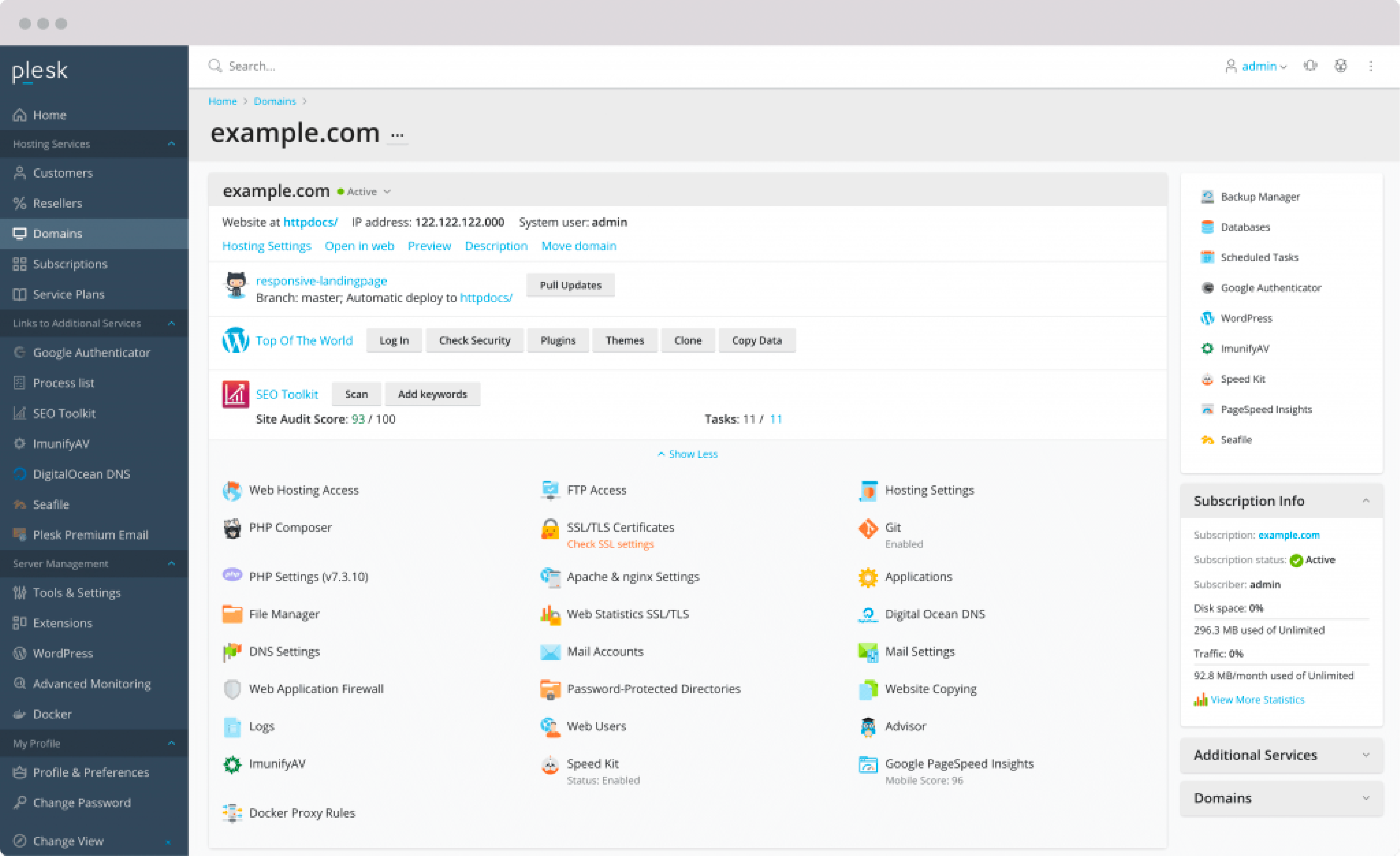
Plesk works on both Linux and Windows. It provides a clean, simple interface. Users can manage databases, emails, and files. Automation tools save time. It supports many applications. Security is a priority. Custom controls are available for advanced users.
DirectAdmin is fast and lightweight. It uses less server resources. Users can manage tasks with ease. It offers email, DNS, and database tools. User-friendly for newcomers. Supports multiple languages. Simple design makes navigation easy.
Credit: www.cloudpanel.io
Control Panel Functions
Domain Management is a key function of control panels. Users can add and remove domains easily. Subdomains are also manageable. DNS settings are adjustable. This helps websites direct traffic correctly. Domain expiry alerts are provided. This ensures domains stay active.
File Management lets users upload files to the server. Files can be organized in folders. Permissions are set for files. This keeps data secure. Backups are created often. Users can restore files if needed. Space usage is monitored.
Email Management allows creating email accounts. Email forwarding is possible. Spam filters are adjustable. Users can set auto-responders. Mailbox quota can be configured. This helps manage storage space. Email logs are accessible.
Database Management supports creating databases. Users can add and delete tables. Data can be imported and exported. User permissions are set for databases. This keeps sensitive data safe. Backup options are available. This ensures data recovery when needed.
Advantages Of Using Control Panels
Control panels are very easy to use. Clicking buttons makes things happen. Managing your website is simple. You don’t need to know much about computers. Everything is clear and straightforward.
Control panels help you work faster. Tasks get done quickly. You don’t waste time. Installing new tools is easy. You can manage many sites at once.
Security is important. Control panels help keep sites safe. You can set strong passwords. You can also add more security features. This keeps bad people away.
Choosing The Right Control Panel
Picking a control panel is important. Ease of use matters a lot. Users should feel comfortable. They should not struggle with tasks. Security features are also crucial. A secure panel keeps data safe. Compatibility is another key factor. It should work well with servers.
Cost can be a deciding factor. Some panels are free. Others have a price. Support options are vital too. Good support helps solve problems fast. User reviews might help in decision-making. They offer real experiences. Each factor plays a role. Choose wisely.
| Feature | Importance |
|---|---|
| Ease of Use | High |
| Security | Very High |
| Compatibility | Medium |
| Cost | Variable |
| Support | High |
Future Of Web Hosting Control Panels
Web hosting control panels are changing. Automation is becoming important. AI tools help manage tasks faster. Users want simple dashboards. Everyone likes easy buttons and clear settings. Mobile access is growing. People check their sites on phones. Security features are vital. More protection from hackers. Cloud hosting is popular. It offers flexibility and speed. Control panels now work with cloud systems.
New technologies improve control panels. Virtual reality may help in training. Voice commands could make tasks quicker. Data is stored better and faster. Machine learning predicts issues before they happen. Integration with different platforms is smoother. Panels are customizable. Users change settings based on needs. Green technology saves energy. Hosting becomes eco-friendly.
Frequently Asked Questions
What Is An Hosting Control Panel?
A hosting control panel is a web-based interface that simplifies server and website management. Users can manage domains, emails, databases, and files efficiently. Popular control panels include cPanel, Plesk, and DirectAdmin. They provide tools for monitoring resources and enhance the hosting experience with user-friendly features.
What Is The Control Panel In A Website?
A website control panel is a user interface for managing web hosting services. It allows users to manage files, databases, email accounts, and security settings. Popular control panels include cPanel and Plesk. They simplify website management tasks without requiring extensive technical knowledge.
What Is The Purpose Of A Control Panel?
A control panel manages and organizes software and hardware settings. It simplifies system administration and enhances user experience. Users can configure settings, manage domains, and monitor performance. It streamlines tasks, ensuring efficient operation and easy troubleshooting. Control panels are essential for website hosting and IT management.
What Is The Control Panel In A Server?
A server control panel is a web-based interface that simplifies server management tasks. It allows users to configure settings, manage files, and install applications easily. Popular control panels include cPanel, Plesk, and DirectAdmin. These tools enhance usability, streamline administration, and improve security for server operations.
Conclusion
A control panel in web hosting simplifies website management. It provides user-friendly tools for managing files, emails, and databases. Even beginners can navigate these panels with ease. They enhance efficiency and reduce technical headaches. Choosing the right control panel ensures smoother website operations.
Always consider your needs before selecting one. Some panels are more feature-rich than others. Explore options and pick what suits your requirements best. A well-chosen panel supports your online success. It keeps your website running smoothly and effectively. So, invest time in selecting the right control panel for your web hosting.


