
Are you overwhelmed by the countless form plugins available for WordPress? Choosing the right one can transform how you interact with your audience and streamline your workflow.
Imagine effortlessly collecting valuable data, generating leads, and enhancing user experience—all with the perfect form plugin. You deserve a tool that is not only easy to use but also perfectly tailored to your needs. This article will guide you through the options, helping you make an informed decision.
Dive in, discover the best form plugin for you, and unlock the potential of your WordPress site.
Key Features To Consider
The best plugins are easy for everyone. Even beginners should find it simple. Drag and drop features help a lot. No coding is needed. Clear instructions guide you through steps. Fast setup saves time. User-friendly design makes tasks easy.
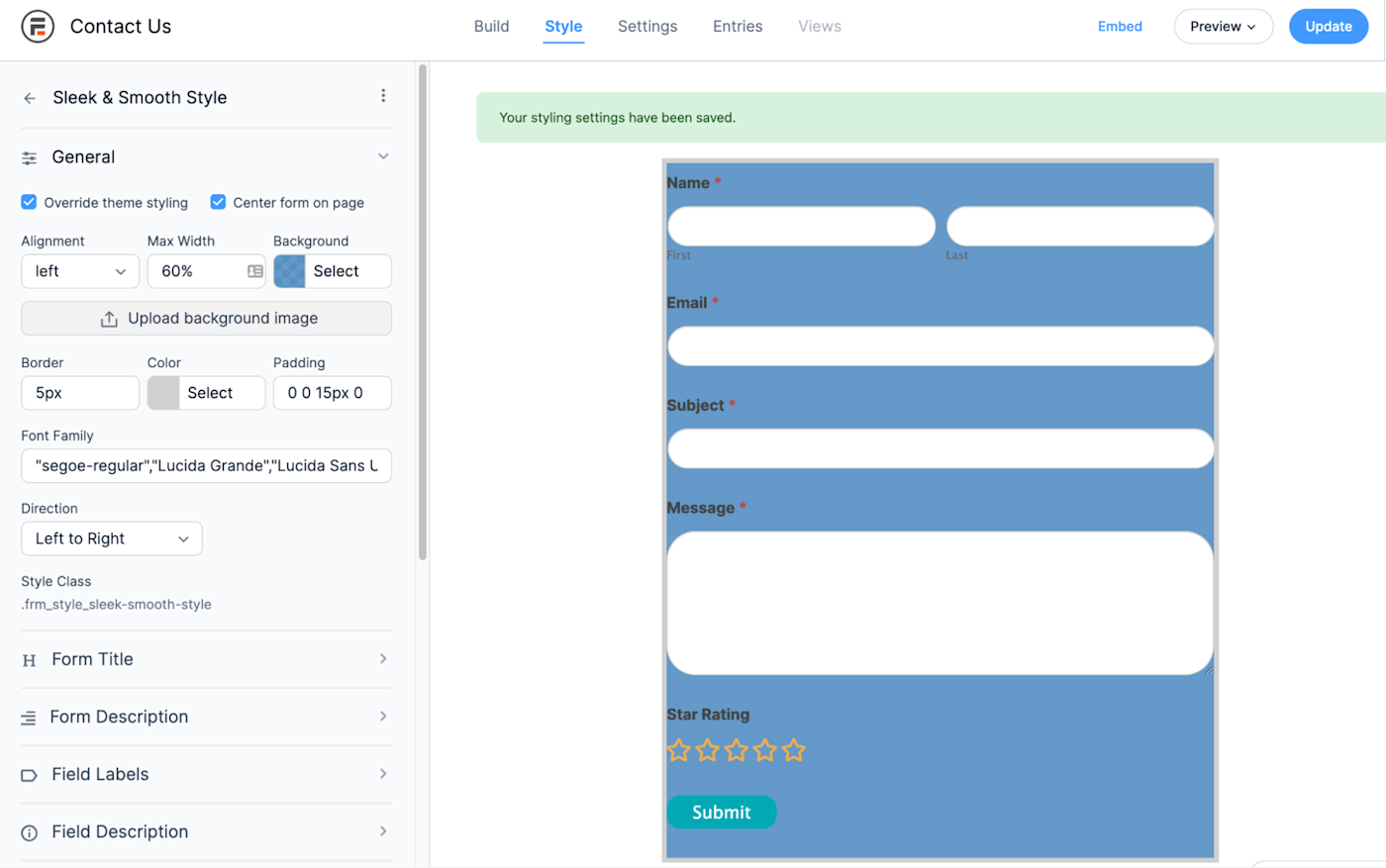
Good plugins let you change form looks. Add colors and fonts as you like. Custom fields let you gather special info. Pre-made templates make work faster. You can make forms match your site’s style.
Plugins should work with other tools. Email services like Mailchimp are important. CRM systems help manage customer data. Look for plugins that connect easily. This helps your business grow.
Pricing varies for plugins. Some are free. Others need payment. Free versions offer basic features. Paid versions provide more options. Choose based on your needs and budget. Compare before you decide.
Popular Form Plugins
Gravity Forms is a powerful plugin for WordPress. It helps create forms easily. Users can design forms with a drag-and-drop tool. This plugin supports many add-ons. These add-ons help with marketing and payment options. Gravity Forms suits advanced users well. It offers many features for complex forms. Simple forms are also possible with it. Many websites trust Gravity Forms for their needs.
WPForms is great for beginners. It is user-friendly and simple. It also uses a drag-and-drop builder. Forms are easy to create with WPForms. It has templates for quick setup. Users can make contact forms fast. WPForms offers integration with other services. It works well for small and medium-sized sites. Many choose WPForms for its ease of use.
Contact Form 7 is a free option. It has been popular for years. Users can create forms quickly. It supports basic and complex forms. Customization is possible with HTML and CSS. Many plugins work with Contact Form 7. It is often chosen for simple contact forms. Users appreciate its flexibility and no cost.
Ninja Forms is another user-friendly option. It offers many features. Users can make forms with ease. Ninja Forms supports conditional logic. This helps create smart forms. It integrates with many services. Ninja Forms is suitable for all users. Many websites use Ninja Forms for their form needs.
Comparison Of Plugins
A good plugin should have an easy-to-use interface. Drag and drop features make form building fun. Some plugins have colorful icons. Others keep it simple and clean. Find what suits your style. Check for mobile-friendly designs. It’s important for users on phones and tablets.
Quality support can save you time. Look for plugins with great documentation. A helpful FAQ section is a plus. Some plugins offer video guides. Others have active forums. Ask questions and get quick answers. Make sure support is available in your time zone.
Fast-loading forms keep users happy. Optimize plugins for performance. Check for plugins with regular updates. This ensures they work smoothly. Avoid plugins with too many features. They can slow down your site. Choose plugins that work well with your theme.
Credit: www.gravityforms.com
Best Plugin For Beginners
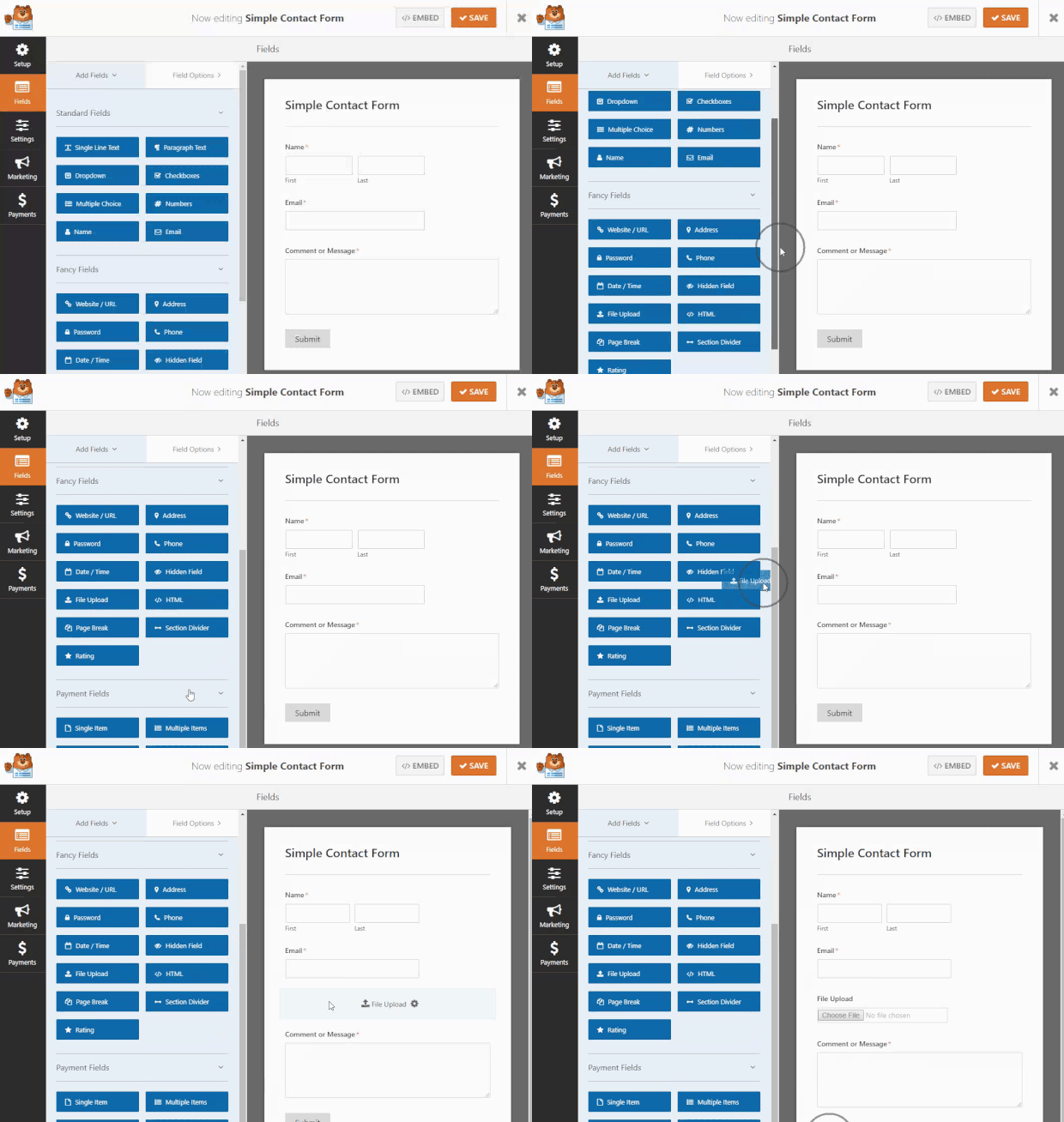
Starting with a form plugin can be simple. WPForms is a great choice. It is easy to use and perfect for beginners. The plugin offers a drag-and-drop builder. This feature helps create forms quickly. No coding needed. WPForms includes many templates. Use them to save time. Templates work for contact forms, surveys, and more.
WPForms also offers integration with other tools. Connect it to email platforms like Mailchimp. This helps grow your email list. The plugin is also mobile-friendly. Forms look good on phones and tablets. WPForms provides great support. Beginners can get help easily. Choose WPForms for a smooth start with forms.
Advanced Plugin Options
Some plugins offer advanced featuresdrag-and-drop builders. This makes form building simple. Users can add various fields. Fields like name, email, and phone. Some plugins support conditional logic. This means forms change based on user input. Plugins might offer integration with email services. Services like Mailchimp or AWeber. This helps in collecting leads. Look for plugins with good support and documentation. This ensures help if needed.
Tips For Choosing The Right Plugin
Understand what your site requires. Do you need a simple contact form or a more complex one? List your must-have features. This helps in narrowing down options.
Think ahead. Will your site grow? Choose a plugin that can scale with your needs. Some plugins offer extra features as your site expands.
Try a few plugins first. Check their user interface. Is it easy to use? Ensure it integrates well with your site. This saves time and effort later.
Common Mistakes To Avoid
Selecting the wrong form plugin can cause issues. Some plugins are slow. This can make your website lag. Always check the plugin reviews first. Ensure it fits your needs.
Avoid making forms too complicated. Keep them simple and easy to fill. Long forms can scare users away. Make sure they look good on phones and tablets.
Plugins need updates. Updates fix bugs and add features. Using old plugins can be risky. Check for updates regularly to keep your site safe.
Credit: zapier.com
Credit: optinmonster.com
Frequently Asked Questions
What Is The Best Form Plugin For WordPress?
The best form plugin for WordPress depends on your needs. Popular choices include WPForms, Gravity Forms, and Ninja Forms. Each offers unique features. WPForms is user-friendly, Gravity Forms offers advanced options, and Ninja Forms is highly customizable. Evaluate your requirements to choose the best fit.
How Do I Choose A WordPress Form Plugin?
To choose a WordPress form plugin, consider your specific needs. Evaluate features like ease of use, integrations, and pricing. Consider support and documentation. Test the plugin’s compatibility with your theme and other plugins. User reviews can provide valuable insights. Choose one that aligns with your goals.
Are Free WordPress Form Plugins Reliable?
Free WordPress form plugins can be reliable for basic needs. They often include essential features. However, they may lack advanced options and support. For complex forms or specific integrations, consider premium plugins. Always check user reviews and updates to ensure the plugin’s reliability and security.
Can I Integrate Form Plugins With Email Marketing Services?
Yes, many WordPress form plugins integrate with email marketing services. Popular plugins like WPForms and Gravity Forms offer integrations with Mailchimp, Constant Contact, and others. This allows you to automate email lists and campaigns. Check the plugin’s documentation for supported services and integration steps.
Conclusion
Choosing the right form plugin is crucial. It enhances user interaction. Each plugin has unique features. Consider your needs. Are you focusing on design? Or maybe functionality? Evaluate ease of use. Check compatibility with your theme. Consider customer support quality.
Budget is another factor. Some plugins are free. Others require payment. Compare options carefully. Read reviews. Test demos if available. Make an informed decision. A good plugin boosts your website’s efficiency. Ultimately, the right choice improves user experience. Keep your goals in mind.
Select wisely.


