
Imagine transforming your WordPress website with just a few clicks. One simple change can make your content pop, grab attention, and keep visitors scrolling.
Yes, it’s all about choosing the right fonts. Whether you want to convey elegance, creativity, or professionalism, the fonts you use can speak volumes about your brand. But with countless options available, how do you decide which fonts to use?
You might feel overwhelmed or uncertain about where to start. Don’t worry—this guide will simplify the process, helping you discover the best font choices for your WordPress site. Dive in, and unlock the secret to a visually captivating website that resonates with your audience. Your journey to a stunning and memorable site starts here.
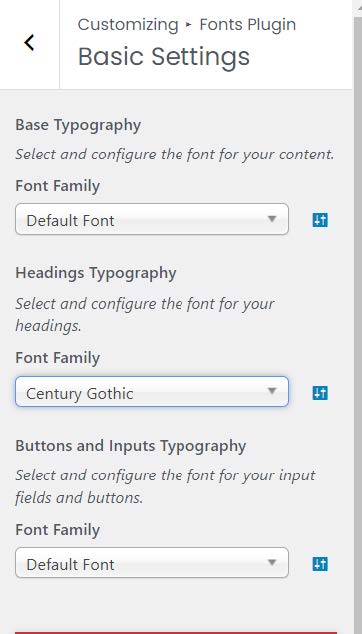
Credit: www.20i.com
Popular Web-safe Fonts
Serif fonts have little lines at the ends of letters. Times New Roman is a famous choice. It is easy to read and looks formal. Georgia is another option. It is stylish and clear. These fonts work well for long articles and books. They make reading smooth and comfortable.
Sans-serif fonts do not have little lines on letters. Arial is a top pick. It is simple and clean. Verdana is also popular. It is wide and easy to read. These fonts are great for websites and screens. They look modern and fresh.
Google Fonts Integration
Google Fonts offer a wide variety of styles. They are free to use. No cost involved. They make your website look professional. Websites load faster with Google Fonts. This improves user experience. They are easy to read. Accessibility is important for everyone. Google Fonts are optimized for the web. They look good on all devices. They work well with different languages. This is helpful for global sites. Using Google Fonts can enhance your site’s aesthetic.
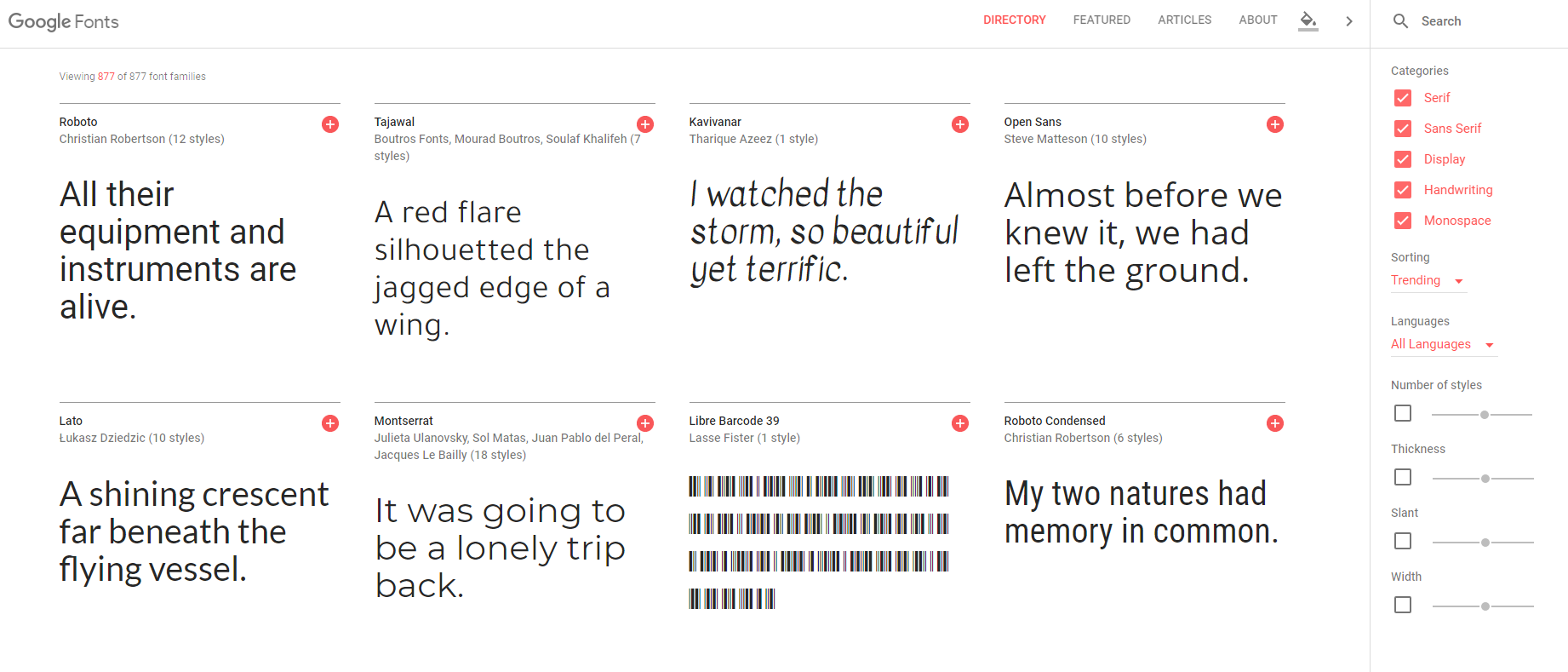
First, visit the Google Fonts website. Choose the font you like. Click on the ‘Select this style’ button. Then, copy the code provided. Go to your WordPress dashboard. Open the ‘Appearance’ tab. Select ‘Customize’. Click on ‘Additional CSS’. Paste the code there. Save your changes. The font will now show on your site. It’s simple and quick. Your site will look great with new fonts.
Custom Fonts And Typography
Plugins help add custom fonts to WordPress easily. Some popular plugins are Easy Google Fonts and WP Google Fonts. These tools let you choose from hundreds of fonts. Installation is simple. Activate the plugin. Then, pick a font style that fits your site. Customize font size and color too. Plugins make font changes quick and easy. No coding skills needed. Perfect for beginners!
Manual font uploads require a bit more work. First, find a font you love. Download it to your computer. Next, use a tool like FTP to upload the font files. Place them in your site’s fonts folder. Then, edit your CSS file. Link the font to your site. This method gives more control. It’s perfect for custom designs. Patience is key. Follow steps carefully. Soon, your site will look unique!
Font Pairing Techniques
Serif fonts have small lines at the end of strokes. Sans-serif fonts do not have these lines. Combining serif and sans-serif can make your text look better. Serif fonts are great for headings. Sans-serif fonts are often used for body text. This mix creates a nice balance. It makes the text easy to read.
Use serif fonts like Times New Roman or Georgia. Pair them with sans-serif fonts like Arial or Helvetica. This combination looks clean and professional. It is also common in many websites. Try different combinations to find what fits your style.
- Choose fonts with contrast. This makes them stand out.
- Keep it simple. Too many fonts can confuse readers.
- Use bold fonts for emphasis. This grabs attention.
- Test your fonts on different screens. Ensure they are clear.
- Pair fonts from the same family. It keeps a cohesive look.
Optimizing Font Performance
Faster websites make people happy. Font load times can slow down a site. Choose fonts wisely. Use Google Fonts or Adobe Fonts. They are light. They load quickly. Avoid using too many fonts. Limit to two or three. This helps speed. It keeps design clean.
Caching saves font data. This means it loads faster next time. Use a Content Delivery Network (CDN). It stores fonts in many places. Users get them from the nearest spot. This reduces wait time. Optimize delivery by using asynchronous loading. It loads fonts without blocking other content. This makes the site faster. Everyone wins.
Accessibility Considerations
Picking the right font is important. It helps everyone read easily. Simple fonts are best. Avoid fancy styles. Sans-serif fonts are clear and neat. Arial and Verdana are good choices. These fonts are easy to read on screens.
Color contrast matters too. Dark text on a light background is best. It helps people see words better. Avoid light text on a light background. That makes it hard to read.
Font size is important. Big text is easier to read. Start with size 16px. This is a good size for most people. Adjust if needed.
Line spacing helps reading too. More space between lines is better. Use at least 1.5 line spacing. This keeps text from looking crowded.
Paragraph spacing should also be considered. Space between paragraphs helps readers. It makes text clear and easy to follow.
Trends In Typography
New font styles pop up every year. Bold fonts are popular now. They grab attention quickly. Minimalistic fonts are simple and clean. They are easy to read. Handwritten fonts give a friendly feel. They look personal and warm.
Designers love variable fonts. They can change weight or size. This makes them flexible. Retro fonts bring back old styles. They are fun and trendy. These fonts are great for modern designs.
Adding trendy fonts can freshen up a website. Bold fonts highlight important text. Minimalistic fonts create a clean look. Use them for main content.
Handwritten fonts fit well in personal blogs. They make text feel unique. For dynamic designs, choose variable fonts. They adapt to different styles. Always match fonts with your brand message.
Credit: www.cloudways.com

Credit: www.reddit.com
Frequently Asked Questions
What Fonts Work Best With WordPress Themes?
WordPress supports a variety of fonts, including Google Fonts and system fonts. Popular choices include Open Sans, Roboto, and Lato. They ensure readability and complement the design. Always check your theme’s compatibility with the font to maintain a cohesive look.
Can I Use Google Fonts In WordPress?
Yes, Google Fonts can be easily integrated into WordPress. Use plugins like Easy Google Fonts or manually add them via the theme’s stylesheet. Google Fonts offer a wide range of styles and weights, enhancing your site’s typography.
How Do I Change Fonts In WordPress?
Changing fonts in WordPress is straightforward. Access the Customizer, select “Typography,” and adjust your desired font settings. Alternatively, use plugins like Custom Fonts to add new fonts. Always preview changes to ensure they align with your website’s design.
Are Custom Fonts Supported By WordPress?
Yes, WordPress supports custom fonts. You can upload font files using plugins like Use Any Font. Ensure your font files are in web-friendly formats like WOFF. Custom fonts add uniqueness to your site but may affect loading times.
Conclusion
Choosing the right font in WordPress matters. It affects your site’s look. Also, user experience. Many fonts are available. Each offers a unique style. Some are more readable. Others are more artistic. Balance is key. Consider your audience. Think about your brand.
Try different fonts. See what fits best. Remember, good fonts enhance your site. They make content easy to read. They grab attention. They keep visitors interested. So, explore and experiment. Find the perfect font for your WordPress site. Make it visually appealing.
Make it engaging. Fonts can transform your site.


