
Imagine having a digital space all your own, a corner of the internet where your ideas, business, or projects can shine. Hosting a website is like setting up your personal billboard on the global highway.
But before you dive in, you might be wondering, “What exactly do I need to host a website? ” You’re not alone. Many people find themselves lost in a sea of technical terms and endless options. It can feel overwhelming, like trying to assemble a puzzle without knowing what the picture looks like.
But here’s the good news: hosting a website doesn’t have to be complicated. With the right guidance, you can easily navigate through the essentials and make informed choices. We’ll break down everything you need to know about web hosting in simple, straightforward terms. By the end, you’ll have a clear understanding of the steps and tools required to get your website up and running. So, let’s cut through the confusion and get you started on your path to online presence. Are you ready to unlock the secrets of web hosting? Let’s dive in!
Domain Name
A domain is your website’s address. It should be simple and easy to remember. Many people choose a name that matches their brand or business. This makes it easier for users to find you online. Shorter domains are usually better. Avoid using numbers or hyphens. They can confuse people. Check if your desired domain is available. Use a domain search tool to find out. If it’s not available, think of variations. Always choose a domain that reflects your website’s purpose.
Registering a domain is simple. First, select a domain registrar. Some popular ones are GoDaddy and Namecheap. Then, search for your desired domain. If it’s available, you can buy it. The cost depends on the domain’s popularity. Registering for more years often saves money. After buying, your domain is yours to use. Ensure you renew it before it expires. Otherwise, someone else might take it.

Credit: www.hostinger.com
Web Hosting Services
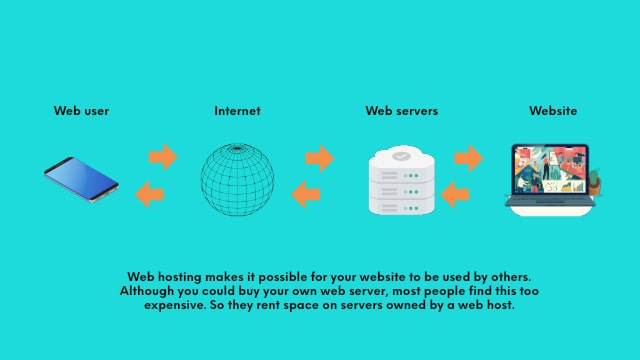
Web hosting comes in different types. Shared hosting is the most common. It is affordable but shares resources with others. VPS hosting gives more control and power. It is a step up from shared hosting. Dedicated hosting offers a whole server to yourself. It is more expensive but offers great power. Cloud hosting is scalable and flexible. Good for growing websites. Managed hosting includes extra support. It is ideal for beginners. Each type suits different needs.
Choose a provider wisely. Check their uptime guarantee. This shows how reliable they are. Look for customer support options. They should be available 24/7. Compare prices and features. Some offer more at a better price. Read reviews from other users. This helps in finding trusted services. Consider scalability. Your site may grow, so choose a provider who can handle it. Security features are important too. Protect your site from threats.
Website Building Platforms
Content Management Systems (CMS) help create websites easily. They offer tools to build, manage, and update content. Popular CMS options include WordPress, Joomla, and Drupal. These systems provide templates and plugins. Templates help with site design. Plugins add extra features. CMS platforms are user-friendly. No coding skills needed.
DIY Website Builders are simple to use. Many people like Wix, Squarespace, and Weebly. These builders have drag-and-drop tools. This means you can click and move items. Easy for beginners. They offer customizable templates. You can change colors, fonts, and layout. No coding skills are needed. They are perfect for simple websites.
Credit: www.godaddy.com
Design And Development
A good website begins with a good design. Colors and fonts should match your brand. Keep the design simple and easy to use. Your website should look the same on phones and computers. Images should be clear and not too big. They make your site look nice. Navigation is important. People should find what they need quickly. Use buttons and links that stand out.
HTML and CSS are the main tools for website building. They help in creating the structure and style. JavaScript adds fun features and makes things move. An editor like VS Code makes coding easier. It highlights mistakes and gives suggestions. Version control tools like Git keep your work safe. They save different versions of your site. This helps if something goes wrong. You can go back to a previous version.
Security Measures
SSL Certificates keep your site safe. They protect data. Users feel secure when visiting your site. Google likes sites with SSL. It helps your site’s ranking. Most hosts offer free SSL. It is easy to set up. Always check if your host provides SSL. Without SSL, data can be stolen.
Backups save your site’s data. Regular backups are important. They protect against data loss. Sometimes things go wrong. Backup helps fix it fast. Many hosts offer automatic backups. You can set daily or weekly backups. Always keep a copy off-site. This ensures your data is safe. Never rely on just one backup.
Website Maintenance
Keeping a website fast is important. Performance monitoring helps find slow parts. Tools check your site’s speed. They report issues. Fixing these helps users stay happy. Fast sites rank better on search engines.
Slow sites lose visitors. They get bored waiting. Monitor regularly to catch problems early. Use alerts for quick action. This keeps your site running smooth. No one likes a slow website.
Updating content keeps a site fresh. New information attracts visitors. It shows your site is active. Change old details to stay current. Add new articles or photos. This keeps users coming back.
Fresh content helps search rankings. Search engines love new updates. They will show your site more often. Regular updates build trust with your audience. People like new things to read or see. Keep them interested with regular changes.
Seo Optimization
Setting up a website requires a domain name, web hosting service, and a content management system. Choose a reliable hosting provider for seamless website performance. Ensure your domain name reflects your brand and is easy to remember.
Keyword Research
Keywords are like magic words for your website. They help people find you online. Start by thinking about what words people use to search for your site. Use tools like Google Keyword Planner. These tools show how often words are searched. Pick words that match your content. Also, check what words your competitors use. This helps you stay ahead in the game. Use keywords naturally in your content. Don’t stuff them everywhere. Remember, the right keywords bring the right visitors. This is the key to being found online.
On-page Seo Techniques
On-page SEO helps your site look good to search engines. First, use keywords in your titles. This tells search engines what your page is about. Next, add keywords to your headings. Break your text into small parts. Use short paragraphs and lists. It makes reading easier. Also, add images with alt text. This helps search engines understand images. Finally, write a good meta description. It tells what your page is about in a few words. These steps help your site get noticed by more people.
Credit: backlinko.com
Frequently Asked Questions
What Is Required To Host A Website?
To host a website, you need a domain name, web hosting service, and website files. Choose a reliable hosting provider. Ensure your website is secure with SSL certificates. Regularly update and maintain your site for optimal performance.
What Does It Take To Host A Website?
Hosting a website requires a domain name, web hosting service, and website files. Choose a reliable hosting provider. Set up your server, upload your files, and configure your domain settings. Ensure your website is secure and optimized for speed. Regularly update and maintain your site for optimal performance.
What Are The Three Things Needed To Host A Webpage?
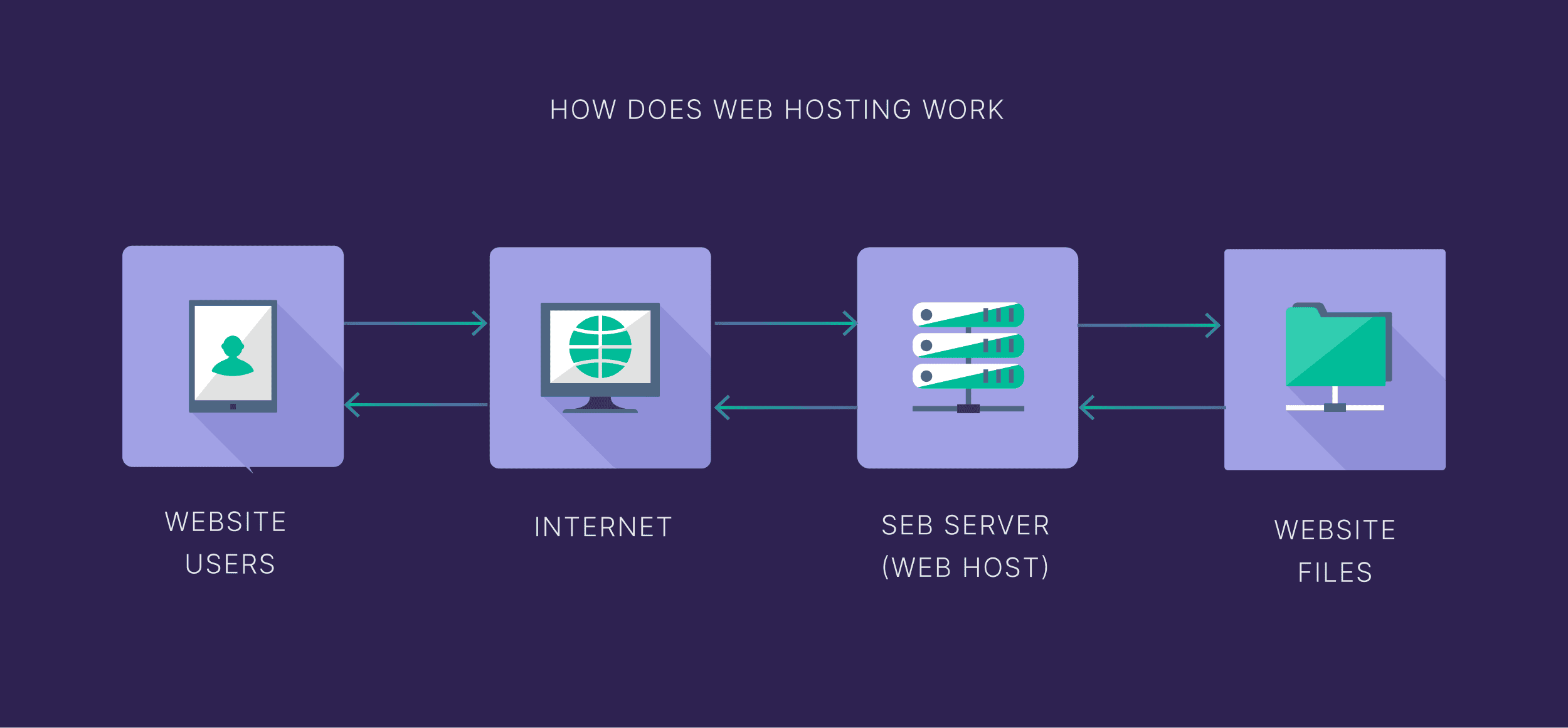
To host a webpage, you need a domain name, a web hosting service, and website files. The domain name is your site’s address. The hosting service stores your website data. Website files contain your site’s content and design.
Can I Host My Website By Myself?
Yes, you can host your website by yourself. You need a computer server, stable internet, and technical knowledge. Self-hosting offers control but requires maintenance and security management. Consider professional hosting for less hassle and support.
Conclusion
Hosting a website requires some basic essentials. Choose a reliable hosting provider for smooth operation. Domain name registration is crucial for your site identity. Ensure your site has a user-friendly design for better visitor experience. Don’t forget SSL certificates for site security.
Regular backups protect your data from unexpected loss. Keep software updated for optimal performance. Consider customer support for quick problem resolution. With these elements, your website can run efficiently and securely. Ready to start your online journey? Ensure these aspects are covered for successful web hosting.


