
Ever opened your WordPress dashboard and noticed a notification for an “update”? Maybe you’ve wondered what it means and why it keeps popping up.
You’re not alone. Understanding updates in WordPress is crucial for keeping your site running smoothly, securely, and efficiently. But what exactly does “update” mean in this context? And how does it affect you and your website? Imagine this: Your website is like a car.
To keep it performing at its best, you need regular maintenance, such as oil changes and tire rotations. Similarly, WordPress updates are essential for your site’s optimal performance and security. They can prevent potential threats, improve functionality, and even provide new features that can enhance your site’s appeal. If you’re curious about how updates can impact your website’s success and want to ensure you’re making the most of them, you’ve landed in the right place. This article will demystify WordPress updates, explaining their significance and how you can handle them like a pro. Stay with us, and you’ll feel more in control of your WordPress site than ever before.
Importance Of Updates
WordPress updates are crucial for website health. These updates fix security vulnerabilities. They ensure your site is safe from hackers. Updates also improve performance. They make your site faster and more efficient. New features often come with updates. They keep your website fresh and user-friendly.
Ignoring updates can cause problems. Your site might become slow or buggy. Old plugins may stop working. This affects your site’s functionality. Regular updates help avoid these issues. They keep everything running smoothly. Always check for updates. Install them to maintain your site’s health.
Types Of Updates
WordPress often gets new features. These are called core updates. They help keep your site safe and fast. Bugs are fixed in these updates. Developers add new tools too. Always update core files. It keeps your site running well.
Themes make your site look nice. Theme updates fix design issues. They might add new styles or layouts. Updating themes can improve your site’s look. It also keeps your site secure. New theme versions remove old problems.
Plugins give your site extra powers. Plugin updates can add features. They fix errors and improve performance. Keeping plugins updated is important. It helps your site stay safe and work well. New updates often fix security issues.
How To Update WordPress
Automatic updates make life easy. WordPress can update by itself. This happens when a new version is safe. No need to press any buttons. Your site stays secure and fast.
Some plugins can help. They check for updates all the time. They also install them for you. This way, your site is always up-to-date.
Manual updates need some work. First, you must login to your dashboard. Then, look for the update button. Click it to start the process.
Backup your data before you begin. This keeps your info safe. Sometimes, you may need to update plugins or themes too. Doing this helps your site run well.

Credit: wplift.com
Preparing For Updates
Backups are important. They save your site from loss. Before updates, always create a backup. This keeps your data safe. Use plugins for easy backups. Some plugins are free. Others may cost money. Choose one that fits your needs. Check your backup files. Make sure they are complete. Store them safely. You can use cloud storage. Or you can use an external drive. Both are good choices. This ensures your site is secure. You can restore it if something goes wrong.
Testing is key. Staging environments help you test safely. They are like mirrors of your site. Changes don’t affect your live site. So, you can test updates here. It helps find problems early. Use staging plugins. Some hosting services offer staging. Check for errors after updates. Fix them before going live. This saves your users from issues. It keeps your site running smoothly. Always test before updating live.
Common Update Issues
Updates can sometimes cause compatibility problems. Some plugins might not work well with the new version. Themes could look different or break. This happens because updates change the way WordPress works. Old plugins or themes might not be ready for these changes. Developers need time to fix these issues. Always check if plugins are compatible before updating. This helps avoid problems. It’s a good idea to read reviews and see if others faced issues. Backing up your site is also smart. This keeps your site safe.
Updates might fail to install. Sometimes, the internet connection is weak. Other times, the server is too busy. These can stop updates from finishing. Update failures can make the site act strangely. Websites might not show up right. Admins might lose access to the dashboard. Restart the update process if it fails. Ensure a stable internet connection. It’s wise to contact support if the problem continues. They can help fix the issue.
Benefits Of Regular Updates
Regular updates make your website safer. Hackers find new ways to attack. Updates fix these problems. Keeping your site updated protects it. Safety is very important for all websites.
Updates make WordPress faster. A fast site makes visitors happy. It also helps your site rank better on search engines. Better speed means better user experience.
Updates bring exciting new features. These features make your site better. You can do more things with new tools. New features often make your site look modern and fresh.
Best Practices For Updating
Updates help keep your WordPress site safe. Set a regular schedule for updates. This keeps your site running smoothly. Consider checking for updates weekly or monthly. Consistent scheduling helps avoid missed updates. Regular updates fix bugs and improve security. They also add new features to your site. Use tools or plugins to help with scheduling. Some plugins automate updates. This saves time and effort. Always backup your site before updates. This protects your data from loss.
Child themes are important for safe updates. They let you customize your site without losing changes. A child theme uses the code of a parent theme. This keeps your custom changes safe during updates. First, create a child theme folder. Then, add a style.css file. This is where your customizations go. You can also add a functions.php file. Use this to change or add features. Child themes make site updates easier and safer.

Credit: www.liquidweb.com
Update Notifications
WordPress often sends update notifications for plugins and themes. These alerts help keep your site safe. Updates fix bugs and improve features. When you see a red circle, it means something needs updating. The number inside tells how many updates are needed. Updating keeps your site running smoothly. It also protects against hackers. Always check your site for these alerts. You can find them in the dashboard.
Clicking the update button is easy. It takes only a few seconds. But it makes a big difference. Your site will work better and faster. Remember, updates are important. They keep your site fresh and secure. So, never ignore these notifications. It’s just like keeping a plant watered. It needs regular care to stay alive.
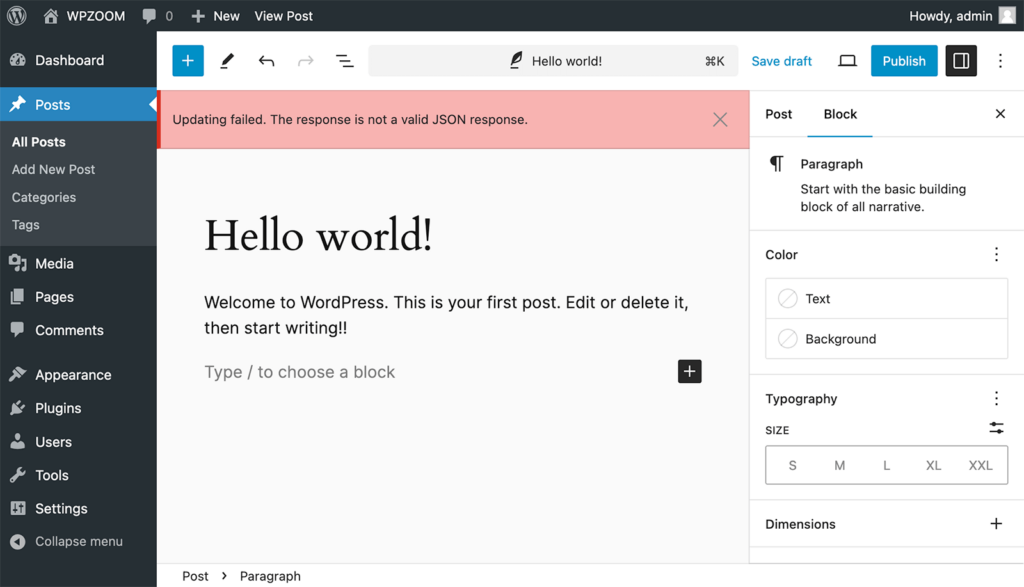
Credit: www.wpzoom.com
Frequently Asked Questions
What Does Update Mean In WordPress?
An update in WordPress refers to enhancements or fixes applied to the software. These updates can include security patches, new features, or performance improvements. Keeping WordPress updated ensures optimal functionality and security. Regular updates help protect your site from vulnerabilities and improve user experience.
How Do I Update WordPress Plugins?
Updating WordPress plugins is simple and essential for security. Go to your WordPress dashboard, navigate to the Plugins section, and check for updates. Click ‘Update Now’ next to each plugin that needs updating. Regular updates ensure compatibility and security, keeping your site running smoothly.
Why Should I Update My WordPress Theme?
Updating your WordPress theme is crucial for security and functionality. Updates often include bug fixes, new features, and security enhancements. Regular updates help maintain compatibility with WordPress core updates. They ensure your site remains secure and performs optimally for users.
Can Updates Break My WordPress Site?
Updates can occasionally cause issues if plugins or themes aren’t compatible. It’s vital to backup your site before updating. Check plugin and theme compatibility with the new version. Regularly updating reduces risks and ensures your site remains secure and functional.
Conclusion
Updating WordPress is vital for a secure website. Regular updates protect against threats. They fix bugs and improve functionality. Updates also introduce new features. They ensure your site runs smoothly. Back up your site before updating. This prevents data loss.
Updates maintain compatibility with plugins and themes. They enhance user experience. Staying updated shows professionalism. It builds trust with visitors. Ensure your WordPress site stays current. Keep your website safe, efficient, and engaging. Always prioritize updates. They are key to a successful online presence.


