
Ever stumbled upon the term “boxed layout” while tinkering with your WordPress site and wondered what it actually does? You’re not alone.
Choosing between a boxed and full-width layout can be a bit of a head-scratcher if you’re not familiar with their impact on your website’s appearance and functionality. But don’t worry, you’re about to discover how selecting a boxed layout can transform the way your website looks and feels.
This choice isn’t just about aesthetics; it’s about creating an engaging experience for your visitors. So, if you want to know how this layout decision can influence your website’s appeal and potentially boost your user engagement, keep reading. You might just find the key to unlocking a more captivating online presence.
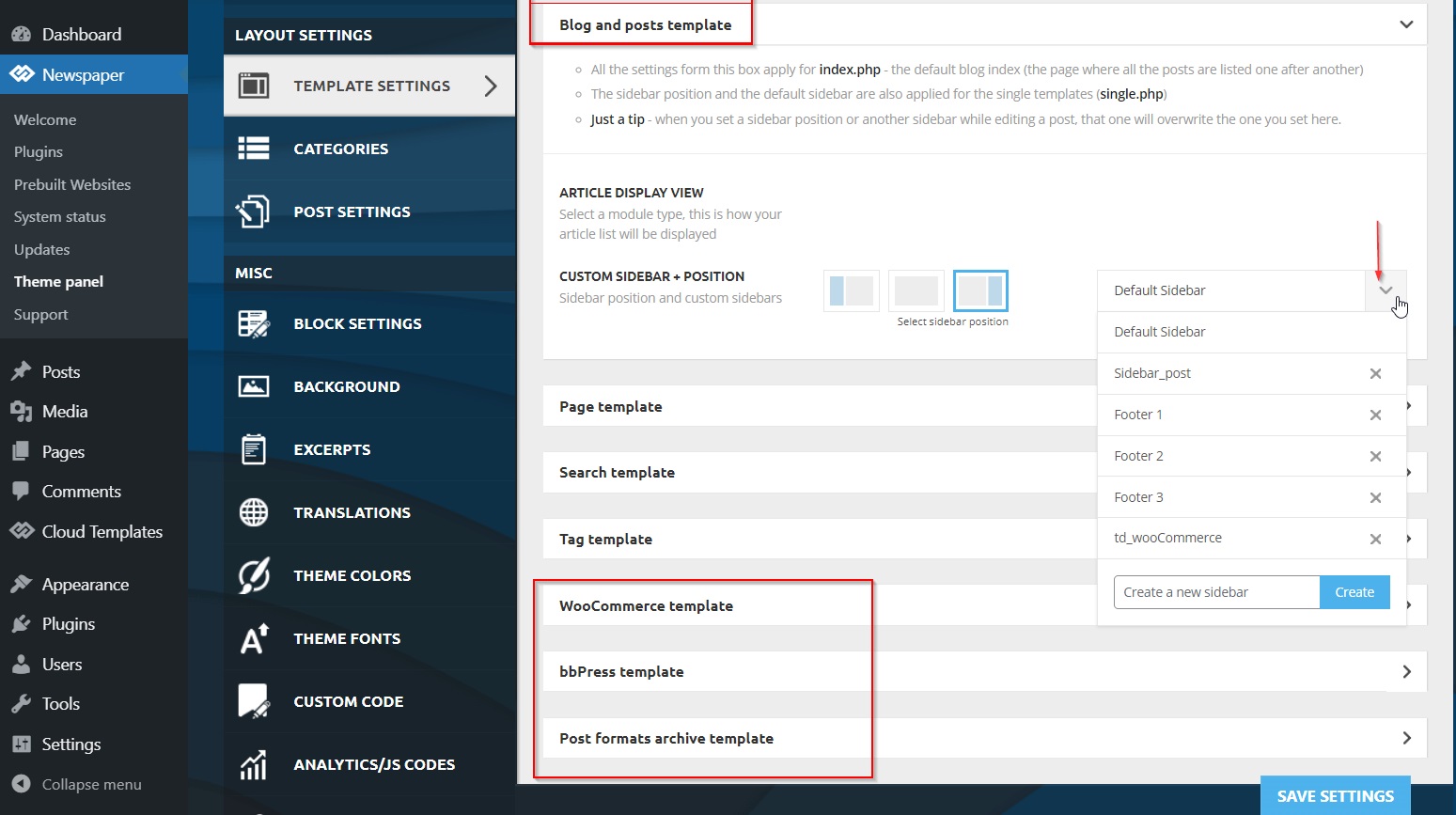
Credit: forum.tagdiv.com
Boxed Layout Explained
The boxed layout in WordPress gives a unique look to your website. Your content appears inside a box. This box has a defined width. The background shows around this box. It makes the site look tidy. This layout is helpful for sites with large screens. It controls the space. Many themes support this layout.
Users can choose a background color or image. This personalizes the site. The boxed layout enhances readability. It keeps focus on the content. People feel organized when browsing sites like this. It’s a popular choice among bloggers. Easy to set up. Ideal for those who want a clean look.
Credit: nicepage.com
Benefits Of Boxed Layout
Boxed layouts create a clear boundary for the content. This helps readers focus better on the information. It reduces distractions from the sides. The boxed format makes the main content stand out. Kids find it easier to read. It feels like a special space just for the text.
Text is neater in boxed layouts. Words stay in their own area. This helps in smooth reading. Lines don’t stretch too far. Eyes don’t get tired quickly. It keeps the text organized. Readers find it less tiring to follow along. The compact look enhances clarity.
Customization Options
Selecting a boxed layout in WordPress gives many options. You can change the background to make your site look nice. Some choose a solid color for a clean look. Others pick a pattern or image for more style. Textures can add a special touch. These choices help your website stand out. It makes your site feel unique and personal.
Padding and margins in a boxed layout are important. Padding is the space inside the box. It keeps the content from touching the edges. Margins are the space outside the box. This space separates the box from other elements. Both help in organizing the page. They make the content easy to read. Adjusting these settings can change the whole look of your site. It’s a simple yet powerful tool.
Credit: nicepage.com
Impact On User Experience
The boxed layout in WordPress creates a neat look. It makes the content appear within a box. This design can feel more organized. Some users find it easier to focus. The empty space around the box can help the eyes rest. It adds a touch of elegance to your site. This look can suit many types of websites. For example, personal blogs and portfolios.
A boxed layout can make navigation simpler. Menus and links are within the box. This can help users find what they want fast. With everything in one place, users won’t feel lost. It keeps their attention on your content. This layout works well for beginners. It’s easy to understand and use.
Comparing Boxed And Full-width Layouts
Boxed layouts have a border around the content. Full-width layouts stretch the content across the page. Boxed designs make content feel more contained. They can add focus to the main content. Full-width layouts offer more space for images and text. They can make a site feel more open and modern. Boxed layouts are great for sites with lots of text. They help prevent clutter. Full-width designs are ideal for image-heavy sites. They provide a grand look.
Boxed layouts can improve page speed. They limit how much content loads on the screen. Full-width layouts might load more slowly. They show more images and text. Boxed designs can reduce server load. Less data is processed at once. Full-width layouts might require more resources. They handle larger images and content. Boxed layouts can be less demanding on older devices. Full-width layouts may require newer devices for smooth viewing.
Steps To Activate Boxed Layout
Open your browser. Type your website URL. Add /wp-admin at the end. Press Enter. The login page appears. Enter your username and password. Click the Log In button. You are now in the WordPress Dashboard.
Find the Appearance option. Click it. A menu will show. Select Customize. This opens the Customization screen. On the left, see various options. Find Layout settings. Choose the Boxed Layout. Preview your changes. Click Publish to save. Your site now uses the boxed layout.
Common Mistakes To Avoid
Choosing the boxed layout in WordPress can change your site’s appearance. Many assume it affects only design, forgetting it might impact mobile responsiveness. Be cautious, as it can influence user experience and accessibility. Always preview changes to ensure your site remains user-friendly and visually appealing.
Inconsistent Design Elements
Mixing different design elements can confuse users. It’s essential to maintain a consistent style across your site. Avoid using various fonts, colors, or button styles. Use the same header size for all pages. Keep margins and padding uniform. This helps in creating a clean look. Users feel more comfortable navigating a site that looks well-organized.
Ignoring Mobile Responsiveness
Many users access websites on their phones. Sites must be mobile-friendly. If a site doesn’t adapt to screen size, users leave quickly. Make sure images and text fit well on mobile screens. Test navigation on various devices. Menu items should be easy to tap. Ensure buttons are large enough. A site that works well on mobile keeps users happy and engaged.
Frequently Asked Questions
What Is A Boxed Layout In WordPress?
A boxed layout in WordPress creates a distinct container for your content. This layout adds padding around the main content area. It provides a framed look with a visible boundary. The background is separate from the content, allowing for customized design elements outside the box.
How Does Boxed Layout Affect Website Design?
A boxed layout can enhance website aesthetics by adding structure. It allows for creative background designs outside the content area. This layout can improve focus on the main content. It also provides a clean, organized look for various website types.
Can I Switch To Boxed Layout Easily?
Yes, you can switch to a boxed layout easily in WordPress. Most themes offer this option in their settings. Go to the theme customizer or layout options. Select the boxed layout option and apply changes.
Does Boxed Layout Impact Website Performance?
Boxed layout generally does not impact website performance. It primarily affects the visual presentation. However, ensure images and elements within the layout are optimized. This helps maintain fast loading times and a smooth user experience.
Conclusion
Selecting the boxed layout in WordPress changes your site’s appearance. It adds a border around the content, creating a compact look. This design makes your site feel organized and tidy. Users might find it easier to focus on the main content.
It gives a professional touch without overwhelming visitors. Consider your site’s purpose and audience before choosing. Boxed layout is just one option among many. Explore and find what fits your site’s style best. Making informed choices enhances user experience. Your site should reflect your brand effectively.
Keep experimenting for the best results.


