
Have you ever found yourself puzzled by the term “post format” while navigating through WordPress? You’re not alone.
Understanding post formats can feel a bit like deciphering a secret code, but it’s crucial if you want to take your WordPress blog to the next level. Imagine being able to instantly transform the way your content appears to your audience, making your blog not just another webpage, but an engaging, dynamic experience.
What if you could choose how each piece of your content is presented, grabbing your readers’ attention from the first glance? By mastering post formats, you can enhance your blog’s visual appeal and keep your readers coming back for more. Dive into this article, and you’ll discover how to harness the power of WordPress post formats to captivate your audience and make your blog stand out in a crowded online world.
Post Formats Overview
WordPress has different post formats. These formats help to style posts. Each format shows content differently. For example, a quote format shows quotes nicely. A video format makes videos look great. Formats are easy to change.
Choosing the right format is important. It makes your post look better. A gallery format is best for photos. It arranges images in a grid. An audio format is best for music. It has a player for songs. Users can see content as intended.
Formats are found in WordPress settings. You can choose a format for each post. This is simple to do. Formats help keep posts interesting. They add variety to content. This makes reading fun. Formats are useful for bloggers. They improve content presentation.

Credit: www.wpbeginner.com
Types Of Post Formats
The standard format is the default post type. It is simple and clean. You can add text, images, and links. Most bloggers use this format. It is the most popular choice.
Aside format is short and sweet. It is like a note. It does not have a title. It is great for quick updates.
Gallery format lets you show many photos. It creates a slideshow. You can display your artwork or family photos. It is fun and visual.
Link format is used for sharing links. It highlights the link. You can share your favorite websites. It is easy and fast.
Image format is for a single photo. It shows one picture. Perfect for photographers. The focus is on the image.
Quote format is for quotes. You can share words from famous people. It makes the quote stand out. Inspiring and thoughtful.
Status format is like a tweet. It is short and quick. You can share what you are doing. It keeps followers updated.
Video format is for videos. You can share movies or clips. It plays right on your site. Great for vlogs or tutorials.
Audio format lets you share sound. You can add music or podcasts. Listeners can enjoy audio directly. Perfect for musicians.
Chat format looks like a chat box. It shows conversations. Great for interviews or stories. It feels personal and interactive.
Benefits Of Using Post Formats
Post formats help organize your content better. Different formats make your blog look neat. They give each post a unique style. This makes reading fun for your visitors. They can quickly find what they like.
Using post formats can keep users on your site. People love variety and creativity. Different formats can grab their attention. They will want to explore more. This can make them stay longer on your site.
Many themes support post formats. They are easy to set up. You don’t need to be a tech expert. Just select the format you want. Your post will look great in seconds. This saves you time and effort.
Implementing Post Formats
Post formats in WordPress organize content types, enhancing blog functionality. Users can easily manage various media, like images or videos. This feature helps in delivering a tailored presentation, optimizing the user experience.
Activating Post Formats
Start by accessing your WordPress dashboard. Go to the Appearance tab. Click on Themes and choose Customize. In the customization menu, find Post Formats. Check the formats you want. Save your changes. This activates different formats for your posts. Each format offers a unique style. Now, you can use these styles for your blog. It’s easy and quick to set up.
Choosing The Right Format
Decide the type of content you have. If it’s text-heavy, use the Standard format. For images, choose the Image format. Sharing a video? Pick the Video format. Each format has a purpose. It helps in presenting content better. Your choice affects how readers see your post. Choose wisely for the best impact. Different formats suit different needs.
Customizing Post Formats
Post formats change how content looks. Themes need to support formats. Not all themes do this. WordPress has many format types. Some themes use all types. Others use only a few. Popular formats include gallery, video, and quote. Each format changes the post style. The style depends on theme support.
Styling makes posts look unique. CSS helps with styling. CSS changes colors, fonts, and layouts. Each format can have different CSS rules. These rules make posts stand out. Good styling improves user experience. Posts look better and are easier to read.

Credit: wordpress.com
Common Issues And Solutions
Understanding post formats in WordPress can be confusing. Post formats define the layout style for different types of content like links, quotes, or images. Selecting the correct format enhances the visual appeal and ensures proper display on your site.
Compatibility Problems
Post formats can cause compatibility problems with some themes. Themes may not support all post formats. This can lead to issues in displaying content correctly. Using a theme that supports your desired post format is important. To check compatibility, look at the theme’s documentation. This will show supported formats. If the theme is incompatible, content may appear broken or missing. It’s crucial to test themes before using them. Testing helps ensure your posts look as intended.
Display Errors
Display errors often occur when post formats are not supported. Content may not load correctly on the page. This can confuse visitors. Always ensure your theme supports the formats you use. Check the settings within WordPress. Adjusting settings can solve some display errors. If errors persist, consider changing the theme. A well-supported theme reduces display issues. Regular updates can also help. Keep your WordPress and theme updated for best results.
Future Of Post Formats
Post formats are important in WordPress. They help to make blogs interesting. You can use them to add videos, photos, or quotes. This makes reading fun.
Readers like different styles. They keep the blog fresh. WordPress supports these formats well. It is easy to use and learn. Many people use it for this reason.
Developers are making new formats. They want to give users more choices. This can make blogs look even better. The future looks bright for post formats. It is exciting to see what comes next.
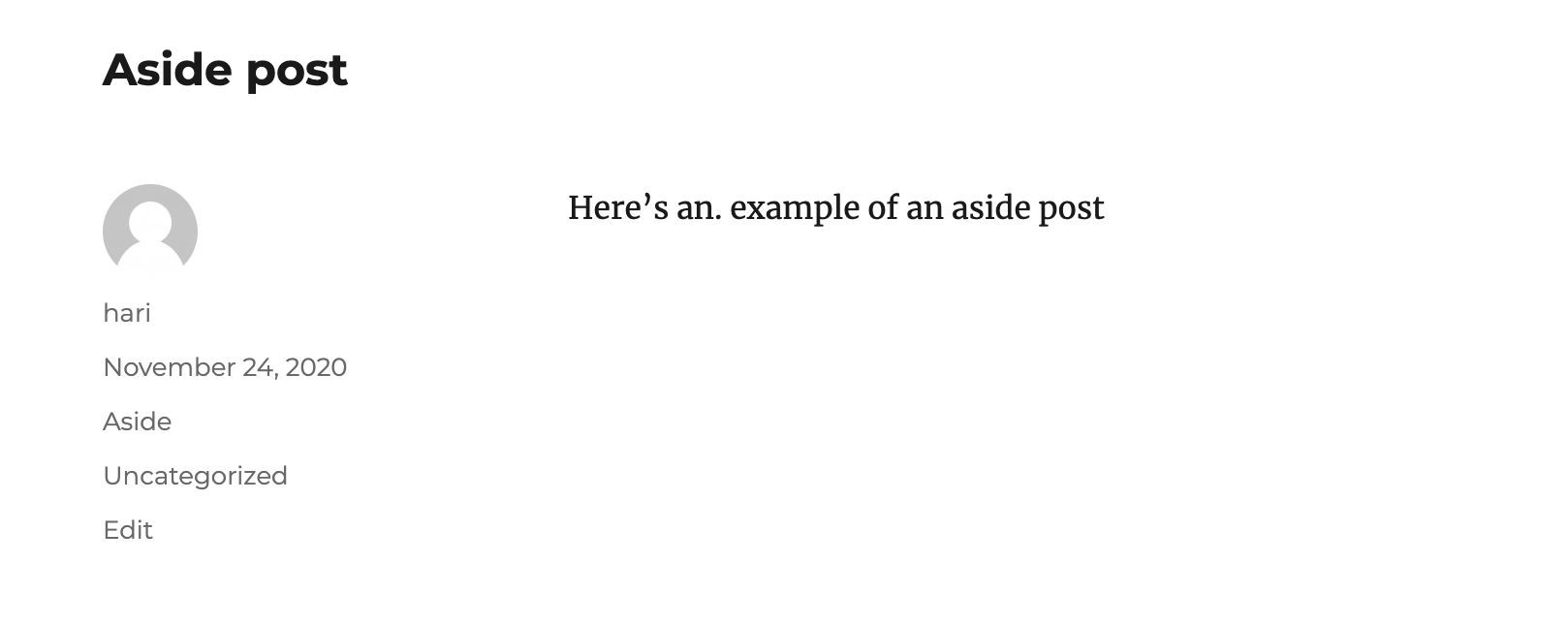
Credit: learn.wordpress.org
Frequently Asked Questions
What Is A Post Format In WordPress?
A post format in WordPress is a feature that allows users to customize the presentation of their posts. It enhances the visual appeal and categorization of content. Common formats include standard, gallery, image, video, and audio. This feature aids in better content organization and user engagement on the site.
How Do I Use Post Formats?
To use post formats, go to your WordPress dashboard and create a new post. In the post editor, locate the “Format” box on the right side. Choose the desired format from the list. Each theme may support different formats, so check your theme’s documentation for specifics.
Why Are Post Formats Important?
Post formats are important because they enhance content presentation and improve user experience. They allow for varied layouts and styles, making posts more engaging. This flexibility helps in better content organization, attracting readers, and keeping them on your site longer.
Effective use of post formats can boost SEO performance.
Can I Customize Post Formats?
Yes, you can customize post formats to match your website’s design and branding. Customization depends on your theme’s capabilities. Use custom CSS or a child theme for advanced modifications. Always back up your site before making changes to avoid data loss or conflicts.
Conclusion
Post formats in WordPress help tailor your blog’s look. They offer different styles for different types of content. Readers enjoy a more engaging experience. Blogs can have a unique touch with minimal effort. The right format can enhance your content’s appeal.
Experiment with formats to find what suits your style best. They make your blog more organized and attractive. Start using them to elevate your blogging game. Your audience will appreciate the variety. Enjoy exploring the creative possibilities!


