
Imagine you’re customizing your WordPress site, eager to make it look perfect. Suddenly, you stumble across the term “inherit” and wonder, what does this even mean?
You’re not alone. Many WordPress users find themselves puzzled by this seemingly simple word. Yet, understanding it could be the key to unlocking your site’s full potential. We’re going to demystify what “inherit” means in the world of WordPress. You’ll discover how this term impacts your site’s layout, design, and functionality.
By the end, you’ll not only grasp its significance but also leverage it to enhance your site’s performance. Stay with us, because this simple concept might just transform the way you manage your WordPress site.
Inherit Feature In WordPress
The inherit feature in WordPress is a setting. It allows themes and plugins to use default styles or settings. This is helpful when a child theme is used. The parent theme’s styles are passed down. It keeps the design consistent. No extra settings are needed.
Sometimes, plugins offer an inherit option. This can be seen in customization settings. Choosing inherit means using parent settings. It keeps things simple and neat. Users don’t have to worry about mismatched designs. Everything looks good together.
The inherit feature is useful for beginners. It makes sure designs are not broken. Users can focus on creating content. They don’t have to worry about design issues. This feature saves time and effort.
Role In Theme Customization
In WordPress, inherit plays a special role. It helps with theme customization. Themes have many settings. Sometimes, they use inherit to keep things simple. This means using default settings from the parent theme. It saves time and effort. You don’t need to set everything again.
Inherit ensures consistency. The website looks the same across different pages. It’s useful for beginners and experts alike. You don’t worry about mismatched styles. Changes in the parent theme automatically reflect in child themes. This keeps your website neat and uniform.
Many themes offer options to customize without affecting inheritance. You can change specific parts. But, the overall style stays consistent. This balance is key. It allows flexibility while maintaining harmony in your design.
Impact On Page Templates
Inheritance in WordPress helps with page templates. It lets pages share the same layout. You don’t need to change each page. This saves time. Choose one template, and other pages follow it. Easy, right? Pages look the same. Consistency matters. Visitors find it neat and clear.
Templates control page style. Heading, footer, and colors stay the same. Changes affect all pages using that template. This makes updates simple. One change updates all. No extra work needed. It keeps your site looking good.

Credit: stackoverflow.com
Inherit In Widget Settings
Widgets in WordPress have many options. One of them is inherit. It is a special setting. This setting lets you use styles from the parent theme. If a widget uses inherit, it looks like the parent theme. It keeps the same design. No changes needed. Easy way to match styles.
Using inherit can save time. You don’t need to change every widget. Just set it to inherit. It follows the main theme’s design. This makes your site look better. Everything matches well. It is a simple trick for beginners. Helps in keeping a consistent look.
Seo Implications
Understanding inherit in WordPress is important for SEO. It affects how styles are applied to pages. Styles can change how content looks. This can impact user experience. Good user experience can improve SEO rankings. Search engines notice how users interact with a site. If users stay longer, SEO can improve.
Content that inherits styles often looks neat and organized. This makes it easier to read. When content is easy to read, users are happy. Happy users mean better SEO. It is important for web designers to understand this.
Sometimes, inherited styles might not be good. They can make text hard to read. This is bad for SEO. It’s crucial to check how styles affect content. Always aim for clear and readable text. This helps improve SEO and user satisfaction.
Practical Examples
Understanding inherit in WordPress can be tricky. Imagine a page using a custom template. This template might have default settings. If a page doesn’t set its own style, it will inherit these default settings. This means it borrows the style from the template. So, the page looks the same as the template design.
A widget can also inherit settings. Suppose you have a sidebar widget. It uses the color settings of the main theme. If you change the theme color, the widget color changes too. It doesn’t need new settings. It inherits the theme settings. This makes design changes easier and faster.
Common Misunderstandings
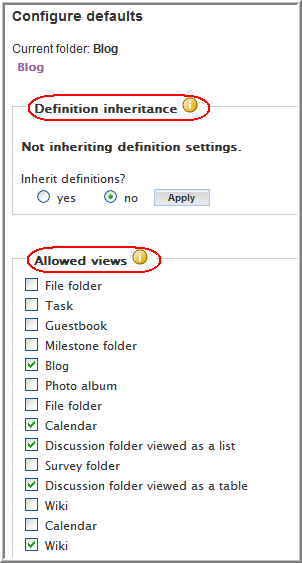
Many people think “inherit” changes everything. It does not. In WordPress, “inherit” means getting traits from a parent theme. Your child theme inherits styles and functions. It is like a kid getting features from parents. This does not mean all settings are copied. Sometimes, only specific parts are inherited. For example, colors or fonts.
Some users get confused. They expect all changes to happen. But, it requires manual setup. Inheritance is not automatic magic. Knowing this helps in designing websites. It ensures you don’t expect the wrong results.
Credit: www.novell.com
Tips For Effective Use
WordPress themes often use the term “inherit.” It means taking settings from a parent theme. This saves time and keeps things looking the same. Themes have many settings like colors and fonts. When you select “inherit,” it copies these settings.
Not all themes support inherit features. Check your theme’s documentation. Look for options that mention inherit. This helps in making your site design easy.
Keeping a consistent look is important. Inherit helps with this. It makes sure pages match each other. This is good for user experience. It makes the site feel like one piece.

Credit: make.wordpress.org
Frequently Asked Questions
What Does “inherit” Mean In WordPress Settings?
In WordPress, “inherit” means that a setting or attribute adopts values from its parent element. This ensures consistency and uniformity across your site. If a child theme or page inherits properties, it will use the same styles or settings as its parent, unless specifically overridden.
How Does “inherit” Affect WordPress Themes?
When a WordPress theme uses “inherit,” it adopts styles from its parent theme. This allows for consistent design and functionality across your site. Changes made to the parent theme will automatically apply to the child theme, maintaining uniformity unless the child theme has specific customizations.
Can Widgets Inherit Settings In WordPress?
Yes, widgets can inherit settings from their parent themes or pages. This means that any styles or configurations applied at a higher level will automatically apply to these widgets. It ensures a consistent appearance and functionality throughout your WordPress site, simplifying design management.
Does “inherit” Impact WordPress Plugin Settings?
“Inherit” can impact plugin settings if they are designed to adopt parent settings. This can streamline configuration and ensure consistency across your website. However, some plugins may require specific settings, so always check plugin documentation for compatibility with inherited settings.
Conclusion
Understanding “inherit” in WordPress simplifies your design tasks. It helps maintain consistency across your site. No need for repeated styles. Just one change updates all related elements. This saves time and effort. It also keeps your website looking professional. Knowing how inheritance works empowers better design decisions.
You can create a cohesive look without much hassle. Remember, simplicity often enhances user experience. So, use inheritance wisely. Your WordPress site will benefit greatly. A little knowledge goes a long way in effective web design.


