
Have you ever felt overwhelmed trying to organize your WordPress website? You’re not alone.
Many website owners like you struggle with keeping their content structured and accessible. This is where understanding the concept of a “directory” in WordPress can make all the difference. Imagine a digital filing cabinet that helps you, and your visitors, find exactly what you’re looking for without the hassle.
In this blog post, we’re going to uncover what a directory means in WordPress and how it can transform your website into a well-organized powerhouse. Stay with us, because by the end, you’ll have the tools to make your site more efficient and user-friendly, making your digital presence shine like never before.
Credit: www.malcare.com
Directory Concept In WordPress
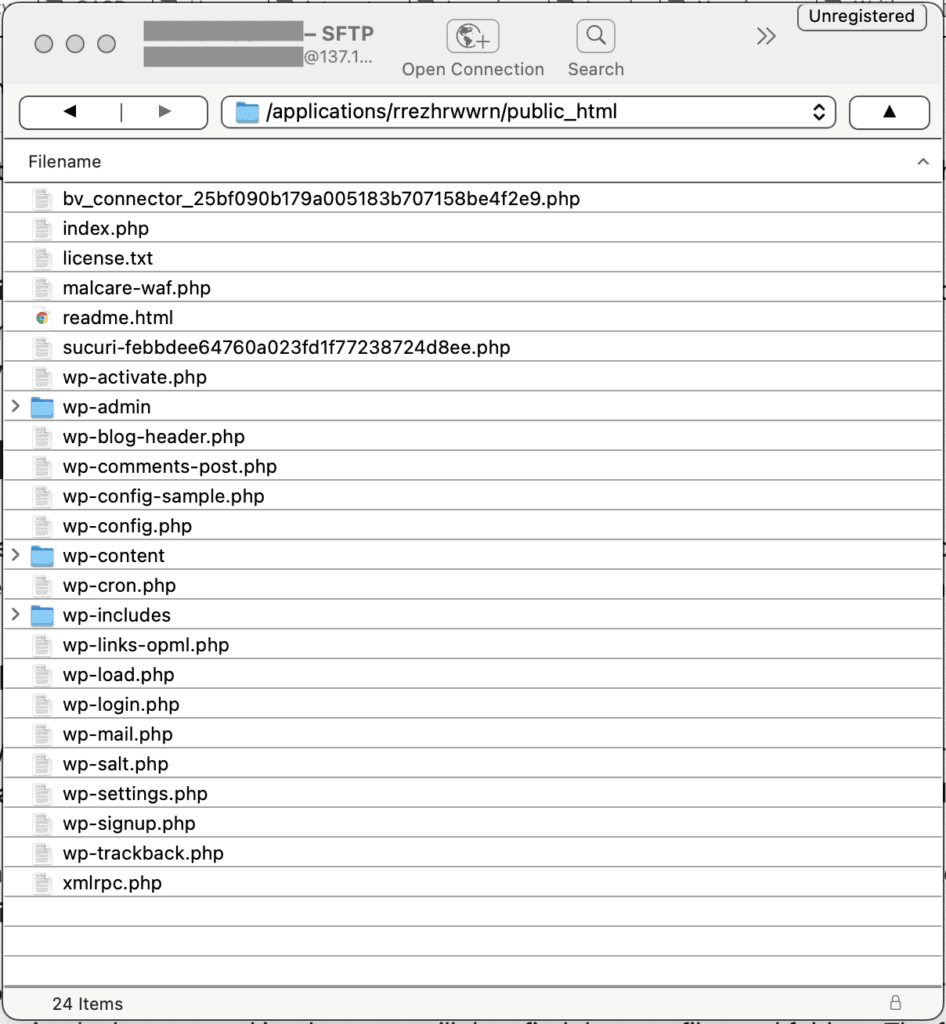
A directory in WordPress is like a folder. It holds files and data. These files help your website work well. Each directory has a special job. Some keep themes. Others hold plugins. WordPress has many important directories. They are easy to find.
One main directory is the wp-content folder. It stores your themes and plugins. Another is wp-admin. It helps you manage your site. There is also wp-includes. It has core files. These files are important. They make WordPress run smoothly.
Directories are safe. They keep data organized. This is important for a good website. Always be careful with directories. Do not delete important files. Your site needs them to work.
Types Of Directories
The Media Directory holds all images, videos, and files. These are used in posts and pages. Users upload media files here. This makes it easy to manage. You can see thumbnails of images. Clicking on them gives more details. Keep your media organized. Avoid cluttering the directory with unused files.
The Theme Directory stores all themes. Themes change the look of your site. Each theme has its own folder. This folder contains files like style.css. Installing a new theme adds a folder here. Users can switch themes anytime. This affects design and layout. Choose themes wisely. They impact user experience.
The Plugin Directory contains plugins that add features. Plugins can help with SEO, security, and more. Each plugin has its own folder. This folder contains all necessary files. Installing a plugin adds it to this directory. Plugins enhance site functionality. Always update them for best performance.
Role Of Directories In WordPress Structure
Directories in WordPress help keep files in order. They are like folders on a computer. Each directory has a special job. The wp-content directory holds themes and plugins. Themes change the look of your site. Plugins add new features. The wp-admin directory is for site management. It helps you control your site. There is also the wp-includes directory. This one has core files. These files are very important. They make WordPress work. Without them, WordPress would not run. Each directory works with the others. Together, they make WordPress strong and fast.
Custom Directory Creation
First, go to the WordPress dashboard. Then, find and click on Plugins. After that, select Add New. In the search bar, type directory plugin. Choose a plugin that suits your needs. Click Install, then Activate.
Next, go to the plugin settings. Create a new directory. Add details like name and description. Save your changes. Now, your custom directory is ready. You can see it on your site.
- Keep your directory simple and easy to use.
- Make sure to update your directory often.
- Use clear names and labels.
- Ensure mobile compatibility for better user experience.
- Regularly check for broken links.
Directory Management Tools
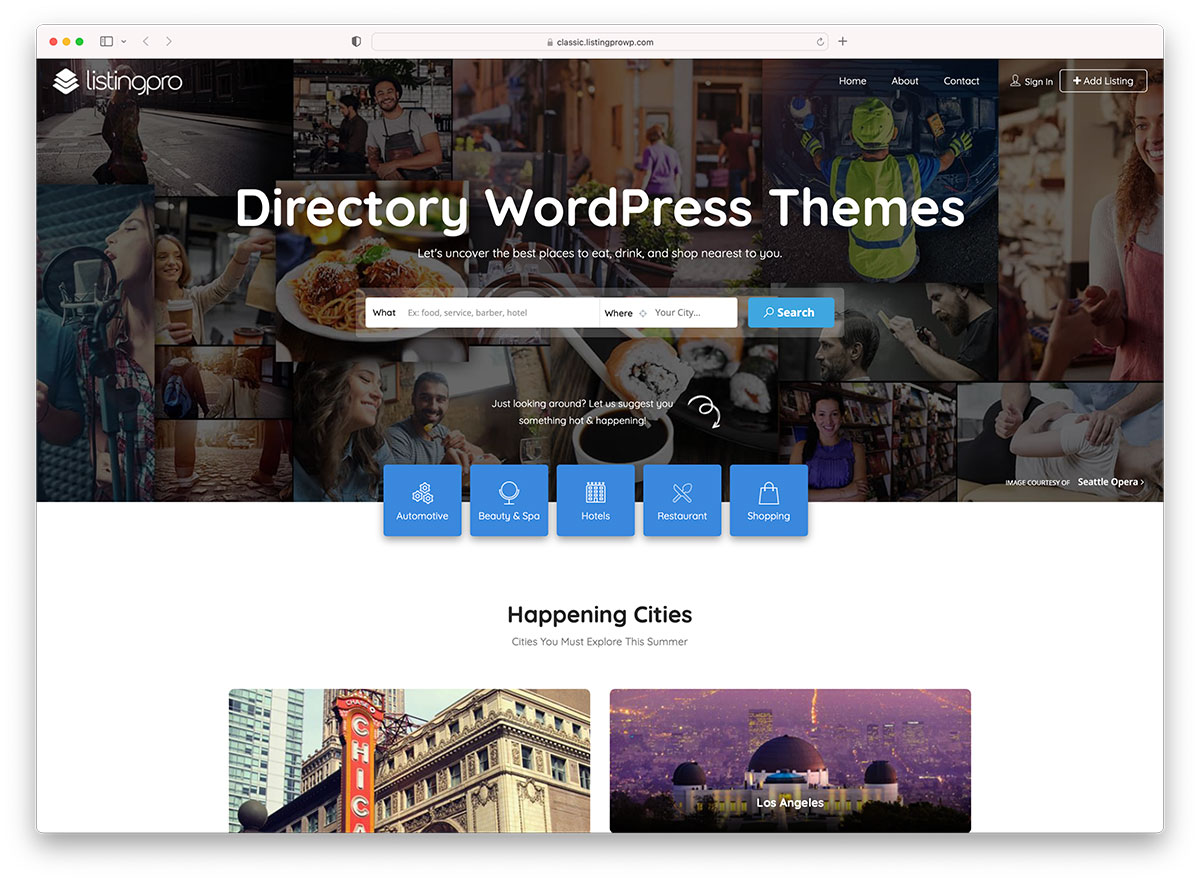
Directory management tools in WordPress help organize content. They keep the website neat. Plugins are popular directory tools. They add extra features to WordPress. Themes also play a role. They change how the site looks. Each tool has a purpose. Some tools help with user management. Others focus on content organization. Drag-and-drop builders are easy to use. They let you move things around with a mouse. SEO tools help make your site findable. They improve visibility on search engines. Security tools protect the site from threats. Backup tools save information in case of loss. These tools are important for every WordPress site. They make managing a directory simple and efficient.

Credit: themeforest.net
Common Directory Issues
Many users face permission problems with directories. Files may not open. This happens due to wrong settings. Each file has a permission code. This code tells who can use the file. If the code is wrong, it causes issues. Users cannot edit or view files. Fixing this needs correct settings. Check if the permission codes are right. Set codes carefully. This solves many problems.
Missing files cause trouble too. Files may disappear from directories. This confuses users. Many reasons cause missing files. Sometimes they are deleted by mistake. Other times, updates remove files. It’s important to back up data. Backup helps find lost files. Always check files after updates. This keeps your work safe. Missing files can be frustrating. Handle them with care.
Improving Directory Performance
WordPress directories organize and manage content efficiently. Enhancing their performance improves site speed and user experience. Efficient directories support better navigation and content discovery.
Optimization Techniques
Optimize your directory to work faster. Use images that are small in size. Compress large files before uploading them. This helps the website load quickly. Keep the number of plugins low. Too many plugins slow down the site. Choose a good hosting service. A fast host makes a big difference.
Regular Maintenance
Regular maintenance is key to a smooth website. Check for broken links often. Fix them right away. Update plugins and themes regularly. This keeps your site secure and fast. Back up your website data. Do it once a week. This way, you won’t lose important data. Clean up old files you don’t need. This frees up space. Your directory will run better.
Credit: colorlib.com
Frequently Asked Questions
What Is A Directory In WordPress?
In WordPress, a directory is a collection of files and folders. It helps organize and manage data within the website. Directories can include plugins, themes, and media files. They are essential for maintaining website structure and functionality. Proper directory management ensures smooth operation and easy access to resources.
How Do Directories Affect WordPress Performance?
Directories impact WordPress performance by organizing files efficiently. Properly structured directories enhance website speed and functionality. They reduce server load and improve resource accessibility. Efficient directory management can prevent errors and improve user experience. Regular maintenance of directories ensures optimal performance and smooth operation.
Can I Create Custom Directories In WordPress?
Yes, you can create custom directories in WordPress. Custom directories help organize specific files and data. They enhance site management and improve resource accessibility. Use file manager plugins or FTP to create directories. Properly structured custom directories can improve site functionality and user experience.
Why Are Directories Important For WordPress Security?
Directories are vital for WordPress security because they organize files efficiently. Proper management prevents unauthorized access and protects sensitive data. Secure directories help maintain website integrity and prevent breaches. Regular updates and backups enhance security. Strong directory structure is essential for safeguarding WordPress sites.
Conclusion
Understanding directories in WordPress enhances your site management. Directories organize your files efficiently. They keep your content structured and accessible. This structure simplifies website navigation for users. It also improves overall site performance. Knowing how directories work is essential. It helps in maintaining a clean and efficient website.
Easy navigation means happier visitors. Happier visitors often lead to higher engagement. So, explore WordPress directories today. Improve your site’s functionality and user experience. Your website deserves the best organization. Keep learning and applying new skills. Watch your website grow more user-friendly every day.


