
Imagine you’re managing your WordPress site, and suddenly, you see a notification urging you to update your database. Panic might set in as questions swirl through your mind.
What exactly does a WordPress database update do, and why is it necessary? Understanding this process is crucial to maintaining your website’s health and performance. By the end of this article, you’ll have a clear grasp of how these updates can enhance your site’s functionality and security, ensuring it runs smoothly without unexpected hiccups.
So, stick around, and let’s unravel the mystery behind WordPress database updates together.
WordPress Database Basics
WordPress relies on its database to store all site data. This includes posts, pages, and comments. It also keeps user information and settings. Without a database, a WordPress site cannot function. The database ensures all data is organized. It makes it easy to access and manage.
The database consists of tables. Each table has specific data. For example, one table stores posts. Another table stores user details. The tables are linked. This helps in retrieving data fast. Database updates improve these tables. They keep data safe and organized. Updates fix errors. They also add new features.
Purpose Of Database Updates
Database updates make your website faster. They optimize data storage. Old data structures get cleaned up. Speed improves with better organization. Visitors enjoy quicker load times. Faster sites keep users happy. Updates remove unnecessary data. This makes the site lighter and more efficient.
Updates protect your site. They fix security holes. Hackers find it hard to attack. New security features get added. Safety increases with every update. Your data stays safe from threats. Updates are like shields for your site. They guard against unwanted access.
Updates bring exciting new tools. They add fresh features to your site. Users get new ways to interact. Functions improve and expand. Updates make sites more fun. They offer new possibilities. Everyone loves new gadgets and tools. Updates make these happen.
Types Of Database Updates
WordPress core updates make your site better. They fix bugs and add new features. These updates keep your site secure. Without them, your site might have problems. Updating the core is very important. It helps your site run smoothly.
Plugins add extra tools to your site. Updates for plugins improve functionality. They fix errors and add new features. Plugin updates help keep the site safe. If plugins are not updated, they might not work well. Always update plugins for better performance.
Themes change how your site looks. Theme updates bring design changes. They can fix bugs in the theme. Updates make the theme work with new features. This keeps the site looking modern. Updating themes is important for a fresh look.
Credit: quadlayers.com
How Database Updates Work
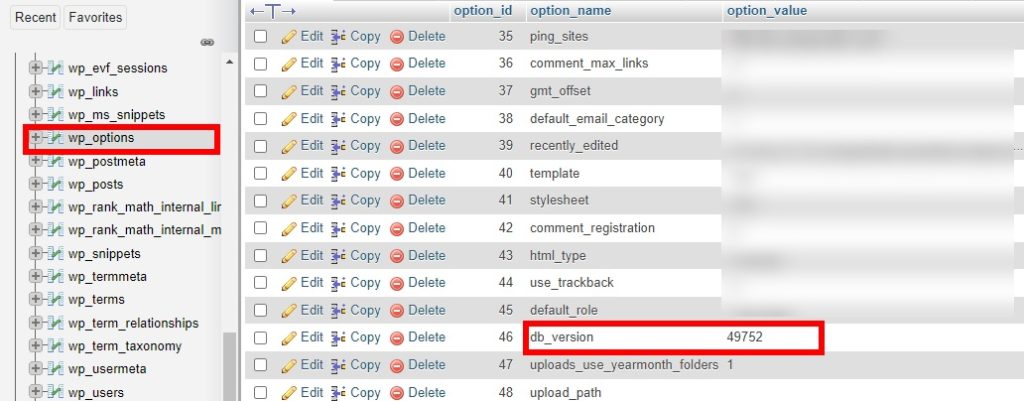
Version Control ensures consistency. It tracks changes and updates. A new version may fix bugs. It might also add new features. Each version has a number. This number helps identify updates. Version control keeps your database stable. It prevents unwanted changes.
SQL Queries and Scripts are commands. They tell the database what to do. Queries can fetch data. Scripts can update data. They can also delete or create data. Updates use these commands. They ensure the database runs smoothly. Proper SQL use is essential. It avoids errors and keeps data safe.
Impact On Site Functionality
A WordPress database update can greatly enhance user experience. Visitors find a site easier to use. Pages load faster. Information is easily accessible. Updates fix bugs that may irritate users. Smooth navigation keeps users happy. Users stay longer on sites. They explore more pages. This means better engagement.
Site speed improves with database updates. Efficiency increases as the database runs smoother. Faster sites rank better on search engines. Visitors do not leave quickly. Slow sites lose visitors. Updates improve data management. Less clutter, more speed. Efficient sites use less server resources. This saves costs. Better performance attracts more users.

Credit: stackoverflow.com
Potential Risks And Challenges
Updating a WordPress database can pose risks such as data loss or site malfunction. Compatibility issues may arise with plugins or themes. Backup data regularly to minimize potential challenges.
Data Loss
Updating a WordPress database can lead to data loss. Some data might not save properly. This can happen due to errors. Always back up your data. Backups help in restoring lost data. Without backups, data may vanish forever. A loss can affect your website. Users might see missing information. This can frustrate them.
It’s important to check your updates. Ensure everything works fine. Avoid rushing updates. Take your time. This reduces the risk of losing data.
Compatibility Issues
Database updates might cause compatibility issues. Some plugins may stop working. They might not support new versions. This can break your site. It may show errors or not load. Check if plugins are updated.
Test them before updating the database. Some themes can also cause problems. Ensure they are compatible. Compatibility is key for a smooth website. Always review changes before confirming updates.
Best Practices For Database Updates
WordPress database updates improve site performance by optimizing data storage. They ensure security by patching vulnerabilities and fixing bugs. Regular updates keep your website running smoothly and efficiently, enhancing user experience.
Regular Backups
Always create a backup of your database. Backups help if something goes wrong. Use a reliable tool for this task. Store the backup in a safe place. You can use cloud storage or an external drive. This keeps your data safe and secure.
Testing In A Staging Environment
Test updates in a staging environment. This is a copy of your website. It helps to find errors. Fix problems before updating the real site. This keeps your website running smoothly. Avoids problems that can upset visitors.
Monitoring And Maintenance
Monitor your website after updates. Check if everything works fine. Look for any errors or slowdowns. Regular checks help catch problems early. Keep your database clean and well-maintained. This keeps your site fast and efficient.
Credit: blogvault.net
Frequently Asked Questions
What Is A WordPress Database Update?
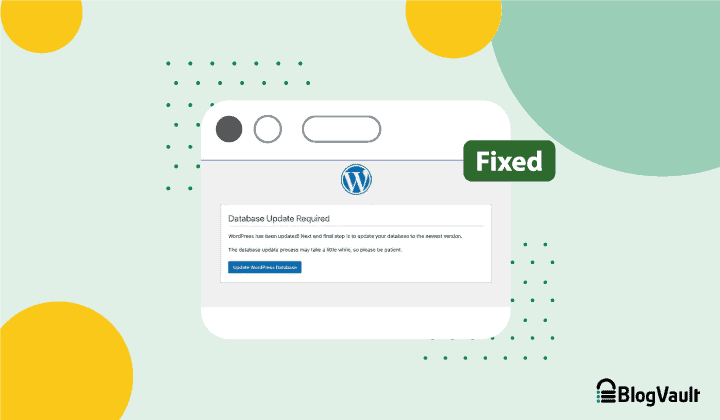
A WordPress database update involves changes to the data structure. It ensures compatibility with new features. This process optimizes performance and security. Updating the database keeps your website running smoothly. Regular updates help prevent potential issues.
Why Is A Database Update Necessary?
Database updates are essential for maintaining website functionality. They ensure compatibility with new WordPress versions. This process helps improve security and performance. Regular updates prevent vulnerabilities and bugs. Keeping your database updated enhances user experience.
How Often Should You Update A WordPress Database?
WordPress databases should be updated regularly. It’s advisable to update whenever a new version is released. This ensures optimal performance and security. Regular updates prevent compatibility issues. Staying updated helps keep your website running efficiently.
Does Updating Affect Website Performance?
Yes, updating can improve website performance. It ensures compatibility with the latest WordPress features. Updates can fix bugs and optimize database efficiency. Regular updates enhance security and prevent vulnerabilities. Keeping your database updated is crucial for optimal performance.
Conclusion
A WordPress database update keeps your site running smoothly. It fixes bugs, enhances security, and boosts performance. Regular updates are crucial for maintaining website health. They help prevent data loss and ensure compatibility with plugins. Always back up your site before updating.
This step protects your data from accidental loss. Staying updated means a safer, faster website. It also improves user experience. Take the time to update regularly. Your site visitors will thank you. Keep your WordPress database updated for a seamless experience.


