
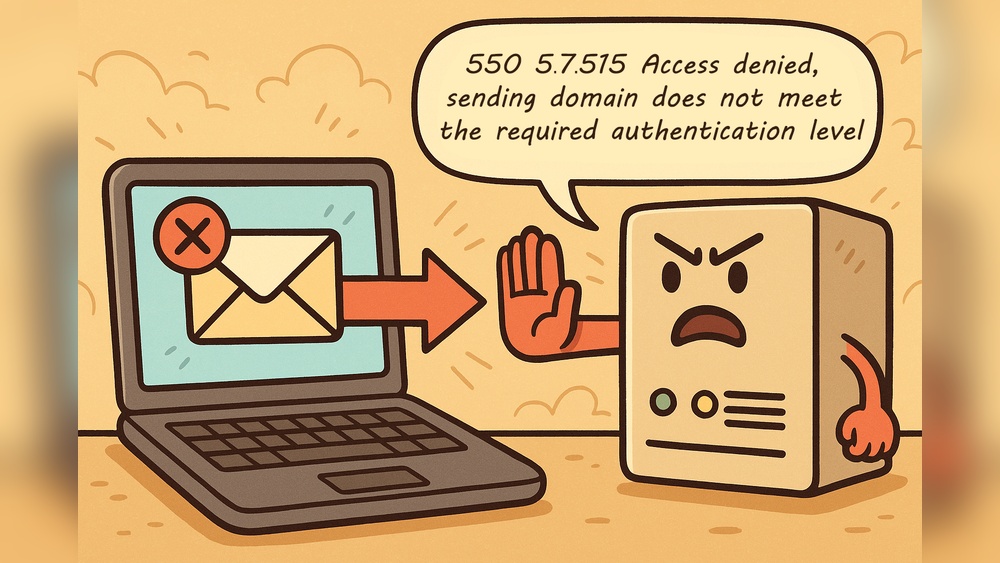
Have you ever tried sending an important email, only to see the frustrating error message: “550 Recipient Rejected Domain Not Hosted Here”? If so, you’re not alone, and understanding this error can save you time and stress.
This message means your email didn’t reach the person you wanted, but why? And more importantly, how can you fix it? Keep reading to uncover exactly what this error means, why it happens, and simple steps you can take to make sure your emails land where they should—every time.
550 Recipient Rejected Error
The 550 Recipient Rejected Error is a common message seen in email systems. It tells you that the email you tried to send did not reach the recipient. This error usually happens because the recipient’s email server did not accept your message. Understanding this error helps solve email delivery problems quickly.
This error means the server refuses to forward your email to the address you entered. It is a way for the server to say, “I cannot deliver this email here.”
What Triggers The Error
The error triggers when the recipient’s domain is not recognized by the server. The server checks where to send the email. If the domain does not exist or is not hosted on the server, it rejects the message. It also happens if the domain is misspelled or inactive. The server blocks emails to prevent spam or mistakes.
Common Scenarios
This error often occurs if the sender types the wrong email address. Another case is when the recipient’s domain has moved to another server but the sender’s server is not updated. Sometimes, the recipient’s email service is down or no longer exists. Email servers also reject messages if the domain is blacklisted or blocked for security reasons.
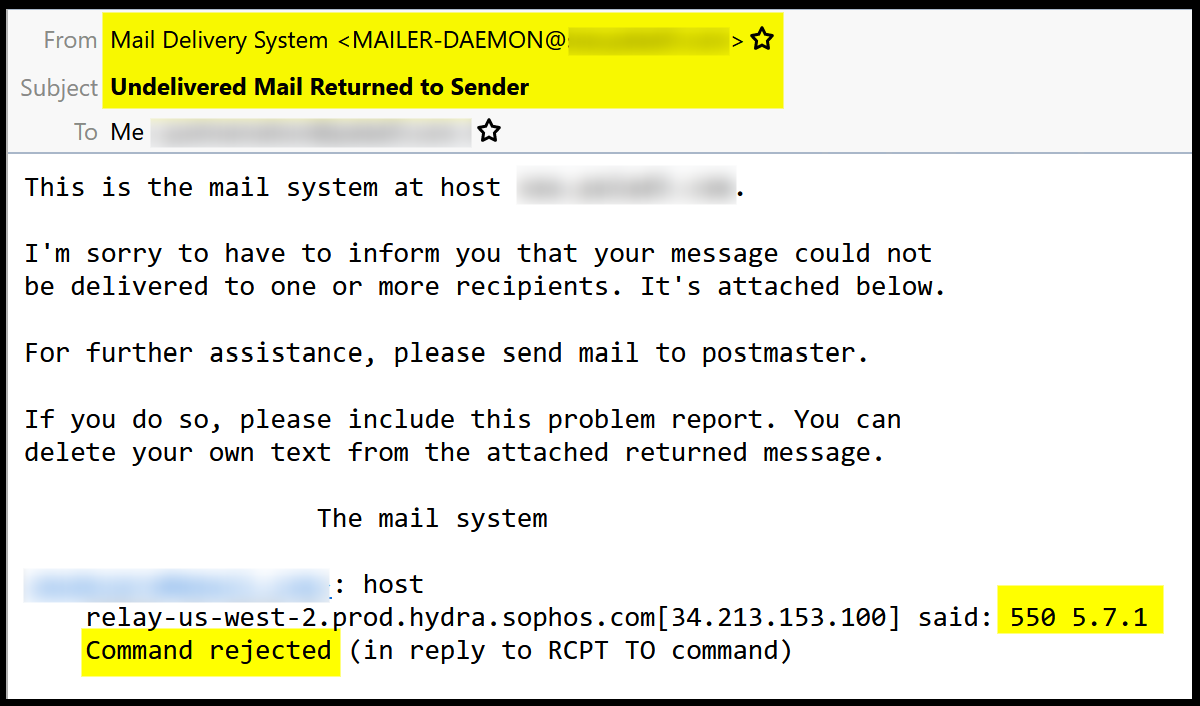
Credit: community.sophos.com
Domain Not Hosted Here Meaning
The message “550 Recipient Rejected Domain Not Hosted Here” often confuses email users. It means the email server does not recognize the domain of the recipient. The domain is not linked to the server sending the message. This error stops the email from being delivered. Understanding this helps solve email delivery problems quickly.
Why This Message Appears
This message appears because the email server checks the recipient’s domain. If the domain is not on the server, the server rejects the email. The server expects the domain to be hosted there to accept messages. If the domain is hosted elsewhere, the server blocks the email to avoid mistakes. This prevents emails from going to the wrong place.
Impact On Email Delivery
This error stops the email from reaching the recipient. Emails bounce back to the sender with this message. Important messages may not get delivered on time. Businesses and individuals can miss urgent communication. Fixing the domain hosting setup is necessary to ensure smooth email flow.
Troubleshooting Steps
Facing the “550 Recipient Rejected Domain Not Hosted Here” error can stop your emails from sending. This error means the mail server does not recognize the recipient’s domain. Fixing it requires a few clear steps. Follow these simple checks to find and solve the issue fast.
Verifying Domain Settings
Start by confirming your domain is set up correctly. Check if the domain name is spelled right in your email settings. Make sure your domain is active and not expired. Verify that the domain is listed with your mail host. Incorrect domain settings often cause this error.
Checking Dns Records
DNS records tell the internet where your domain’s services are. Look up your domain’s MX records to ensure they point to the correct mail server. If these records are missing or wrong, emails cannot reach the right server. Use online DNS lookup tools to check your domain’s records quickly.
Reviewing Mail Server Configuration
Examine your mail server’s settings. Confirm the server accepts emails for your domain. Check for any restrictions blocking specific domains or addresses. Adjust the server’s configuration to allow emails from the recipient’s domain. Proper server setup helps deliver emails smoothly.

Credit: www.allegrow.co
Quick Fixes To Resolve The Issue
Dealing with the “550 Recipient Rejected Domain Not Hosted Here” error can stop your emails from reaching their destination. Fixing this issue quickly helps keep your email running smoothly. Below are simple steps to correct the problem and get your emails back on track.
Updating Mx Records
MX records tell the internet where to send your emails. Incorrect MX records cause the “550 Recipient Rejected” error. Check your domain’s MX records through your domain registrar or hosting control panel. Make sure they point to the correct mail server. Update these records if they are wrong. Save changes and wait for them to take effect. This step often resolves the issue fast.
Adjusting Email Routing
Email routing controls how incoming emails are handled. Wrong settings can reject emails. Access your hosting control panel’s email routing section. Choose the right route for your domain, usually “Local” or “Remote.” Set it according to where your email is hosted. Save the changes to update the routing. This adjustment helps accept emails properly.
Contacting Hosting Provider
Sometimes, the issue needs expert help. Contact your hosting provider’s support team for guidance. Explain the error message and steps you tried. They can check server settings and fix deeper problems. Their support often speeds up solving the error. Keep your account details ready for quick verification.
Preventing Future Errors
Preventing the 550 Recipient Rejected Domain Not Hosted Here error saves time and frustration. This error happens when emails try to reach a domain that the server does not host. Fixing this problem stops emails from bouncing back and improves delivery rates.
Simple steps can help avoid this error in the future. Keeping your email settings clear and correct is key. Check your server and domain regularly to catch issues early.
Maintaining Accurate Dns Entries
DNS entries tell the internet where to send emails. Incorrect DNS records cause the 550 error. Keep DNS settings updated with the right mail server information. Check domain records after changes or renewals. Use tools to verify DNS accuracy often.
Regular Server Audits
Server audits reveal errors and outdated settings. Schedule audits to review email server configurations. Look for misconfigured domains or missing entries. Fix problems found during audits quickly. This keeps servers ready to handle all email traffic.
Using Reliable Email Services
Choose email providers known for strong domain management. Reliable services reduce errors like the 550 rejection. These providers offer clear control over hosted domains. They also provide support to fix email delivery issues fast.

Credit: www.inmotionhosting.com
Frequently Asked Questions
What Does 550 Recipient Rejected Mean?
550 Recipient Rejected means the email server refused to deliver your message. The recipient’s domain is not hosted on the server you sent to.
Why Does “domain Not Hosted Here” Error Appear?
This error appears when the receiving server doesn’t recognize the recipient’s domain. It indicates the domain is missing or incorrectly set up on that server.
How Can I Fix 550 Recipient Rejected Errors?
Check the recipient’s email address and domain for typos. Verify if the domain is hosted on the intended mail server and update DNS records if needed.
Is 550 Recipient Rejected A Spam Or Security Block?
Not necessarily. It usually means a routing or domain hosting issue, not a spam or security block from the recipient’s server.
Conclusion
The “550 Recipient Rejected Domain Not Hosted Here” error means the email server does not recognize the domain. This often happens when the domain is misspelled or not set up correctly. Fixing this error requires checking the email address and domain settings.
Understanding this helps avoid email delivery problems. Stay patient and verify details carefully to send emails successfully next time.


