
Are you struggling to make your images look perfect on your WordPress website? You’re not alone.
Choosing the right dimensions can make a world of difference in how your site appears and performs. Imagine your visitors being captivated by crisp, clear visuals that load quickly. Not only does this enhance user experience, but it also boosts your site’s SEO ranking.
This article will guide you through the ideal image dimensions for WordPress, ensuring your content shines and keeps your audience engaged. Stick around, and discover how to transform your website with just a few clicks!
Credit: elementor.com
Importance Of Image Dimensions
Image dimensions matter. They affect loading speed. Large images slow websites. Slow websites frustrate visitors. Smaller images load faster. Fast loading keeps visitors happy. High-quality images attract more users. They make your site look professional. Small images can look blurry. Blurry images turn visitors away. Always balance size and quality. Use the right dimensions.
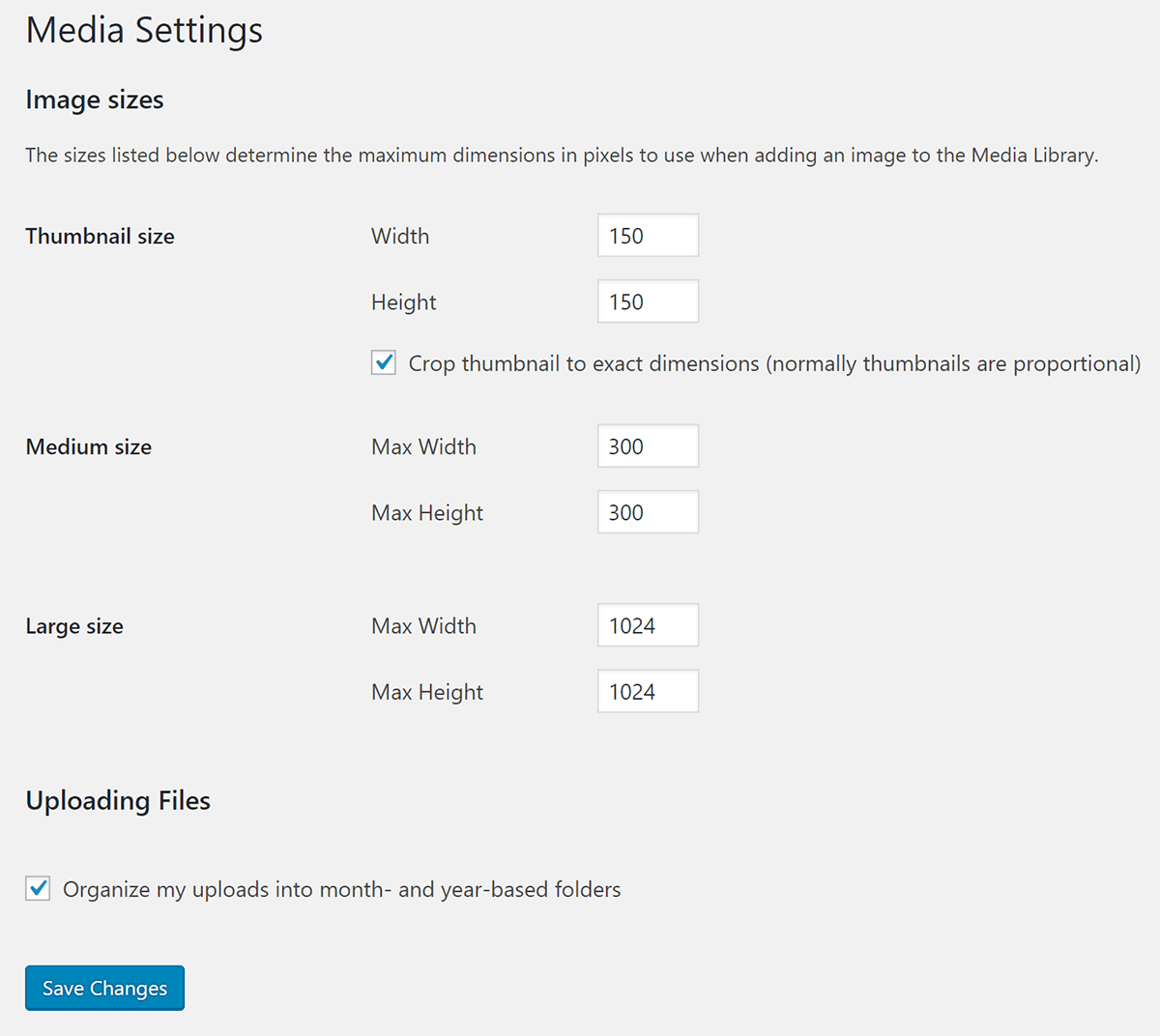
WordPress works with different dimensions. Thumbnail size is small. Medium size fits posts. Large size fills pages. Choose sizes wisely. Choose based on content. Use thumbnails for galleries. Medium images suit articles. Large images fit banners. Resize images before uploading. Use editing tools. Keep file size small. Small files save space. They help your site run smoothly.
Credit: wpmudev.com
Common WordPress Image Sizes
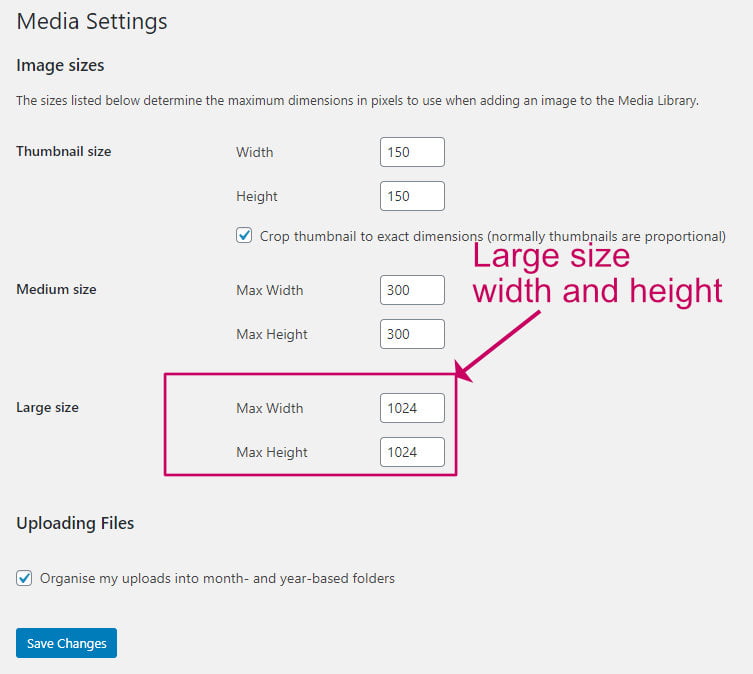
Thumbnails are small images. They are often used in galleries. The typical size is 150×150 pixels. These images load quickly. They save space on your website. Thumbnails are great for previews.
Medium images are bigger than thumbnails. They usually measure 300×300 pixels. Medium images are clear but not too big. They work well for blog posts. This size keeps pages fast.
Large images are used for clear views. They are often 1024×1024 pixels. These images show details well. They are good for product images. Large images may slow down loading time.
Full-size images are the biggest. They keep the original dimensions. These images show the most detail. Use them for high-quality needs. Remember, large files can slow your site.
Choosing The Right Dimensions
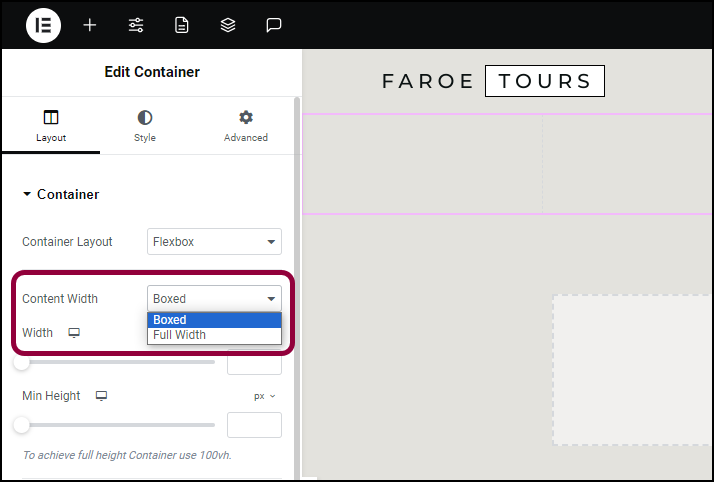
Images need to fit the content area. Each theme has a different content width. Check the theme settings for details. Ensure images are not too big for the space. Oversized images can break the design. Too small images may look pixelated. Aim for perfect fit to enhance clarity.
Websites should look good on all devices. Images must be flexible. They should resize smoothly on different screens. Use responsive images for better display. Consider using srcset attribute in HTML. This helps serve the right image size based on screen width. It improves the user experience.
Image size affects site loading time. Large files slow down the site. Use image compression tools to reduce file size. Choose the right file format. JPEGs are good for photos. PNGs are better for graphics. Keep images under 100KB for fast loading. Fast sites improve the user experience.
Tools For Resizing Images
Use plugins for easy image resizing. Plugins like Smush and EWWW Image Optimizer help. They are user-friendly and efficient. Install them from the WordPress dashboard. Adjust settings as needed. Ensure images fit your theme. This helps your site load faster. Faster sites keep visitors happy.
Online tools are handy for quick resizing. Sites like Pixlr and Canva are popular. They offer simple interfaces. Upload your image and choose a size. Download the resized image with ease. These tools are free to use. No installation required. Perfect for quick changes.
Software like Photoshop offers advanced options. Adjust image size and quality. Save in different formats. It requires installation on your computer. Great for professional editing. Offers more control over the image. Use it for high-quality results.
Best Practices For Image Dimensions
Using the right image size is key. Large images can slow down websites. But small images may look bad. Balance is important. A good size is 1200×628 pixels. It works well for most websites. This size keeps images clear. Websites also load faster.
Keeping the same ratio is helpful. It keeps your site looking neat. A common ratio is 16:9. This ratio is easy to use. It fits well on many screens. Consistency makes your site look better. Visitors find it easy to view images.
Images should look good on all devices. Test them on phones and tablets. Also on computers. Make sure images are not cut off. Testing helps catch problems early. This way, all visitors have a good view. Your site will be more welcoming.
Troubleshooting Common Issues
Use the right image dimensions for clear pictures. Large images can look blurry. Small images may appear pixelated. WordPress recommends images to be at least 1200 pixels wide. This helps keep them sharp. Always choose the highest quality possible for uploads. Compress images wisely. Avoid too much compression. Too much can make them lose clarity.
Large images can slow down your site. Optimize them to load faster. Use tools to compress without losing quality. Smaller file sizes mean quicker loading. Fast sites keep visitors happy. They don’t want to wait. JPEG and PNG are good formats. They balance size and quality well.
Check if your images fit your theme. Themes have different layout sizes. Some need wider images. Others prefer taller ones. Use theme guidelines for best results. WordPress themes often list recommended dimensions. Follow these for a smooth look. Consistency is key. Matching image sizes make your site look professional.
Credit: wpkind.com
Frequently Asked Questions
What Image Size Is Best For WordPress?
The ideal image size for WordPress depends on your theme. Common dimensions include 1200×628 pixels for featured images. For smaller thumbnails, 150×150 pixels is standard. Always optimize images for faster loading by compressing them.
How To Optimize WordPress Images?
To optimize images for WordPress, use compression tools like TinyPNG or WP Smush. These reduce file size without quality loss. Use correct dimensions and formats like JPEG for photos and PNG for graphics. This improves load time and SEO.
Does Image Size Affect WordPress Speed?
Yes, large images can slow down your WordPress site. Compress images to reduce file size without quality loss. Use correct dimensions to prevent resizing by the browser. Optimized images enhance site speed and user experience.
Should I Use Retina Images On WordPress?
Using retina images on WordPress improves visual quality for high-resolution screens. Double your image dimensions but optimize file size. This ensures clarity without slowing your site. Tools like WP Retina 2x help automate this process.
Conclusion
Choosing the right image dimensions is crucial for your WordPress site. It ensures faster load times and better user experience. Keep images clear and responsive. Always optimize for mobile devices. Different themes might need different sizes. Test on your site to find what works best.
Remember, large images can slow down your site. Use tools to compress images without losing quality. Regularly update your images for the best performance. By following these tips, you create an engaging and efficient website. Your audience will appreciate the attention to detail.
Happy blogging!


