
Are you ready to simplify your WordPress experience? Imagine having a tool that effortlessly allows you to create forms without the hassle of coding.
This is where WP Forms come into play. As a WordPress user, you might be searching for ways to engage your audience more effectively, gather valuable data, or streamline your site’s functionality. WP Forms could be your answer. You’ll discover what WP Forms are, how they can transform your WordPress site, and why they might just be the missing piece in your digital puzzle.
Stay with us, and you’ll find out how this powerful plugin can not only enhance your website’s user experience but also save you time and effort.
Wp Forms Overview
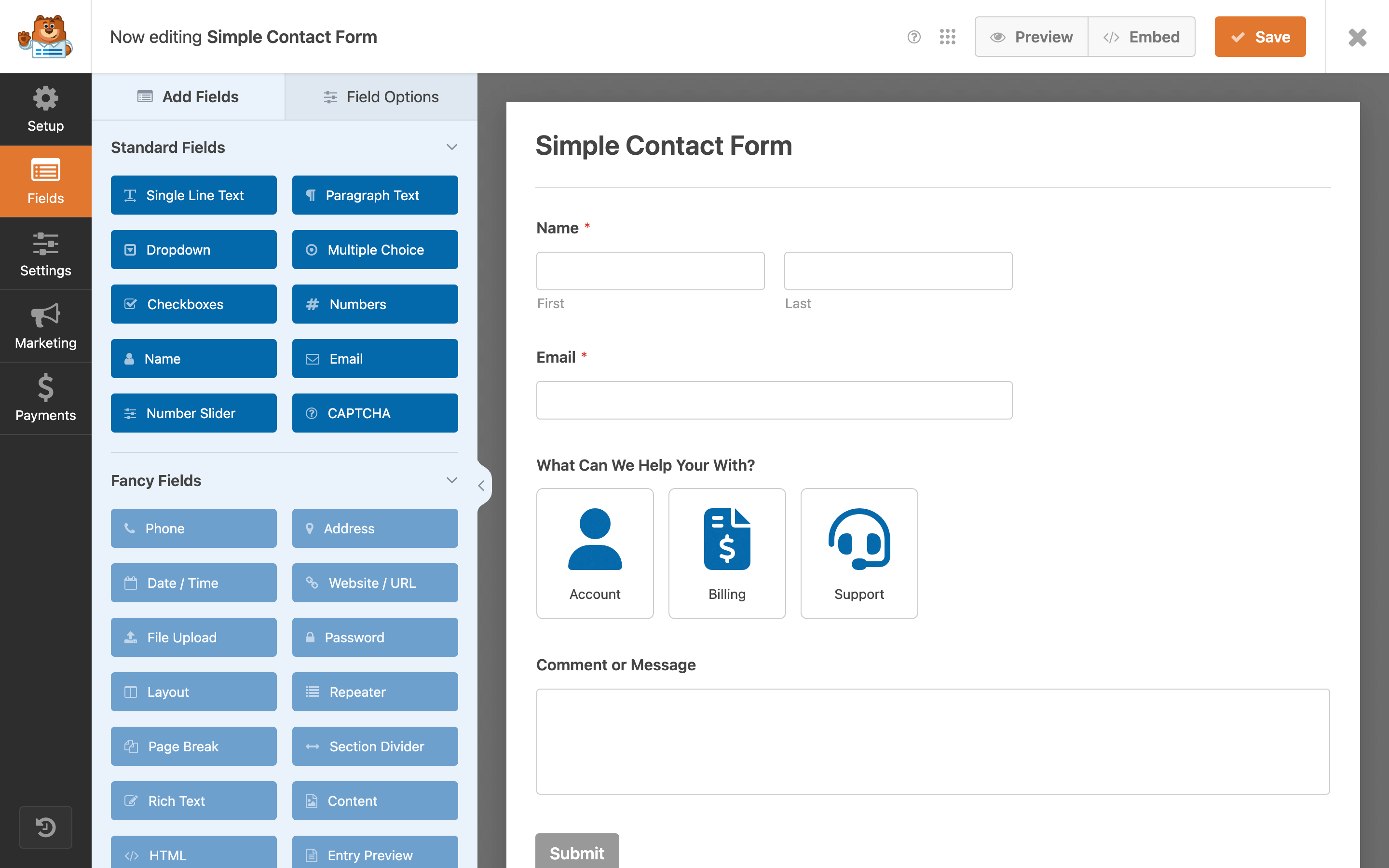
Wp Forms is a popular WordPress plugin. It helps users create forms easily. Users can make contact forms, surveys, and more. The plugin is beginner-friendly. It offers a drag and drop feature. No coding skills are needed. It saves time and effort. Forms can be customized. Users can add fields like name, email, and message. Integration with email services is possible. This helps in collecting data. Wp Forms also provides security features. Anti-spam tools are included. It keeps data safe from threats. Many users trust Wp Forms for its ease and features.
Key Features
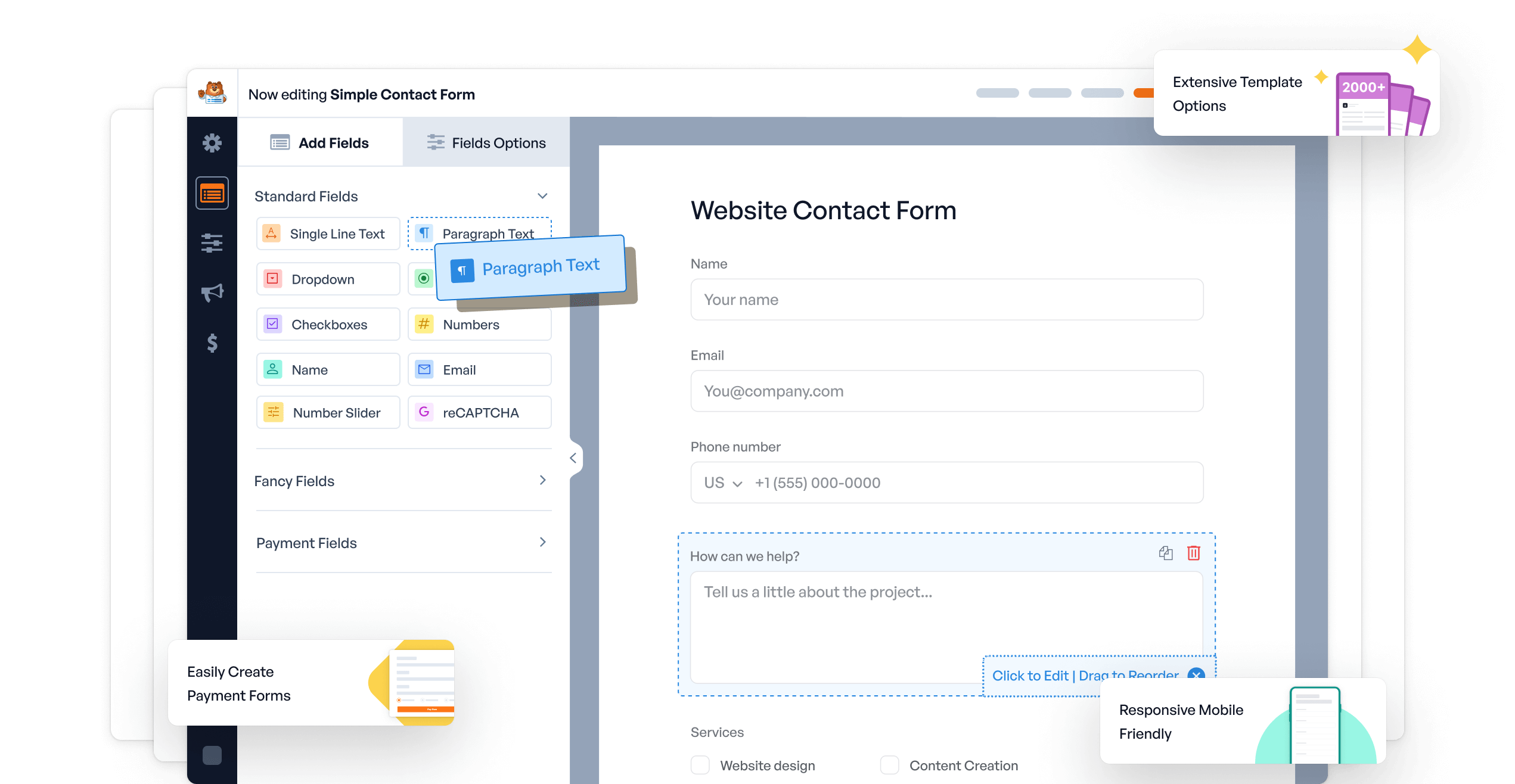
Creating forms is easy with the drag and drop builder. Just click and drag items to make your form. No coding needed. It’s simple and fast. Anyone can do it.
Choose from many pre-built templates. They save time and effort. You can customize them too. Pick a template, tweak it, and you’re done. Quick and efficient.
Forms look good on all devices. This is due to responsive design. They fit well on phones, tablets, and computers. Users get a smooth experience. No awkward resizing needed.
Installation Process
First, open your WordPress dashboard. Find the Plugins section on the left menu. Click on Add New. Type WPForms in the search bar. Click on Install Now next to WPForms. Wait a few seconds for it to install.
Download the WPForms plugin from its official site. Go to the WordPress dashboard. Click on Plugins and then Add New. Click on Upload Plugin. Select the downloaded file and press Install Now. The plugin will upload and install.
After installation, click Activate under WPForms. This step makes the plugin ready to use. Look for the new WPForms menu in your dashboard. Now, you can create forms easily.
Creating A Form
Start by choosing a template. A template is a starting point. It helps to make forms faster. There are many templates available. Choose one that fits your needs. This is the first step to create a form.
After selecting a template, change the fields. Fields are parts of the form. You can add or remove fields. Make sure each field is necessary. This helps keep forms simple. Customize fields to fit what you need.
Set up notifications to get updates. Notifications tell you when someone fills out a form. You can choose email notifications. They help you stay informed. It’s important to set these up. Make sure they are working properly.
Advanced Features
WP Forms offer Conditional Logic. This feature shows or hides fields. It depends on user answers. It makes forms more interactive. Users only see what they need. This saves time and reduces confusion. Setting up is easy. Just choose the conditions. The form will change based on them.
Payment Integration with WP Forms is simple. It supports many gateways. Examples are PayPal and Stripe. Users can pay directly through forms. This makes it easy to sell products or services. No need for extra plugins. Just set up the payment option. Start receiving payments safely and quickly.
WP Forms include Spam Protection. It keeps unwanted entries away. This feature uses smart techniques. Captcha and honeypot methods are common. They block bots and fake submissions. Forms stay clean and organized. Users enjoy a safer experience. No more dealing with spammy entries.
Common Use Cases
Contact forms help visitors to reach you quickly. They are easy to use. Just fill in your name, email, and message. Businesses use them to receive questions or feedback. They make communication simple and fast.
Survey forms collect opinions or feedback. They ask questions to learn about what people think. Companies use them to improve products. Schools may use them to gather student thoughts. These forms help understand people better.
Registration forms are for signing up. They collect information like name, email, and password. Events use them for attendee details. Websites use them for user accounts. They make joining easy and organized.
Troubleshooting Tips
Ensure the form shortcode is correct. Check if the page has the shortcode included. Sometimes plugins clash, hiding your form. Disable other plugins one by one. Find the troublesome one. Ensure the theme supports Wp Forms. Sometimes, themes block certain codes. Try switching to a basic theme. See if the form appears.
Check your email settings first. Ensure you entered the correct email address. Use an SMTP plugin for better delivery. Sometimes, hosting providers block emails. Contact them to ensure emails aren’t blocked. Always check your spam folder. Emails might be there by mistake.
Deactivate all plugins except Wp Forms. Check if the problem persists. Activate each plugin one by one. Find the conflicting plugin. Update all plugins regularly. Updates fix many issues. Consider using a plugin conflict detector. It helps find the troublemaker quickly.

Credit: wordpress.org
Best Practices
WP Forms in WordPress simplify creating contact forms. They offer a drag-and-drop builder, making customization easy. These forms enhance user interaction and collect essential data efficiently.
User Experience Design
A good form is easy to use. Make buttons big and clear. Use simple words in labels. Help users by giving tips. Avoid asking too many questions. Keep forms short and sweet. Users like it this way.
Data Security Measures
Protecting data is very important. Use strong passwords. Keep your website safe. Use SSL certificates. This makes data safe during transfer. Always back up your data. You can use plugins for extra security.
Regular Updates
Update plugins often. This keeps them running well. Check for new versions. New versions have fewer bugs. They can fix problems too. Updating helps in keeping forms secure. It also improves performance.
Comparing Alternatives
Gravity Forms is a popular choice for creating forms. It offers many features. Users can build forms with drag-and-drop. It is easy to use. Gravity Forms has lots of add-ons. These add-ons help with payment and email services. It is a paid option. Some people might find it costly. But it is very flexible and powerful.
Ninja Forms is a user-friendly plugin. It is perfect for beginners. Building forms is simple with its interface. It offers a free version with basic features. Users can buy add-ons for more features. Ninja Forms is great for those who want customizable forms. It is a good choice for small websites.
Contact Form 7 is a free plugin. It is basic but very reliable. Users can create simple forms. It supports shortcodes for easy use. It is not as fancy as others. But it gets the job done. Many people like it for its simplicity. It is perfect for simple contact forms.
Credit: wordpress.org
Credit: wpforms.com
Frequently Asked Questions
What Are Wpforms Used For?
WPForms are used to create forms in WordPress easily. They allow users to build contact forms, surveys, and more. WPForms provide a user-friendly drag-and-drop interface, making form creation simple. They are ideal for beginners and offer various templates for different needs.
Is Wpforms Free To Use?
WPForms offers a free version with basic features. It’s suitable for simple form creation. The free version is known as WPForms Lite. For advanced features, like payment integrations, you need the premium version. The premium version offers more customization options and support.
How Do You Install Wpforms On WordPress?
To install WPForms, go to your WordPress dashboard. Click on “Plugins” and then “Add New. ” Search for WPForms in the search bar. Click “Install Now” and then “Activate” once installed. You can now create forms using WPForms.
Can Wpforms Integrate With Email Services?
Yes, WPForms can integrate with popular email marketing services. It supports services like Mailchimp, AWeber, and Constant Contact. Integration helps in automating email lists and campaigns. It allows seamless data transfer from forms to your email platform.
Conclusion
Wp Forms in WordPress make creating forms simple and efficient. They offer various templates that suit different needs. Whether it’s contact forms or surveys, options abound. Easy drag-and-drop features save time. Users can customize forms without coding skills. This tool enhances user interaction effortlessly.
Perfect for beginners. Reliable and user-friendly. Embrace the possibilities with Wp Forms. Unlock your site’s potential. Engage visitors with ease. Improve your site’s functionality today. Explore the benefits of Wp Forms in WordPress. Discover how this tool can help streamline your site.
Make the most of it now.


