
Have you ever found yourself lost in a sea of content on your WordPress site, struggling to categorize your posts effectively? If so, you’re not alone.
Organizing content in a way that makes sense to both you and your readers can be challenging. That’s where WordPress taxonomies come into play. These powerful tools help you categorize and tag your content, making it easier for your audience to find exactly what they’re looking for.
Imagine transforming your website into a well-organized library where every piece of information is just a click away. This isn’t just about tidiness—it’s about enhancing your user experience and improving your site’s SEO. By the end of this article, you’ll have a clear understanding of what WordPress taxonomies are and how they can revolutionize the way you manage your content.
WordPress Taxonomies
WordPress taxonomies help organize your content. They group related posts. Think of categories and tags. Categories are broad groups. Tags are more specific. Both are types of taxonomies. Using them makes finding posts easier.
Custom taxonomies can be created. They fit your specific needs. For example, a recipe blog could use “Cuisine” as a taxonomy. This helps users find all Italian recipes quickly.
Good use of taxonomies improves your site’s navigation. It also helps with SEO. Search engines understand your content better. Keep your taxonomies simple. Too many can confuse users.
Purpose Of Taxonomies
WordPress taxonomies help organize content on your site. They make it easier to find posts. Users can group similar posts together. Categories and tags are common taxonomies. Categories group posts broadly. Tags add specific details. Both improve navigation. They create order. They enhance the user experience.
Taxonomies also help with SEO. They improve search engine visibility. Proper use of taxonomies is crucial. They ensure users find content easily. They make sites more user-friendly. Organized content is key. Use taxonomies wisely. Understand their role. Boost site usability and discoverability.
Types Of Taxonomies
Categories help organize posts. They group similar topics together. This makes it easy to find related content. Using categories helps users and improves site structure. Always think about what fits best in each category. Organize posts wisely for clear navigation.
Tags are like labels. They add more details to posts. Tags can be many for one post. Use tags to show specific topics. This helps users find what they want. They also improve search results on the site.
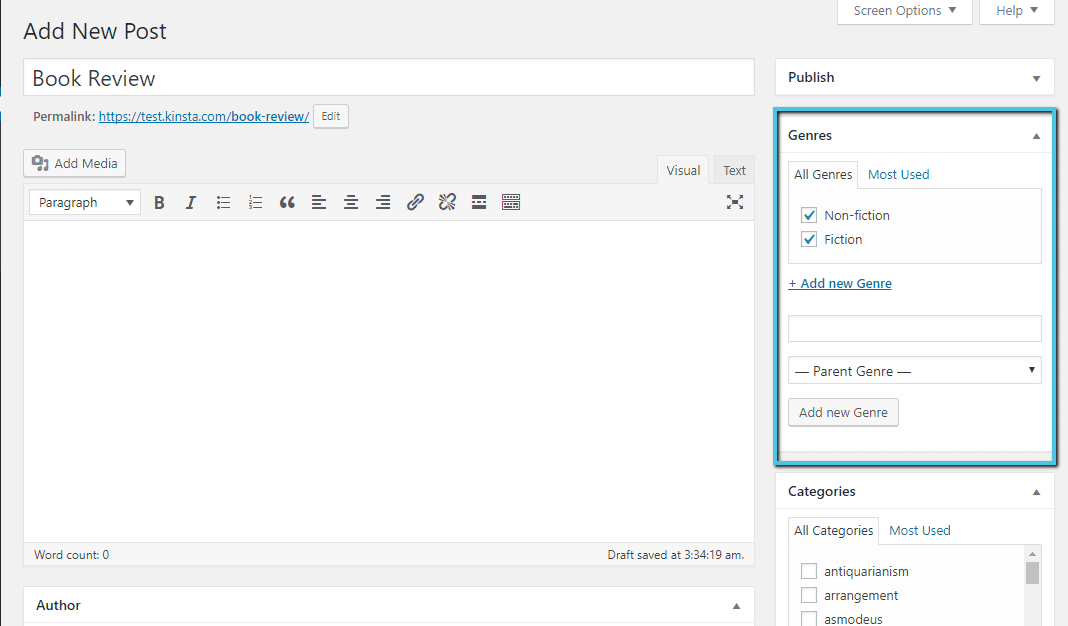
Custom taxonomies let you create unique groups. These can be anything you need. They give more control over content organization. Custom taxonomies suit specific site needs. They add flexibility to your content structure. Use them for tailored content sorting.
Creating Custom Taxonomies
Custom taxonomies help in sorting content efficiently. They provide a way to organize posts and pages in a simple manner. With them, finding relevant information becomes easier for users. They enhance the overall user experience. Custom taxonomies allow a website to have a unique structure. This helps in highlighting specific topics or categories. They also improve the site’s navigation, making it more user-friendly. Websites can become more organized and less cluttered. This is essential for maintaining a clean and professional look.
- Think about the categories you need.
- Go to the WordPress dashboard.
- Find the Custom Taxonomy option.
- Click on Add New.
- Enter a name for your taxonomy.
- Set labels and descriptions.
- Choose where it should be applied.
- Save and test the taxonomy.
Managing Taxonomies In WordPress
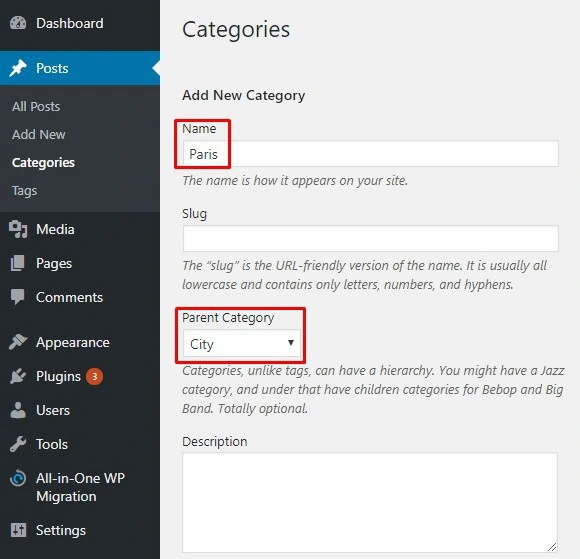
In WordPress, taxonomies help organize content. Open the dashboard to manage them. Find the Posts or Pages section. Click on Categories or Tags. Here, you can add new items. You can also edit existing ones. Use descriptive names. It makes content easy to find. Regular updates keep it organized.
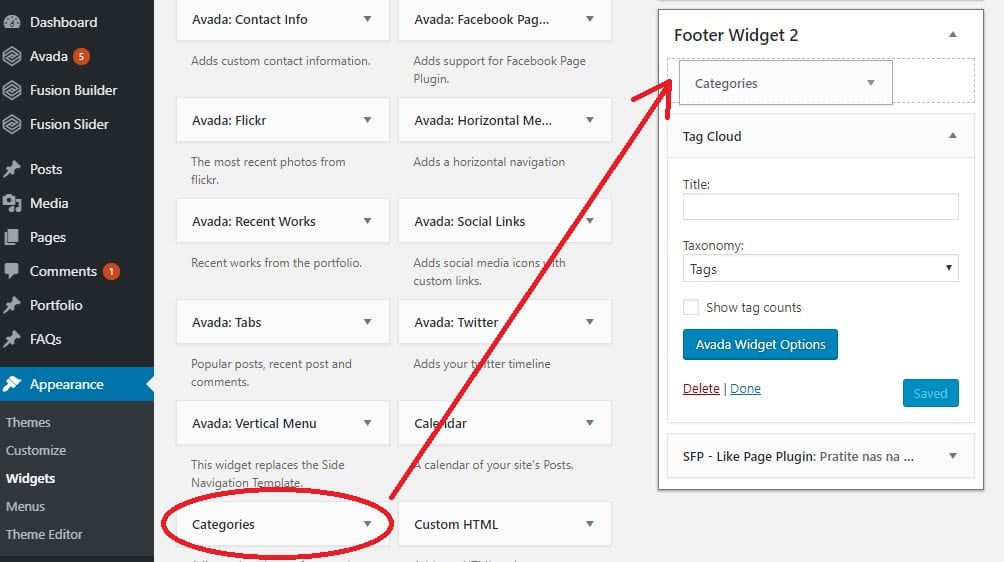
Plugins offer more features. Some plugins provide advanced options. They allow for custom taxonomies. Install them from the plugin directory. Popular ones are Yoast and Custom Post Type UI. These plugins improve taxonomy management. They simplify tasks. Explore their settings for best use. Always ensure plugins are updated.
Credit: www.hostinger.com
Best Practices
WordPress taxonomies help organize content by grouping posts with similar characteristics. Categories and tags are common examples. They improve site navigation and enhance user experience by making content easy to find.
Organization Tips
Group your posts with clear categories. This helps readers find content easily. Use tags for specific topics. Avoid too many tags. It makes the site messy. Keep your taxonomies simple and clear. Use names that make sense. Like “Recipes” or “Travel Tips”.
Seo Considerations
Choose keywords wisely. They should match what people search. Use taxonomies to improve site visibility. Structure your URLs clearly. Include keywords in them. This helps search engines. Also, avoid duplicate content. It can confuse search engines. Always update your taxonomies. Keep them relevant. This improves your site’s performance.
Common Challenges
WordPress taxonomies can be tricky. Users often struggle to categorize content effectively. Understanding tags and categories is crucial for organizing posts. Mismanagement can lead to cluttered websites. Efficient taxonomy use improves site navigation and user experience.
Overuse Of Taxonomies
Using many taxonomies can make your site complex. Too many categories confuse users. Search engines can struggle to understand your site. This impacts your site’s SEO performance. Organizing content becomes harder. Visitors may find it tough to locate information. Taxonomies should be simple and useful.
Maintaining Consistency
Consistency helps users navigate easily. Tags and categories should have clear rules. Random use can lead to confusion. All team members should follow the same guidelines. Consistency improves user experience. This leads to better engagement. Search engines prefer organized sites. Consistent taxonomies aid in SEO.
Credit: kinsta.com
Future Of Taxonomies In WordPress
WordPress taxonomies help organize content. They classify posts, pages, and links into categories and tags. Future advancements may offer more flexible and customizable options, enhancing user experience and website management.
Subheading
WordPress taxonomies may change soon. New updates will make them better. They will be easier to use. Developers plan to add more features. These features will help organize content. Users will find content faster. Taxonomies help group posts and pages. They make searching simple.
Custom taxonomies will be more flexible. Users can create their own groups. This will help make unique websites. Better tools will come to manage taxonomies. These tools will save time. They will be simple to understand.
Developers aim to improve taxonomies. They want them to be smarter. They will use new technology. This will make taxonomies more useful. WordPress will keep growing. Taxonomies will play a big role. Users will benefit from these changes.
Credit: www.fixrunner.com
Frequently Asked Questions
What Are WordPress Taxonomies Used For?
WordPress taxonomies organize content into groups, making it easier to find and manage. They help categorize posts, pages, and custom post types, allowing users to filter and sort information efficiently. Taxonomies enhance website navigation and improve user experience by providing structured organization.
How Do I Create Custom Taxonomies In WordPress?
Creating custom taxonomies in WordPress involves using functions like `register_taxonomy()`. This allows you to define new categories or tags tailored to your content. You can implement custom taxonomies through plugins or by adding code to your theme’s `functions. php` file.
Can Taxonomies Improve WordPress Seo?
Yes, taxonomies improve WordPress SEO by organizing content into logical categories and tags. This structure helps search engines understand your site’s content better. Properly categorized content can enhance visibility in search results, making it easier for users to find relevant information.
What Is The Difference Between Categories And Tags?
Categories are broad taxonomies used to group related posts, while tags are specific keywords describing post details. Categories offer hierarchical structure, whereas tags are non-hierarchical. Both aid in content organization, improving navigation and searchability within a WordPress site.
Conclusion
WordPress taxonomies organize your content efficiently. They help users find related posts. Categories and tags are the most common taxonomies. Custom taxonomies offer greater flexibility. They tailor your site’s organization to specific needs. A well-structured site improves user experience. It also boosts search engine visibility.
Consider your content strategy carefully. Use taxonomies to enhance navigation and accessibility. This approach benefits both users and search engines. With the right setup, your WordPress site becomes more intuitive. Simplifying content management is crucial. It creates a seamless browsing experience.
Embrace WordPress taxonomies for a more organized website today.


