
Imagine opening your web browser and having your website pop up instantly, dazzling visitors with its speed and efficiency. This seamless experience is possible thanks to web hosts.
But what exactly are web hosts, and why should you care? Whether you’re launching a personal blog or setting up an online business, understanding web hosts is crucial for your digital success. They are the backbone of your website, ensuring it runs smoothly and remains accessible to users worldwide.
Curious about how web hosts work and how they impact your online presence? Dive into this article to uncover the essentials and discover how the right web host can elevate your website to new heights. Get ready to unlock the secrets behind the web’s invisible powerhouse!
Types Of Web Hosts
Many websites use shared hosting. It’s like sharing a room with friends. This is the most affordable option. Websites share the same server. This means they share resources like memory and CPU. Good for small sites or blogs. But if one site gets busy, others slow down.
Dedicated hosting gives you your own server. Think of it as having your own house. It’s more expensive but offers more control. Best for big sites with lots of visitors. No sharing means better performance. You manage everything yourself.
VPS hosting is like having an apartment. You share a building but have your own space. Offers more resources than shared hosting. You get a part of the server just for you. Good balance between cost and control. Best for growing sites.
Cloud hosting uses many servers. If one fails, another takes over. This makes it very reliable. You pay for what you use. Good for sites with changing traffic. Offers flexibility and scalability.
Managed hosting means someone else handles the technical stuff. It’s like having a helper. You focus on your site. They take care of updates and security. Ideal for those who aren’t tech-savvy. It’s more costly but saves time.

Credit: www.godaddy.com
Key Features To Consider
Web hosts give space for your website files. More storage means you can add large files. Bandwidth is about how much data can be sent. High bandwidth lets many people visit your site at once. It’s important for busy websites.
Uptime shows how often your site is online. Good hosts have 99% uptime. This means your website is almost always available. Reliability is key for trust with visitors. No one likes a site that’s often down.
Security keeps your site safe. Hosts must offer firewalls and SSL certificates. These protect against hackers. A secure site builds trust with users. It’s a must-have feature.
Good support helps fix problems fast. Look for hosts with 24/7 help. Chat, email, or phone support is ideal. Quick help means less worry for you.
Scalability means your site can grow. More visitors mean you might need more resources. Choose hosts that allow easy upgrades. This helps when your site gets more popular.
Popular Web Hosting Providers
Bluehost is a well-known web hosting provider. It offers affordable pricing and easy setup. Many people use Bluehost for starting their websites. Support is available all day, every day. This makes it a reliable choice for beginners.
SiteGround provides quality hosting services. It is popular for its speed and security. Many users trust SiteGround for their websites. It offers daily backups and free SSL. This keeps your site safe and secure.
HostGator is a favorite among many website owners. It offers unlimited space and easy installs. HostGator is great for both small and large sites. 24/7 support helps users fix problems fast. It’s a good choice for growth.
DreamHost offers flexible hosting plans. It is known for its reliability and speed. DreamHost supports WordPress sites well. It gives users plenty of space and bandwidth. Many people prefer DreamHost for big projects.
GoDaddy is a famous name in hosting. It has many plans to choose from. Domains and hosting can be bought together. GoDaddy provides easy website tools. It helps users build sites quickly and easily.
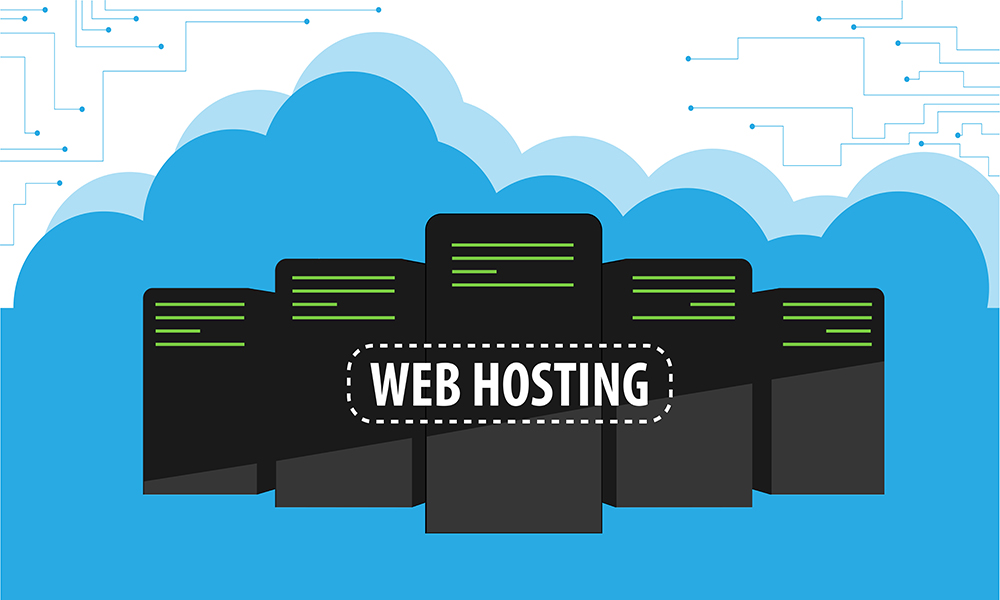
Credit: www.oxfordwebstudio.com
Pros And Cons Of Different Hosts
Shared hosting is very cheap. Many users share one server. This makes it very cost-effective. It is great for small websites. Set up is easy. No technical skills needed. Support is often included. This helps beginners. Websites may load slower sometimes. But it is still a good choice for beginners.
Dedicated hosting is expensive. Only one user has a server. This is good for big sites. But it costs a lot. You need technical skills to manage it. If not, you need to pay for support. This makes it harder for beginners. Small businesses may not need it.
VPS hosting is like a mix. It is better than shared hosting. But not as costly as dedicated. Each user gets a part of the server. This makes it flexible. You can scale it up if needed. It is good for growing sites. More control and customization options are available.
Cloud hosting can be tricky. It is more complex. You pay for what you use. This can be confusing. It may cost more than expected. Managing it needs skills. Beginners may find it hard. But it can handle a lot of traffic. Big sites like it.
Choosing The Right Web Host
Web hosts are services that store websites on the internet. They ensure your site is accessible to users worldwide. Choosing the right one impacts your website’s speed, uptime, and security.
Budget Considerations
Choosing a web host requires careful budget planning. Web hosting costs vary. Some hosts offer cheap plans. Others are expensive. Monthly fees can add up. Extra services might cost more. Compare different hosts. Find the best deal. Look for discounts or special offers. Saving money is important.
Technical Requirements
Technical needs are crucial. Check server types. Do you need Windows or Linux? Storage capacity matters. Bandwidth limits affect speed. SSL certificates secure data. Backup services protect files. Customer support helps solve problems. These features ensure smooth operation.
Future Growth Plans
Web growth is vital. Pick a host that supports expansion. Upgrade options should be available. Scalable plans help grow your site. Additional domains may be needed. Increased traffic demands better resources. Plan for future needs.
Review And Comparison
Read reviews of different hosts. Compare features and prices. User feedback offers insight. Rating scores reveal quality. Experience with each host varies. Choose wisely based on reviews. A good host makes a difference.
Trends In Web Hosting
Web hosts provide the technology needed to view websites online. They store website files on servers. Trends show a shift toward cloud hosting, offering scalability and flexibility.
Green Hosting
Green hosting is gaining popularity. Hosts use renewable energy. This helps reduce carbon footprints. Many businesses prefer eco-friendly solutions. Green hosting supports the planet. It is a sustainable choice. It appeals to conscious consumers. More hosts are adopting green practices.
Ai And Automation
AI and automation are changing hosting. Smart systems manage tasks. They improve efficiency. Less human effort is needed. AI predicts issues. Automation handles routine work. This saves time. It also reduces errors. Hosts can offer better services.
Enhanced Security Features
Security features are more advanced. Protecting data is key. Hosts use strong encryption. Firewalls are essential. Regular updates guard systems. More businesses demand security. Hosts offer extra layers of protection. This ensures data safety.
Edge Computing
Edge computing is a new trend. It processes data near users. This speeds up operations. Less latency means faster access. It improves performance. Hosts use edge networks. They provide better user experiences. Edge computing is growing fast.
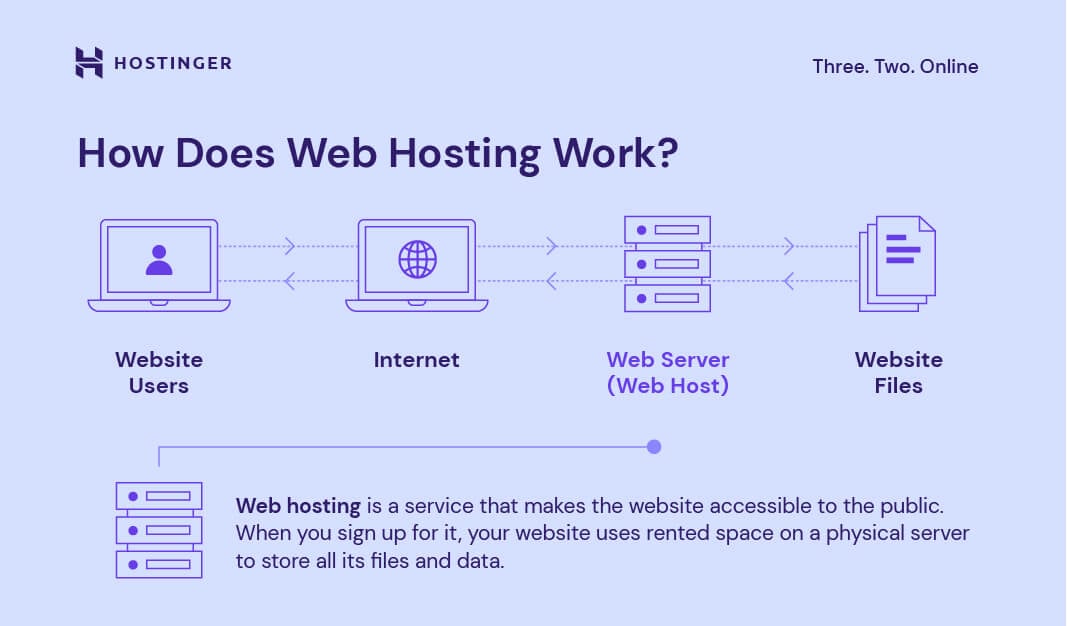
Credit: www.hostinger.com
Frequently Asked Questions
What Is An Example Of A Web Host?
An example of a web host is Bluehost. They provide reliable hosting services with excellent customer support. Users can choose from various hosting plans to suit their needs. Bluehost is known for its easy-to-use interface and strong security features. It’s a popular choice for bloggers and small business owners.
Is Google A Web Host?
Google is not a web host. It offers cloud services through Google Cloud Platform, providing infrastructure and hosting solutions.
How Do I Find My Web Host?
Check your website’s WHOIS records for hosting details. Use online tools like ‘Whois Lookup’ to find your host. Alternatively, contact your domain registrar for assistance. Checking your site’s IP address can also reveal host information. Access your hosting control panel for detailed information.
What Are The 3 Types Of Web Hosting?
There are three types of web hosting: shared hosting, VPS (Virtual Private Server) hosting, and dedicated hosting. Shared hosting is cost-effective. VPS hosting offers more control and resources. Dedicated hosting provides exclusive resources for high-traffic websites. Each type caters to different needs and budgets.
Conclusion
Web hosts are essential for your website’s success. They store your website data. They make your site accessible online. Choosing the right host is crucial. It affects your site’s speed and security. Different hosts offer different features. Consider your website’s needs first.
Think about your budget too. Some hosts are cheaper, others are costly. Reliability and customer support are important factors. Look for reviews before deciding. Remember, a good host can improve your site’s performance. So, take your time. Choose wisely. Your website’s future depends on it.


