
Imagine having the power to customize your WordPress site exactly the way you want. Raw code blocks in WordPress give you that control.
They allow you to insert HTML, CSS, or JavaScript directly into your posts or pages. This means you can create unique designs, add special functionalities, and enhance your site’s performance without limits. If you’ve ever felt restricted by WordPress themes or plugins, raw code blocks are your key to unlocking endless possibilities.
By the end of this article, you’ll know how to use them effectively and how they can transform your WordPress experience. Ready to unleash your creativity and take your site to the next level? Let’s dive in!
Raw Code Block Basics
Raw code blocks are for adding custom code to WordPress. These blocks let users insert HTML, CSS, or JavaScript directly. No need for plugins or theme changes. This gives flexibility and control over site design. It is important to know that raw code blocks don’t check code errors. So, users need to make sure their code is correct. Mistakes can affect the site. Use these blocks wisely. They can change how a page looks or works.
Learning how to use raw code blocks can be fun. Many users enjoy adding unique styles to their sites. It is a good idea to test code in a safe environment first. This helps prevent mistakes on live sites. Remember, with great power comes great responsibility. Use raw code blocks to make your site special.
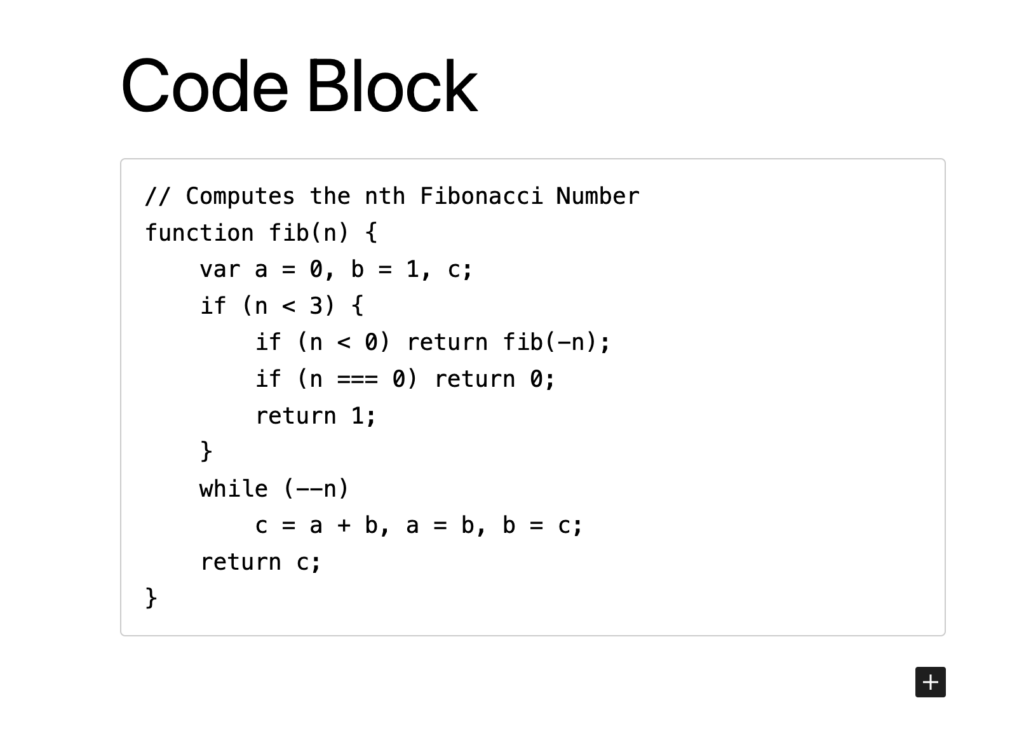
Credit: faustjs.org
Purpose Of Raw Code Blocks
Raw code blocks help add custom HTML and JavaScript. They are very useful for advanced users. Adding raw code blocks can make your site unique. Use them to add special features. Enhance your website’s look and feel. Ensure your code is correct before adding it. Mistakes can cause problems. Always back up your site first. This keeps your data safe.
These blocks are not for beginners. They require coding skills. Beginners might find them tricky. But they offer great flexibility. Websites can do more with these blocks. They allow for customization. Make changes without needing a plugin. Raw code blocks are powerful tools. Use them wisely for best results.
Adding Raw Code Blocks
Raw code blocks are useful in WordPress. They let you add custom code. You can do this easily with the Block Editor. Select the “Custom HTML” block. Type your code there. It is simple and fast. This way, your site can have special features. Make sure your code is correct. Wrong code can break your site.
The Classic Editor is different. Find the “Text” tab. It is next to “Visual.” Here, you can write raw HTML code. You need to switch back to “Visual” to see changes. Be careful with your code. Mistakes can cause problems. Always check your code twice. This keeps your site safe.
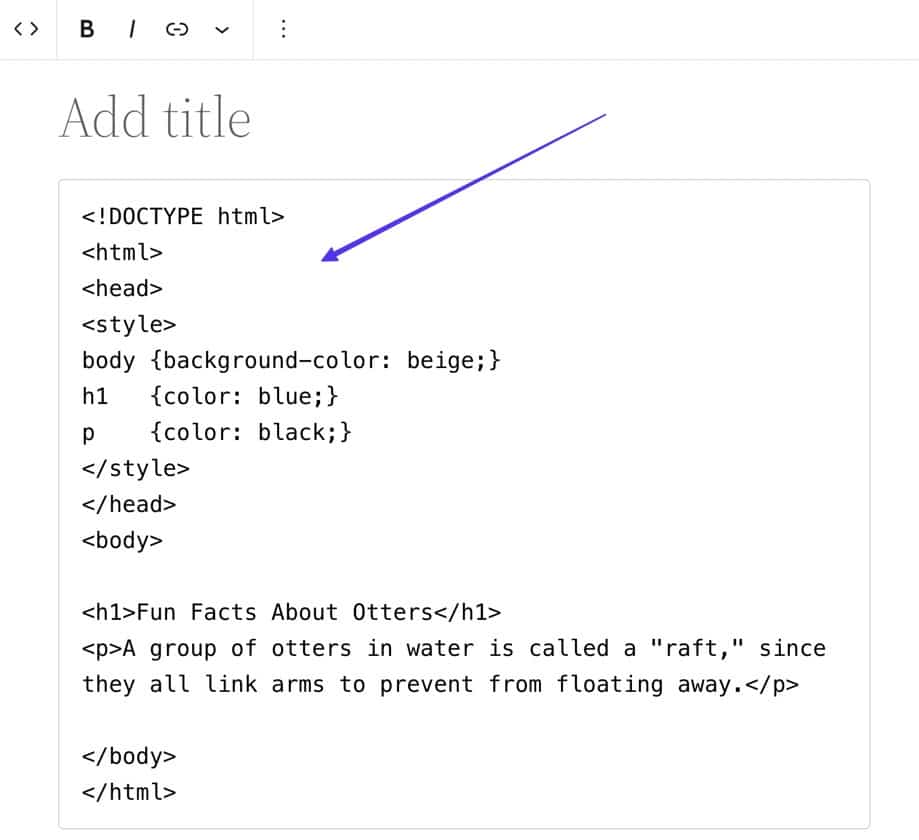
Credit: kinsta.com
Common Use Cases
Raw code blocks let you add custom scripts in WordPress. This is useful for adding JavaScript or CSS directly to your page. It makes your site look unique. You can improve your website’s functionality by embedding specific code. It is easy to use and requires no extra plugins. Raw code blocks are perfect for those with some coding skills. You can customize your site without hiring a developer. It saves time and money. The code remains unchanged, ensuring your site runs smoothly.
Benefits Of Raw Code Blocks
Raw code blocks offer great flexibility for website design. They let you add custom code. This means you can change how your site looks. It is easy to make your site unique. You can add different styles and functions. This helps your site stand out. You can use CSS, HTML, or JavaScript. These codes give more options for designing.
Using raw code blocks gives you enhanced control. You decide how your site works. You can change parts of your site with code. You can fix problems quickly. You do not need to wait for updates. This control helps keep your site safe. You can also make it faster. This is good for your visitors. They will like your site more.

Credit: blog.hubspot.com
Potential Risks
Raw code blocks in WordPress can expose sites to security vulnerabilities. Incorrect coding might lead to broken pages and errors. Hackers could exploit these blocks to inject malicious scripts, potentially compromising site data.
Security Concerns
Raw code blocks can bring security risks
Raw code blocks may not work on all themes. Some plugins might not support them. This can break site design. Always test before using. Check for updates often. Developers fix bugs regularly. Look for compatibility notes. This helps avoid problems. Use simple codes. Complex ones can cause errors. Regular backups are wise. Restore site if issues arise.
Compatibility Issues
Best Practices
Raw code blocks in WordPress let users add custom HTML, CSS, or JavaScript directly into their website. These blocks help customize the appearance and functionality without needing extra plugins. By using raw code blocks, users can enhance their site’s design and user experience efficiently.
Validating Code
Always check your code for errors. Use a validator tool. This helps find mistakes. Fix all errors before using the code. Proper validation ensures a smooth performance. Avoid broken features on your site. This keeps your visitors happy.
Testing Across Devices
Websites look different on various devices. Test your code on phones, tablets, and computers. This ensures a consistent user experience. Check for any display issues. Fix them quickly. Always make sure everything works fine. This keeps your site user-friendly.
Troubleshooting
Raw code blocks in WordPress allow users to insert custom HTML, CSS, or JavaScript directly into posts. They offer flexibility for advanced customization, giving developers control over how content appears. Ideal for those looking to enhance website functionality without relying on plugins.
Handling Errors
Raw code blocks might cause errors in WordPress. These errors can be confusing. Always check your syntax first. Missing a semicolon or bracket can break the code. Fixing these can solve many problems. Ensure you have the right permissions. Some errors need admin access to fix. Check that you have this access.
Debugging Tips
Debugging helps find errors in code. Turn on debug mode in WordPress. This shows where the problem is. You can see what went wrong. Keep a copy of your original code. It helps if changes cause problems. Use online forums for help. Other users might have had the same issue. They can offer good advice.
Frequently Asked Questions
What Are Raw Code Blocks In WordPress?
Raw code blocks in WordPress allow you to insert custom HTML, CSS, or JavaScript directly into your posts or pages. They provide flexibility for advanced customization. Unlike standard blocks, raw code blocks don’t alter your code, ensuring it displays exactly as intended.
This feature is ideal for developers and designers seeking precise control.
How Do You Add Raw Code Blocks?
To add raw code blocks, use the ‘Custom HTML’ block in WordPress editor. Simply paste your code into the block. This method ensures your code remains unchanged. You can insert HTML, CSS, or JavaScript. It’s a straightforward way to enhance your site’s functionality or design without plugins.
Are Raw Code Blocks Safe To Use?
Yes, raw code blocks are generally safe, but caution is advised. Ensure your code is clean and free of vulnerabilities. Malicious code can harm your site and compromise security. Always test your code thoroughly before publishing. Regular backups and updates also help maintain site safety.
Can Raw Code Blocks Affect Site Performance?
Raw code blocks can impact performance if not optimized. Large scripts or inefficient code may slow down your site. It’s crucial to write clean, efficient code. Minimize heavy scripts and optimize for speed. Regularly review and refine your code to ensure optimal performance without compromising functionality.
Conclusion
Raw code blocks in WordPress offer flexibility for customization. They allow direct HTML, CSS, or JavaScript input. This enhances website functionality. Users can create unique designs without plugins. Raw code blocks are useful for advanced users. Beginners should proceed with caution.
Mistakes in code can break a site. Always back up your site before changes. Practice safe coding habits. Experiment and learn gradually. Mastering raw code blocks can expand your WordPress skills. It’s a valuable tool in web development. Embrace it for more control over your site.
Explore its potential in your projects.


