
Imagine you’re ready to launch your very own website. You’ve got the perfect design and content, but there’s one crucial element you need to bring it all to life: a web hosting account.
What exactly is a web hosting account, and why is it so essential for your online presence? By the end of this article, you’ll have a clear understanding of how a web hosting account serves as the backbone for your website, making it accessible to the world.
Get ready to uncover the secrets that could transform your digital dreams into reality, giving you the freedom and flexibility to share your message with the world.

Credit: www.pcmag.com
Types Of Web Hosting
Shared hosting is a popular choice for beginners. Multiple websites share one server. This makes it cost-effective. Performance might be impacted if one site gets heavy traffic. Suitable for small sites or blogs.
VPS stands for Virtual Private Server. It offers more control than shared hosting. You get a dedicated portion of the server. This means better performance and security. Ideal for growing websites.
Dedicated hosting means having a whole server for yourself. It’s perfect for large businesses. Offers high performance and full control. But it’s more expensive. Best for websites with high traffic.
Cloud hosting uses many servers to host sites. If one server fails, others step in. This ensures reliability and scalability. Costs depend on usage. Great for sites with fluctuating traffic.

Credit: www.hostinger.com
Key Features Of Web Hosting
Storage space is where your website files live. It should be enough for your needs. Bandwidth is the amount of data your site can use. This affects how many people can visit your site at once. More visitors need more bandwidth. Always check these limits before choosing a plan.
Uptime means your website is online. Good hosting offers 99% uptime. This keeps your site accessible. Downtime can lose visitors. Make sure the provider promises high uptime.
A control panel is a dashboard for your website. It helps manage files and emails. Look for easy-to-use panels. cPanel and Plesk are popular options. They make tasks simple for users.
Security protects your website from hackers. Check if the host offers SSL certificates. Firewalls and backups are also important. They keep your data safe. A secure host is a must for peace of mind.
Choosing The Right Hosting Provider
Understand what your website needs. Storage and bandwidth are key factors. Websites with many images need more storage. Busy sites require more bandwidth. Think about your growth. Future needs matter too.
Look at different pricing plans. Low prices may have limits. Check what each plan offers. Make sure to see any hidden costs. Some plans charge extra for things. Choose a plan that fits your budget and needs.
Good customer support is important. Problems can happen anytime. Check if support is 24/7. Look for live chat or phone support. Support should be friendly and helpful.
Read reviews from other users. They share their experiences. Check the provider’s reputation online. Good reviews mean a trusted provider. Avoid hosts with many bad reviews.
Setting Up A Web Hosting Account
First, choose a unique name for your website. It should be easy to remember. Next, visit a domain registrar site. Search for your chosen name. If it’s available, register it. If not, try another name. Keep it short and simple. Once registered, you own it for one year. You can renew it annually.
DNS settings link your domain to your hosting. Go to your domain registrar’s dashboard. Find the DNS settings section. Enter the nameservers provided by your host. Save changes. It might take a few hours to update. Once done, your domain points to your host.
You need to upload your website files to the host. Use an FTP client for this. Connect it to your hosting account. Enter your host’s FTP details. Once connected, drag your files into the server. Ensure all necessary files are uploaded. Check your website online. It should display correctly.
Managing Your Web Hosting Account
Check your website speed often. Slow speed can drive users away. Use tools to see how fast your site loads. Fast sites make users happy. Fix issues quickly to keep your site running well.
Always keep software updated. Old software can be unsafe. Updates make your site safer. They also add new features. Regular checks help find updates fast. This keeps your site secure.
Security is very important. Protect your site from hackers. Use strong passwords. Install security plugins. Watch for strange activity. Act fast if you see anything odd. Keeping your site secure is key.
Common Web Hosting Issues
Websites sometimes go down. This is called downtime. It can be very frustrating. Check the server status first. Is it running? Then, check your internet connection. If both are fine, contact your host. They can help fix the problem. Keeping regular backups helps too. This means you won’t lose any data.
Every website has a bandwidth limit. This is the amount of data it can handle. Too many visitors might cause a problem. Try to reduce image sizes. This makes pages load faster. Also, consider upgrading your hosting plan. This will give you more bandwidth.
Emails sometimes don’t send or receive. Check your email settings first. Make sure they are correct. Also, check your spam folder. Sometimes emails hide there. If problems persist, contact your host. They can help with email server issues.
Future Trends In Web Hosting
Green hosting is using less energy. This helps the planet. Many companies are now using solar and wind power. This means they don’t harm the earth. Green hosting also means using energy-saving servers. This helps reduce costs. People are happy to help the earth. More companies will use green hosting in the future.
AI helps make hosting smart. It can fix problems fast. AI can also predict server issues. This keeps websites working well. AI helps manage traffic and data. It learns from past data. This makes hosting more efficient. AI is becoming a big part of hosting.
Edge computing brings data closer to users. This makes websites faster. It’s like having a mini server nearby. Less travel time for data means less waiting. Edge computing is great for streaming and games. It helps when many people use a site at once. Edge computing is growing and will be important soon.
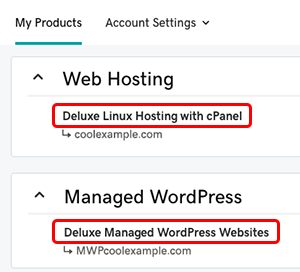
Credit: www.godaddy.com
Frequently Asked Questions
What Is Web Hosting And An Example?
Web hosting is a service that allows websites to be accessible on the internet. An example is Bluehost, which provides server space and tools for website management.
What Is The Purpose Of Web Hosting?
Web hosting provides the necessary infrastructure and services to make websites accessible online. It stores website files on servers, ensuring they are available to users 24/7. This service includes security, performance optimization, and technical support, helping businesses maintain an online presence efficiently.
What Is An Example Of Hosting Account?
An example of a hosting account is Bluehost. It provides shared, VPS, and dedicated hosting services. Ideal for personal websites or small businesses, Bluehost offers reliable uptime and user-friendly control panels. Many bloggers and entrepreneurs use Bluehost for its affordable pricing and excellent customer support.
What Are The 3 Types Of Web Hosting?
The three types of web hosting are shared hosting, VPS hosting, and dedicated hosting. Shared hosting is affordable and suitable for beginners. VPS hosting offers more control and scalability. Dedicated hosting provides maximum resources and performance for large websites. Choose based on your website needs and budget.
Conclusion
Choosing the right web hosting account is important. It affects your site’s performance. Good hosting ensures fast loading times. It provides reliable uptime. It keeps your data secure. Your website needs a strong foundation. Consider your site’s needs. Think about your budget.
Evaluate different hosting options. Read reviews from other users. Compare features and support services. Make an informed decision. A good hosting choice supports your online goals. Your website deserves the best start. Invest wisely in hosting. Build a solid online presence.
Engage your audience effectively.


