
You’ve finally done it. You’ve uploaded your WordPress website, and now you’re wondering what to do next.
You’re not alone. This is a pivotal moment that many website owners face. You might feel a mix of excitement and nervousness. After all, you want your website to shine and attract the right audience. But where do you start?
How do you ensure your site is not just floating in the vast ocean of the internet, unnoticed? You’ll discover the essential steps to take once your WordPress website is live. These steps are designed to optimize your site, enhance its visibility, and engage your visitors effectively. By the end, you’ll have a clear roadmap to transform your uploaded WordPress site into a thriving online presence. Get ready to dive in and unlock the full potential of your website.
Credit: www.elegantthemes.com
Initial Website Check
Make sure the WordPress installation is complete. Check if the homepage loads. Inspect if the login page works. Try accessing the admin area. Ensure no error messages appear. If errors show, revisit the installation steps. Verify database connections. Check file permissions. All steps should be correct.
Ensure all links work. Click through every page. Test the contact form. See if it sends messages. Check if the menu is easy to use. Try adding a comment. See if it posts. Ensure images load properly. Watch for slow loading. Adjust settings if needed. Make sure everything looks good.
Configure Basic Settings
Permalinks are important. They make links look nice. Go to Settings and find Permalinks. Choose Post name for a clean URL. This helps with SEO. It makes your site easy to navigate. Users like simple links. Google does too. Always check your changes. Make sure the links work. Broken links hurt your site. Keep them tidy and useful.
General settings are easy to update. Go to Settings then choose General. Make sure your Site Title is right. It’s the name of your site. Check your Tagline too. It’s a short sentence about your site. Keep it simple and clear. Set your Timezone. This helps with scheduling posts. Review your Email Address. It’s where notifications go. Always save your changes. Double-check each setting. It keeps your site running smoothly.
Install Essential Plugins
WordPress needs a good SEO plugin. It helps your site appear in search results. Yoast SEO is popular. It makes SEO easy. All in One SEO is another choice. Both plugins guide you. They help with keywords and meta tags. Better SEO means more visitors.
Websites need protection. Wordfence is a strong security plugin. It guards against hackers. Sucuri Security is another option. Both keep your site safe. They scan for threats. With these plugins, your website is more secure.
Fast websites are better. W3 Total Cache helps with speed. It stores copies of pages. This makes loading quicker. WP Super Cache is also good. Both plugins improve performance. A faster site keeps visitors happy.

Credit: rudrastyh.com
Select And Customize Theme
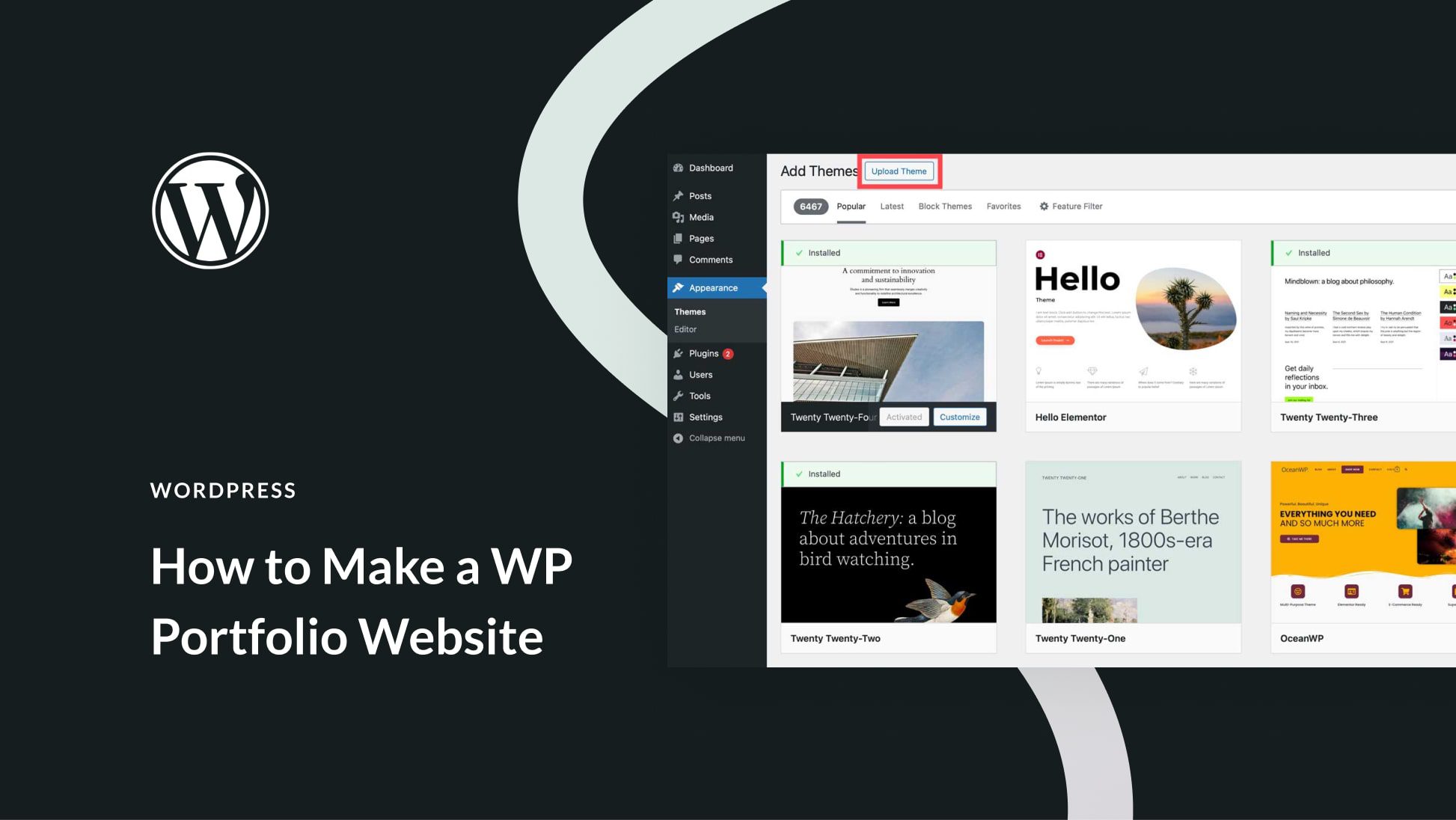
Picking the right theme is important. Responsive themes adjust to any screen size. This helps visitors see your site on phones or tablets. Look for themes with good reviews. Find themes that are easy to customize. Make sure the theme supports the latest WordPress version. This keeps your site secure.
Theme settings let you change the look of your site. Start by adjusting the colors and fonts. Check the header and footer settings. Add your logo to the header. Customize the menu to fit your content. Use widgets to add features like social media links. Save changes often. Preview your site to see updates.
Create Key Pages
The About Page tells visitors who you are. Share your story. Explain your mission. This page builds trust. Keep it simple. Use friendly language. Add a nice photo. Make sure it feels personal. Visitors love to know the people behind the site.
The Contact Page helps people reach you. Include an email address. Add a phone number if possible. You can use a form too. Make sure it works. Also, tell people when to expect a reply. Being reachable is important for trust.
A Privacy Policy Page explains how you use data. Visitors need to know. Tell them if you collect emails. Explain how you protect their information. This page is crucial for trust and legal reasons. Make it easy to read. You can use simple words.
Enhance Site Security
Secure your website with an SSL certificate. It makes your site safe. It protects data from bad people. With SSL, visitors trust your site. A padlock icon shows in the browser. This means your site is safe. Without SSL, data can be stolen. Buy SSL from your hosting provider. Some hosting plans include it for free. Install it through your hosting dashboard. Follow their guide for easy setup.
Protect your site with strong security measures. Use a security plugin. It keeps your site safe. Block bad people from entering. Limit login attempts. Use strong passwords. Change them often. Update WordPress and plugins regularly. This fixes security holes. Backup your site often. If bad things happen, you can restore it.
Optimize For Search Engines
A XML sitemap helps search engines find your pages. Use a plugin to make it easily. The sitemap is like a map for your site. It tells search engines where to go. This helps your site get found faster. Every page you add should be in the sitemap. Keep it updated.
Meta tags are important for search engines. They give info about your page. The title tag is the page’s name. It should be short and clear. The description tag tells what the page is about. Use simple words. These tags help people decide to click your link. Keep them unique for each page.
Plan Content Strategy
Knowing who will read your content is key. Your audience can be kids, teens, or adults. Each group likes different things. They have different needs. Focus on what they want. Find out their interests. Know what problems they face. Make content that helps them. Solve their problems. This makes readers happy. Happy readers come back.
Creating a plan for your posts is smart. A content calendar helps. It keeps you on track. Decide what to post each week. Plan posts for special days. This keeps your website fresh. Fresh websites attract more visitors. More visitors mean more fun. Write down your ideas. Use a calendar to stay organized. This makes posting easy.
Test Website Usability
Many people use phones to visit websites. Your site must look good on small screens. Use tools to see if your site is mobile-friendly. Make sure buttons and text are easy to click and read. Pictures should fit the screen well. A good mobile site keeps visitors happy.
Different browsers show websites in unique ways. Test your site on Chrome, Firefox, and Safari. Make sure it looks the same on all. Fix any layout issues you find. This helps everyone see your site well. Happy users stay longer.
Credit: www.elegantthemes.com
Launch And Monitor
Share your new website with everyone. Send an email to your friends and family. Post about it on social media. Tell your followers about the new site. Encourage them to visit and explore. Ask them to share their thoughts. Their feedback is important. It helps make the site better.
Install analytics tools on your website. Google Analytics is a good choice. It tells you how many people visit. You learn which pages are popular. You see where visitors come from. This information helps improve the site. Track your website’s performance often. Make changes as needed. Keep the website fresh and engaging for visitors.
Frequently Asked Questions
How To Set Up Permalinks In WordPress?
To set up permalinks, go to your WordPress dashboard. Navigate to Settings > Permalinks. Choose a structure that suits your site, like Post Name. Save changes to ensure search engines can index your content effectively. Proper permalinks improve SEO and user experience.
How Do I Secure My WordPress Site?
To secure your WordPress site, install a security plugin. Regularly update WordPress, themes, and plugins. Use strong, unique passwords for all accounts. Enable two-factor authentication and perform regular backups. This ensures your site remains safe from threats and data loss.
Why Is My WordPress Site Slow?
A slow WordPress site may be due to large images or plugins. Optimize images and limit plugins. Use a caching plugin and consider a content delivery network (CDN). These steps improve site speed, enhancing user experience and SEO performance.
How Can I Optimize WordPress For Seo?
To optimize for SEO, install an SEO plugin like Yoast. Use keyword-rich titles and meta descriptions. Ensure your site is mobile-friendly and has a fast loading speed. Regularly update content and use internal linking to improve SEO rankings.
Conclusion
Congratulations on uploading your WordPress website! What’s next? Focus on content. Create valuable posts. Engage with your audience. Respond to comments. SEO matters. Optimize your posts for search engines. Use relevant keywords. Enhance site speed. Fast sites rank higher. Secure your site.
Install essential plugins for security. Consistent updates keep your site fresh. Regularly backup your content. Monitor site analytics. Understand visitor behavior. Adjust strategies accordingly. Keep learning. Stay updated with WordPress trends. A well-maintained site attracts more visitors. Enjoy the journey of growing your online presence!


