
Ever wondered what your WordPress members are doing behind the scenes on your website? Understanding their activities can be crucial for managing your site effectively.
It’s not just about keeping things running smoothly; it’s about enhancing user experience and improving security. Imagine having the power to see every click, every change, and every action taken by your members. This knowledge can empower you to make informed decisions, enhance your site’s performance, and keep your community engaged.
Dive into this article to uncover how you can easily monitor and manage your WordPress members’ activities on the backend, ensuring your site thrives under your watchful eye. Curious to learn more? Let’s get started!
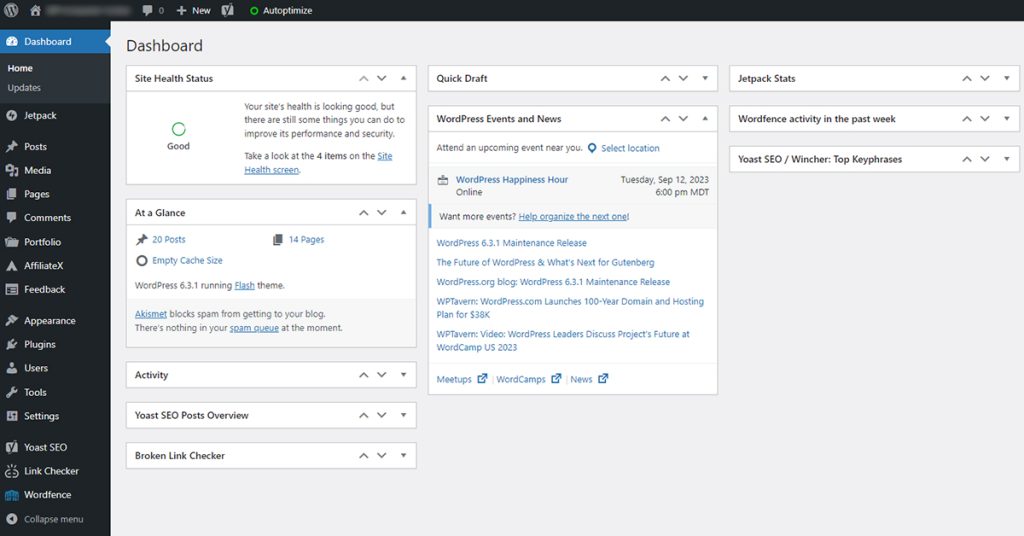
Credit: www.greengeeks.com
Monitoring User Activity
Understanding user activity on your WordPress site is crucial. Monitoring login sessions helps you know who is on your site. It helps identify active users. You can see when they log in and log out. This information is important for security. It can help detect unauthorized access. Keep your site safe and secure.
Content interactions show how users engage with your site. You can track which pages are most visited. Learn what content attracts users. Understand user preferences by analyzing clicks and time spent. This data helps improve your site’s content. Make it more engaging and user-friendly. Enhance user experience by knowing what they like.

Credit: nacainc.org
Plugins For Activity Tracking
Keeping an eye on what members do in WordPress is important. Some plugins help you track these activities. Activity Log is a popular choice. It shows changes made by users. Another option is WP Security Audit Log. It gives detailed reports on user actions.
User Activity Log plugin is also good. It highlights important changes in real-time. These plugins are easy to use and install. They help you see who did what and when. You can make sure everything is safe and sound.
Install plugins from the WordPress dashboard. Find them under the Plugins menu. Click “Add New,” then search for the plugin name. Once found, click “Install Now” and then “Activate.” Follow the setup instructions. Most plugins have simple steps. Now, you can start tracking user activities easily.
Understanding User Behavior
Tracking user actions is key. These actions show how users interact. Patterns emerge from these actions. Recognizing these patterns helps in predicting future actions. Trends can also be spotted over time. This data is vital for improving the site.
Users often follow specific paths. Some users visit the same pages often. Others might explore different areas. These paths reveal their interests. Trends highlight common behaviors. Regular analysis can offer insights into preferences.
Better user experience is crucial. Knowing user behavior helps improve site design. Changes can make navigation easier. Also, content can be more relevant. These improvements lead to happy users. Happy users return more often.
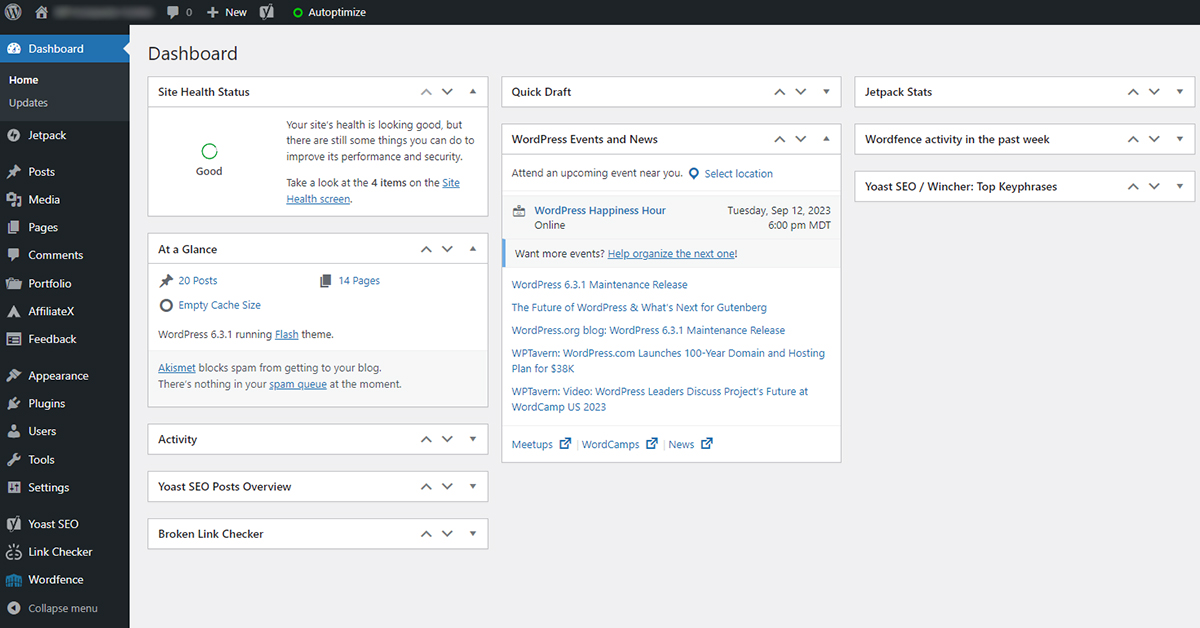
Credit: www.greengeeks.com
Privacy And Security Concerns
Handling sensitive data is crucial for WordPress sites. Many users share personal info. This includes names, emails, and payment details. Keeping this data safe is a top priority. Use strong passwords. Change them often. Enable two-factor authentication. Always update plugins and themes. This helps block security holes.
Compliance with regulations is a must for website owners. Many countries have data laws. The GDPR is an example. It protects user data in Europe. Failing to follow these rules can lead to fines. Use privacy policies on your site. Make them clear and easy to read. Inform users about data collection. Always get user consent before tracking them.
Optimizing Member Engagement
Feedback is key for growth. Members feel valued when their opinions are heard. Consider adding simple surveys or polls. These tools help collect member thoughts easily. Aim for quick responses. Members enjoy sharing insights. Feedback helps improve services. Keep questions clear and short. Engagement increases when feedback is used wisely. Make feedback a regular activity. Members appreciate this effort.
Interaction keeps members interested. Add chat features for easy communication. Members love real-time responses. Forums are great for discussions. They offer a space to share ideas. Interactive content attracts attention. Think about quizzes or contests. These elements boost engagement. Keep content fresh and exciting. Members return for more. Active participation strengthens community ties. Encourage members to interact often.
Using Analytics For Growth
Explore your WordPress members’ activity with analytics tools. Understand their behavior and preferences to enhance user experience. Gain insights into what engages them on the backend, allowing smarter growth strategies.
Leveraging Data Insights
Understanding member activity on WordPress is essential. Analytics can show what users do. This data helps make smart decisions. You can see which pages are popular. This means knowing what content works best. It also shows where users spend most time. Data can guide creating new content. Members’ interests become clear. This helps attract more visitors.
Strategic Improvements
Data shows where to improve. It helps find weak spots. This can be slow pages or ignored sections. Fix these for better user experience. Analytics can show trends. Trends help plan future actions. This means adapting to users’ needs. Improvements can make members happy. Happy members return often. A smooth backend helps growth.
Frequently Asked Questions
How Can I Track WordPress Member Activity?
You can track member activity by using plugins like Activity Log or WP Security Audit Log. These plugins provide detailed logs of user actions. They help in monitoring changes and ensuring security. You can see who logs in, what changes are made, and when.
This keeps you informed about backend activities.
Why Monitor WordPress Member Activities?
Monitoring ensures your site’s security and smooth functioning. It helps detect unauthorized changes and potential threats. By tracking activities, you can quickly identify issues and address them promptly. This proactive approach minimizes risks and enhances user experience. It also aids in maintaining data integrity and compliance.
Which Plugins Help In Monitoring WordPress Users?
Plugins like Simple History and User Activity Log are effective for monitoring. They offer detailed insights into user actions. These plugins are easy to install and configure. They help track logins, content changes, and settings updates. You can choose based on features and compatibility with your site.
Is Member Activity Monitoring Necessary For Security?
Yes, it’s crucial for maintaining WordPress site security. Monitoring helps identify suspicious activities and unauthorized access. It acts as an early warning system against potential breaches. By keeping track of user actions, you can quickly respond to threats. This reduces the risk of data loss or website compromise.
Conclusion
Understanding member activities enhances site management. It boosts security and performance. Regular checks keep the site running smoothly. Use plugins wisely to monitor backend actions. This helps in maintaining order and efficiency. Members’ insights can guide content improvements. They also reveal engagement levels.
Keep learning from these observations. It makes managing your WordPress site easier. Stay informed, and adapt to changes. Your site will thrive with attentive oversight.


