
Are you wondering if WordPress is really a CMS and what that means for your website? Understanding this can change how you manage your content, save time, and grow your online presence.
Whether you want to start a blog, build a business site, or run an online store, knowing what WordPress is and how it works as a content management system will help you make smarter decisions. You’ll discover why WordPress is considered a CMS, what benefits it offers, and how it can fit your unique needs.
Keep reading to unlock the full potential of your website with WordPress!
WordPress As A Cms
WordPress is widely known as a powerful tool for building websites. It also functions as a full content management system (CMS). This means it helps users create, manage, and modify digital content easily. WordPress offers flexibility for all types of websites, from simple blogs to complex business sites. Understanding WordPress as a CMS helps users make the best choice for their online presence.
Cms Basics
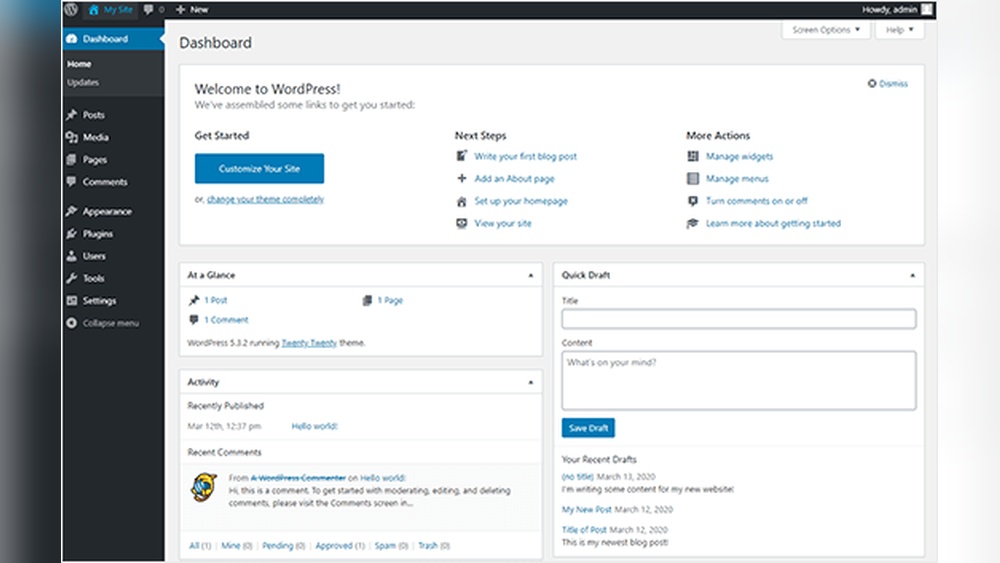
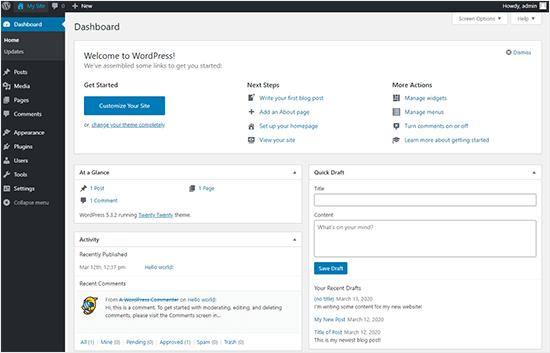
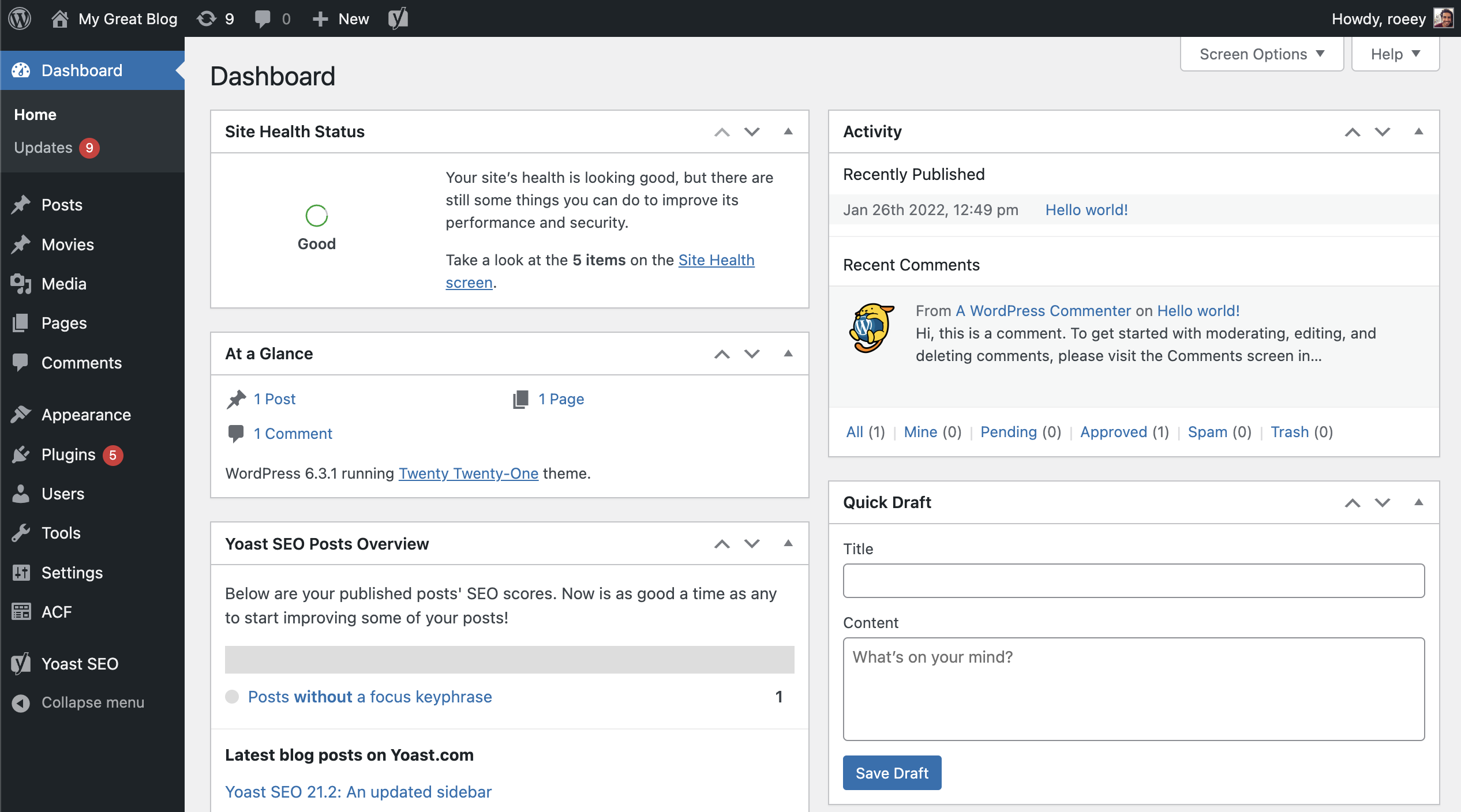
A content management system lets users manage website content without coding. It organizes content so you can add, edit, or remove text, images, and videos easily. CMS platforms handle the backend structure, so users focus on content creation. WordPress fits this role perfectly by providing a user-friendly dashboard and tools to control the site content.
WordPress Features
WordPress offers many features that support content management. It includes a visual editor for writing and formatting posts. Users can add plugins to extend site functions, like SEO, security, and e-commerce. Themes control the design, making it easy to change a site’s look without coding. These features make WordPress flexible and easy to use for beginners and experts alike.
Popularity And Usage
WordPress powers over 40% of all websites globally. Its popularity comes from being free, open-source, and highly customizable. Businesses, bloggers, and developers trust WordPress for its reliability and large community support. The system suits small sites and large portals, proving its strength as a CMS. Many choose WordPress to build a website quickly with strong content management tools.
Credit: visualcomposer.com
Content Creation And Management
Content creation and management form the core of WordPress as a CMS. It offers intuitive tools for writing, editing, and organizing content. Users can manage their websites without coding knowledge. The system supports diverse content types and simplifies the publishing process.
Editing And Publishing
WordPress provides a user-friendly editor for creating posts and pages. The block editor allows adding text, images, and other elements easily. Users can preview their work before publishing. Scheduling posts for future dates is also possible. Publishing is just one click away, making content live quickly.
Media Handling
WordPress supports various media formats like images, videos, and audio. Uploading media is simple through the media library. Users can organize files with folders and tags. The system optimizes images for faster loading. Media can be inserted directly into posts or pages.
User Roles And Permissions
WordPress has a built-in system for user roles and permissions. It helps control who can create, edit, or publish content. Roles include Administrator, Editor, Author, and Subscriber. Each role has specific capabilities and limits. This system keeps the website secure and organized.
Customization Options
WordPress offers a wide range of customization options. These options let users create unique websites that fit their needs. Customization makes WordPress more than just a simple CMS. It turns the platform into a flexible tool for many purposes.
Themes And Design
Themes control the look and feel of a WordPress site. There are thousands of free and paid themes available. Users can change colors, fonts, and layouts easily. Themes help create a professional appearance without coding skills. Many themes come with built-in customization settings for quick changes.
Plugins And Extensions
Plugins add extra features to WordPress sites. There are over 50,000 plugins to choose from. Plugins can improve SEO, add contact forms, or create online stores. Installing plugins is simple and does not require programming. They expand the core functions of WordPress to meet specific needs.
Custom Post Types
Custom post types let users organize content better. Besides regular posts and pages, custom types help manage different content types. Examples include portfolios, testimonials, or products. This feature makes WordPress suitable for various websites. It gives more control over how content is displayed.

Credit: en.wikipedia.org
WordPress For E-commerce
WordPress is a popular choice for e-commerce websites. It offers flexibility and many tools to build online stores. Users can easily create product pages and manage sales without deep technical skills.
With WordPress, businesses of all sizes can sell products online. The platform supports various plugins that enhance e-commerce features. This makes WordPress a strong option for online shops and marketplaces.
Woocommerce Integration
WooCommerce is the leading e-commerce plugin for WordPress. It turns a basic site into a full online store. Installing WooCommerce adds product listings, shopping carts, and checkout pages.
This plugin integrates smoothly with WordPress themes. Store owners can customize the look and feel of their shop. WooCommerce also supports many add-ons to expand functionality.
Product Management
WordPress allows easy management of products. Users can add, edit, and organize items quickly. Each product can have images, descriptions, prices, and categories.
Stock levels and variations like size or color are simple to set. This helps keep the store updated and accurate. Managing multiple products does not require coding knowledge.
Payment And Shipping
WordPress supports many payment gateways through plugins. Options include credit cards, PayPal, and bank transfers. This flexibility helps stores accept payments worldwide.
Shipping settings are also customizable. Store owners can set rates based on location, weight, or price. Tracking features and delivery options improve customer experience.
Using WordPress As A Headless Cms
Using WordPress as a headless CMS changes how you manage and deliver content. Instead of combining the content management and website display, WordPress handles only content creation. The front end, or the part users see, is built separately. This setup offers more flexibility and performance for websites and apps.
Api Functionality
WordPress provides a REST API that allows access to content in JSON format. This API lets developers fetch posts, pages, and other data easily. It supports creating, reading, updating, and deleting content remotely. The API opens WordPress content to any device or platform.
Decoupled Architecture
Decoupling means separating the content backend from the front end. WordPress manages the content and stores it securely. The front end uses frameworks like React, Vue, or Angular to display content. This separation improves site speed and design freedom.
Use Cases
Headless WordPress works well for mobile apps, single-page applications, and multi-channel publishing. It suits projects needing custom front ends while keeping WordPress content tools. Businesses use it for fast-loading sites and better user experiences.
WordPress Vs Other Cms Platforms
WordPress is one of the most popular CMS platforms worldwide. Many users compare it with other CMS options to find the best fit. Understanding how WordPress stands against others helps in making smart choices. This section explores key differences and similarities.
Comparison Criteria
Ease of use matters a lot. WordPress offers a simple interface for beginners. Other CMS platforms may require more technical skills. Flexibility is another point. WordPress has many plugins and themes. Some CMS options focus on specific tasks, like e-commerce or blogs.
Security is important. WordPress updates often to fix issues. Other CMS may have stronger built-in security but fewer updates. Cost also plays a role. WordPress is free, but some plugins cost money. Other CMS platforms might have subscription fees or licenses.
Strengths And Weaknesses
WordPress excels in customization and community support. It suits small to medium sites well. Some weaknesses include the need for regular updates and potential security risks if plugins are not managed. Other CMS platforms might offer better built-in security or faster setup but less flexibility.
For example, Joomla offers strong user management but a steeper learning curve. Drupal is powerful for complex sites but needs developer skills. WordPress balances ease and power, making it accessible for many users.
Best Use Scenarios
WordPress works best for blogs, small business sites, and portfolios. It fits well for users wanting control without coding. For large, complex sites with custom needs, Drupal or Joomla might be better choices. E-commerce stores may prefer Shopify or Magento for specialized features.
WordPress suits those who want many design options and easy content management. It is ideal for sites that need regular updates and new content. Other CMS platforms serve niche purposes or offer advanced technical tools for developers.
Extending WordPress With Crm Plugins
Extending WordPress with CRM plugins enhances its power beyond just managing content. These plugins add tools to handle customer relationships and sales directly on your site. They help businesses keep track of contacts, sales, and marketing all in one place. Using CRM plugins can turn WordPress into a more complete business platform.
Crm Plugin Options
Several CRM plugins fit different business types and needs. Jetpack CRM offers easy contact management and sales tracking. Fluent CRM focuses on email marketing automation within WordPress. WP ERP includes CRM along with HR and accounting features. Choosing the right plugin depends on your business size and goals.
Centralized Customer Data
CRM plugins collect customer information in one dashboard. This centralization helps avoid scattered data across tools. You can see customer histories, purchases, and communication logs quickly. Having all data in one place improves response time and service quality. It also supports better decision-making based on real customer insights.
Customization For Business Needs
CRM plugins offer flexibility to match business workflows. You can add custom fields to capture specific customer details. Automation rules help send follow-up emails and reminders automatically. Some plugins integrate with e-commerce and payment systems. This customization ensures CRM fits your unique business processes perfectly.
Credit: savvy.co.il
Security And Maintenance
Security and maintenance are vital for any WordPress site. Without proper care, your website can face threats and performance issues. Regular upkeep keeps your site safe and running smoothly. It also protects your data and visitors.
Updates And Backups
WordPress frequently releases updates for its core, themes, and plugins. These updates fix bugs and security flaws. Ignoring updates leaves your site vulnerable to attacks. Backups create copies of your site data. They help restore your site if something goes wrong. Schedule regular backups and store them safely.
Security Best Practices
Use strong, unique passwords for all accounts. Limit login attempts to block suspicious access. Install security plugins to monitor threats and malware. Disable file editing inside the WordPress dashboard to prevent unauthorized changes. Change the default admin username to something less obvious. Keep user roles strict and assign only needed permissions.
Performance Optimization
Fast websites improve user experience and SEO rankings. Use caching plugins to speed up page loading. Optimize images to reduce file size without losing quality. Choose a reliable hosting provider with good uptime. Clean up your database by removing old data and spam comments. Limit the number of active plugins to avoid slowdowns.
Frequently Asked Questions
Is WordPress Considered A Cms?
Yes, WordPress is a popular open-source CMS that helps users create and manage websites and content easily.
What Is Cms With An Example?
A CMS (Content Management System) lets users create and manage websites easily. Example: WordPress, a popular CMS for blogs and online stores.
Can You Use WordPress As A Cms?
Yes, WordPress functions as a powerful CMS, enabling easy website creation and content management without coding skills.
Is WordPress Considered A Crm?
No, WordPress is not a CRM by default. It is a CMS for website creation. CRM features require plugins like Jetpack CRM or Fluent CRM. These plugins help manage customer data, sales, and marketing within WordPress.
Conclusion
WordPress clearly functions as a content management system. It helps users build and manage websites easily. You can add features with plugins to fit your needs. Many people use WordPress for blogs, stores, and business sites. Its flexibility makes it a popular CMS choice worldwide.
Understanding its role helps you decide if it suits your project. Simple to use and widely supported, WordPress remains a strong CMS option.


