
Have you ever landed on a website and wondered, “Is it WordPress?” Knowing whether a site is built on WordPress can give you clues about its flexibility, ease of updates, and design options. If you’re planning your own website or just curious about what powers your favorite online spots, discovering this can be surprisingly simple.
You’ll learn easy ways to check if a website uses WordPress, why it matters to you, and how this knowledge can help you make smarter choices for your own online presence. Keep reading, and you’ll soon be spotting WordPress sites like a pro.
WordPress At A Glance
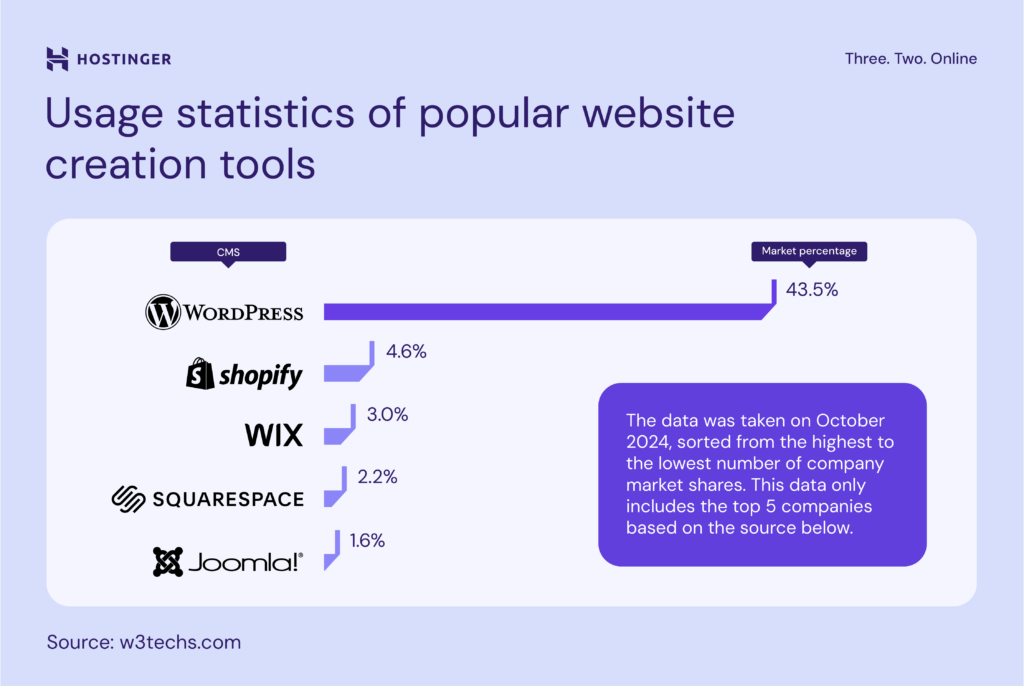
WordPress is one of the most used website builders worldwide. It powers millions of websites, from small blogs to big company sites. Its ease of use and flexibility make it a top choice for many.
Understanding WordPress helps you see why it is so popular and how it works. Below, we explore what makes WordPress popular and the types of platforms it offers.
What Makes WordPress Popular
WordPress is free and open-source. Anyone can use or change it without cost. This lowers the barrier for people to start websites.
It offers thousands of themes and plugins. These tools let users customize their sites with no coding skills. Updates keep WordPress secure and improve features regularly.
WordPress supports many languages and is easy to install. Users can create blogs, shops, portfolios, and more. Its large community provides support and resources.
Types Of WordPress Platforms
There are two main types of WordPress platforms: WordPress.org and WordPress.com. Both share the same core software but differ in hosting and control.
WordPress.org requires you to find your own web host. You get full control over your site and can install any theme or plugin. It is ideal for users who want flexibility.
WordPress.com hosts your site for you. It offers free and paid plans with less setup. This option suits beginners or those who want simple management.
Credit: www.hostinger.com
Identifying WordPress Sites
Identifying WordPress sites helps understand how websites are built. This knowledge aids in learning, competition analysis, and development ideas.
WordPress powers many websites, but not all show it openly. Several simple tricks reveal if a site uses WordPress technology.
Using Url Clues
Check the website’s URL for typical WordPress patterns. Look for “/wp-admin” or “/wp-content” in the address bar. These parts are common in WordPress sites. If they appear, it likely runs on WordPress.
Some sites hide these paths, but many do not. Trying to access “/wp-login.php” can also show a WordPress login page.
Inspecting Page Source
Right-click on the webpage and select “View Page Source.” Search for keywords like “wp-content” or “wp-includes.” These indicate WordPress files are used.
Look for meta tags or comments mentioning WordPress. These clues often appear in the site’s HTML code.
Tools For Detection
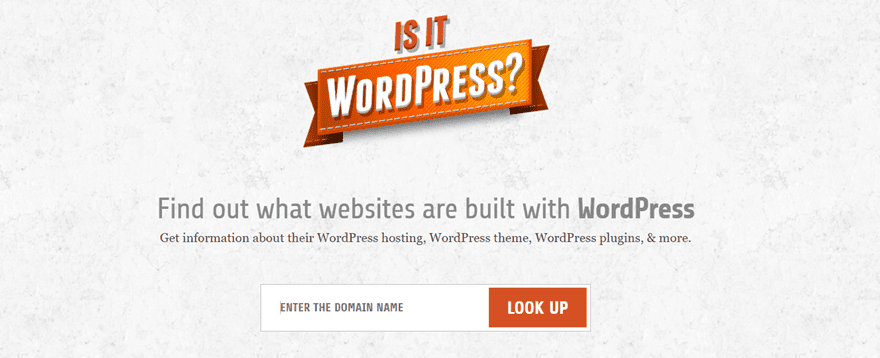
Several online tools detect WordPress sites easily. Tools like IsItWP or What WordPress Theme Is That scan websites for WordPress use.
These tools also reveal themes and plugins used by the site. They provide quick and accurate checks without manual steps.
Themes And Plugins
The heart of WordPress lies in its themes and plugins. These tools shape how a website looks and works. Themes control design and layout. Plugins add new features and functions. Together, they make WordPress flexible and powerful for any website.
Role Of Themes
Themes set the style of a WordPress site. They decide colors, fonts, and page structure. A good theme creates a smooth user experience. It helps a site stand out visually. Themes can be simple or complex. Some offer many customization options. They are easy to switch without losing content. This makes updating a site quick and safe.
Plugin Essentials
Plugins extend the power of WordPress. They add tools like contact forms, SEO helpers, and social sharing. Plugins can improve site speed and security. Each plugin has a specific job. Users can install many plugins to build features. But too many plugins can slow a site down. Choosing the right plugins keeps a site fast and stable.
Theme And Plugin Detectors
Detecting which theme or plugin a site uses is simple. Online tools scan websites to find this information. These detectors show the theme name and active plugins. They help users learn what works for other sites. This info guides choices for new WordPress projects. Detectors support site owners and developers in decision-making.
Pros Of Using WordPress
WordPress offers many advantages that make it a popular choice for websites. Its design suits beginners and experts alike. Users can create simple blogs or complex sites without much hassle. The platform’s features help improve website performance and user experience.
Flexibility And Customization
WordPress allows users to change their site easily. Thousands of themes provide different looks and styles. Plugins add new functions without coding knowledge. You can build any site type, from shops to portfolios. This freedom makes WordPress suitable for all projects.
Community And Support
A large community of users and developers backs WordPress. Forums and groups offer help at any time. Many tutorials and guides are available online. Regular updates improve security and features. This strong support network ensures your site stays healthy.
Cost-effectiveness
WordPress itself is free to use and install. Many themes and plugins are also free or low-cost. You only pay for hosting and domain names. This reduces the cost of building a website. Small businesses and personal projects benefit the most.
Challenges With WordPress
WordPress offers great flexibility and ease for website creation. Yet, it comes with some challenges. Understanding these issues helps users manage and optimize their sites effectively.
Security Concerns
WordPress sites are common targets for hackers. Plugins and themes can have vulnerabilities. Poor security settings increase risk of attacks. Regular updates and strong passwords help reduce threats. Using trusted plugins is crucial for safety.
Maintenance Requirements
WordPress needs constant care to run smoothly. Updates for the core, themes, and plugins are frequent. Ignoring updates can cause errors or crashes. Backups should be done regularly to avoid data loss. Maintenance takes time but keeps sites healthy.
Performance Issues
WordPress sites can load slowly if not optimized. Large images and many plugins can slow performance. Hosting quality impacts website speed greatly. Caching and content delivery networks improve loading times. Fast sites improve user experience and SEO.
Alternative Platforms
Exploring alternative platforms to WordPress helps you find the best fit for your website. Different platforms offer unique features, ease of use, and customization options. Choosing the right one depends on your website goals, technical skills, and budget.
Some platforms focus on simplicity, while others provide advanced tools for developers. Understanding these options broadens your perspective beyond WordPress.
Popular Competitors
Wix is user-friendly and offers drag-and-drop design. Squarespace provides elegant templates and integrated hosting. Joomla is flexible and suits complex sites. Shopify is ideal for online stores and e-commerce. Weebly is simple and good for small businesses. Each platform brings different strengths to website building.
When To Choose Alternatives
Choose alternatives if you want quick setup with little technical work. Pick a platform with built-in hosting to avoid managing servers. Use Shopify for easy online store management. Select Joomla for complex, customized websites. Opt for Wix or Squarespace for modern designs without coding. Alternatives fit specific needs that WordPress may not cover easily.
Choosing The Right Platform
Choosing the right platform for your website is a critical step. The platform affects your site’s ease of use, design options, and growth potential. Picking a platform that fits your needs ensures a smoother experience and better results. Consider what matters most to you before making a choice.
Assessing Your Needs
Start by listing what your website needs to do. Think about the type of content you will post. Decide if you need a blog, store, or portfolio. Also, consider how much control you want over design and functionality. Knowing your needs helps narrow your platform options.
Evaluating Features
Look at the features each platform offers. Check if they have themes or templates you like. See if plugins or add-ons are available for extra tools. Consider mobile responsiveness and SEO support. Features that match your goals make building easier.
Budget Considerations
Review your budget for the website project. Some platforms are free with paid upgrades. Others require monthly fees or hosting costs. Factor in costs for themes, plugins, and support. Choose a platform that fits your financial plan without surprises.
Credit: www.elegantthemes.com
Getting Started With WordPress
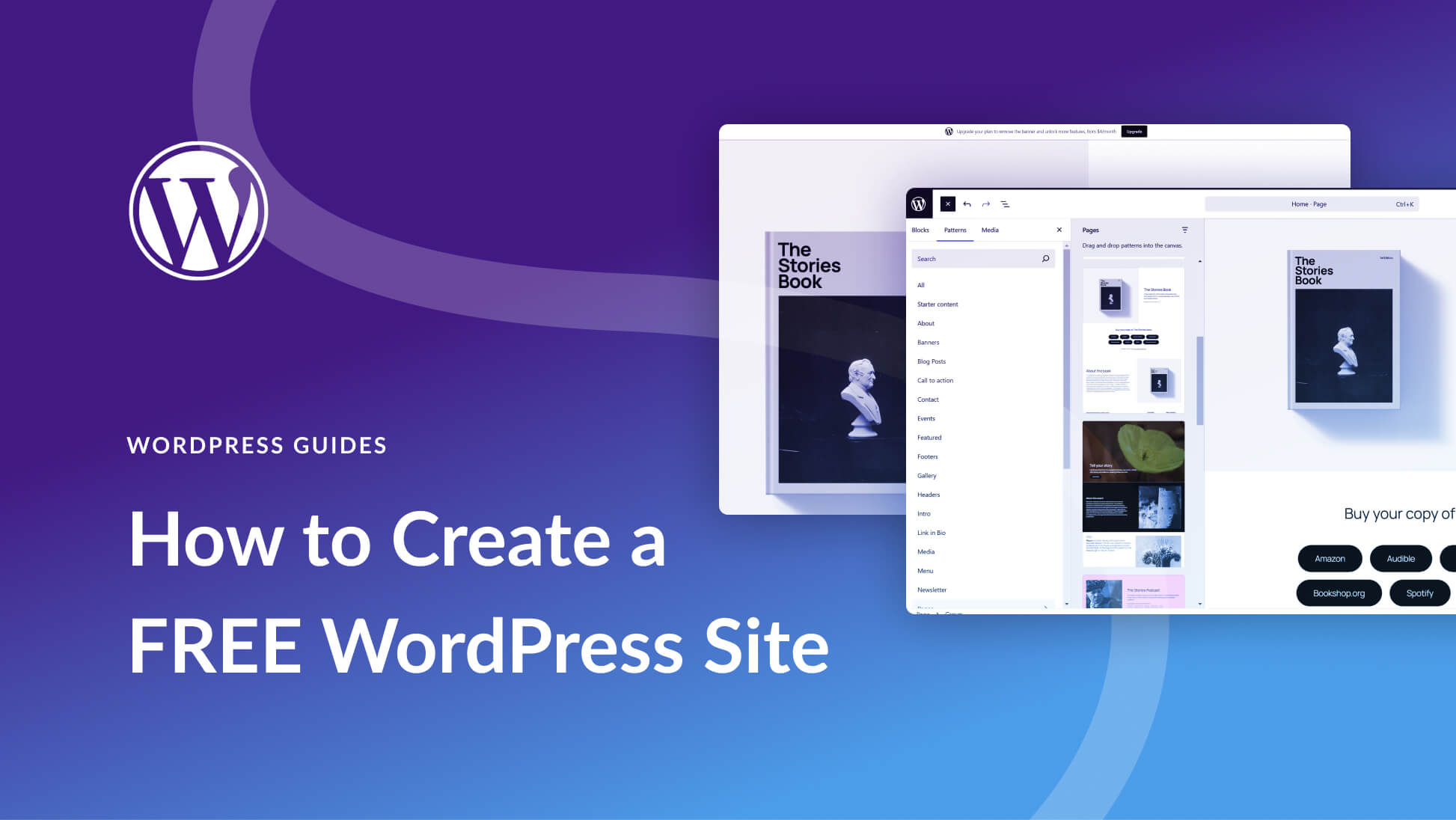
Getting started with WordPress is simple and rewarding. This platform offers a flexible way to build websites. Whether for a blog, business, or portfolio, WordPress adapts easily. The setup process is straightforward and user-friendly.
In this section, discover how to set up your site, choose themes and plugins, and follow best launch practices. These steps help create a strong foundation for your website.
Setting Up Your Site
Begin by choosing a reliable web host. Many hosts offer one-click WordPress installation. This saves time and effort. Next, pick a domain name that reflects your brand or topic. Install WordPress through your host’s control panel. After installation, log in to your WordPress dashboard. This is your site’s control center. Start by adjusting basic settings like site title and tagline. These details improve your site’s identity and SEO.
Selecting Themes And Plugins
Themes control your site’s look and feel. Choose a theme that matches your style and purpose. WordPress offers thousands of free and paid themes. Look for themes that are mobile-friendly and updated regularly. Plugins add extra features to your site. For example, SEO tools, contact forms, and security plugins. Only install plugins from trusted sources. Too many plugins can slow down your site, so pick only what you need.
Best Practices For Launch
Before launching, check your site on different devices. Make sure it looks good on phones and tablets. Test all links and forms to ensure they work properly. Set up basic SEO settings using plugins like Yoast SEO. This helps search engines find your site. Create a backup plan to save your data. Launch your site only after thorough testing. A well-prepared launch creates a positive first impression.
Credit: www.elegantthemes.com
Frequently Asked Questions
How Can I Tell If A Website Uses WordPress?
Check the website’s source code for “wp-content” or “wp-admin” in the URL. These are clear WordPress indicators. You can also use free online tools like IsItWP or Scan WP for quick detection.
What Tools Help Identify WordPress Themes And Plugins?
Tools like IsItWP, Scan WP, and What WordPress Theme Is That allow you to detect themes and plugins used on WordPress sites. These tools provide detailed information about the site’s design and functionality components.
Is WordPress Suitable For Beginners To Build Websites?
Yes, WordPress is beginner-friendly with an intuitive interface, thousands of themes, and plugins. It requires minimal technical knowledge, making it ideal for users who want to create websites without coding skills.
Can I Use WordPress For Both Blogs And Business Sites?
Absolutely. WordPress supports various site types, including blogs, portfolios, e-commerce stores, and business websites. Its flexibility and extensive plugin library enable customization for diverse needs.
Conclusion
WordPress powers millions of websites worldwide. It offers flexibility, ease, and many tools. Checking if a site uses WordPress is simple with online detectors. Knowing this helps you understand website building better. Whether you want a blog or store, WordPress fits many needs.
It stays popular because it is user-friendly and adaptable. Explore WordPress to see if it matches your goals. The right platform makes website creation smoother and more fun.


