
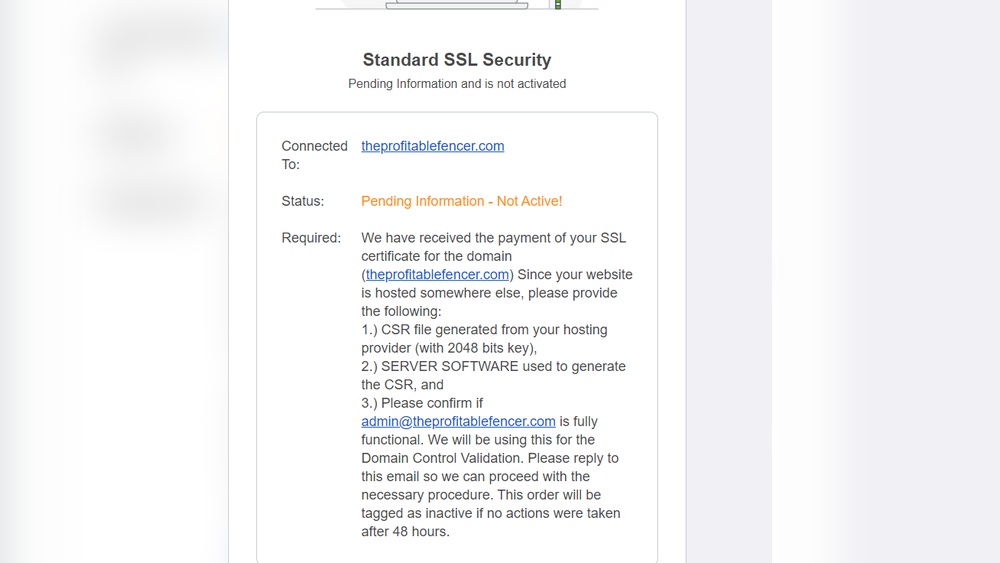
Are you confused about where a CSR (Certificate Signing Request) actually belongs? Is it tied to your web host or your domain?
Understanding this can save you time and headaches when setting up your website’s security. If you want to get your SSL certificate right without the guesswork, keep reading. This simple guide will clear up the mystery and help you make the best choice for your site’s safety.
What Is A Csr
A CSR, or Certificate Signing Request, is a block of encoded text. It is created on a server or web host. The CSR contains information that identifies your website or company. It is essential for obtaining an SSL certificate.
The SSL certificate helps secure data transmitted between a website and its visitors. This makes the CSR a key part of website security. Understanding what a CSR is will clarify its role in web hosting and domains.
Purpose Of A Csr
The main purpose of a CSR is to request an SSL certificate. It sends information to a Certificate Authority (CA). The CA uses this data to create the certificate. The certificate proves your website is safe and trustworthy.
Without a CSR, the CA cannot issue an SSL certificate. It also ensures the certificate matches your domain name. This helps prevent fraud and protects users’ data.
Components Of A Csr
A CSR contains several important pieces of information. It includes the domain name you want to secure. It also has your organization’s name and location.
The CSR holds a public key that pairs with a private key on your server. This key pair helps encrypt data. It also includes a contact email address.
Each part of the CSR plays a role in confirming your identity and securing your site.
Credit: anvil.works
Role Of A Domain In Ssl
The domain name plays a key role in securing websites with SSL. SSL certificates link a website’s identity to its domain name. This connection builds trust for visitors and browsers.
Without a domain, SSL certificates cannot verify or protect the site. The domain is the main point of validation in the SSL process. It ensures the certificate matches the website owner’s address.
Domain Validation Process
Domain validation checks if the website owner controls the domain. The certificate authority sends a verification request to the domain’s registered contact. This can be an email or a DNS record check.
Once the owner confirms control, the SSL certificate is issued. This process is fast and confirms the domain’s legitimacy. It does not verify the organization behind the domain, only control.
Impact On Ssl Certificates
The domain’s status directly affects SSL certificate issuance. A valid domain allows easy verification and quick certificate approval. An invalid or expired domain causes verification failure.
SSL certificates only protect the domain listed in the certificate. Subdomains or other domains need separate certificates or a wildcard certificate. The domain ensures the encrypted connection matches the correct website.
Web Host And Ssl Certificates
Web hosting plays a key role in managing SSL certificates for websites. The SSL certificate ensures secure connections, protecting user data. It works with both the web host and the domain. Understanding their roles helps clarify where the CSR fits.
The web host often helps generate and install SSL certificates. The domain name identifies the site, but the host manages the technical setup. This setup includes creating a Certificate Signing Request (CSR).
Web Host Responsibilities
The web host handles server management and security settings. It stores website files and manages traffic. The host also supports SSL installation and renewal. This ensures encrypted communication between visitors and the server. Without the host, SSL setup becomes difficult for most users.
Generating A Csr On Web Host
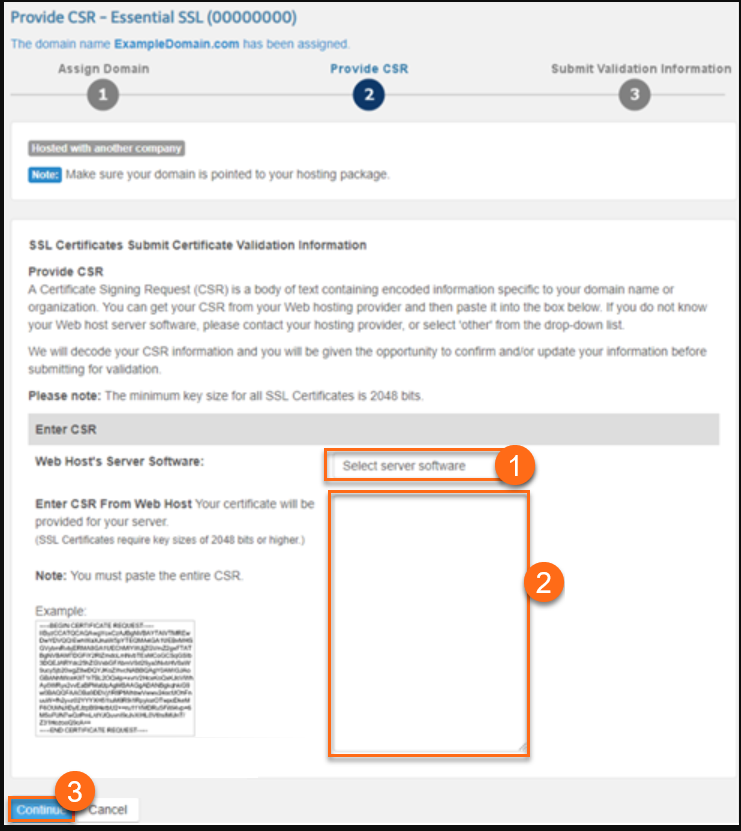
The CSR is a block of encoded text needed for SSL certificates. It contains information about the website and company. The web host usually generates the CSR on the server. This process creates a key pair: public and private keys. The CSR is sent to the Certificate Authority for verification. After approval, the SSL certificate is issued and installed by the host.
Csr And Domain Linkage
Understanding how a Certificate Signing Request (CSR) connects to a domain or web host is important. This knowledge helps clarify the security process behind websites. It also explains why CSRs are essential for SSL certificates.
The CSR contains details about the domain name. It also holds information about the organization requesting the certificate. This makes the link between the CSR and the domain very strong.
Is Csr Tied To Domain Or Host?
A CSR is mainly tied to a domain, not the web host. The domain name is what the SSL certificate protects. The CSR includes this domain name to request the certificate.
The web host is where your website files live. It does not affect the CSR or the SSL certificate. You can move your domain to another host and keep the same SSL certificate.
The CSR must match the domain name exactly. If it does not match, the certificate will not work properly. The host has no role in this matching process.
Examples Of Csr Usage
When you buy an SSL certificate, you create a CSR. This CSR contains your domain and company details. You send it to a Certificate Authority (CA) for verification.
After verification, the CA issues an SSL certificate. This certificate secures your domain and encrypts data. The certificate will not work for any other domain.
For example, if your domain is example.com, the CSR must include example.com. If it says example.net, the SSL certificate will not match.
Common Misconceptions
Many people confuse the role of a CSR with domain or hosting details. This confusion can lead to mistakes in securing websites. Understanding the true nature of a CSR helps avoid these errors. It clears up who controls what and why it matters.
Csr Confusion With Domain Ownership
Some think a CSR proves domain ownership. It does not. A CSR only relates to SSL certificates. It contains information about the website and the company. But it never shows who owns the domain name.
Domain ownership is separate and managed through domain registrars. The CSR helps create security certificates for encrypted connections. It cannot transfer domain rights or prove ownership.
Web Host Vs Domain Control
People often mix up web hosting and domain control. These are two different things. Web hosting is where website files live. The domain is the website’s address on the internet.
The CSR ties to the website’s security, not the host or domain. Web hosts may help install the SSL certificate from the CSR. Still, they do not own the domain or the CSR itself.
Domain control stays with the domain owner through the registrar. Web hosting can change without affecting the CSR or domain ownership.
Credit: www.hostgator.com
Best Practices For Csr Management
Managing a Certificate Signing Request (CSR) properly is key to website security. CSRs help get SSL certificates, which protect data and build trust. Following best practices ensures a smooth process and avoids common errors. Keep your CSR handling safe and organized to prevent security risks.
Generating Csr Safely
Create the CSR on a secure server to protect your private key. Use trusted software or control panels for the process. Avoid generating the CSR on public or shared computers. Double-check the information, like domain name and company details, before submitting. This reduces errors and prevents delays in certificate issuance.
Storing And Using Csr
Keep your CSR files in a secure location with limited access. Do not share your private key with anyone. Use the CSR only for the intended domain or project. Avoid reusing CSRs for multiple certificates. Proper storage and use help maintain your site’s security and trustworthiness.
Troubleshooting Csr Issues
Troubleshooting CSR issues is important for a smooth SSL setup. A CSR (Certificate Signing Request) contains your website details. It helps a Certificate Authority create an SSL certificate. Problems with the CSR can delay or block your SSL installation.
Many CSR issues arise from mismatched information or expired certificates. Fixing these issues quickly keeps your site secure. Understanding common CSR errors helps resolve them faster.
Csr Mismatch Errors
CSR mismatch errors happen when the CSR data differs from the SSL certificate. The domain name in the CSR must match the certificate exactly. Even small differences cause errors.
Check the CSR details carefully before submitting. Use the correct domain name and company information. Mistakes here lead to CSR mismatch errors and SSL failures.
Regenerate the CSR if you find wrong details. Always save the new CSR and private key safely. These steps prevent mismatch errors and save time later.
Renewing Ssl Certificates
Renewing SSL certificates requires a new CSR each time. The old CSR cannot be reused for renewal. Generating a fresh CSR ensures updated information and secure encryption.
Submit the new CSR to your SSL provider during renewal. Keep your domain and company details current to avoid issues. Renew certificates before they expire to maintain trust.
Renewal without a proper CSR can cause website warnings. These warnings scare visitors and reduce site traffic. Timely renewal with a correct CSR keeps your site safe and trusted.

Credit: community.cloudflare.com
Frequently Asked Questions
Is A Csr Linked To A Web Hosting Service?
No, a CSR (Certificate Signing Request) is not linked to web hosting. It is generated on the server where the SSL certificate will be installed. The CSR is tied to the domain name, not the hosting provider.
Does A Csr Depend On The Domain Or Web Host?
A CSR depends on the domain name, not the web host. It contains information about the domain and organization. The SSL certificate issued from the CSR secures the domain regardless of the hosting provider.
Can I Reuse A Csr For Different Web Hosts?
No, reusing a CSR across different hosts is not recommended. Each CSR contains a unique key pair. For security, generate a new CSR when changing web hosts or servers.
What Information Is Included In A Csr?
A CSR includes the domain name, organization details, and public key. This data helps the Certificate Authority verify your identity. It does not include hosting information.
Conclusion
CSR is linked to the domain, not the web host. It helps secure your website with SSL certificates. Web hosts provide space and services for your site. Domains are your site’s address on the internet. Always keep your CSR with your domain records.
This ensures smooth certificate management and better security. Understanding this helps avoid confusion in website setup. Simple steps lead to safer and more reliable sites. Keep your domain and CSR organized for best results.


