
Have you ever found yourself puzzled by the intricacies of WordPress? You’re not alone.
As you dive deeper into building your website, understanding the structure and hierarchy can be crucial. One aspect that often raises questions is the concept of a “Parent Page. ” What does adding a Parent Page in WordPress actually do for your site?
If you’re looking to create a seamless, organized website experience, this concept might be the key to unlocking clarity and structure. Imagine being able to streamline your content, improve navigation, and enhance your site’s user experience—all with a simple tweak. Ready to discover how this works and how it can transform your website? Keep reading, and you’ll uncover the secrets of Parent Pages that might just revolutionize your WordPress game.
Parent Page Concept
A parent page is like a big folder. It holds other pages inside. These pages are called child pages. Parent pages help to organize your site better. Think of it as a book with chapters. Each chapter covers a different topic. This makes it easier for people to find information. A cleaner site can make visitors happy. They don’t need to search hard for things. Instead, they click on the parent page. Then, they see all the related child pages below. This saves time and keeps the site neat.
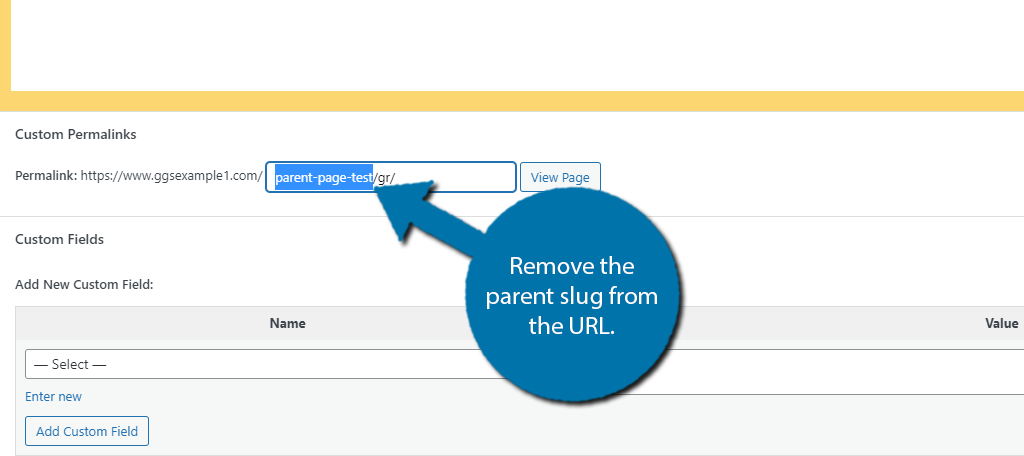
Credit: www.greengeeks.com
Hierarchy In WordPress
Adding a parent page helps organize your site. It sets up a clear page hierarchy. This makes your site easy to navigate. Parent pages act like big folders. They group related pages together. Each child page connects to its parent. This structure creates a logical flow. Your visitors find information easily. They understand where each page fits. Parent pages are useful for complex sites. They keep everything tidy and clear.
Subpages are like smaller sections. They live under parent pages. You can add many subpages. Each has its own content. Subpages help break down topics. They make reading easier. Organize your ideas with subpages. Visitors can find things fast. They won’t get lost. Subpages give detail without clutter. They keep the main page simple. Creating subpages improves site structure. It’s a smart way to manage your site.
Benefits Of Parent Pages
Parent pages help users find content easily. They act as a central hub. Users can see related content under one main page. This improves the user experience. Visitors do not get lost. They know where to go next. It is like having a map for your website. This makes the site more user-friendly. Easy navigation encourages users to stay longer.
Parent pages can boost your site’s SEO. They help search engines understand your site better. With parent pages, content is well-organized. Search engines like organized content. This can improve your site’s ranking. More visitors might find your site. A better ranking means more visitors. Better visibility leads to more success.
Organizing Content
Adding a parent page in WordPress helps in organizing content. It creates a neat and structured website layout. Each child page is connected to its parent. This makes navigation easier for users.
Logical grouping of pages makes your content easier to find. Visitors can explore related topics quickly. It also improves the site’s overall appearance. This structure is great for websites with a lot of information.
Parent pages show how content relates to each other. They serve as a hub for similar topics. This makes it simple for users to move between pages. Search engines also find this structure useful.
Establishing content relationships boosts your site’s SEO. It helps in ranking better on search engines. Users will stay longer on a well-organized site. They find what they need without much effort.
Managing Parent Pages
Adding a parent page helps organize your WordPress site. It creates a clear hierarchy. Parent pages hold important information. They group related pages together. This keeps your site tidy and easy to navigate. Imagine a big book. The parent page is like the main chapter. Each child page is a subchapter. Visitors find content faster this way.
Adjusting page hierarchies is simple in WordPress. Go to the dashboard. Select the page you want. Choose a new parent from the dropdown. This moves the page under a different parent. It’s like changing the chapter for a subchapter. This helps keep content organized and flexible. The structure is always easy to adjust.
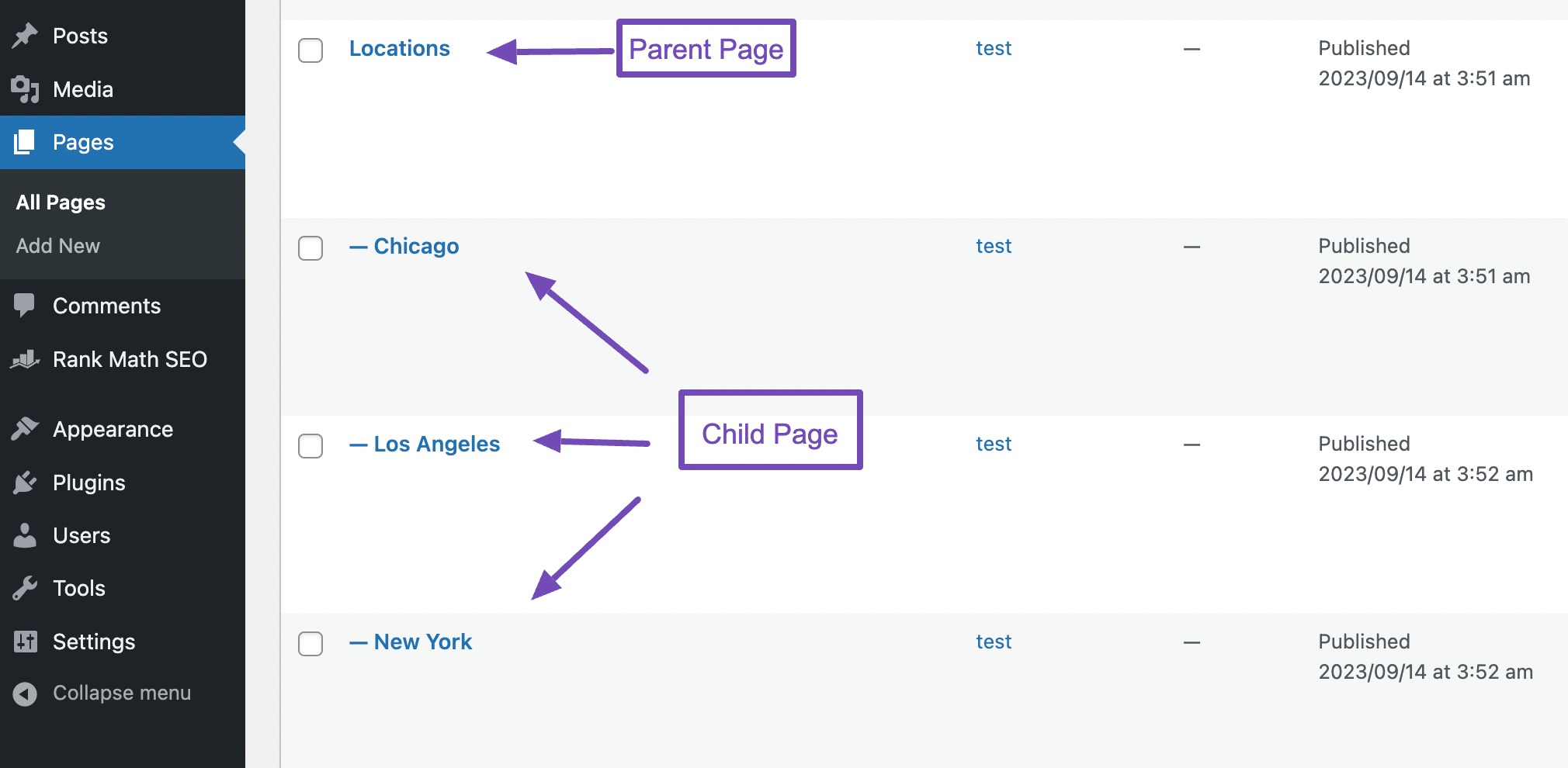
Credit: rankmath.com
Common Uses
Adding a parent page can organize your business site better. It helps group similar pages under one main topic. This makes your site easy to navigate. Users find information fast. Imagine a clothing store website. You can have a parent page named “Clothing”. Under it, you add child pages like “Men”, “Women”, and “Kids”. This way, visitors understand your site layout. They can click on “Clothing” and see all related sections.
For a portfolio site, use a parent page for projects. Under it, add each project as a child page. This keeps your work organized. Visitors can click on “Projects” and see all your work. It gives a professional look to your site. Think of it like a book with chapters. Each project is a chapter under one big title.
Troubleshooting Issues
Adding a parent page in WordPress organizes your site better by creating a clear hierarchy. It helps users navigate easily and improves your site’s structure. This setup enhances user experience and can aid search engine optimization.
Broken Links
Adding a parent page can sometimes cause links to break. Pages that were linked before might not work. This can confuse visitors. Check all internal links after changing page structure. Fix any broken links quickly. Use tools like link checkers to find issues. This keeps your website smooth and easy to use.
Navigation Problems
Changing the page order might affect navigation. Visitors may struggle to find pages. Ensure menus update correctly. Test the website navigation. Make sure every link goes to the right page. This helps users find what they need. A clear menu is important for a good experience.
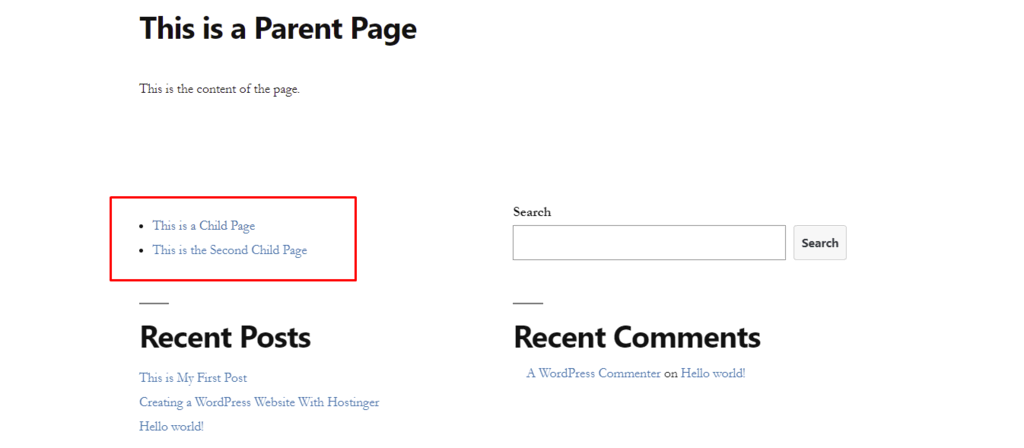
Credit: www.hostinger.com
Frequently Asked Questions
What Is A Parent Page In WordPress?
A parent page in WordPress is a higher-level page that groups related subpages. It helps organize your content hierarchically, making navigation easier. By assigning a parent page, you create a structured site architecture, improving user experience and SEO. It’s especially useful for websites with extensive content.
How To Add A Parent Page In WordPress?
To add a parent page, edit the page in WordPress. In the Page Attributes section, select a parent page from the dropdown menu. Save your changes. This action creates a hierarchy, organizing your website’s structure. It enhances user navigation and can positively impact SEO.
Why Use Parent Pages In WordPress?
Using parent pages organizes your content into a clear hierarchy. This improves user navigation and site structure. It also enhances SEO by providing a logical content organization. Parent pages group related topics, making it easier for visitors to find information and for search engines to index content.
Does A Parent Page Affect Seo?
Yes, a parent page affects SEO positively. It creates a structured hierarchy, improving site navigation and user experience. Search engines value well-organized content, which can enhance your site’s visibility. Parent pages help establish content relationships, making it easier for search engines to understand your site’s structure.
Conclusion
Adding a parent page in WordPress organizes your website better. It creates a clear structure for visitors to follow. This helps users find information faster. Search engines appreciate organized websites too. It can boost your SEO rankings. Your content becomes more accessible and easier to navigate.
A well-structured site improves user experience. Happy visitors are likely to return. Consider using parent pages for a seamless browsing experience. Your website becomes user-friendly and efficient. Embrace this simple technique for better site management. It’s a smart step towards a polished online presence.


