
Are you ready to take your website to the next level by hosting it on one of the world’s most powerful platforms? If you’re seeking reliability, speed, and top-notch performance, Google’s hosting solutions might just be what you need.
But how do you actually go about web hosting in Google? You might feel overwhelmed by the options or unsure about where to start. Don’t worry; you’re not alone in this. In this guide, we’ll break it down into simple, actionable steps, ensuring that you can confidently host your website on Google with ease.
By the end, you’ll understand not just the how, but also the why, giving you the knowledge to make the best decision for your online presence. Let’s dive in and transform your website dreams into reality!

Credit: www.youtube.com
Getting Started With Google Web Hosting
Google offers reliable web hosting. It is safe and fast. Start by creating a Google Cloud account. You need a valid email for this. Once signed up, explore the Google Cloud Console. This is where you manage your hosting. Choose Compute Engine for your website. It helps to run apps smoothly.
Set up your virtual machine here. Choose the size and type that fits your needs. Install the web server software on the machine. Common choices are Apache or Nginx. Follow the steps to deploy your site. Use Google’s documentation for guidance. It is detailed and helpful.
Secure your site with SSL certificates. Google Cloud provides options for this. Make sure your site is backed up regularly. This protects your data. Hosting on Google is reliable and offers many features. It’s a great choice for your website.
Choosing The Right Google Hosting Service
Google Cloud Platform, or GCP, is a powerful tool for hosting websites. It offers many services like storage and computing power. These help websites run smoothly and quickly. GCP is great for big websites with lots of visitors. It can handle many users at once. This makes it a good choice for businesses.
Firebase Hosting is another option from Google. It is best for small websites and apps. Firebase is easy to use and set up. You can host your site in just a few clicks. It offers fast delivery of web pages. This is important for keeping visitors happy. Firebase is also good for testing new ideas.
| Feature | Google Cloud Platform | Firebase Hosting |
|---|---|---|
| Best For | Large Websites | Small Websites |
| Ease of Use | Complex | Simple |
| Speed | Very Fast | Fast |
Setting Up A Google Cloud Account
Start by visiting the Google Cloud Platform website. Click the Sign Up button. Fill in your name and email address. Choose a strong password. Agree to the terms and conditions. Click Create to finish. Your account is ready.
Google Cloud offers different payment methods. Choose credit card or bank account for payments. Set a monthly budget to control spending. Watch your billing dashboard for charges. You can also change billing settings anytime. Remember to keep your payment information updated.
Credit: www.infiflex.com
Deploying Your Website On Google Cloud
Make sure your website files are ready. This includes HTML, CSS, and JavaScript files. Check that all links work. Ensure images are in the correct folders. Keep file names simple and clear. Use lowercase letters for file names. Avoid spaces in file names. Use hyphens instead. Backup your files on your computer. This helps prevent data loss.
Open the Google Cloud Console on your computer. Click on the menu icon. Choose Cloud Storage. Create a new bucket for your files. Give your bucket a unique name. Follow the instructions to set permissions. Upload your website files to the bucket. Make sure the files are public. Check your website’s URL to see if it works.
Firebase Hosting For Static Sites
Explore Firebase Hosting, a simple solution for hosting static sites on Google. It offers fast deployment and reliable performance. Ideal for developers seeking an easy way to showcase projects online.
Installation Of Firebase Cli
First, you need to install the Firebase CLI. Open your command line tool. Type npm install -g firebase-tools. This command installs Firebase tools globally. Ensure you have Node.js installed. It is necessary for Firebase CLI. The installation will take a few minutes. Once done, check the version. Type firebase --version. You should see the version number. Now, you are ready for the next steps.
Deploying With Firebase
To deploy, use the firebase init command. This sets up your Firebase project. Choose the hosting option. Follow the on-screen steps. Next, deploy your site with firebase deploy. Wait for the process to finish. Your site is now live. Visit the URL provided by Firebase. Remember to keep your files updated. Use firebase deploy whenever changes occur. This ensures the latest version is online.
Managing Domains And Dns
First, choose a unique domain name that fits your website. Visit a domain registrar website to see if it’s available. Popular registrars include Google Domains, GoDaddy, and Namecheap. Enter your desired name in the search box. If it’s taken, try another name. Once available, proceed with the purchase. Provide your contact details and payment information. After payment, the domain is yours. Remember to renew your domain yearly to keep it active.
After registering, go to your domain registrar’s dashboard. Find the DNS settings option. Here, you can manage records like A, CNAME, and MX. For a basic website, focus on the A record. Point it to your web hosting server’s IP address. Use CNAME for subdomains like www. Changes take time, often up to 48 hours, to update worldwide. Ensure all details are correct to avoid website downtime.
Security Best Practices
SSL Certificates are important for website security. They help keep data safe. Users trust websites with SSL. Look for a padlock icon in the browser. It shows the site is secure. Always use SSL to protect user data.
Data Encryption is like a secret code. It keeps information safe. Hackers can’t read encrypted data. Always encrypt sensitive information. This includes passwords and personal details. Encryption is key for secure web hosting.
Credit: www.youtube.com
Monitoring And Optimization
Google offers many tools for performance monitoring. Google Analytics tracks website visitors and their behavior. Google PageSpeed Insights checks your website speed. It shows areas to improve. Google Search Console helps find technical issues with your site. These tools are free to use. They help keep your website fast and efficient. Monitoring helps catch problems early. Fixing them keeps visitors happy.
Start with a basic hosting plan. Upgrade when needed. Use free Google tools to save money. Optimize images to reduce load times. Choose a low-cost domain name. Avoid unnecessary plugins. Use caching to make sites faster. Check for special offers and discounts. Compare hosting plans. Look for plans with unlimited bandwidth. Save money by choosing the right plan.
Troubleshooting Common Issues
Connection problems can cause stress. Check your internet cable first. Ensure it is plugged in properly. Next, restart your router. Sometimes, this fixes the issue. If not, visit the Google support page. They offer help with connection issues. Make sure your hosting plan is active. Sometimes, expired plans cause problems.
Deployment errors happen often. First, check your code for mistakes. A small error can cause big issues. Use a validator tool to find these errors. Next, ensure you have the right permissions. Without proper permissions, deployment will fail. Always double-check your file paths. A wrong path can lead to errors. If problems continue, seek help from Google’s support team.
Frequently Asked Questions
Can I Host My Website With Google?
Yes, you can host your website with Google using Google Cloud Platform. It offers scalable hosting solutions. Google Sites also allows basic website creation and hosting. Choose the right service based on your needs and technical skills. Google’s hosting provides reliability, security, and global reach.
How Much Does It Cost To Host A Website In Google?
Hosting a website on Google Cloud costs vary based on resources used. A basic setup may start at $12 monthly. Prices increase with higher computing power, storage, and bandwidth. Google Cloud offers a pricing calculator to estimate specific costs. Always review the latest pricing for accurate estimates.
How Do I Host A Domain With Google?
To host a domain with Google, purchase a domain via Google Domains. Connect it to Google Sites or Google Cloud. Follow the setup instructions provided. Ensure DNS settings are correctly configured. Utilize Google’s support resources if needed.
Can Google Drive Host A Website?
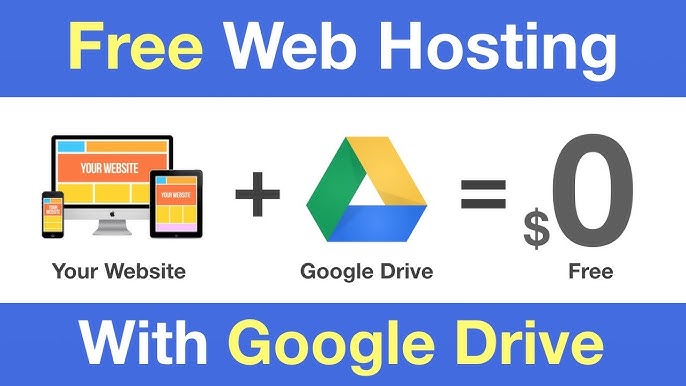
Google Drive cannot directly host websites. It serves as cloud storage for files. To host a website, use platforms like GitHub Pages or specialized hosting services. Google Drive can store website files, but it doesn’t support web hosting functionalities. Consider other hosting solutions for your website needs.
Conclusion
Choosing Google for web hosting offers many benefits. Simplicity and reliability stand out. Google provides secure and scalable solutions. It supports your website’s growth. Setting up hosting on Google is straightforward. You gain access to powerful tools. These tools help optimize performance.
Cost efficiency is another advantage. Google’s pricing is competitive. This makes it accessible for many users. You also enjoy global reach. Google’s infrastructure spans worldwide. Your site loads quickly everywhere. This ensures a good user experience. Consider Google for your hosting needs.
A smart choice for a smooth online presence.


