
Are you feeling stuck with your current web hosting provider? Maybe you’re dealing with slow load times, limited support, or just not getting the value you deserve.
Switching your web hosting provider might seem daunting, but it can open the door to a better online experience. Imagine faster speeds, reliable service, and peace of mind knowing your website is in good hands. In this guide, you’ll discover a straightforward process to transition seamlessly without disrupting your online presence.
By the end, you’ll have the confidence to make the switch and enhance your website’s performance. Let’s dive in and unlock the potential waiting for you!

Credit: www.liquidweb.com
Reasons To Change Your Web Hosting
Slow website speed can frustrate users. Websites must load quickly. This helps keep visitors happy. Downtime is another problem. Websites should be online all the time. Frequent outages can hurt your business.
Visitors leave if pages take long to load. Faster websites are better. They rank higher on search engines. This means more people find your site. Fast websites are a must-have.
Good customer support is very important. You need help when things go wrong. 24/7 support is best. Some providers don’t answer quickly. This can be a big problem.
Friendly and helpful support makes a difference. It solves issues fast. If your provider is slow to help, it might be time to change.
Hosting should be affordable. Some providers are too expensive. Compare prices to find the best deal. Cheap isn’t always good.
Look for value in what you pay. Hidden fees can add up. Always read the fine print. Savings matter. Spend wisely on hosting.
Credit: www.hostinger.com
Preparing For The Switch
Decide what you need from a new host. Do you need more storage? Or better speed? Think about your current issues. Make a list of what you want. This helps you pick the right provider. Consider your future needs too. Will your site grow? Plan for more traffic if needed.
Look for different hosting providers. Compare their features and prices. Read reviews to know others’ experiences. Check their customer support. Good support is important. Make sure they have uptime guarantees. A reliable host keeps your site online. Choose a provider that fits your needs.
Always have a backup of your site. This is very important. Backup all your files and data. Use a secure method. Make sure your data is safe. Check your security measures. Update your passwords and use SSL certificates. This keeps your site safe from threats.
Comparing Hosting Plans
Shared hosting means you share a server with others. It’s often cheaper. Dedicated hosting offers a server just for you. It provides more control and resources. Shared hosting is good for small sites. Dedicated hosting suits bigger sites with more traffic. Consider your site’s needs before choosing.
Cloud hosting uses many servers. This helps balance the load. If one server fails, others will help. It is very reliable. It’s like having a backup. Cloud hosting can grow with your site. It’s flexible and often fast. Choose this if your site might grow quickly.
Price matters when choosing hosting. Shared hosting is usually less expensive. Dedicated hosting costs more but offers more. Look at features like storage and bandwidth. Also consider customer support. Some plans offer 24/7 help. Pick a plan that fits your budget and needs.
Credit: www.liquidweb.com
Transferring Your Website
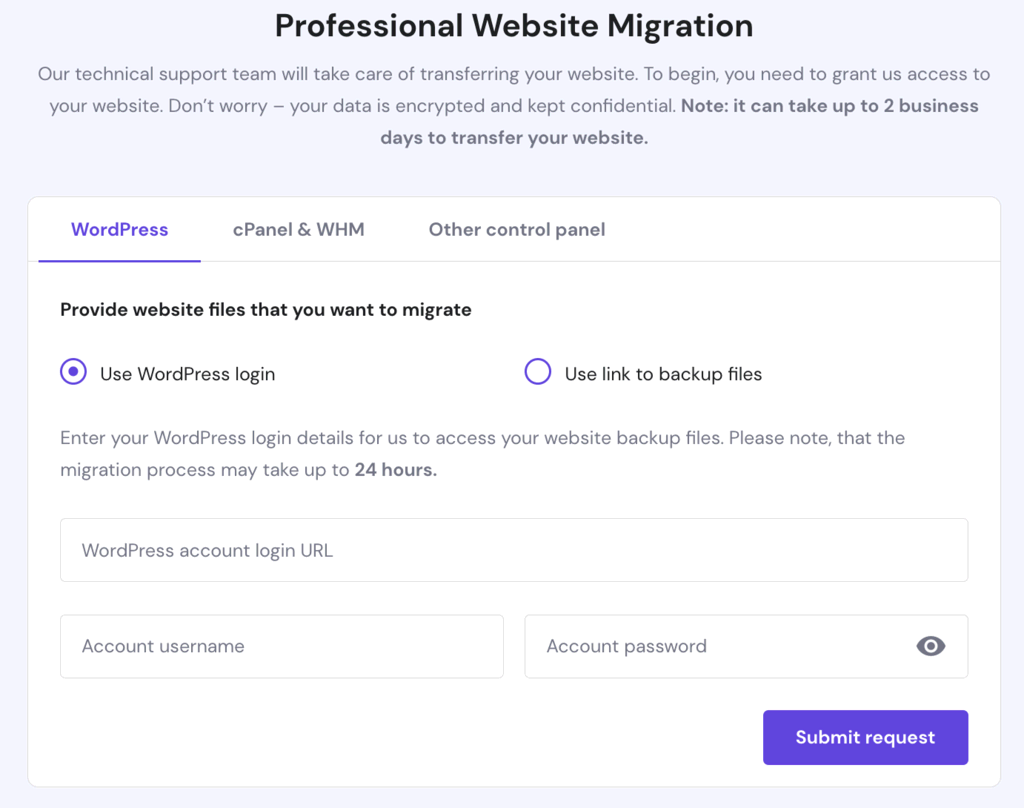
Moving your website can be easy. First, copy all the files from your old host. Use an FTP program. Save them on your computer. Next, export your database. Use a tool like phpMyAdmin. Export it as a SQL file. Keep these backups safe.
DNS settings are important. Log into your domain registrar. Find the DNS settings. Change the nameservers to your new host. This tells the world where your site lives now. It may take some time to update everywhere.
Before you go live, test everything. Visit your new site with a temporary URL. Check all pages and links. Make sure they work. Look for any missing files. Fix any problems you find. Testing helps you avoid surprises.
Handling Domain Registration
Transfer your domain with care. Begin by unlocking your domain. Get the transfer code from your current provider. Use this code with your new host. Follow their steps to finish the transfer. Check status to ensure it’s complete. A smooth process avoids issues.
Update your settings quickly. Change DNS records to point to the new host. This ensures your site loads correctly. Check email settings too. Test changes for proper function. It keeps your site running well.
Think about renewal dates. Know when your domain needs renewing. Avoid expired domains. Renew early to secure your domain name. Look at cost differences between hosts. This helps you plan better.
Dealing With Technical Challenges
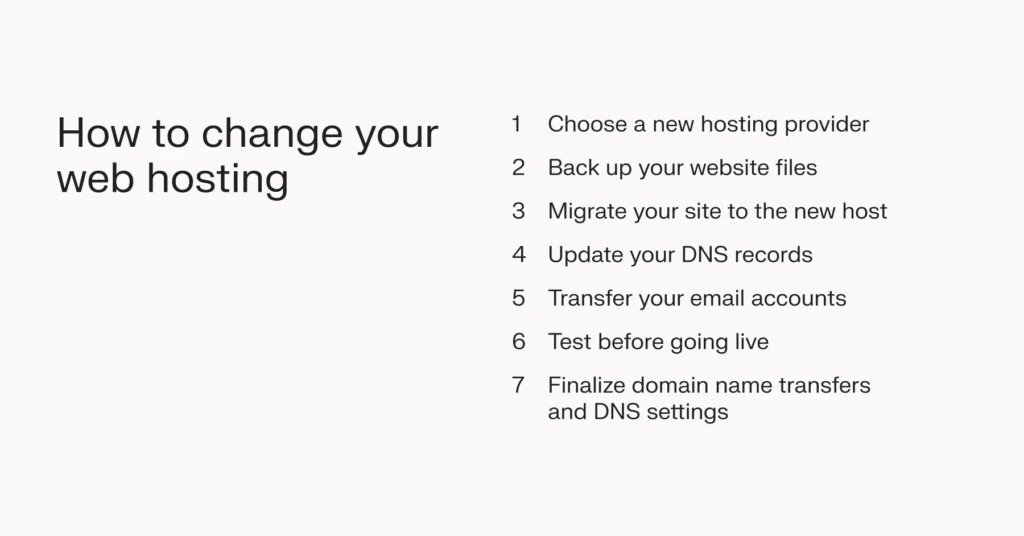
Switching your web hosting provider involves careful planning to ensure a smooth transition. Back up your website data before moving. Choose a new provider that meets your needs and transfer your files and databases. Finally, update your domain settings to point to the new host.
Troubleshooting Common Issues
Switching web hosting can bring technical issues. Websites may not load properly. Email services can stop working. Broken links are a common problem. Always check for these issues. Backup your data to avoid losing anything important. Double-check DNS settings to ensure smooth functioning. Clear browser cache if pages don’t load correctly. Use error logs to find problems quickly. Testing your website thoroughly is vital.
Ensuring Website Functionality
Your website must remain functional during the switch. Test all pages for errors. Ensure images and videos load correctly. Check forms and links for problems. Monitor website speed to ensure it remains fast. Review site analytics to track visitor activity. Update plugins and themes to avoid compatibility issues. Functionality is essential for user experience.
Contacting Support For Help
Technical support is available for help. Most hosting providers offer 24/7 support. Email or call for assistance. Live chat is a quick option. Explain issues clearly to get fast help. Support teams can guide you through problems. They offer solutions to common issues. Always reach out if you face challenges.
Optimizing Post-switch Performance
Fast websites make users happy. Use tools to check speed. Google offers free tools. They show how fast your site loads. Improve speed by reducing image size. Less code helps too. Fast sites rank better on search engines.
Security keeps data safe. Update software regularly. Old software has holes. Strong passwords protect accounts. Use a mix of letters, numbers, and symbols. Install security plugins. They guard against attacks. Always keep backups.
Backups save your work. Use automatic tools for this. Store copies in different places. Cloud storage is safe. Test backups often. Restore them to check reliability. Peace of mind comes from knowing your data is safe.
Evaluating The New Hosting Experience
Strong customer support is very important. It helps solve issues fast. Good support is available all day and night. Look for providers with friendly staff. They should answer questions quickly. Check if they offer live chat or phone support. This makes getting help easier. A good provider listens and helps every time.
SLAs explain what the host promises. They show how reliable the service is. Look for uptime guarantees. High uptime means your site stays online. Check if they have a refund policy. This is important for downtime. Read the fine print. It tells you what you can expect. Understanding SLAs helps you know what you get.
Feedback helps improve services. Share your thoughts with the host. This can lead to better service. Hosts value honest feedback. They use it to make changes. You can also learn from others. Read reviews and ratings. See what other users say. This helps you make better choices. Improvement is a team effort.
Frequently Asked Questions
Can I Change My Web Hosting Company?
Yes, you can change your web hosting company. First, choose a new host, then transfer your files. Update your domain’s DNS settings to point to the new host. Ensure all data is backed up before starting the process. Consult your new host for specific migration instructions.
How To Transfer Web Hosting From One Company To Another?
Transfer hosting by backing up your website data. Choose a new host, and upload files. Update DNS settings to point to the new host. Check site functionality after transfer. Ensure email and database configurations are correct. Contact support for assistance if needed.
How Do You Transfer Your Hosting Plan To A Different Server?
Transfer your hosting plan by backing up data, choosing a new server, migrating files, updating DNS settings, and testing functionality.
Can I Move My Website From Godaddy To Another Host?
Yes, you can move your website from GoDaddy to another host. First, backup your website files and database. Choose a new hosting provider and upload your files. Update your domain’s DNS settings to point to the new host. Check your website’s functionality after migration to ensure everything works correctly.
Conclusion
Switching web hosting providers can seem tricky at first. But with the right steps, it becomes manageable. Research options that fit your needs. Plan the move carefully to avoid downtime. Communicate with both providers for smooth transitions. Backup your data to prevent loss.
Test your website to ensure everything works. Keep your audience informed about changes. With patience and preparation, the process becomes easier. Enjoy improved services and features with your new host. Remember, a successful switch enhances your online presence. Make the move and watch your website thrive.


